menu

AI Selfie with Celebrities Generator - Bring Stars in Your Photos

Create realistic selfies with their favorite stars using the AI-powered Selfie with Celebrities Generator. It is designed for users who want to make celebrity selfies, enhance photos creatively, or share unique images online with ease.

Bring Your Favorite Celebrities into Your Selfies

take selfies with celebrities

Take Selfies with Celebrities

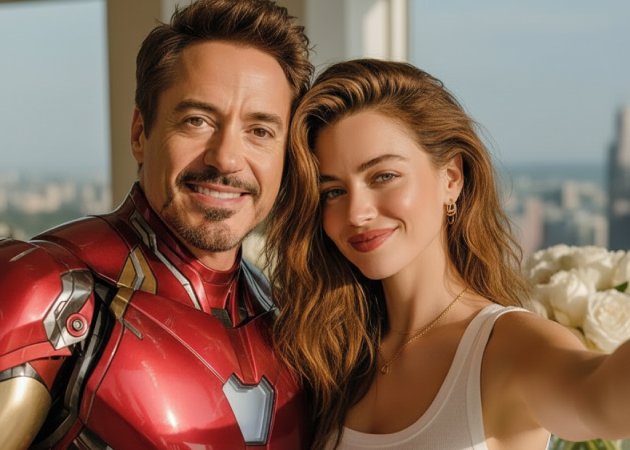
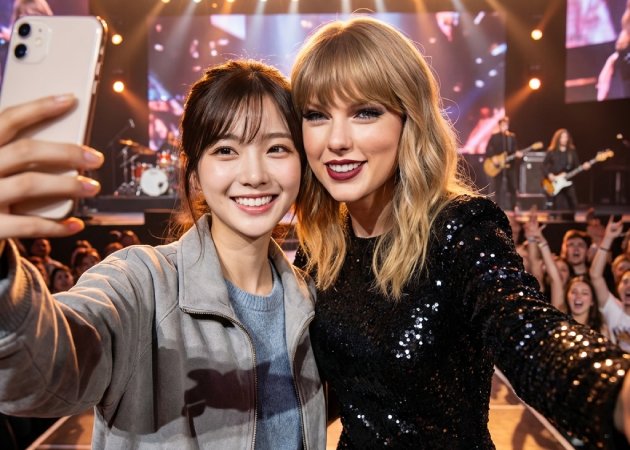
Get ready to meet your favorite artists without leaving home! The selfie with celebrities generator is made for fans who want to easily make lifelike selfies with celebrities. Instead of traveling to a concert or waiting in long lines to meet a celebrity, you can just upload your photo and get the selfie right away. For example, you might want to see yourself next to a famous actor at a movie premiere or a popular singer at a virtual concert. The AI clearly finds your face and places the celebrity in the photo in a way that looks real. This saves time and effort while still giving you a fun, shareable image for social media or your own collection.

Personalize Photos with Stars

With our selfie with celebrity online free tool, you can fully personalize your images with your favorite celebrities. You can adjust the background, position yourself in the photo, and even scale the celebrity to fit the scene naturally. For instance, you could put yourself beside a singer on a stage or next to a movie star in a casual setting. You can also tweak lighting and angles to match your original photo, ensuring everything looks realistic. This flexibility makes every photo truly unique and tailored to your creative vision. It’s a perfect way to craft memorable content without complicated editing software.

personalize photos with stars
merge multiple celebrity images

Merge Multiple Celebrity Images

You are not limited to adding only one celebrity in your photo. With this photo with celebrity AI free tool, you can upload multiple celebrity images along with your own photo and describe in your prompt how you want them arranged. For example, you could create a group selfie with three actors at an award show or a lineup of singers at a concert. The AI blends all faces seamlessly while maintaining realistic proportions and lighting. You can also simply type the names of the celebrities you want in your photo using the text prompt, and the tool will automatically add them. This allows you to create fun, creative group selfies that would be nearly impossible in real life.

Customize Edits with Prompts

Every adjustment you want can be done easily using a text prompt. This selfie with celebrity prompt feature lets you describe the pose, placement, expressions, background, or even the style of your selfie. You can type, “Place me next to a smiling actor on a red carpet with bright lights,” and the AI will generate the photo accordingly. Also, you can be detailed in your prompt for more accurate results. This approach allows you to fully control the final image without manually editing anything. It also lets you experiment quickly with different ideas until you get the perfect result. The prompt-based editing ensures your creativity is fully realized while keeping the process fast and simple.

customize edits with prompts

Create a Selfie with a Favorite Celebrity in 4 Steps

  • 01
    Go to AI Photo Editor
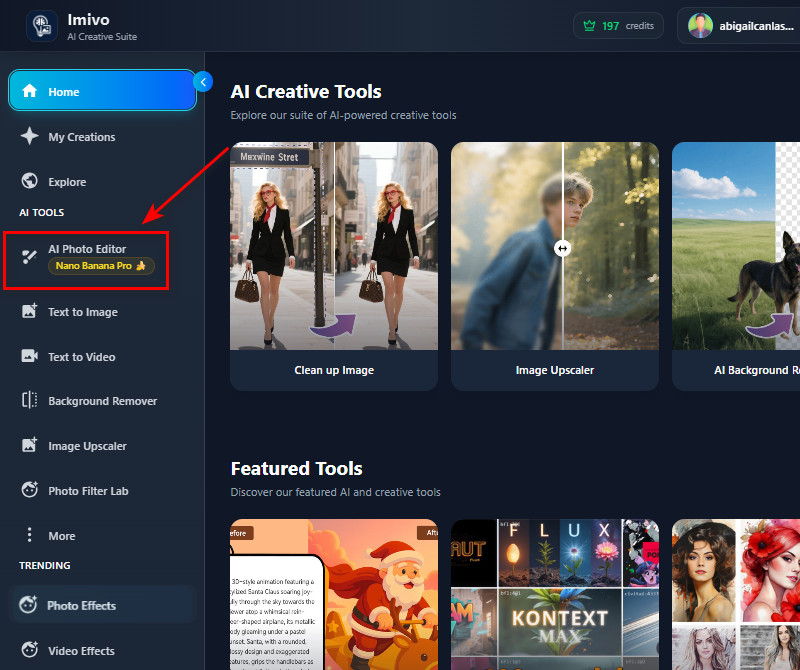
    First, log in or create an account in the AI tool. After that, you will have access to the numerous tools available. Next, look on the left and select "AI Photo Editor" under the AI Tools section.
  • 02
    Upload Your Image
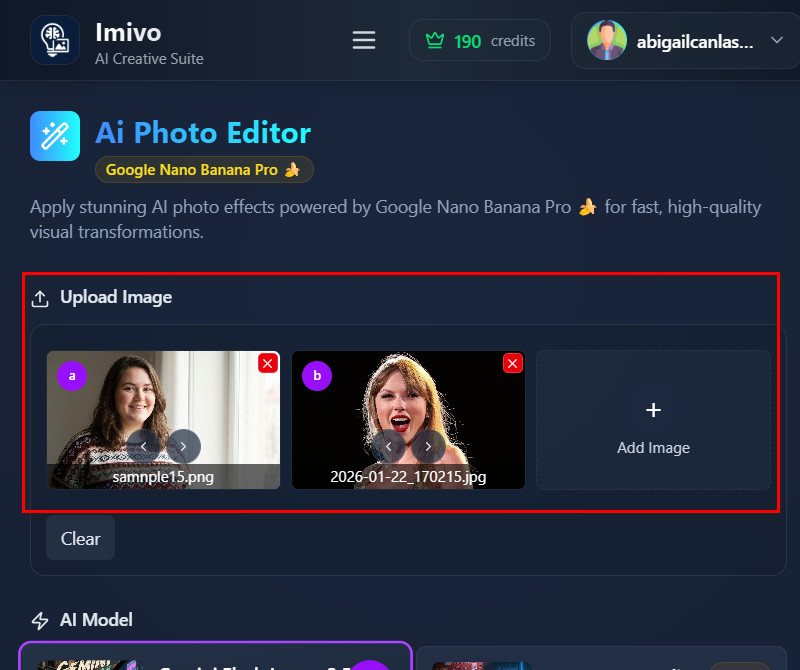
    In the upload section, click the "Add Image" button, then select your selfie photo in the pop-up File Explorer. You can also add your favorite celebrity image (if you have one) and upload it to the tool. If you don't have one, proceed to the next step.
  • 03
    Add Your Description
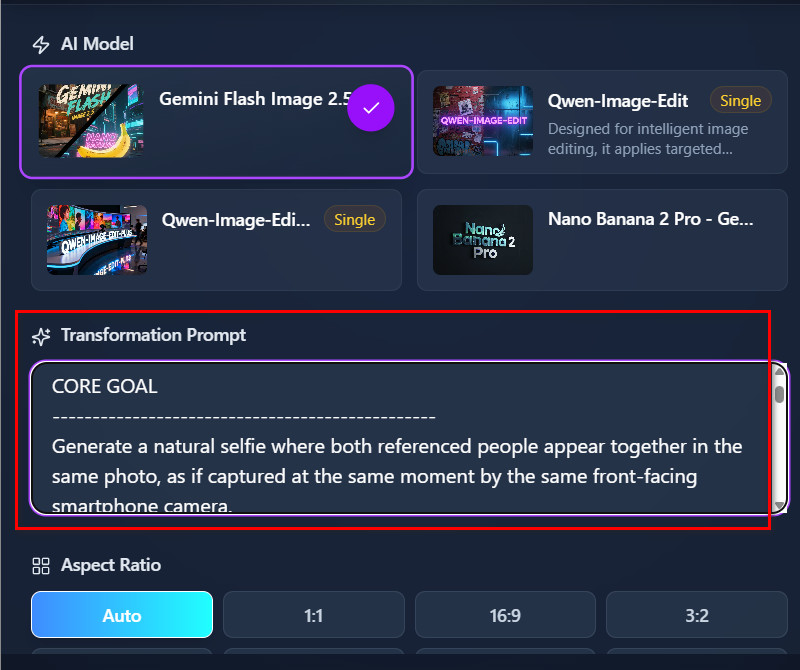
    After uploading photo(s), you can add your description in the Transformation Prompt box. If you upload 2 photos, describe how you want them arranged in a single photo. If you only uploaded your selfie, you can type the celebrity’s name and any details about the pose, expression, or background.
  • 04
    Save the Final Image
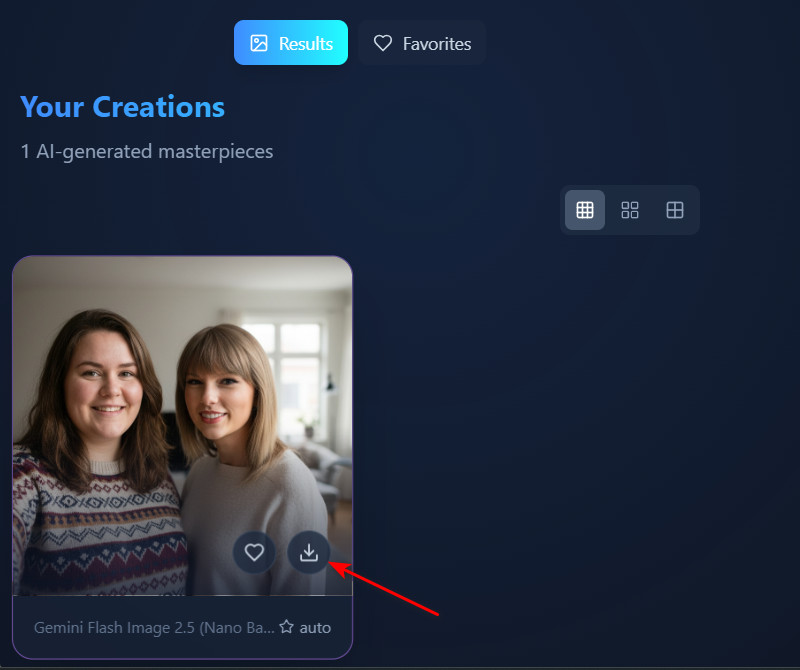
    Once ready, click the "Apply Effect" button and let the AI tool generate a new image. After a few seconds, the result will appear on the Gallery tab. From there, examine it and see if it suits your description. When you’re satisfied, click the Download icon to save your selfie with the celebrity to your device.
go to the ai photo editor
upload your image
add your description
save the final image

Discover More Tools That Work for You

These tools help people easily improve and change their photos in creative ways. They give users simple, smart features that require no special training. People can quickly add effects, remove elements they don't want, or turn photos into art to make their pictures more fun, unique, and easy to share.
"This generator makes creating celebrity selfies very easy. I typed the celebrity name in the prompt, and the tool did the rest. The output looked realistic, and I could quickly try different stars."
Hunter Bruce, Engineer
01-02-2026
iiiii
iiiii

"I used this tool to create a group selfie with a few actors. It was surprisingly fast, and the placement looked natural. The tool made the process very easy."
Ellie Moe, Software Developer
10-23-2025
iiiii
iiiii

"I tried a few different prompts to see how my selfies would look with stars. The AI interpreted my instructions well and produced good results. It’s quick and fun to use."
Adam Larsen, Musician
11-25-2025
iiiii
iiiii

"I used the generator to create a selfie with my favorite actor at a movie premiere. The AI made it look like we were really standing together. It’s simple, realistic, and fun to use."
Marcos Velasco, Animator
11-14-2025
iiiii
iiiii

"The text prompt feature is very helpful. I just wrote how I wanted the selfie to look, and the tool generated it exactly as I described. The results are realistic and fun to share."
Robyn Wright, Content Creator
12-14-2025
iiiii
iiiii

"I didn’t expect the selfies to look this natural. I added my favorite actor to a casual photo, and it blended perfectly. It’s also really simple to use, even without editing skills."
Angelina Jara, Store Manager
10-06-2025

iiiii
iiiii

Why Choose Us

Frequently Asked Questions

Is it necessary to upload a picture of a celebrity?

Not really. The tool lets you upload both your selfie and the celebrity’s photo, if you have one. On the other hand, you can upload just your selfie and type the celebrity’s name in the prompt. The AI will then generate a realistic selfie with that celebrity. This makes it easy to create images even if you don’t have a photo of the celebrity. You can try different celebrities simply by changing the prompt.

Can I customize the AI selfie background?

Yes, you can customize the background using your prompt. Just describe the scene or style you want, such as a red carpet, stage, or casual setting. The AI will apply your description to the final image. This helps your selfie look more personalized and realistic. You can also experiment with different backgrounds until you get the look you want. It’s a simple way to make your photos more creative.
What if I do not like the result?

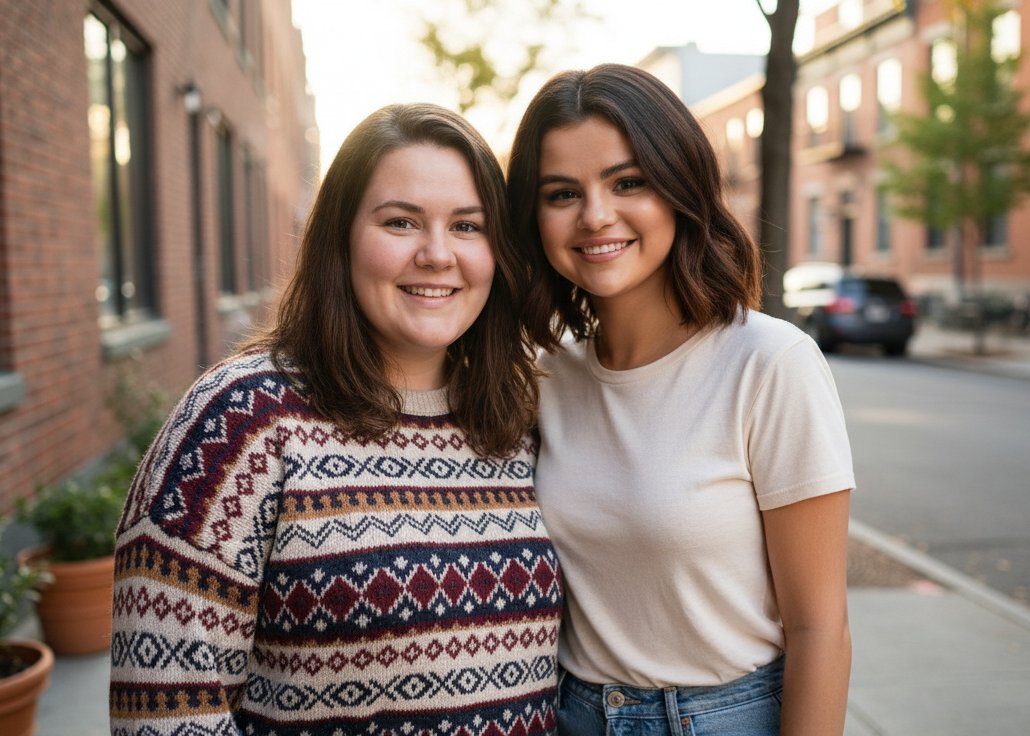
If you don’t like the first result, you can try again. You can tweak your prompt to adjust the celebrity position, expressions, or background. As long as you have available credits, you can regenerate the image multiple times. This makes it easy to get exactly the look you want. The AI quickly produces new versions each time. You can experiment freely until you are satisfied.

Will the photo I create have a watermark?

No, the images you download will have no watermark. The tool produces clean, high-quality selfies ready to use. You can also share or print them without needing additional editing. This makes your photos look professional and polished. You don’t need to worry about logos or marks on the image. It’s convenient for personal or social media use.

Can I share my AI-generated selfies on social media?

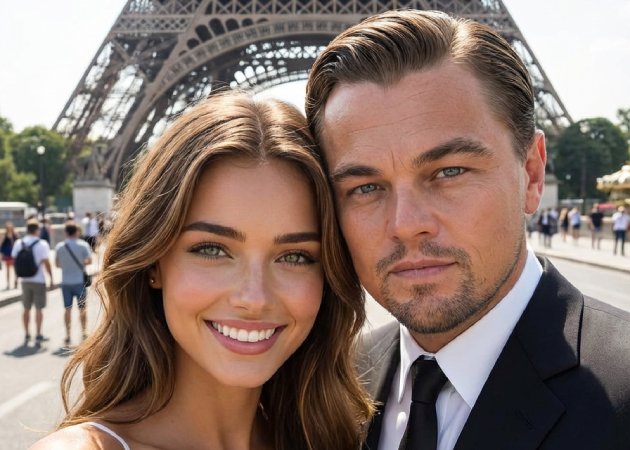
Yes, you can share your selfies on any social media platform. However, it is recommended to note that the image is AI-generated to avoid confusion or legal issues. The photos are high-quality and ready for posting. Sharing is fast and requires no extra editing. You can also download the output image to your device in high-quality JPG. This makes it simple to showcase your celebrity selfies safely.
pro image logoAceThinker PicWish

Make Any Photo Background Disappear

pro banner image
Back to Top
Contact Us
Learning Center