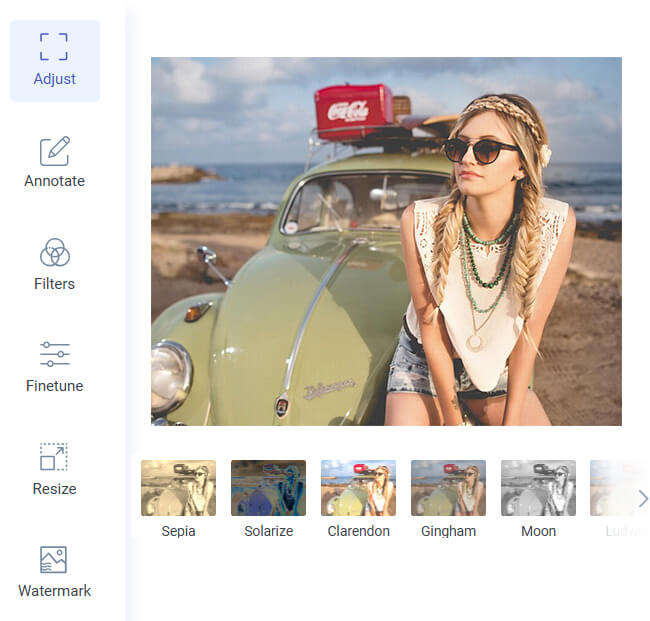
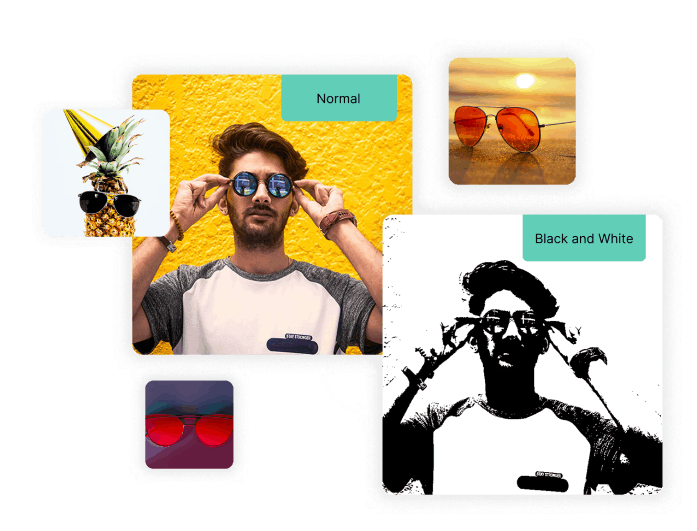
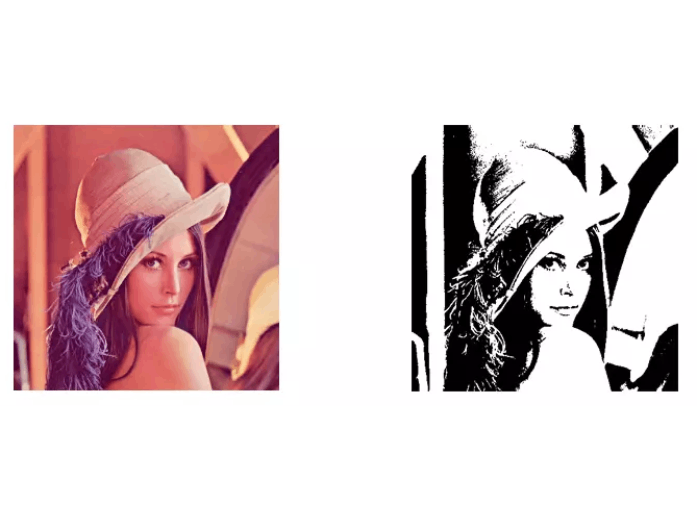
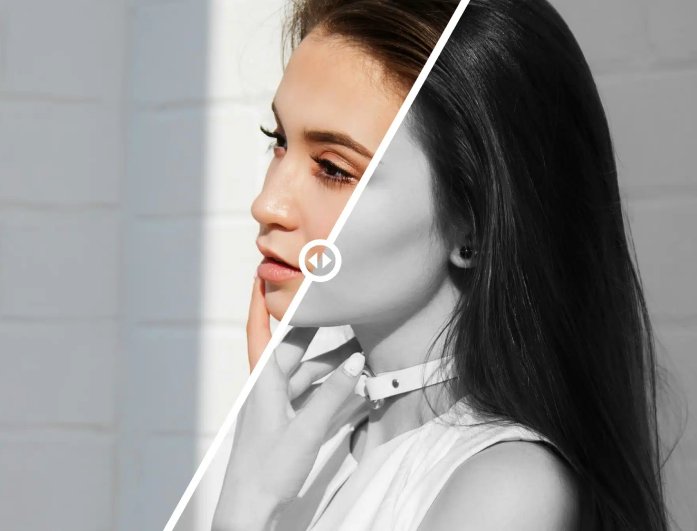
With our tool, you can convert picture to black and white drawing easily with its different black-and-white filters. It gives your photos a timeless, artistic touch, and each filter adds its own unique tone and depth, allowing you to find the perfect look for your image. Whether you want a dramatic contrast or a soft monochrome style, it only takes a few seconds to achieve.
You don't need any editing skills —just upload your photo and choose your preferred black-and-white effect. The process is simple and fast, perfect for both casual users and creative professionals. With just one click, your ordinary photo transforms into a classic black-and-white masterpiece.
Our online image editor makes it effortless to convert image to black and white free, giving your photos a clean, professional finish. It removes distracting colors and highlights the details, making every shot look sharper and more balanced. Whether it's a portrait, a landscape, or a product photo, turning it into black and white can completely change its mood and impact.
Moreover, you can upload photos from your computer or mobile device, and the tool will automatically process them in seconds. It's designed to maintain your image's original quality, so you get the best results every time. This feature is perfect for anyone who wants elegant, high-quality black-and-white photos without any hassle.


See the magic happen instantly with our live preview option. You can adjust and fine-tune your photo's look as you watch, ensuring you get the exact style you want before saving. It's an efficient way to experiment with contrast and tone when you convert image to black and white no grey.
Besides, the preview feature saves time and gives you full creative control over your photo edits. You can easily compare the before-and-after results to ensure your black-and-white version stands out beautifully. With real-time updates, every change you make appears immediately, helping you achieve the perfect look effortlessly.


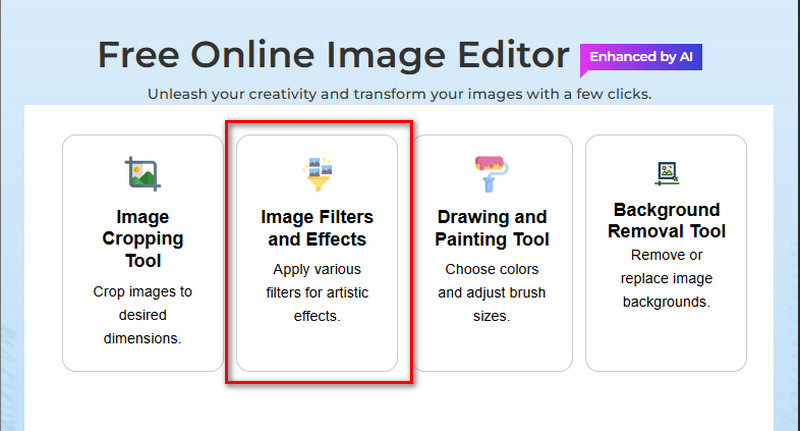
On your web browser, search for AceThinker Free Online Image Editor. Next, open the online editor and click "Image Filters and Effects" on the tool's homepage.
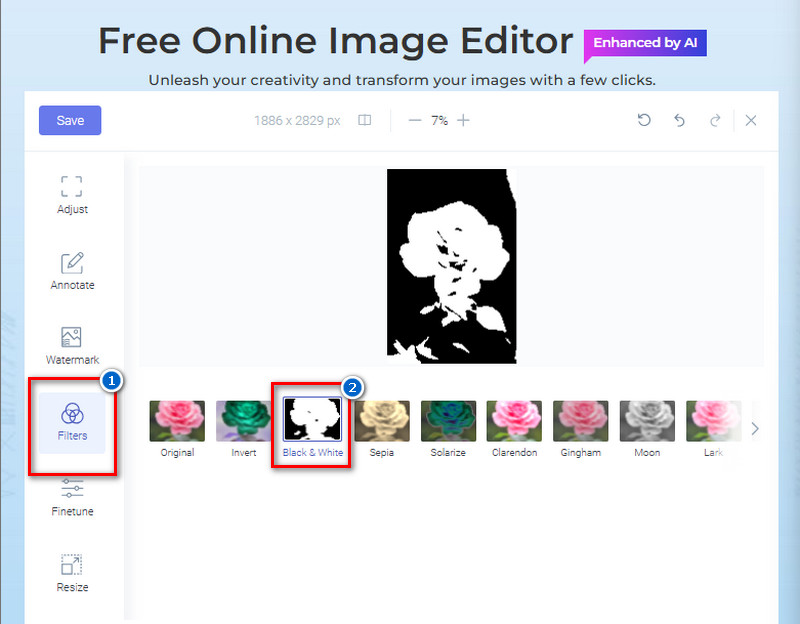
Upload the image you want to turn into black and white. Afterward, choose the "Black and White" filter from the filters available.
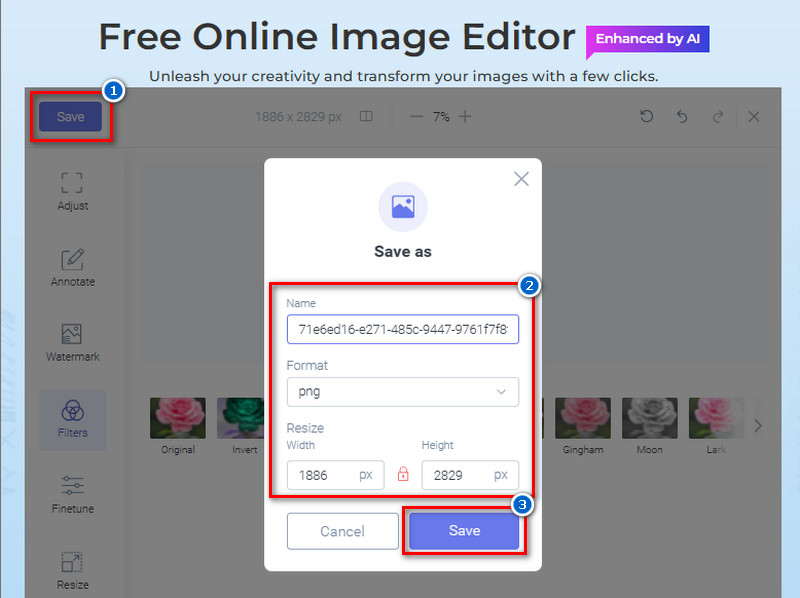
Once satisfied, click the "Save" button, rename the image, select the image format you prefer, or resize the photo if you want to, from the pop-up menu. Lastly, click the "Save" button again to download the image.
The best file formats for black-and-white images are JPG and PNG. JPG is great for smaller file sizes and easy sharing, while PNG keeps higher quality and transparency if needed. You can choose either depending on whether you want quality or a small file size.
Black-and-white images help highlight texture, shape, and emotion without the distraction of color. They give photos a classic, timeless, and artistic look. Many people use them for portraits, landscapes, and creative photography projects.
No, you don't need to create an account to use this tool. You can start converting your photos right away without signing up. It's fast, simple, and completely hassle-free.
No, the tool does not add any watermark to your converted image. You'll get a clean, professional black-and-white photo after downloading. This makes it perfect for both personal and work use.
Yes, you can use this tool in both mobile and desktop browsers. It operates smoothly on any device, so you can convert photos anytime, anywhere. Just open the tool in your browser, upload a photo, and start editing.