menu

Gender Swap Filter - Accurate Gender Face Editing

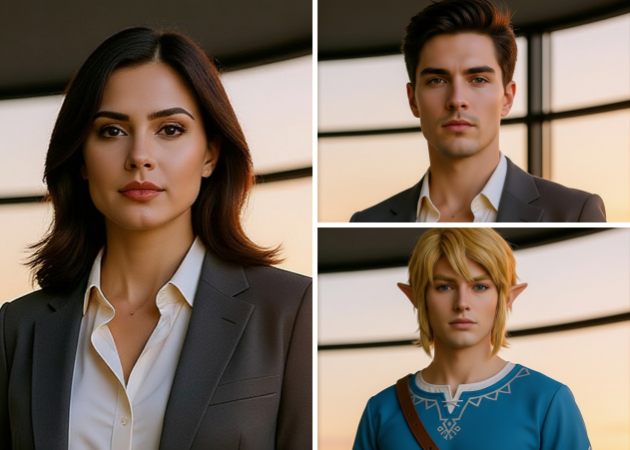
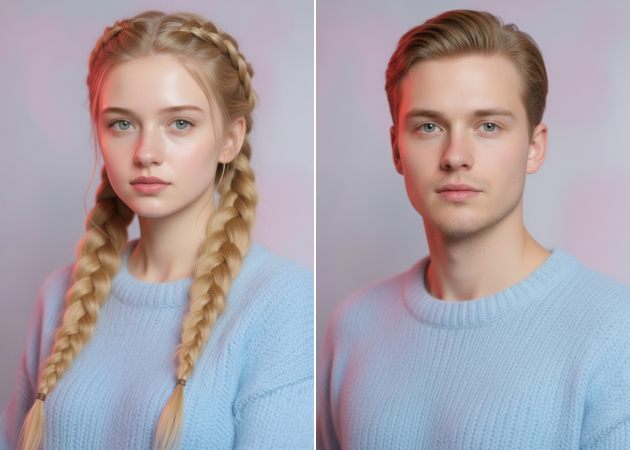
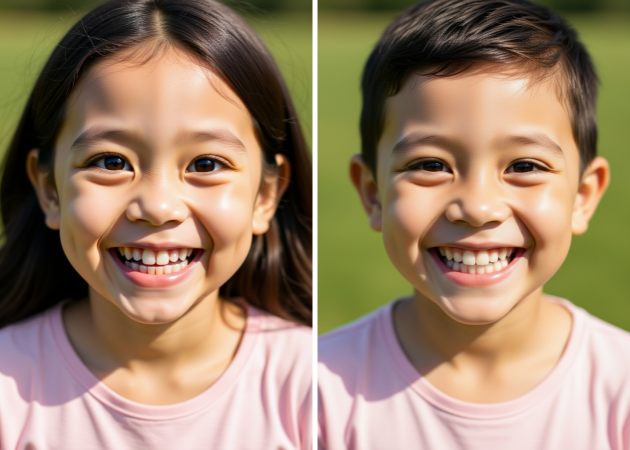
The Gender Swap Filter lets you quickly see how your face might look as another gender with realistic AI editing. It’s great for anyone who wants to view themselves as the opposite gender while keeping their facial features, skin tone, and expressions the same.

Explore Another Version of Yourself Instantly

create a twin version of you

Create a Twin Version of You

Have you ever thought about what you might look like as your own twin? With gender swap AI, you can quickly see a realistic version of yourself as another gender. The tool keeps details like your facial structure and skin tone, so the result looks natural. It’s a fun way to satisfy your curiosity or to create social media content. You don’t need editing experience—the AI takes care of everything for you. Just enter a prompt and discover a new version of yourself that still feels like you.

Gender-Swap Your Favorite Celebrities

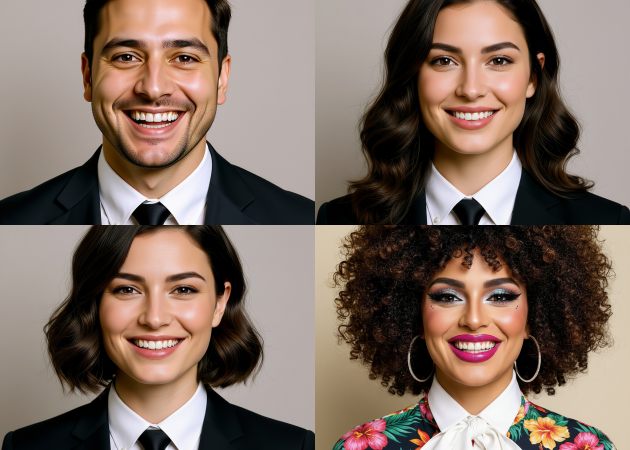
Upload photos of your favorite celebrities and transform them using a reliable AI filter gender swap that keeps their signature look intact. Fans enjoy seeing famous actors or singers in different gender expressions. It is great for entertainment content, memes, or social media posts. The filter preserves details like face shape, hairstyle flow, and lighting to avoid fake results. This helps your edits look shareable and fun rather than edited. It turns celebrity photos into creative content in seconds.

celebrity gender swap
full appearance transformation

Full Appearance Transformation

Imagine changing not just your face, but your whole appearance. With this AI gender swap online filter, you can adjust your expression, hairstyle, outfit, and more, while choosing which features to keep. Just describe what you want in your prompt to create a personal transformation that still looks like you. It’s great for creators who want different looks in one photo or want to try new styles. The AI makes everything look smooth and real, so you don’t have to spend hours editing. You can easily try out creative and bold changes.

Join the Gender Swap Trend Online

Wondering why so many people are swapping genders in their photos online? This gender swap filter online lets you join the trend with natural, realistic results in just a few clicks. It’s great for selfies, profile pictures, or social media posts, making it easy and fun to create new content. You don’t need any special editing skills—the AI takes care of all the details. You can upload your swap photo to Instagram, TikTok, Facebook, or any other platform and even use it as your profile picture. People enjoy trying out new styles and sharing their results with friends. It’s an easy way to join a popular trend and make your photos stand out.

join the gender swap trend

Swap to Your Opposite Gender in Seconds

  • 01
    Create an account for the AI tool
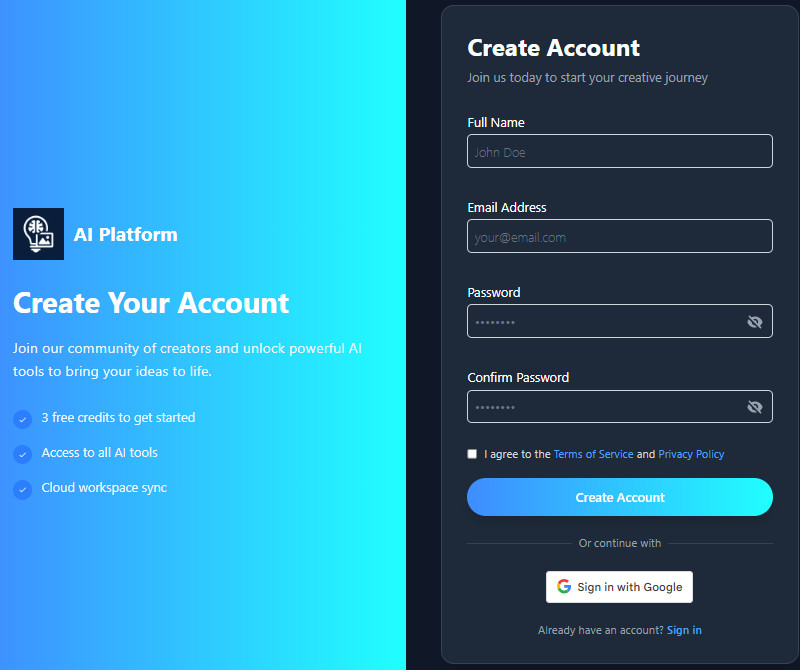
    Before starting the main process, you need to create an account on the AI gender-swap filter. When you are on the login page, click the "Sign Up" button and enter all the information needed to create an account. Alternatively, use the "Sign in with Google" option for a simpler sign-in.
  • 02
    Upload Your Photo
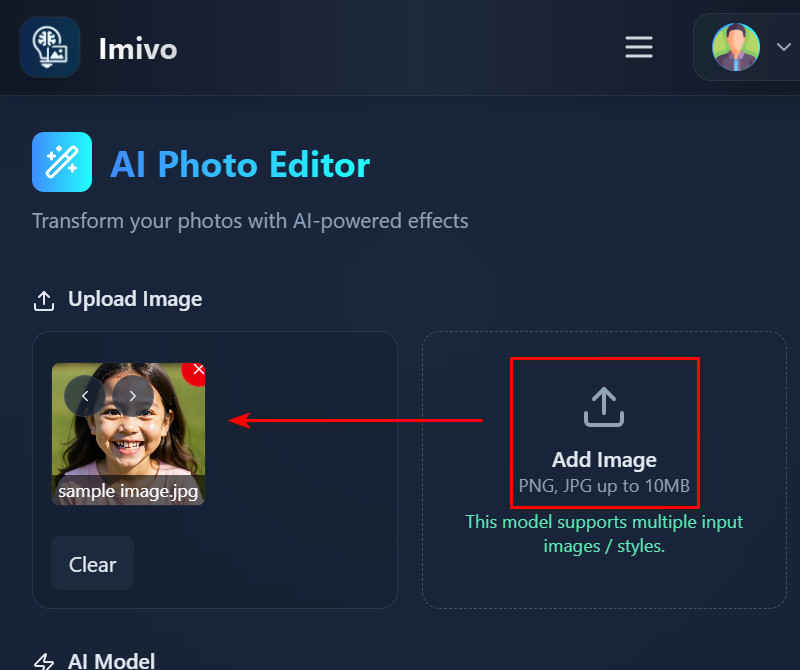
    Once you’ve signed up, you can now have access to the main homepage. Now, go to the "AI Photo Editor" tool in the left corner, which you use for your gender swap process. Then, upload a front-facing photo in JPG or PNG format, up to 10 MB.
  • 03
    Add Your Description
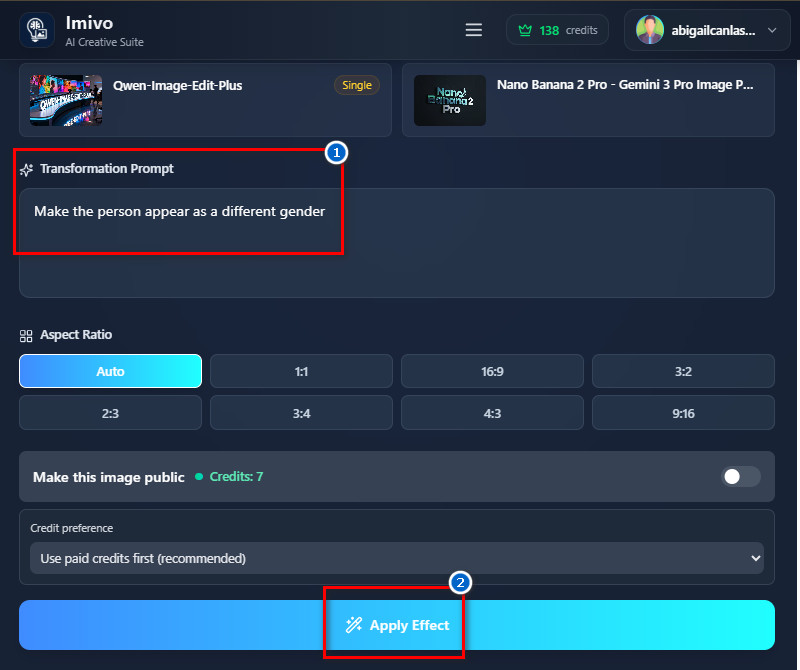
    Next, go to the "Transformation Prompt" box and start describing how you want to change your looks. You can include gender, age, looks, expression, and outfit to get the result you imagined. Once you’ve added your description in the prompt box, click the "Apply Effect" button to let the AI start processing your photo.
  • 04
    Preview and Download the Result
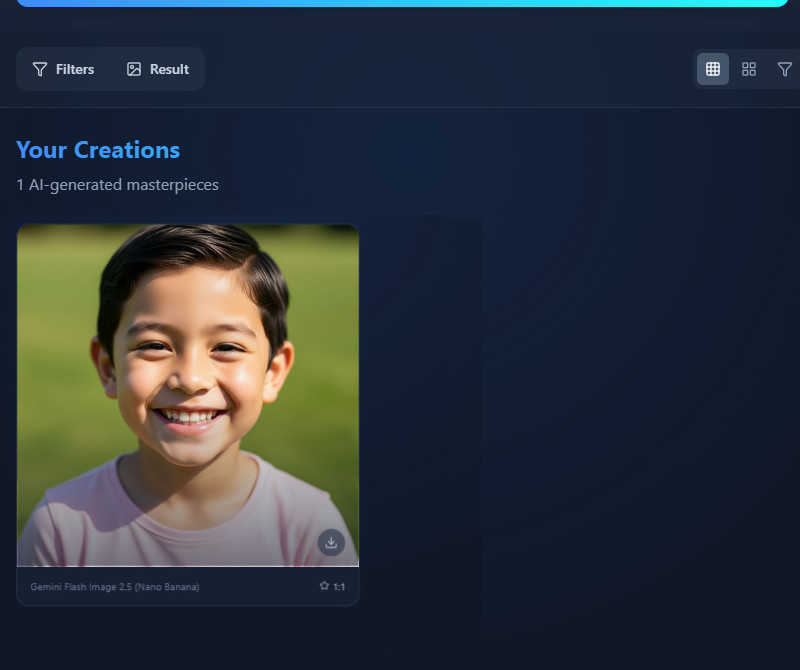
    After the process, you'll see the preview of your transformed image. If you like the result, click "Download" to save it as a high-resolution JPG. Finally, feel free to share it on social media with friends or family and see what they say about how you look to the opposite gender.
create an account
upload your photo
add your description
preview and download the result

Discover Tools You Might Like

These tools let you change your photos in fun and creative ways. You don’t need any technical skills, so it’s easy to make content quickly. You can make unique images for different purposes in no time.
"I was surprised by how real it looked. The tool changed my face but kept my expressions the same. Anyone can use it easily."
Oscar Liu, Chef
12-30-2025
iiiii
iiiii

"The AI made my photo look natural after the change. It’s fun to try out different styles, and my original image stays the same. I might use it for social media."
Miles Anderson, Marketing Specialist
12-08-2025
iiiii
iiiii

"I used the gender swap filter online, and it worked great. The results look natural, and it’s easy to use. I like that it kept my facial features the same."
Maya Wilson, Graphic Designer
11-02-2025
iiiii
iiiii

"The tool is easy to use and quick. My face looked natural after the change, and sharing was simple. It’s great for trying something creative fast. "
Florence Brown, Travel Blogger
10-15-2025
iiiii
iiiii

"This online filter is fun and simple to use. The AI keeps your face looking real, and the changes look natural. I tried a few selfies, and they all came out well."
Finn Kaur, Fitness Trainer
01-01-2026
iiiii
iiiii

"I was curious about this tool, and it worked as expected. The transformation looked real, and I didn’t have to adjust anything myself. It’s simple and works well."
Elsa Liu, Engineer
11-26-2025

iiiii
iiiii

Why Choose Us

Frequently Asked Questions

How does this tool work?

This tool uses AI to analyze your face and create a realistic gender swap based on your instructions. Simply upload an image and describe what you want to change. The system identifies your facial features and adjusts the gender appearance while preserving your unique details, skin tone, and expressions. If your prompt is clear and specific, the results will look more natural. The process only takes a few seconds, so it’s quick and easy. When it’s done, you get a realistic image that’s ready to use or share right away.

What images work best with this tool?

For best results, use clear JPG or PNG photos under 10 MB. Make sure your face is fully visible and centered in the picture. Slight angles are fine, but extreme angles can make the result less realistic. Avoid blurry, dark, or low-quality images to ensure the AI works well. Good lighting, especially natural light, helps create the most realistic and detailed transformations. The higher the photo quality, the more natural your gender-swapped image will look.

Do you store the images I upload? What about privacy?

No, we never store the images you upload. Your photos are processed securely in real time and deleted right after editing. We respect your privacy and do not link any personal information to your uploads. You can use the service knowing your data is not stored or shared. All changes happen online during your session, and nothing is saved afterward. This keeps your images private while still giving you accurate results.
Can I download and share my AI-generated gender-swap result?

Yes, you can download your new image as soon as the AI finishes. The file is saved in high-resolution JPG format for clear results. You’re free to share your images on social media or with friends, and there are no watermarks or copyright issues. You can use the edited image however you like for personal or creative projects. The tool keeps your original expressions and features, so the result looks realistic. Downloading and sharing your gender-swapped images is easy and fun.
Do I need to download an app?

No, the tool is web-based, so you don’t need to download and install any application. It works directly in a browser and is compatible with all major browsers, including Chrome, Edge, Firefox, and Opera. You just upload a photo, and the AI generates your transformed image instantly. No installation, setup, or special software is required to get started. This makes the tool very convenient for any device, whether desktop, laptop, or mobile. You can use it anywhere, anytime, without any device limitations.

pro image logoAceThinker PicWish

Fast & Accurate Background Remover

pro banner image
Back to Top
Contact Us
Learning Center