menu

Grey Hair Filter - Transform Your Appearance with Realistic Preview

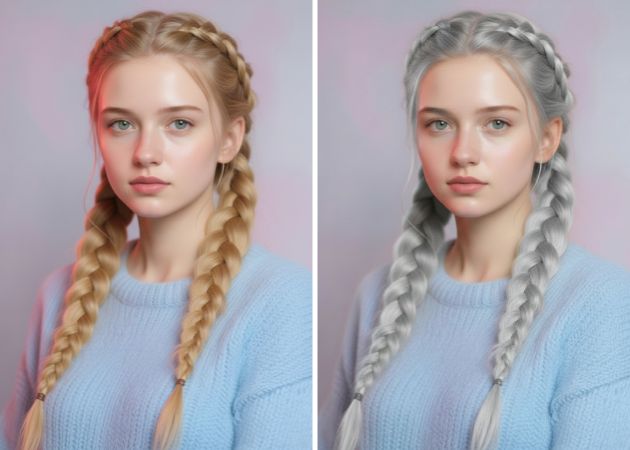
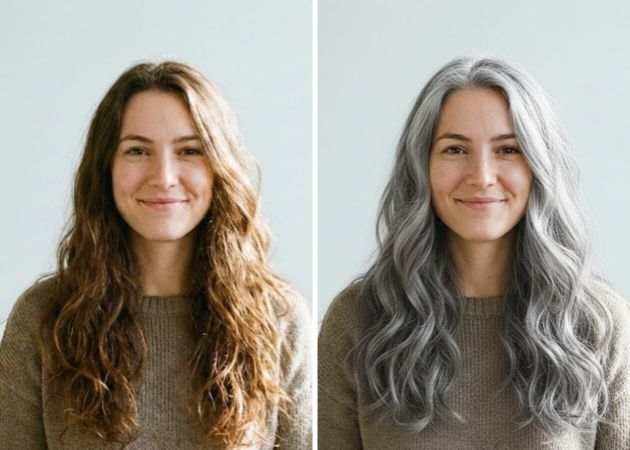
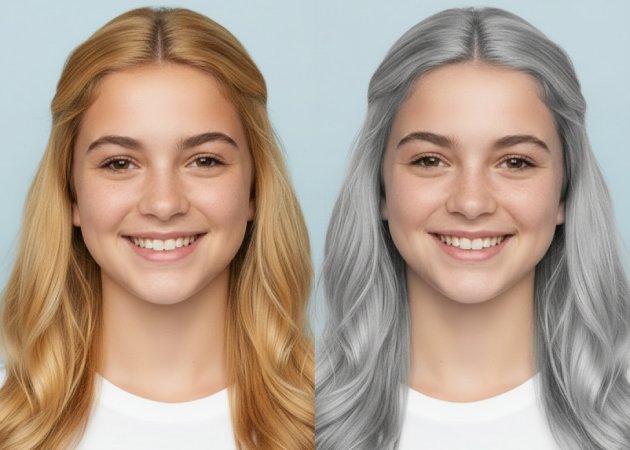
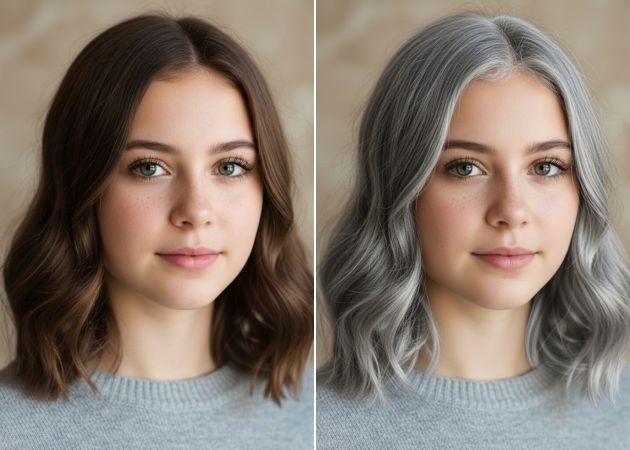
The grey hair filter helps you see how you would look with natural-looking grey or silver hair in just one tap. It is ideal for anyone curious about aging styles, planning a new hair color, or creating fun and realistic photos to share.

Embrace the Elegance of Grey

find your best grey style today

Find Your Best Grey Style Today

Trying grey hair can feel like a big step, especially if you are not sure how it will suit you. This is where a virtual hair color try-on makes a real difference, because you can see grey hair applied instantly and naturally. With the AI hair color changer, the result blends smoothly with your original hair, keeping your face and lighting realistic. You can adjust the look to match your vibe, whether you want something soft, bold, or stylish. As a result, you gain confidence because you are not guessing anymore.

Show Your Grey Hair Look Online

Once you see a result you like, it feels natural to want feedback from friends or followers. With the AI grey filter, your photo looks polished enough to share without extra edits. The grey tones stay consistent even after uploading to social platforms. This makes it easy to start conversations, ask opinions, or simply show off a new look. More importantly, sharing helps you feel more sure about your choice. It turns a private try-on into a fun and social experience.

Use the 2nd paragraph for the same feature if it's needed.

show your grey hair look online
refresh your style with grey

Refresh Your Style with Grey

Grey hair is no longer just about aging; it is also a fashion choice. Using an online grey filter allows you to experiment with modern, trendy grey shades that fit today’s styles. You can match the look with different outfits or moods to see what works best. Over time, this helps you understand how grey hair can elevate your overall image. Instead of feeling unsure, you feel more in control of your style. That small change can make your photos feel more confident and current.

Explore More Grey Shades Easily

Sometimes, one grey tone isn't enough to find the right match for your look. This feature lets you explore more color options by uploading your photo and adding a short text prompt to describe your hair. You can mention details like shade depth, softness, or style, and the editor adjusts the result to match your idea. This makes the experience more personal because you are guiding the look rather than accepting a fixed result. In the end, you get a grey hair look that feels closer to what you actually want, not just a random filter.

explore more grey shades easily

4 Simple Steps to Apply the Grey Hair Filter

  • 01
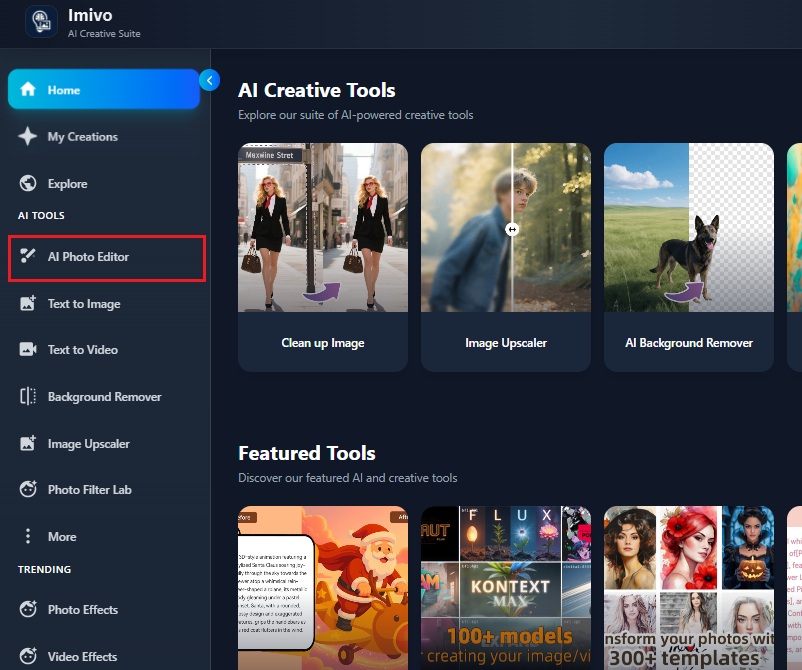
    Open the Grey Hair Filter Tool
    First, launch your web browser and visit the grey hair filter tool page. Then, log in or create an account to continue. After that, select AI Photo Editor to start editing your image.
  • 02
    Upload Your Image
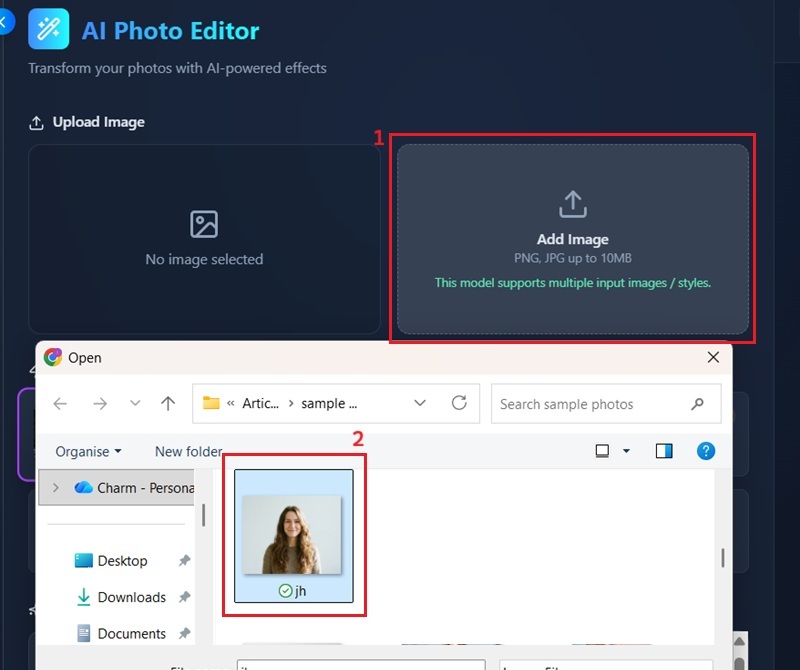
    Next, inside the AI Photo Editor, click the Add Image button. Browse your device and choose the photo you want to edit. Once uploaded, your image will appear and be ready for editing.
  • 03
    Add Your Description
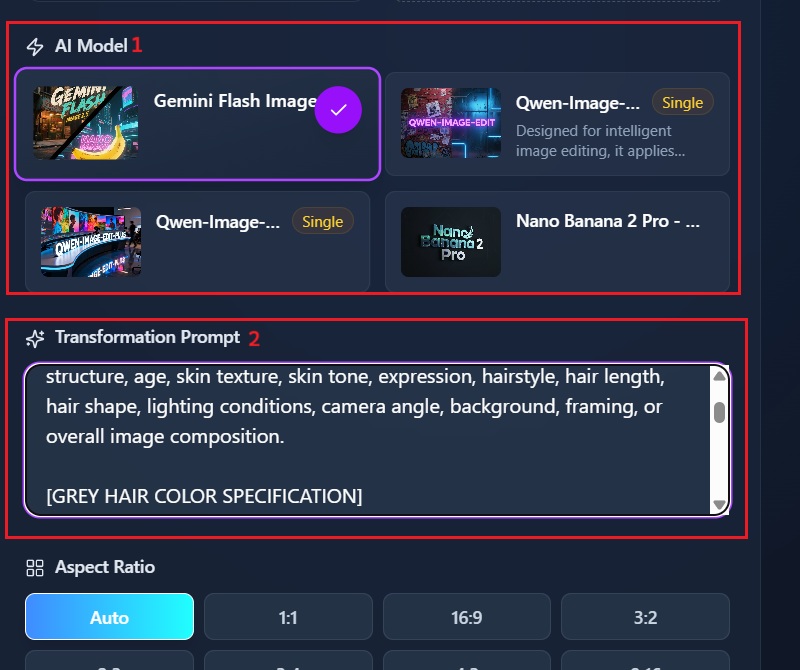
    After uploading, choose Gemini Flash 2 as your AI model. Then, type a short prompt describing how you want your grey hair to look. This helps the AI understand the style and shade you prefer.
  • 04
    Apply the Filter and Download
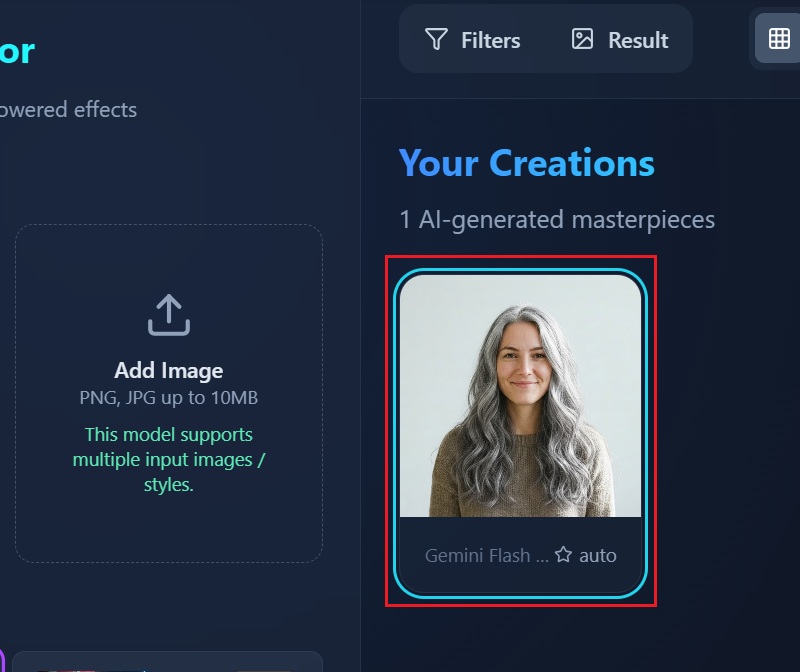
    Finally, click Apply Filter and wait a few seconds for the result. Review the grey hair effect once it appears in your photo. If you like the result, download the image and save it to your device.
open the grey hair filter tool
upload your image
add your description
apply the filter and download

More AI Tools to Elevate Your Look

Each tool focuses on a specific need, whether it’s improving photos, exploring creative ideas, or trying a new style for fun or confidence. Together, they help you experiment freely while keeping the process simple and enjoyable.
"Clients often ask how grey hair might look on them, so testing this tool was helpful. The shades looked soft and realistic. It made conversations with clients easier."
Evangeline Perkins, Salon Receptionist
2026-01-19
iiiii
iiiii

"Trying on grey hair with different outfits helped see how the style would match clothing. The result looked clean and realistic. It’s useful for style experiments."
Keana Hartman, Fashion Retail Staff
2026-01-16
iiiii
iiiii

"I tried the grey hair filter online out of curiosity and was surprised by how natural it looked. The color blended well with my real hair and did not look flat. It helped me feel more open to the idea of going grey someday."
Vivian King, Office Administrator
2026-01-13
iiiii
iiiii

"Using this tool made it easy to preview grey hair in different lighting setups. The result stayed realistic even on high-resolution photos. It’s useful when testing looks for creative projects."
Gavin Watkins, Freelance Photographer
2026-01-08
iiiii
iiiii

"This filter gave a clear idea of how grey hair would suit my face. The process was simple and did not require editing skills. It made the decision feel less intimidating."
Natalie Koch, High School Teacher
2026-01-06
iiiii
iiiii

"The grey hair filter online worked faster than expected. Colors looked clean and did not affect the skin tone. It helped with creating fun content for social media."
Mariana Anderson, Marketing Assistant
2025-12-28

iiiii
iiiii

Why Choose Us

Frequently Asked Questions

How can you preview yourself with grey hair?

You can see what you would look like with grey hair by uploading a clear photo to the AI grey hair filter. After that, the tool automatically detects your hair area without manual work. Then, the grey shade is applied to follow your natural hair shape. You can review the result instantly on the screen. If the shade feels too light or too dark, you can easily adjust it with a simple prompt. This helps you compare different looks without committing to real dye.

Will the grey hair filter work on all hair types and lengths?

The AI grey hair filter is designed to work on most hair types and lengths. Whether your hair is short, long, curly, or straight, the system can usually detect it correctly. It adjusts the grey color based on your hair texture and volume. Even layered or tied hair often works well in good lighting. However, clear photos give better results than blurry ones. You do not need special styling before uploading your image.

How fast can your hair color change in a photo?

Changing your hair color usually takes only a few seconds after uploading your photo. Once the image is processed, the grey hair result appears almost instantly. You do not need to wait for long loading times. This makes it easy to try multiple looks in one session. If you want to adjust the result, updates happen quickly as well. Because of this speed, you can explore styles without breaking your flow.

Is this grey hair filter tool suitable for men?

This hair color changer tool is made for both men and women. You can use them regardless of gender or age. The AI focuses on hair structure rather than facial features. That means short hair, beards, or receding hairlines are handled properly. Many men use the tool to preview a more mature or professional look. It also works well for casual or creative photos. In short, the experience is the same for everyone.

Can you test other hair colors using text prompts?

Yes, you can try different hair colors by describing them in a text prompt. You simply type the color and tone you want, such as silver grey, ash brown, or soft white. The AI reads your description and applies the color to your hair. This gives you more control compared to fixed presets. You can refine the prompt if the first result is not what you expected. Over time, you learn how small wording changes affect the outcome. This makes experimenting with hair colors more flexible and personal.
pro image logoAceThinker PicWish

Your Ultimate Image Editing Tool

pro banner image
Back to Top
Contact Us
Learning Center