menu

Photo to Clay - Add More Artistic Flair to Your Images

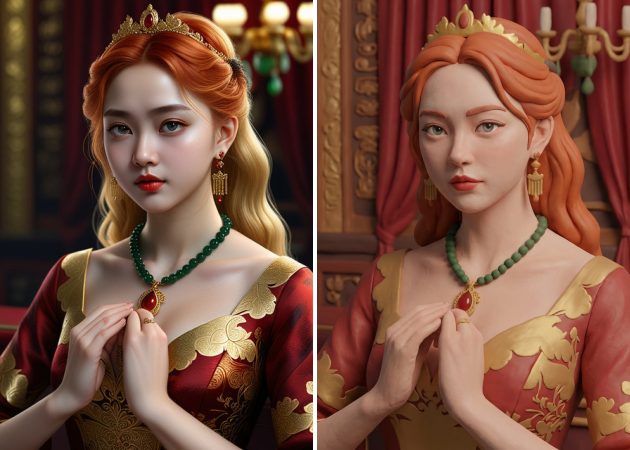
Our AI Photo to Clay tool turns everyday photos into creative clay-style images while preserving their original look. It is perfect for creators, social media users, and anyone who wants their photos to stand out with little effort and time.

Transform Photos into Clay Masterpieces with AI

create clay art in one tap

Create Clay Art in One Tap

Creating a clay-style look is simple, and that’s exactly where this AI clay filter stands out. With just a quick upload and a short prompt, your photo starts to take on a soft, sculpted feel that looks hand-crafted. Even if you’ve never edited an image before, the process feels natural and easy to follow. In just a few moments, ordinary selfies, group shots, or pet photos turn into eye-catching visuals. More importantly, you save time while still getting results that feel creative and personal, allowing you to enjoy the final image instead of figuring out the tools.

Shape Your Photo into Clay Art

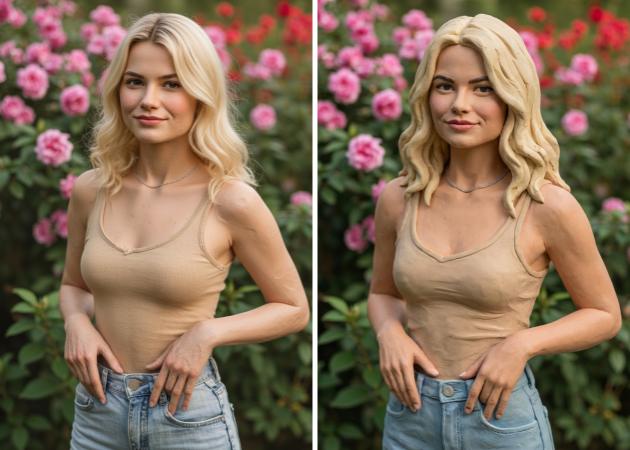
If you enjoy adding a creative twist to your images, this feature helps you transform photo to clay art without any learning curve. The tool smoothly reshapes details into a clay illustration style that feels playful yet polished. Along the way, it keeps your photo recognizable, so the final image still feels like “you.” This makes it especially helpful for artists, creators, or anyone who wants something different from standard filters. You get a finished clay-style illustration that truly stands out, reflecting a unique artistic interpretation of your original photograph./p>

shape your photo into clay art
make your posts stand out

Make Your Posts Stand Out

Social feeds move fast, so using a clay filter online can help your images stop the scroll. By turning profile photos, avatar creations, or scenic shots into clay-style visuals, your posts instantly feel fresh and unexpected. This unique look naturally draws attention, which often leads to more likes, comments, and shares. At the same time, the editing process stays simple, so you don’t lose momentum while creating content. Because of that balance, it’s easier to stay consistent with posting eye-catching visuals.

Keep Your Clay Images Crisp

After creating your artwork, saving it in high quality matters just as much, and the photo to clay maker makes sure your results stay sharp. The final image keeps clear details and smooth textures, even when shared or reused. This means your clay-style photos look great on social media, in profiles, or even in creative projects. You can confidently download and share your work without worrying about blurry or low-quality images. Plus, having clean, high-quality images makes your edits feel more professional.

keep your clay images crisp

Easily Transform a Photo into Clay Art Online

  • 01
    Create Your Account
    Before turning your image into clay art, you need to access the tool first. Open the AI tool in your browser, and you’ll be taken to the login page. If you don’t have an account, hit the Sign Up button and fill in your details. You can also register an account or sign in quickly using your Google account.
  • 02
    Choose a Picture
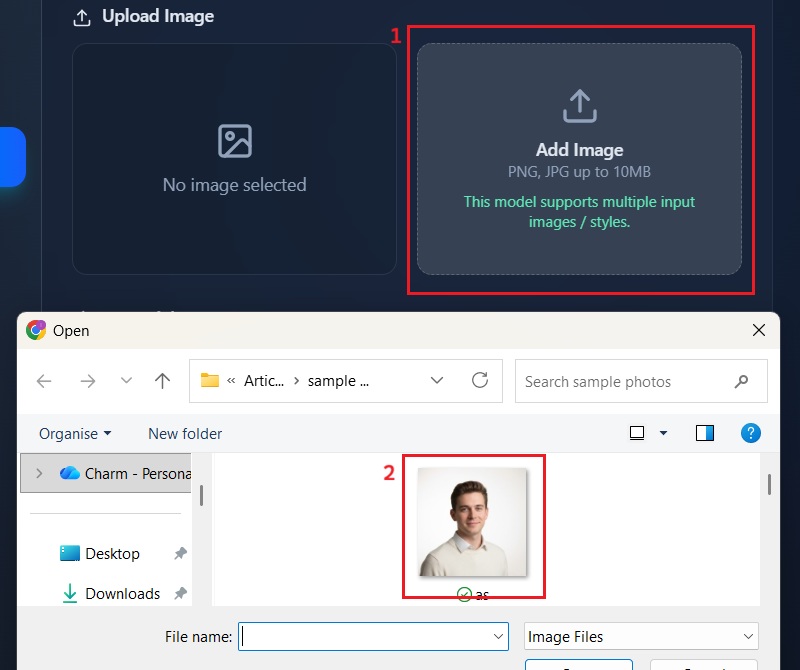
    On the tool's main interface, locate and click the "AI Photo Editor." From here, you can click the "Add Image" button to open your local file explorer. Select the desired image you wish to transform into a clay art style.
  • 03
    Enter Your Descriptive Prompt
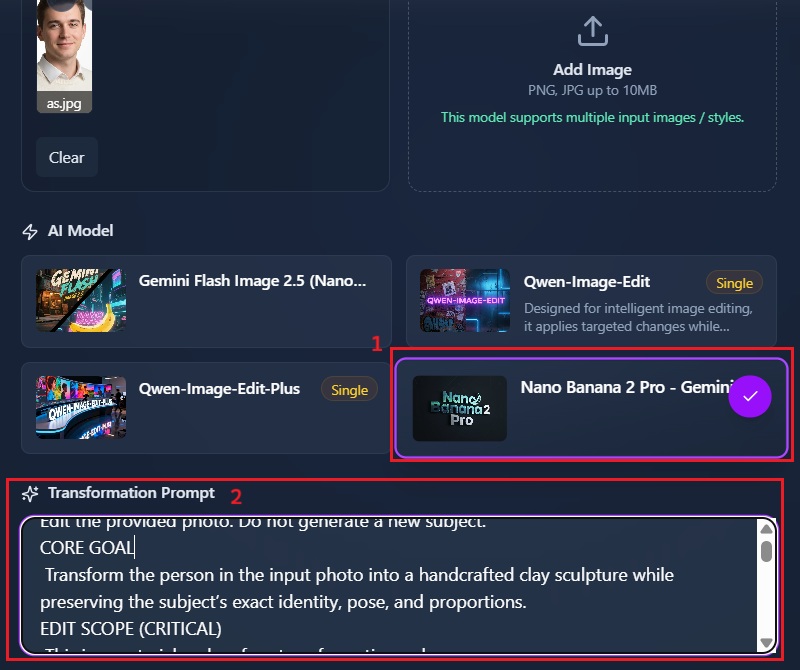
    Once your image is uploaded, select Nano Banana 2 Pro as your AI model. Then, in the prompt box, enter the description you want for your image. You can specify parameters like “claymation,” “3D clay render,” or “plasticine art” to guide the AI.
  • 04
    Download Clay Art
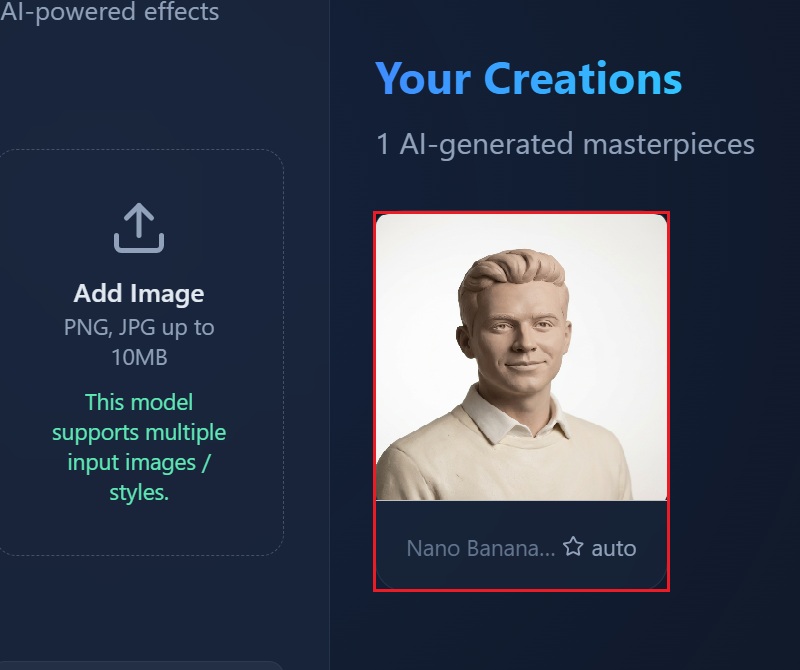
    Once you finalize your prompt, hit the "Apply Effect” to proceed. The AI will then process your image, rendering it in the specified clay style. Once the transformation is complete, you can download your newly generated clay art in high definition.
create your account
choose a picture
enter your descriptive prompt
download clay art

Unleash Creativity: Explore More AI Smart Tools

Create unique and creative visuals quickly, whether it’s a clay-style photo, cartoon image, anime character, or nail design. They meet user needs by making editing simple, fun, and accessible without requiring advanced skills. They save time while letting users personalize their photos and designs for social media, projects, or personal use.
"I tried the AI photo to clay tool out of curiosity, and it was surprisingly easy to use. I uploaded a portrait, added a short prompt, and the result looked clean and creative. It saved me time compared to editing manually. I’d use it again for quick concept ideas."
Shelby Salinas, Freelance Designer
2026-01-14
iiiii
iiiii

"This tool allows me to add a unique touch to my designs. It made my photos look more playful without being distracting. The results were downloaded in good quality, too. That part really mattered for my listings."
Lucille Hale, Online Seller
2026-01-08
iiiii
iiiii

"I used this tool to make a clay-style profile photo, and it turned out nice. The effect looks soft and artistic without changing the face too much. It helped my post stand out a bit more than usual."
Glenn Michael, Social Media Manager
2025-12-29
iiiii
iiiii

"I wanted something different for my avatar, so I tried the photo to clay editor. The process was clear, and I didn’t need any editing skills. The final image looked fun but still natural. It’s good for quick creative edits."
Lyla Mcintosh, College Student
2025-12-26
iiiii
iiiii

"I like how fast the photo turns into a clay-style image. The look is consistent and clean. It’s useful when you need something creative on short notice."
Cerys Dominguez, Marketing Assistant
2025-12-24
iiiii
iiiii

"I’ve tried a few clay filters before, and this one feels more balanced. It doesn’t overdo the effect, so the face still looks real. That makes it easier to share online. I’ll probably use it for future posts."
Fergus Warren, Content Creator
2025-12-16

iiiii
iiiii

Why Choose Us

Frequently Asked Questions

What does a clay filter do?

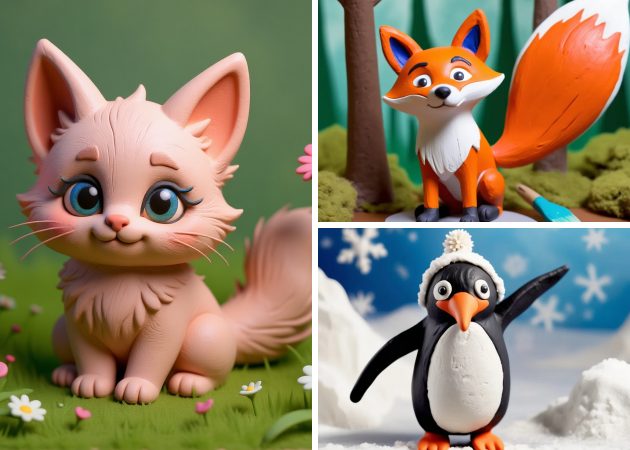
A clay filter changes your photo to look like it was sculpted from clay. It adds soft textures and depth, making the image feel three-dimensional. You can apply it to faces, objects, or scenery. Furthermore, our photo to clay filter keeps important details so the photo still looks recognizable. You don’t need any editing skills to use it, as the interface is straightforward. It also works quickly, creating a creative effect in just a few seconds, in a simple way that turns normal images into artistic clay-style visuals.

Can I make my own clay animation?

Yes, you can create personalized clay art using text prompts. You just describe how you want the photo to look. The tool then generates a clay-style version based on your description. You can adjust the prompt to change the style, colors, or details, giving full control over your artistic output. This also gives the assurance that each creation can be unique. It works for selfies, pets, or any photo you choose; you can make clay art that matches your own creative ideas.
Who can use the clay filter?

Clay filters are great for anyone who enjoys creativity or wants to experiment with their images. Content creators can use them to make posts stand out on social media. Graphic designers find them helpful for adding a unique style to their work. On the other hand, artists can explore new looks and get inspiration from the clay effect. Even casual users can have fun transforming selfies or pet photos. The tool is simple enough for beginners but powerful enough for professionals. This makes it suitable for all skill levels and goals.
What types of photos can the tool handle?

This tool supports JPG and PNG image formats and works with almost any photo. You can use selfies, professional portraits, hand-drawn pictures, pet photos, scenic shots, or group images. The tool processes your image based on the description you provide in the prompt. It adjusts the clay effect to match the style and content of your photo. The result always looks like a smooth and realistic clay illustration. This flexibility makes it easy to experiment with a wide range of images.
Can I use the filter for commercial purposes?

Yes, you can use the clay filter for commercial work. The images are high-resolution, which means they look good in print or online. There are no watermarks, so your creations remain clean and professional. You can use the results in ads, social media campaigns, or design projects. It’s also easy to save and download your images for any use. The tool also maintains the clay effect consistency across photos, making it reliable for professional applications.

pro image logoAceThinker PicWish

Make Your Photos Look Their Best with a Smart Image Editor

pro banner image
Back to Top
Contact Us
Learning Center