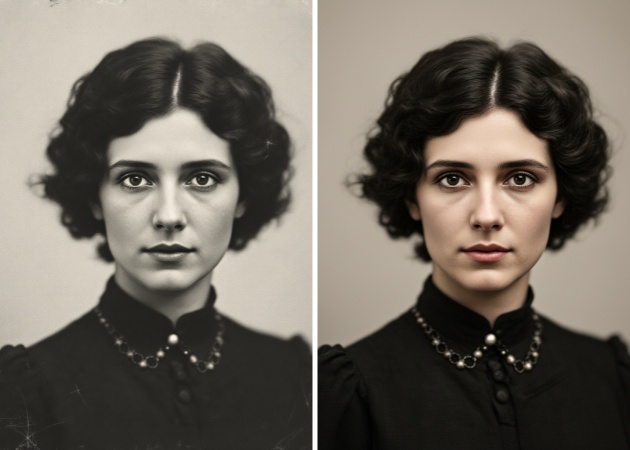
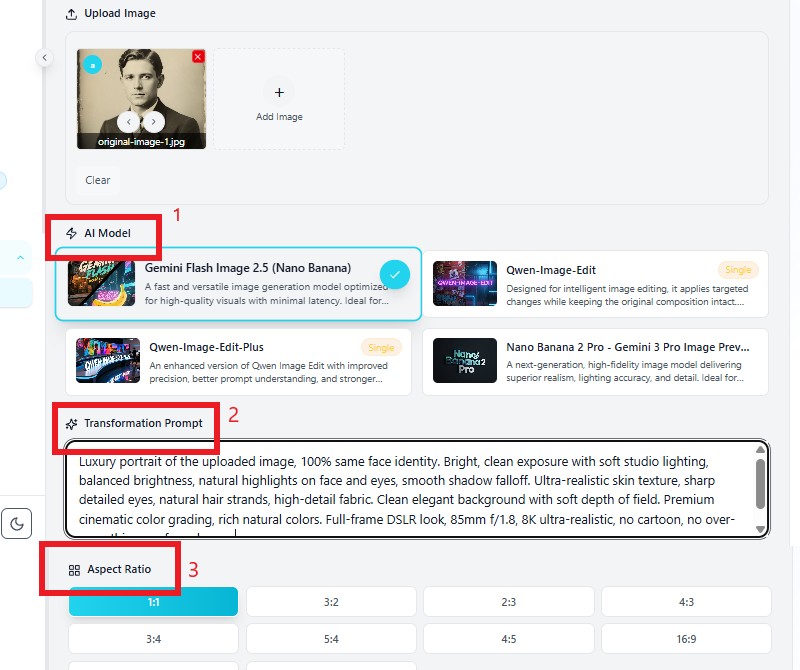
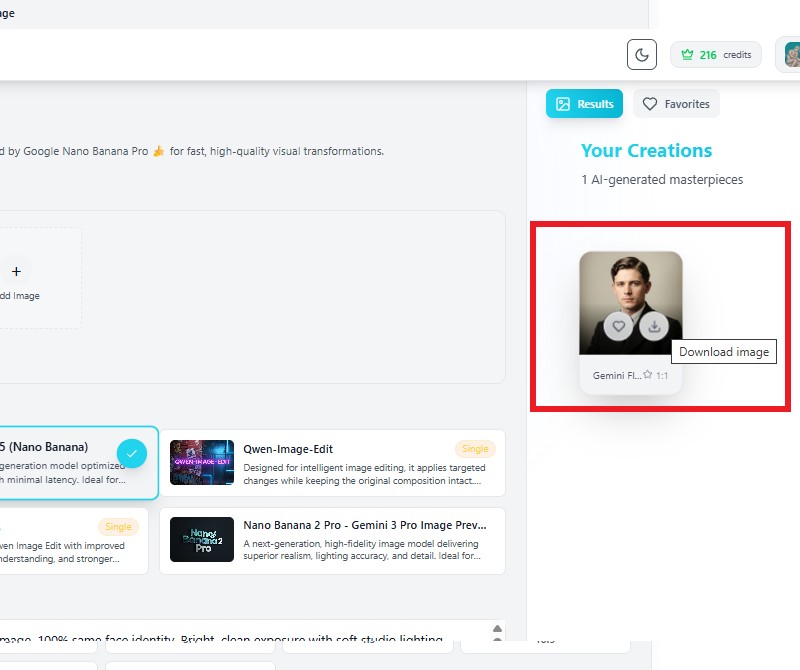
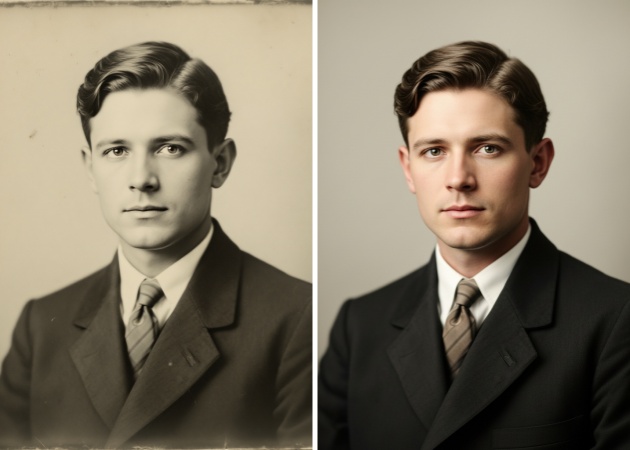
Old photos often lose sharpness and contrast over time, making precious memories look dull and unclear. This feature intelligently improves brightness, contrast, and sharpness to bring back lost details. The AI analyzes facial features and background elements carefully to ensure the image looks clearer without appearing over-edited. You do not need advanced editing knowledge because everything is processed automatically. It feels like uncovering a clearer version of your original memory in just seconds.
Physical photos can develop scratches, creases, and small tears after years of storage. Instead of manually retouching every mark, this tool detects damaged areas and reconstructs them smoothly. The AI blends repaired sections with surrounding textures to make the restoration look natural and consistent. Fine details such as fabric patterns, skin texture, or background elements are preserved. Your restored image appears complete, with no obvious editing traces.
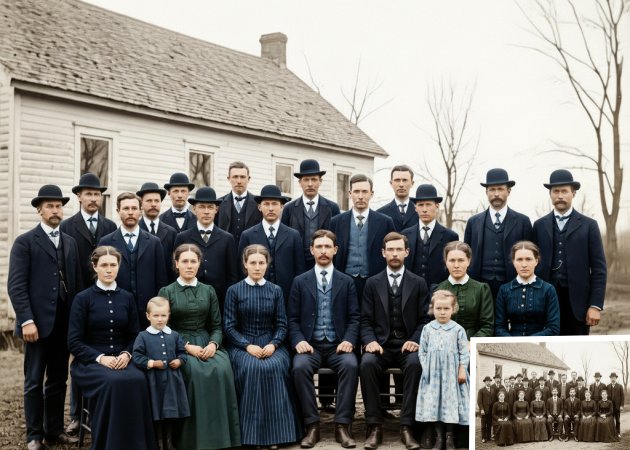

Many vintage photos fade or turn yellow over time due to aging and exposure. This feature revives natural tones while preserving the original picture's authentic atmosphere. The AI adjusts color balance carefully so skin tones, clothing, and backgrounds look realistic. It avoids over-saturation to keep the image believable and timeless. The result feels refreshed yet faithful to the memory.
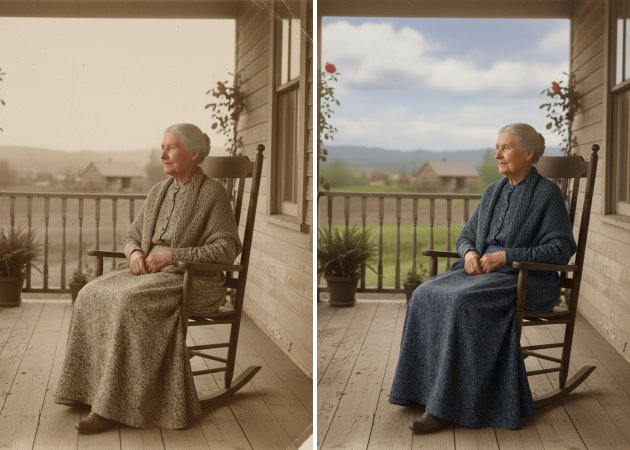
Faces are often the most important part of old photographs. This tool gently enhances facial features by refining eyes, smoothing noise, and increasing clarity without altering identity. The AI focuses on restoring detail rather than altering appearance. Even slightly blurred portraits become noticeably clearer and more defined. Your loved ones’ expressions remain authentic and recognizable.


The AI enhances and repairs old photos while preserving their original identity and character.
Photo restoration is completed within seconds , saving you time and effort.
The tool is simple to use , allowing anyone to restore old photos without editing experience.
The tool can repair scratches, creases, tears, fading, discoloration, and minor blur in old photos. It uses AI detection to identify damaged areas and reconstruct them naturally. While extremely large missing sections may require advanced editing, the most common damage can be effectively restored. The system preserves important facial and background details. It works best with clear scans of original prints. The final image maintains authenticity while looking refreshed.
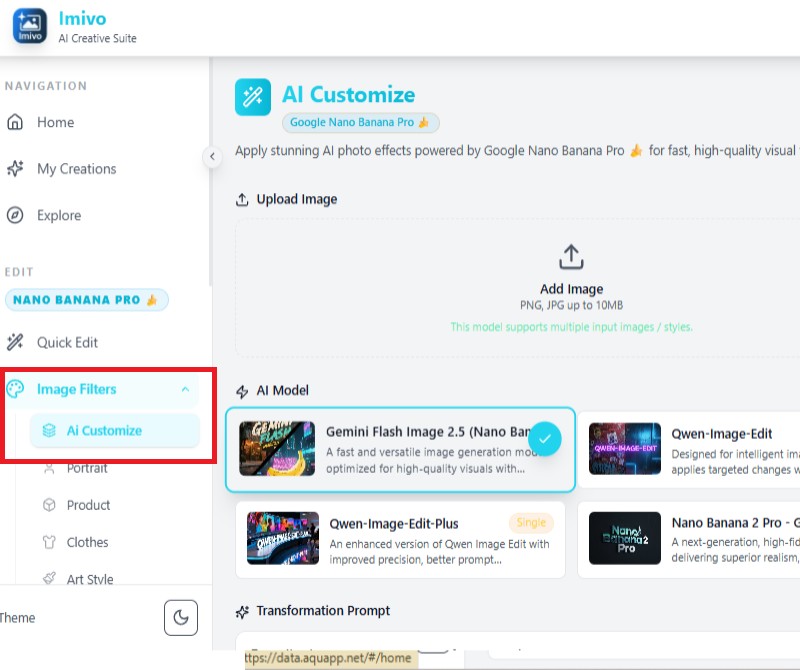
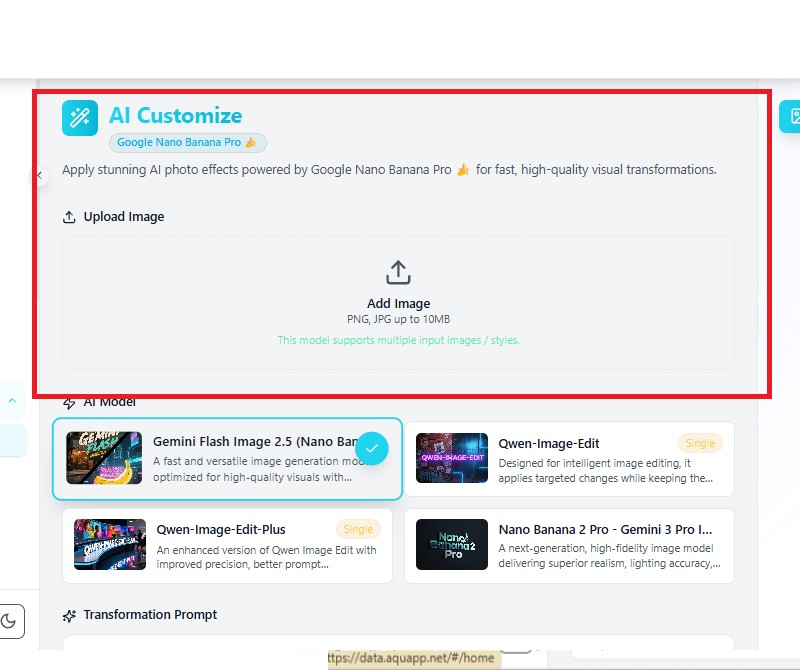
No, the AI is designed to enhance photos while keeping them natural. It avoids over-sharpening or extreme color correction. Adjustments are balanced to preserve realistic tones and textures. The goal is improvement, not transformation. Most restored photos look like high-quality versions of the original. The result feels genuine and respectful to the memory.
Yes, the tool works well with black-and-white photos. It enhances clarity and repairs damage while keeping the original grayscale tone. It does not automatically add color unless specified. Details such as facial features and clothing textures are refined carefully. The restored image remains faithful to its historical appearance. It is ideal for preserving classic family portraits.
The tool supports JPG, PNG, and WebP formats. These common file types make uploading from phones or computers easy. Some size limitations may apply depending on your plan. High-resolution scans produce better restoration results. Compressed images may show slight limitations. The AI processes supported formats with consistent quality.
Yes, the restoration tool works directly in your web browser on smartphones, tablets, and desktop computers. No software installation is required. The interface adjusts automatically to fit smaller screens. Mobile users can upload photos directly from their gallery. All restoration features remain fully functional across devices. It offers convenience and flexibility anytime.