menu

AI Trippy Filter

This AI tool helps you transform ordinary photos into bold, surreal, and psychedelic visuals with just one click. It's ideal for creators, social media users, and artists who want eye-catching effects quickly.

Creative Psychedelic Effects for Your Images

transforms photos into trippy art

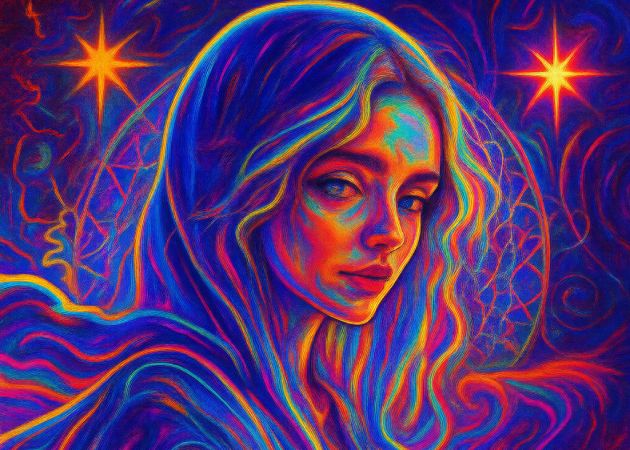
Transform Photos Into Trippy Art

With this feature, you can turn any photo, such as a selfie, a landscape, or a random snapshot, into a bold and surreal artwork. The tool keeps the process simple, so you don't need editing skills to get impressive results. You just upload your photo, and let the AI trippy filter reshape it into something more expressive and colorful. This makes it easy for anyone to experiment with creative visuals. Even better, every transformation feels unique, giving your images a fresh look each time. Therefore, your ordinary pictures instantly become eye-catching art.

Use Trippy Illustrations On Any Cases

This tool lets you use your visuals in many creative ways, from album covers to event posters and even wall art. It also works well for book covers, editorial illustrations, and digital marketing materials. Thanks to the AI psychedelic generator, the images take on a vivid, edgy look that fits many creative projects. You can adapt the final artwork to match any theme you're working on. This flexibility helps both casual users and designers create striking visuals. It makes your projects feel more artistic and memorable.

use trippy illustrations on any cases
create dreamlike neon visuals

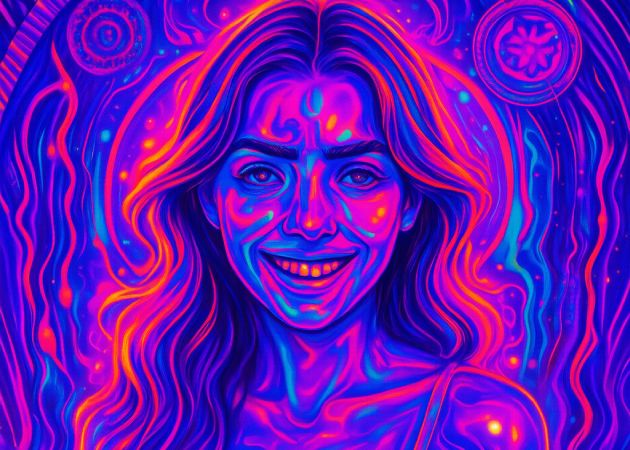
Create Dreamlike Neon Visuals

Produce glowing, surreal neon effects with this AI Filter! It instantly transforms your images into atmospheric, dream-like scenes. Furthermore, the colors blend smoothly, giving the artwork a soft yet intense aesthetic. The psychedelic AI art generator effect enhances light, texture, and contrast to create a truly otherworldly feel. Whether you're editing portraits or objects, the neon style adds a captivating mood. It's also perfect for users who want vibrant, visually striking edits without complicated steps. Overall, the effect makes your photos look imaginative and expressive.

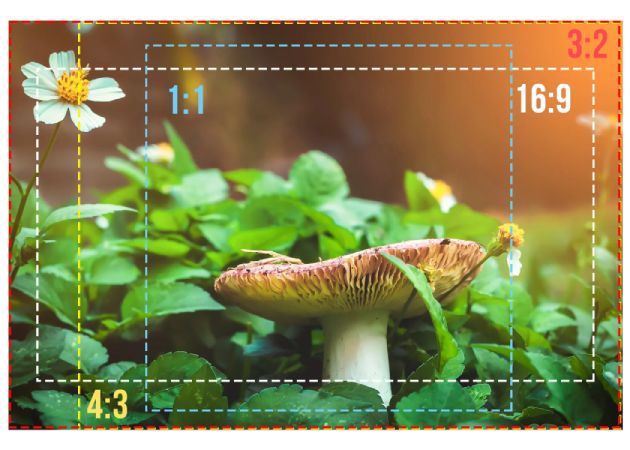
Choose Preferred Output Sizes

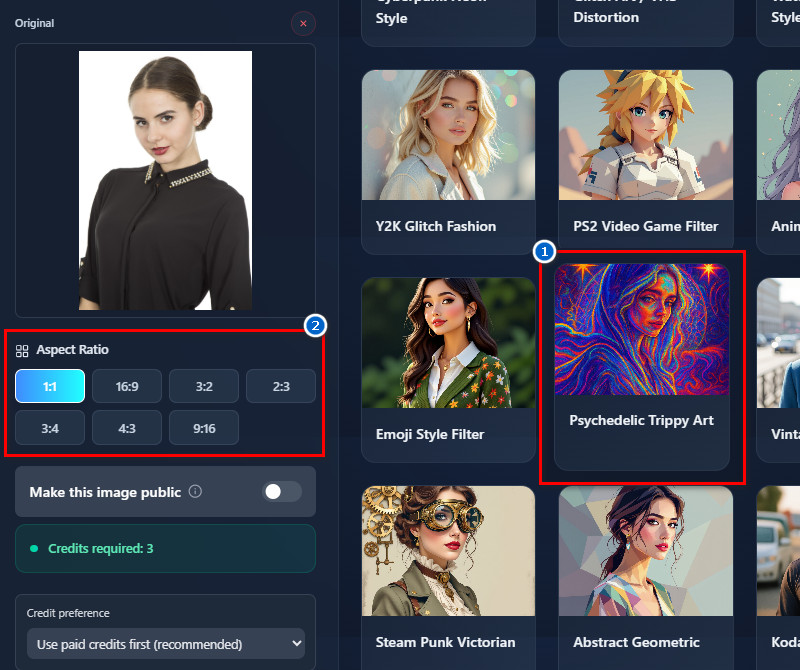
Pick from several output sizes such as 1:1, 16:9, 3:2, 2:3, 3:4, 4:3, and 9:16, depending on your need. Each size fits different needs: square for profile photos, widescreen for banners, and vertical for social stories. The tool also ensures the framing stays clean and balanced, no matter which size you choose. With the help of AI psychedelic art, your chosen format still keeps the artwork's details sharp and vibrant. This makes it easier to use the final image across social media, print, and digital spaces. As a result, you can create visuals ready for any purpose without extra editing.

choose preferred output sizes

How to Get Started in Adding Trippy Filter

  • 01
    Access the AI Tool
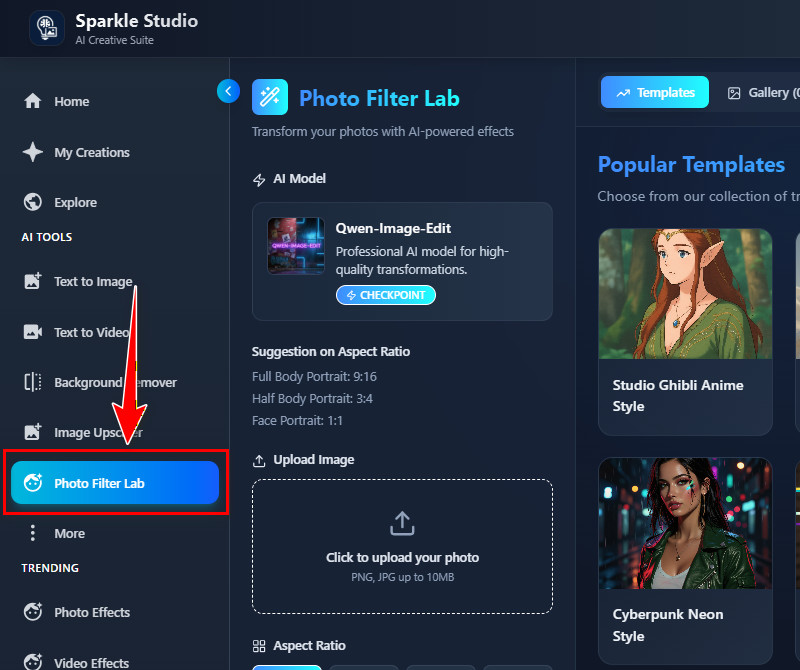
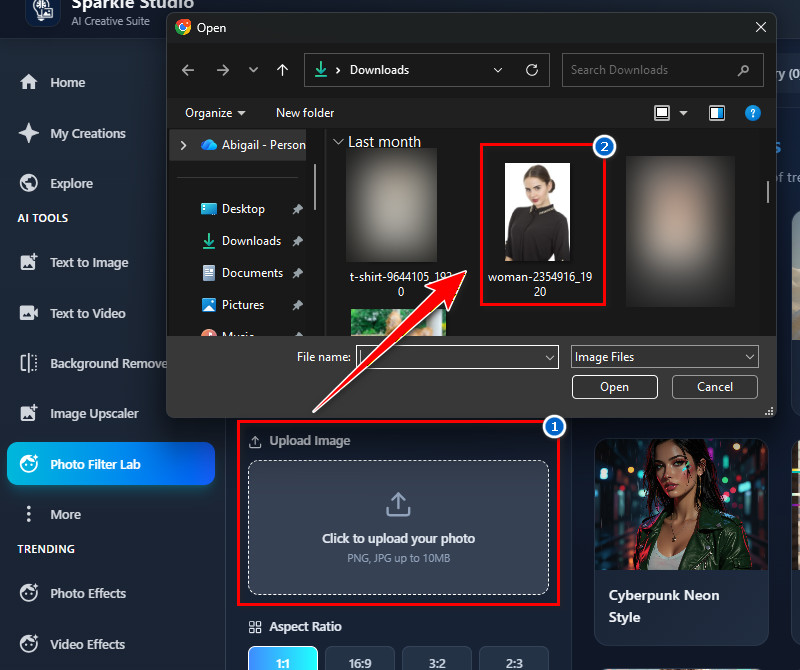
    Before anything else, visit the tool on any browser. Then register for our AI Trippy Filter tool or log in to your account if you already have one. Once you are on the landing page, go to the "Photo Filter Lab" tab on the left side.
  • 02
    Add Your Photo
    From the Filter lab, navigate to the "Upload Image" section and click the upload icon. Your File Explorer will show up then. Next, find the photo you want to add a psychedelic trippy filter to, then upload it.
  • 03
    Choose the Trippy Filter
    After uploading the photo, go to the "Templates" tab on the right. Then, find the "Psychedelic Trippy Filter" from the available filters and click on it. After that, choose your preferred size below according to your needs.
  • 04
    Apply and Download
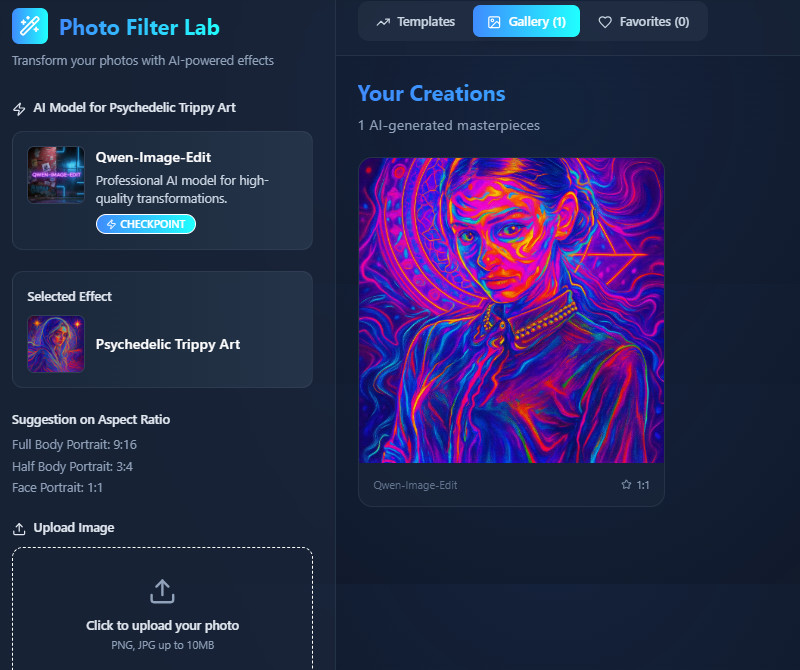
    Once all set up, scroll down and click the "Create Magic" button. The tool will then start applying the effect to the uploaded photo. When the result comes in, preview it on the "Gallery" tab and download it once you're satisfied.
access the ai tool
add your photo
choose the trippy filter
apply and download

Explore More Apps That Work for You

These recommended apps are meant to give you more creative choices so you can find tools that match your style and needs. They help you edit photos, create art, or enhance videos in ways that suit your projects. Moreover, they make it easier for you to explore different effects without switching between complicated software.
"I tried the AI trippy filter for a poster project, and it worked better than I expected. The effects look clean and colorful without being too messy. It also saved me time because I didn't have to do manual edits."
Carla Fuentes, Graphic Designer
11-24-2025
iiiii
iiiii

"I'm not much into editing, but this made my images look interesting with very little effort. The neon and surreal styles look good even on simple photos. It's helpful when I want visuals for my articles."
Drew Cardozo, Freelance Writer
10-29-2025
iiiii
iiiii

"I used the filter to make fun promo graphics for my shop. The colors pop really well, and it catches people's attention. It also works smoothly even on my old laptop."
Janelle Rossi, Online Seller
10-10-2025
iiiii
iiiii

"I tried it for album artwork ideas, and the trippy style fits my genre. It gave me several unique looks that I couldn't create manually. Definitely useful for brainstorming visuals."
Tim Wood, Music Producer
12-07-2025
iiiii
iiiii

"I tried the tool to create concept visuals for a client's mood board. The trippy effect added a creative touch that helped communicate the theme. It's straightforward to work with."
Mira Phillips, Interior Decor Consultant
11-14-2025
iiiii
iiiii

"I tested it for ad visuals, and the output really stands out. The psychedelic look works well for some campaigns. It's also fast, which helps when I need assets quickly."
Pauline Sharma, Digital Marketer
11-21-2025

iiiii
iiiii

Why Choose Us

Frequently Asked Questions

What is the Trippy Illustration style?

The Trippy Illustration style is a creative way to make images look surreal and colorful. It often uses bold colors, distorted shapes, and glowing effects to create a psychedelic feel. This style turns ordinary photos into eye-catching, artistic visuals. Furthermore, it can be applied to portraits, landscapes, or any photo. It’s mostly used for digital art, posters, and social media graphics. Overall, it makes images look imaginative and different from regular photos.

Who is Using the Trippy Illustration Style?

Many different people use this style, including artists, designers, and content creators. Social media users and marketers also use it to make posts stand out. Even students or hobbyists can apply it to their projects. Moreover, musicians and event promoters use it for album covers and posters. Anyone who wants bold, creative visuals can try it. The style is popular because it grabs attention and looks unique.

How Does Trippy Illustration Enhance Photos?
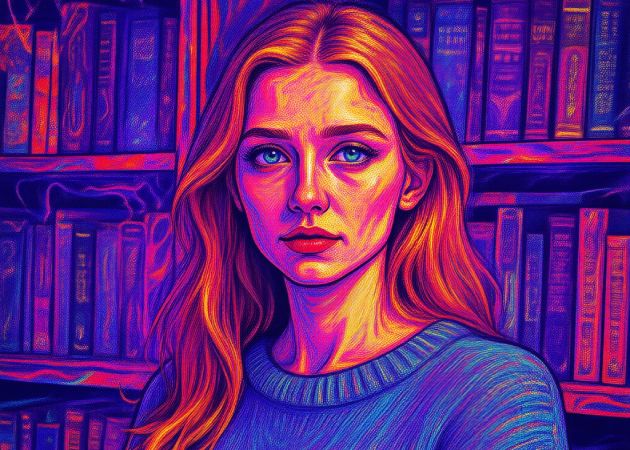
It enhances photos by adding bold colors, patterns, and surreal effects, making the images more exciting. It can turn simple or ordinary pictures into visually striking artworks. The style also creatively highlights key elements. Additionally, it adds depth and movement to static photos. This makes images more appealing for social media, marketing, or personal projects. Overall, it transforms normal pictures into something artistic and attention-grabbing.

Can I create Trippy Illustration effects without advanced design skills?

Yes, our tool is designed for everyone, even beginners. You don’t need to know complicated editing software. The process is simple: upload a photo and choose the effect. The AI does all the work for you automatically. You can see the result instantly and make small adjustments if needed. This makes it easy for anyone to create creative visuals quickly.

Is the Trippy Illustration style suitable for commercial projects?

Yes, it is suitable for commercial projects. You can use it for posters, advertisements, album covers, or promotional graphics. The style is eye-catching and helps attract more attention to your project. It works well in both digital and print formats. You can also safely include it in professional designs without worrying about quality. This makes it a versatile choice for many business or creative purposes.

pro image logoAceThinker PicWish

Simple Background Removal for Everyone

pro banner image
Back to Top
Contact Us
Learning Center