menu

Webtoon Filter - Create Smooth Comic Style Images

A webtoon filter turns regular photos into clean, comic-style visuals inspired by webtoons, with bold outlines and simplified colors. You can produce eye-catching images quickly, perfect for sharing on any social media platform.

From Real Life to Webtoon Magic in Seconds

turn photos into webtoons

Turn Photos Into Webtoons

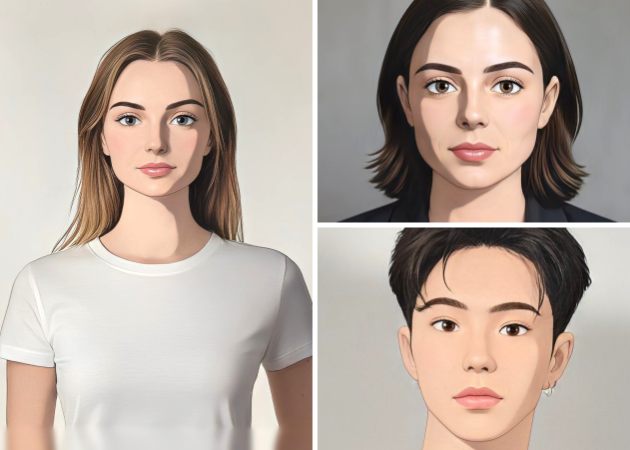
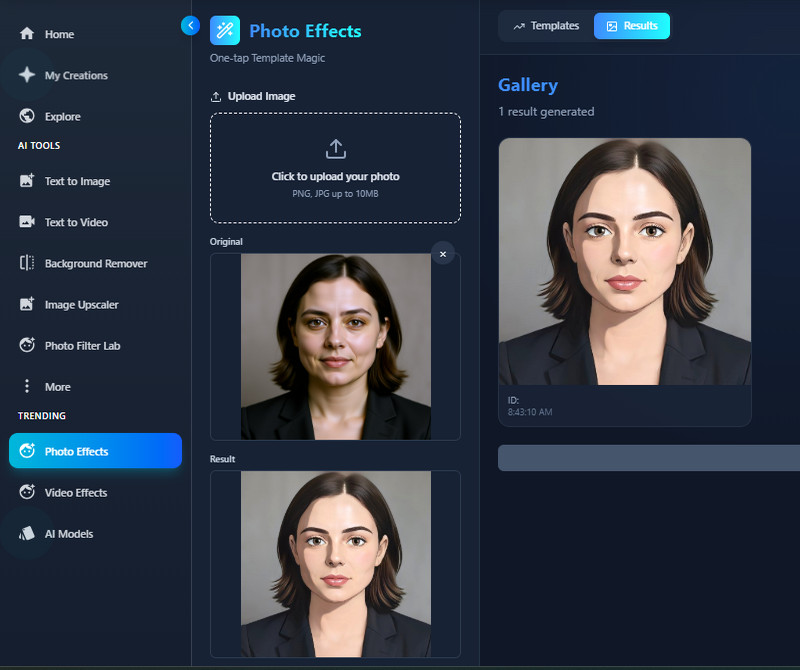
With our webtoon filter, you can instantly transform ordinary photos into vibrant webtoon-style images. The tool uses advanced AI to recognize the contours, colors, and details of your photo, applying a cartoon-like effect seamlessly. This makes your pictures look like they belong in a storybook or comic, adding a creative twist to your social media content. Moreover, the transformation is quick and intuitive, so you don’t need any design experience to get professional results. You can try this tool on every photo and give it a unique look. Overall, it’s a fun and engaging way to reimagine your everyday pictures.

Facial Feature Preservation

Our webtoon AI filter ensures that your facial features, expressions, and overall look are preserved even after applying the webtoon effect. This means your personality shines through as you enjoy the artistic transformation. The AI carefully analyzes your face, preserving your eyes, smile, and other key details, resulting in a final result that is both fun and recognizable. You can confidently share photos without losing your identity or natural expressions. Additionally, it adapts to various angles and lighting conditions, maintaining consistency across photos. This feature is useful for portraits and selfies, where facial detail matters most.

facial feature preservation
background detail enhancement

Background Detail Enhancement

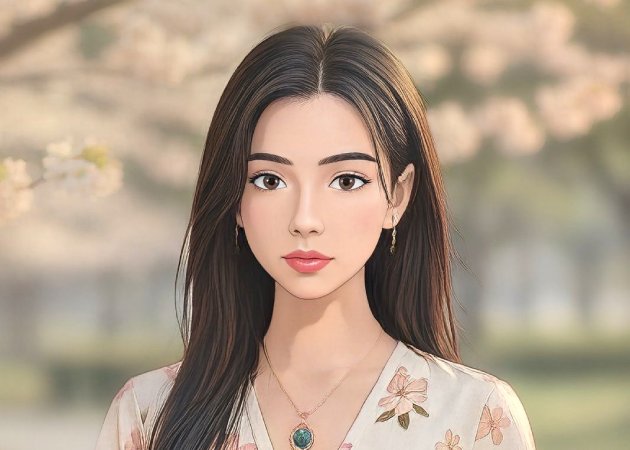
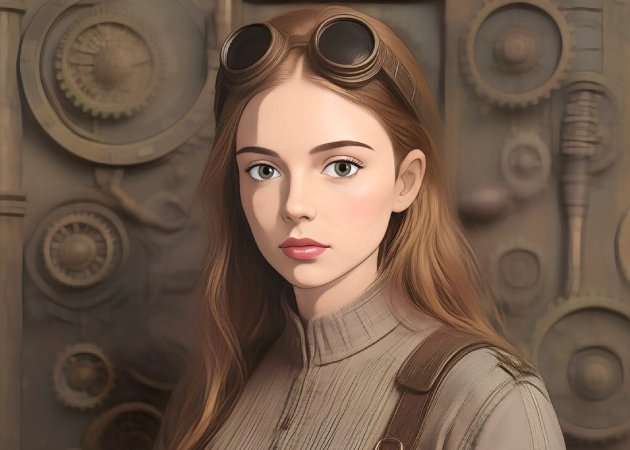
Even the surroundings of your photo get a creative upgrade with our free webtoon filter. The AI doesn't just focus on faces—it enhances backgrounds, turning ordinary scenery into lively, webtoon-style environments. This adds depth and charm to your images, making them visually striking and ready for storytelling. From city streets to natural landscapes, every detail is carefully transformed while remaining recognizable. It’s perfect for users who want a full, immersive webtoon effect rather than just a simple cartoon overlay. With this enhancement, your photos gain a professional, artistic flair without extra effort.

Ready-to-Post Webtoon Images

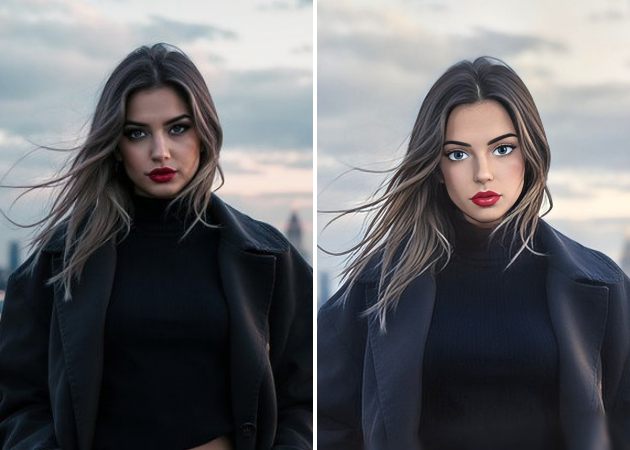
Once your photo is transformed, the Korean webtoon filter ensures it’s ready to share instantly on social media or personal projects. You can download, post, or use the image in creative ways without additional editing. This feature saves time while making your content visually appealing and unique. The AI-generated webtoon style makes your photos stand out in feeds and stories, attracting attention and engagement. Whether it’s for fun, marketing, or creative projects, the output is polished and eye-catching. Ultimately, it turns everyday photos into shareable, storybook-quality visuals effortlessly.

ready to post webtoon images

How to Use Webtoon Filter in 4 Easy Steps?

  • 01
    Create an Account
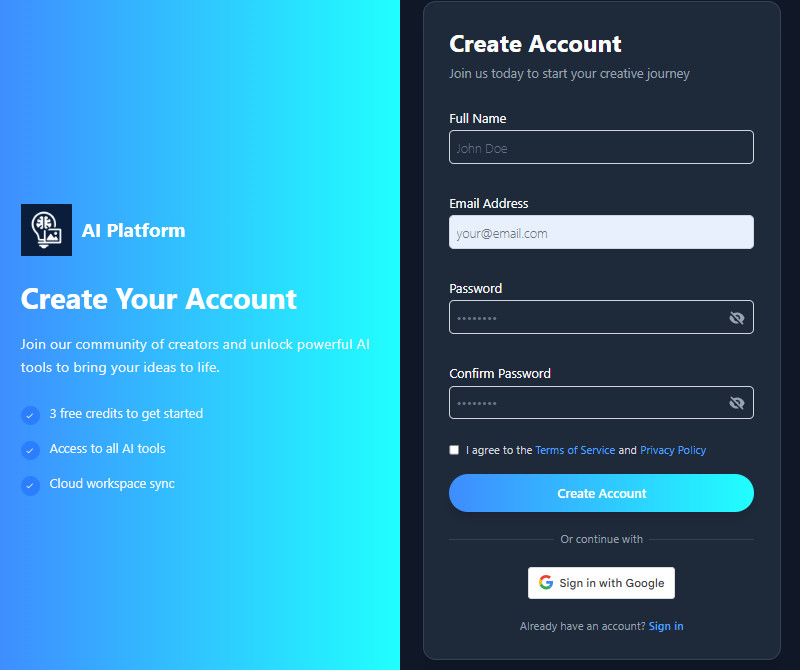
    First, visit the AI tool using a web browser. Then, the tool will ask you to log in or sign up to access the main homepage. You can use your Gmail account or your email address with your personal details.
  • 02
    Navigate to Photo Effects Basic
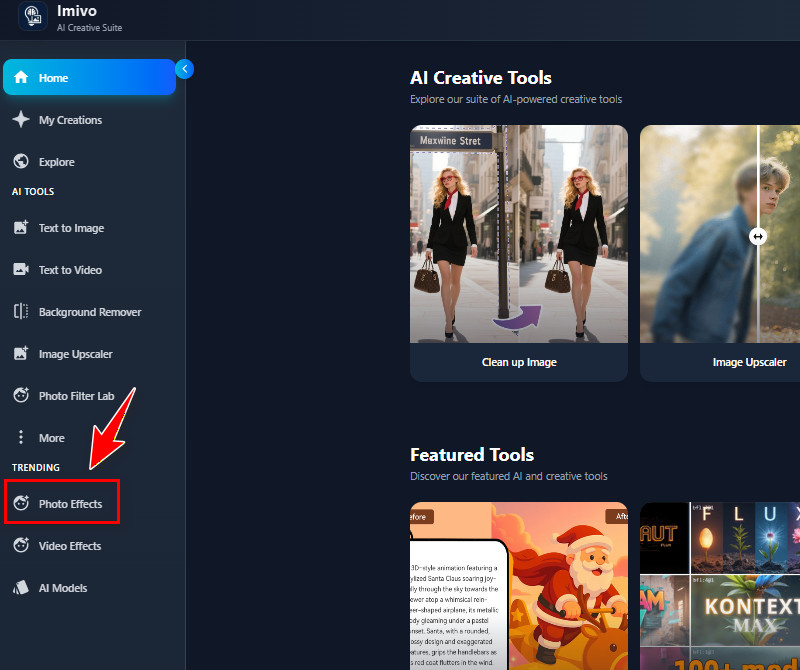
    Once you are on the homepage, you can see various features. Look at the left side, where you can see the Photo Effects Basic tab. Click on it to see the available filters, including the webtoon.
  • 03
    Upload Your Image
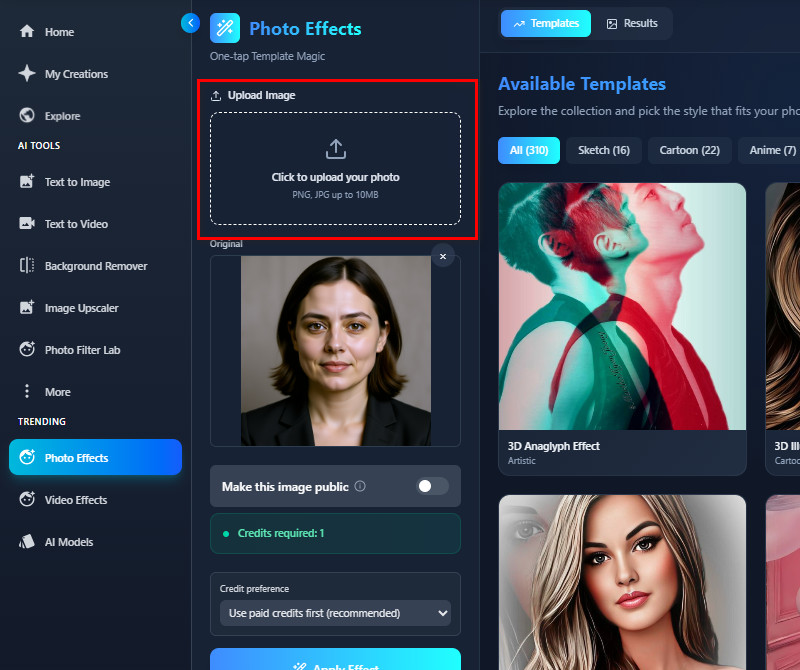
    Next, start to upload your photo to the Upload Image section. You can use the upload button to select the image from your File Explorer that appears on your screen. Alternatively, you can drag the image into the Upload section for easy upload.
  • 04
    Choose and Apply the Effect
    After that, find the webtoon filter on the right side. You can go to the Anime tab to find the webtoon filter. Then click the effect and press the "Apply Effect" button to start the process. Finally, preview the result and use the download icon to save it on your local device.
create an account
navigate to photo effects basic
upload your image
choose and apply the effect

Explore More Smart Choices

Built for users who want quick image improvements and creative effects, these tools focus on ease and efficiency. Rather than relying on complex editing software, they offer smart features that solve common photo problems in seconds. From artistic styles to image cleanup, each app supports different creative needs.
"I tried this AI webtoon filter, and it works really well on my selfies. The transformation is smooth, and my facial features still look natural. It’s simple to use, which I really like."
Bobby Clark, Nurse
11-30-2025
iiiii
iiiii

"The AI webtoon filter is easy to use and gives consistent results. My photos look clean and playful, and it works well for social media posts. It saves me a lot of editing time."
Liam Hill, Marketing Specialist
12-13-2025
iiiii
iiiii

"I like that I can preserve my expressions while using the filter. It’s simple, fast, and the final images look professional enough to share online. A handy tool for quick creative content."
Barbara Price, Content Creator
12-20-2025
iiiii
iiiii

"This tool is great for turning profile pictures into fun webtoon avatars. It preserves expressions and key features. Simple and effective for social media use."
Aaron Brooks, Writer
10-01-2025
iiiii
iiiii

"I like how fast it converts photos, and the webtoon style is cute and playful. My friends enjoyed seeing our group photo transformed. Very simple tool to use for fun edits."
Sandra Edwards, Student
11-18-2025
iiiii
iiiii

"The AI filter is really accurate in keeping my face clear while giving a cartoon vibe. I appreciate that it doesn’t take much time or effort. Definitely practical for online content creation."
Martha Clark, Engineer
10-07-2025

iiiii
iiiii

Why Choose Us

Frequently Asked Questions

Is this an AI photo style converter?

Yes, this tool is an AI photo style converter. It uses AI to transform your images into webtoon-style images. The AI analyzes your photo and applies a cartoon-like effect. This process preserves your facial features and expressions, ensuring the output images look like the original photo. You can use it for selfies, portraits, or group photos. Overall, it’s an easy way to create stylized images.

What image formats can I upload for the transformation?

You can upload pictures in JPG or PNG formats into the AI tool. Also, the maximum file size allowed is 10 MB. This ensures that your photos are processed quickly without losing quality. Also, this ensures the tool works properly and doesn’t slow down. Additionally, the tool supports most standard images from phones or cameras. It’s designed to be simple and available for everyone.

Can I download or share my Webtoon character?

Yes, you can download your webtoon character in high-quality JPG format. Once downloaded, you can share it on social media platforms, such as Instagram, X, Facebook, or Pinterest. The image is also good for printing if you want a physical copy. Additionally, the tool ensures the output is clear and detailed. Plus, you use it as your wallpaper on your mobile devices. This makes it easy to use for both personal and public purposes.

Can I use my Webtoon character for commercial purposes?

Yes, you can use your webtoon character for commercial purposes. This means you can include it in business projects, products, or social media content. There are no restrictions on using the image after it is created. The AI-generated image also belongs to you once you download it. But make sure the uploaded photo is yours, not one from the internet, to avoid copyright issues. Overall, this tool gives you flexibility for personal or professional use.

Is my photo stored or shared?

Your uploaded photo is not shared with anyone. We prioritize your privacy and keep the image secure, and the uploaded photo is automatically deleted after 24 hours. Only the conversion process uses the photo temporarily. Additionally, before processing, you can choose to keep your webtoon image private or share it. You can see a button there labeled "Make this image public." Simply toggle the button on/off depending on your preference. This ensures your personal content stays safe while giving you full control.
Back to Top
Contact Us
Learning Center