menu

Top Features of Online YouTube MP3 Extractor

search or paste youtube url

Search or Paste YouTube URL

Find YouTube videos you want to convert into MP3 audio files in 2 ways. Our tool lets you search for YouTube videos directly inside the converter, so you don’t need to switch apps or copy links unless you want to. If you already have a video in mind, you can simply search for it on YouTube, copy the video link, paste it, and move straight to conversion. This makes our online YouTube to MP3 converter fast and user-friendly for everyone.

This feature is built to match how people actually use YouTube every day. Whether you're looking for music, podcasts, or other YouTube videos to convert to MP3, you can do it your preferred way. Everything happens in one place, helping you save time and focus on getting the audio you need.

Convert YouTube to MP3 in Seconds

Get your audio files without wasting time. With this YouTube to MP3 converter, the process stays smooth even for longer videos. It uses fast, optimized processing to convert videos to MP3s in just a few seconds. You don’t have to deal with long loading screens or complicated settings before starting.

This quick conversion is especially useful for everyday use. You can convert a favorite song before heading out or grab audio from an online lecture in a few moments. Even longer videos are handled quickly without delays. This means you can rely on it whenever you need instant MP3 conversions.

convert mp3 in seconds
supports multiple audio types

Supports Multiple Audio Types

Choose the audio format that works best for you. While MP3 is popular, our tool also supports WAV, FLAC, OGG, AAC, and M4A for more flexibility. This makes it easy to choose a format based on quality, file size, or device compatibility. As a free YouTube to MP3 converter, it offers more options without extra cost or complexity.

This feature is ideal for different listening and editing scenarios. For example, FLAC and WAV are great for high-quality audio, while AAC or M4A work well on mobile devices. You can select a format that best fits your purpose, rather than being locked into a single choice. That freedom helps you get the most value from every conversion.

Who Benefits Most from YouTube MP3 Converter?

commuters and travelers

Commuters & Travelers

Convert YouTube videos to MP3 and enjoy music or podcasts offline on the go.

podcast listeners

Podcast Listeners

Save YouTube podcasts as audio files to listen to anytime, even without an internet connection.

music lovers

Music Lovers

Download songs in high-quality audio and create offline playlists easily.

3 Steps to Convert YouTube Video to MP3 Online

search for youtube video
choose mp3 format
get the mp3file
  • 01
    Search for YouTube Video

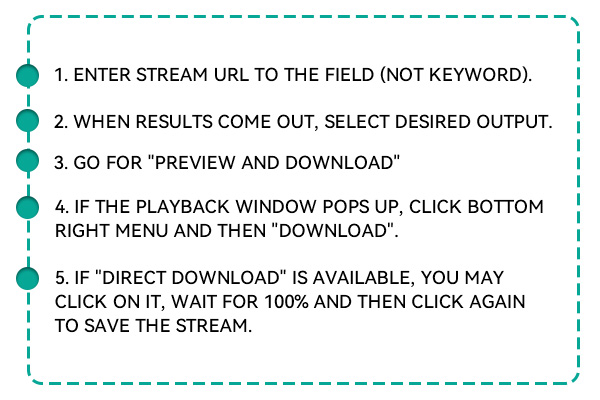
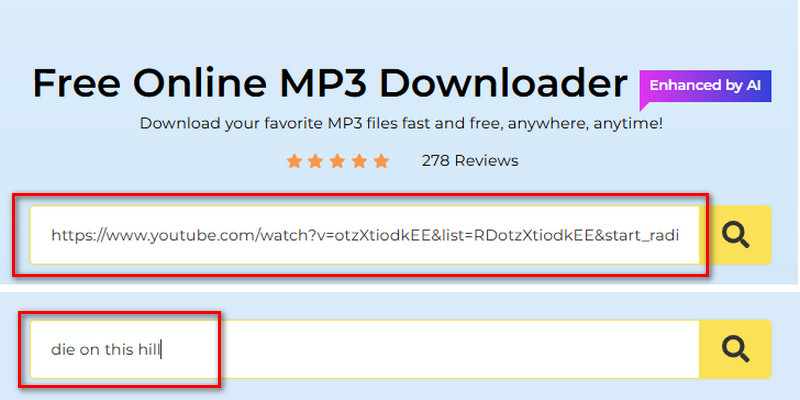
    First, search for a YouTube video you want to convert. You can search directly in the tool by typing the title or other details, or by pasting the video link.

  • 02
    Choose MP3 Format

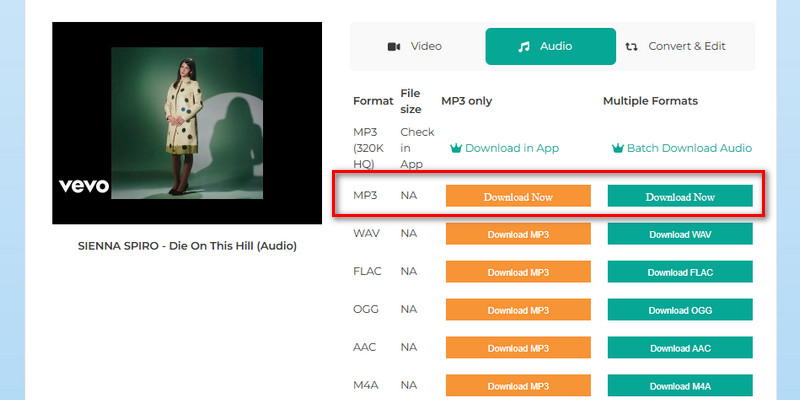
    Click the search icon and let the tool analyze the link. After that, click the "Download MP3" from the MP3 only or the Multiple Formats section. Then wait until it reaches 100% before you see the "Download Now" button.

  • 03
    Get the MP3 File

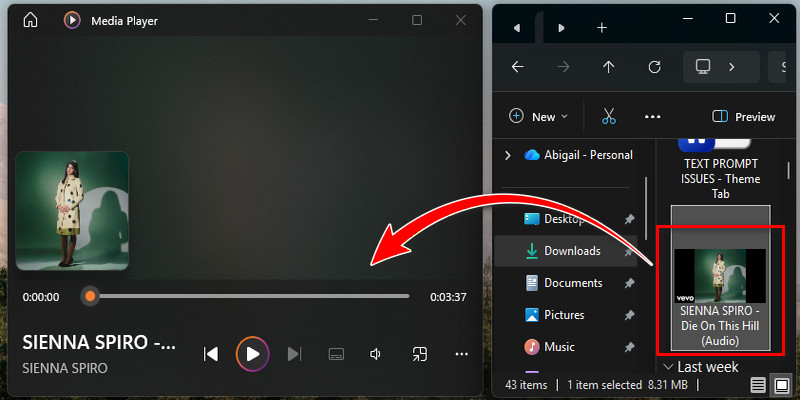
    When you already see the "Download Now" option, click it, and it will start the downloading. Once downloaded, you can play it now on any media player.

Upgrade to Pro for Advanced Needs

Key Features

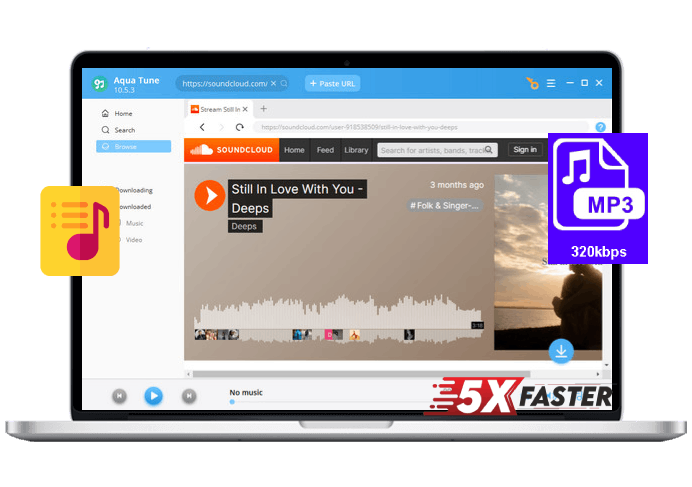
Use Aqua Tune for advanced conversion capabilities

batch conversion
Batch Conversion

Convert multiple videos to audio simultaneously, saving you a lot of effort.

1000+ sites supported
1000+ Sites Supported

Easily download audio and video from over 1000 popular websites.

unlimited conversion
Unlimited Conversion

Enjoy unlimited conversions without any daily or file limits.

320 kbps quality supported
320 KBPS Quality Supported

Download high-quality audio files up to 320 KBPS for clear sound.

no video time limit
No Video Time Limit

Convert videos of any length, from short clips to long movies.

built in music player
Built-In Music Player

Play your downloaded audio directly within the app without extra software.

user friendly interface
User-Friendly Interface

Navigate smoothly with an intuitive and easy-to-use design.

5x faster downloading speed
5X Faster Downloading Speed

Download your videos and audio up to five times faster than normal.

Frequently Asked Questions

Can I use a YouTube to MP3 converter for free?

Yes, our tool is 100% free to use. You don’t need to pay or sign up to convert videos. No hidden charges or fees, and no credit card collection before starting. You can start converting YouTube videos immediately.

Is there any limit to converting YouTube videos to MP3?

Yes, our tool allows up to 5 conversions per day. This helps maintain fast performance for all users and prevents our tool from crashing. You can use it again the next day for more conversions.

What audio quality do I get when converting a YouTube video?

This online converter supports 128 kbps audio quality. The files are clear and suitable for casual listening. You can play them on most devices without issues.

Is the tool available on all browsers?

Yes, our YouTube to MP3 converter works on both old and new browsers. Examples include Chrome, Firefox, Edge, and Safari, so you don’t need to worry about compatibility. You can use it directly without installing any additional software or extensions.

Can I use this YouTube to MP3 Converter on mobile devices?

Yes, because our tool is fully online-based, it works on desktops, laptops, tablets, and mobile phones. You can convert videos anywhere, whether you’re at home, commuting, or traveling. No extra apps or downloads are required to start converting.

product icon Aqua Tune

Fast, Reliable Music Downloads for Offline Listening

pro audio downloader
Back to Top
Contact Us
Learning Center