You can use our free YouTube to MP4 converter on any device—desktop, laptop, tablet, or phone. It automatically adjusts to your device, so you never have to worry about compatibility. Whether you're at home or out, it runs smoothly and lets you enjoy your favorite videos without any hassle.
All your saved videos stay accessible no matter which device you use. It's perfect for people who want to watch offline videos anywhere. With this feature, your video library is always ready when you need it.
Convert YouTube videos to MP4 files quickly while keeping the original quality. The tool lets you download HD videos instantly, so you get clear visuals and sharp sound. It works fast, saving you time while maintaining high-quality results. This feature is great for anyone who wants their videos to look and sound perfect.
You can choose the resolution you need, whether it's for small screens or large displays. Every video you download keeps its original clarity, making your library professional and enjoyable. You won't need to compromise on quality, even for big downloads. With this tool, saving high-definition MP4 videos is simple and reliable.


Before downloading, you can preview videos to make sure you're getting exactly what you want. This helps you avoid unnecessary downloads and save storage space. You can quickly check clips and decide which to keep. It makes the whole process simple, accurate, and stress-free.
You can watch a short clip to confirm it's the correct content before starting the conversion. You can easily download YouTube videos to MP4 only when you are ready. It ensures every file you save meets your needs perfectly.
Convert the favorite YouTube videos to MP4 to store offline, edit, or share across devices freely without hassles.

Save educational videos in MP4 format to access lessons and tutorials anytime, even without an internet connection.
Download YouTube videos as MP4s for review, analysis, or reference in projects and reports.


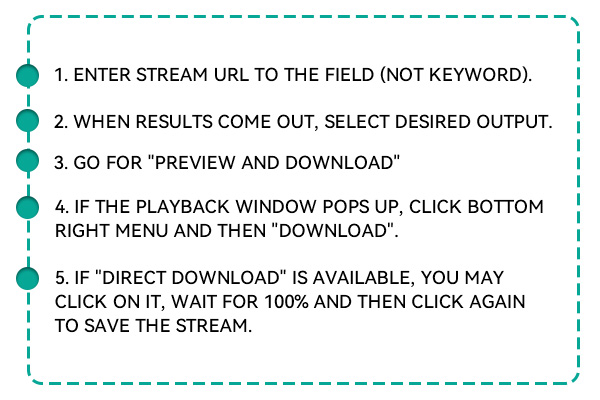
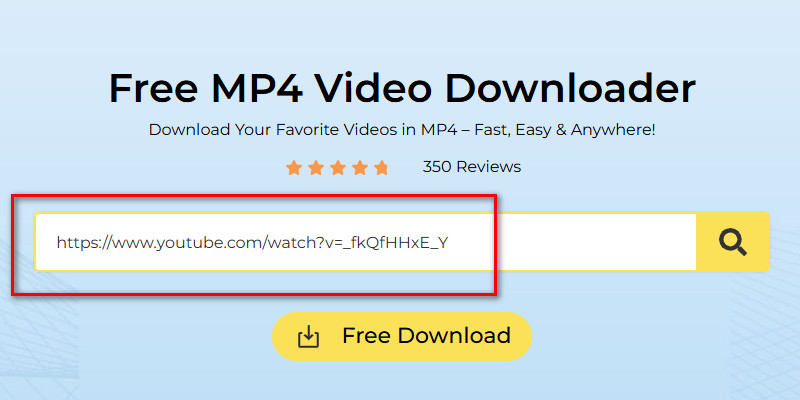
First, visit this YouTube-to-MP4 converter in your browser. Then, go to the YouTube website, search for the video, and copy its link. Alternatively, you can find the YouTube video directly on the tool.
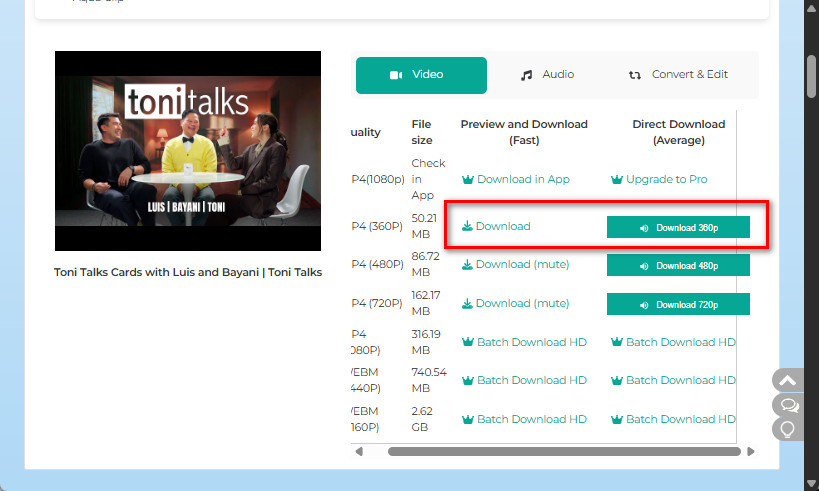
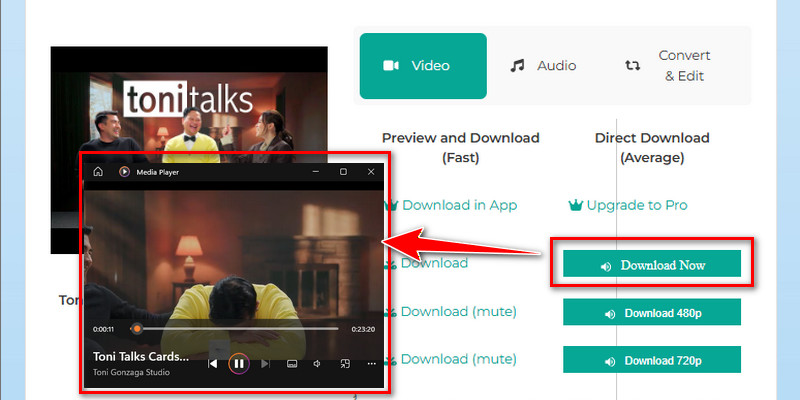
From the tool's download options provided, choose the MP4 format and your preferred resolution. Then, click on it and wait until it reaches 100%. You can preview the video before downloading it if you want to.
Once you see the "Download Now" button, click it, and the tool will start downloading. The process will only take a few seconds. Finally, locate the video on your local drive and play it afterward.
Easily download videos from any website with the tool.
Convert and save videos in formats such as MP4, OGG, MP3, AVI, MOV, and more.
Download entire YouTube playlists in one go without missing any video.
Save multiple videos at once to save time and effort.
Download videos in ultra-high quality, including 8K resolution.
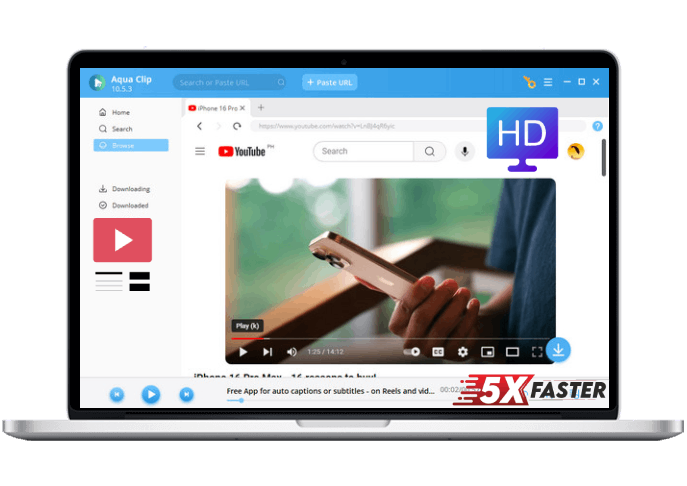
Search for and access videos directly within the app.
Find videos quickly by pasting a URL or entering search keywords.
Try all features for free before committing to a subscription.
You can download videos up to 720p quality. The tool presents multiple download options so you can choose the resolution you prefer. This lets you balance video quality and file size to suit your needs.
The tool converts videos very quickly, usually within 5–10 seconds. However, conversion speed may vary depending on your internet connection. Even for longer videos, the process remains fast and efficient.
No registration or account is required to use the tool. You can start converting videos immediately. This keeps the process simple and hassle-free.
Yes, the tool is safe and reliable. It does not have malware or unwanted ads. You can use it with confidence on any device.
Downloaded videos are saved in your File Explorer under the Downloads folder. You can easily locate and play them from there. This makes managing your files simple and convenient.

$19.95$9.95$49.95$19.95$69.95$39.95