menu

AI Celebrity Image Generator - Make Celebrity Portraits with Ease

This AI generator helps users create celebrity-style images from simple text prompts. It is made for fans, creators, and marketers who want fast, high-quality star portraits for social media, projects, and promotions.

Design Celebrity Images Effortlessly

get high resolution image outputs

Get High-Resolution Image Outputs

With the AI celebrity image generator, you receive high-resolution image outputs in JPG format that are perfect for both printing and digital uploads. This means you can use the images for posters, social media, or personal collections without worrying about blurry quality. The details remain sharp even when the image is enlarged. Because of this, your results always look professional and clean. It is also especially helpful for creators who want ready-to-use files. Overall, this feature ensures that every image looks polished.

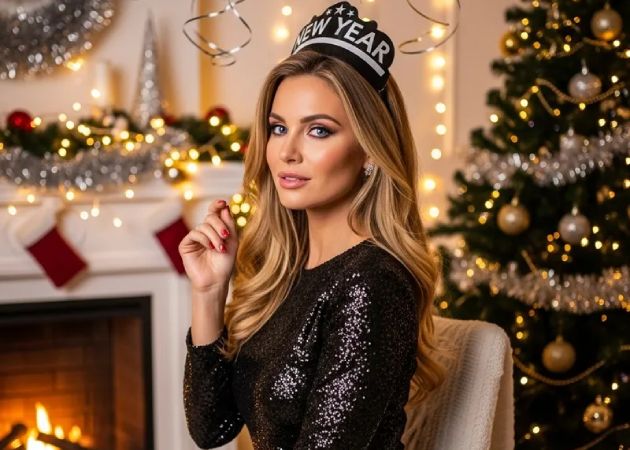
Fan Art Celebrity Images

Create fun and creative fan art of your favorite stars with this free AI celebrity generator. You can describe how you want the celebrity to look, such as clothing style or setting. Then the tool transforms your ideas into a fantasy-style celebrity image. This makes it easy for fans to express creativity without drawing skills. It is also useful for sharing unique content online. In the end, it helps bring fan ideas to life.

fan art celebrity images
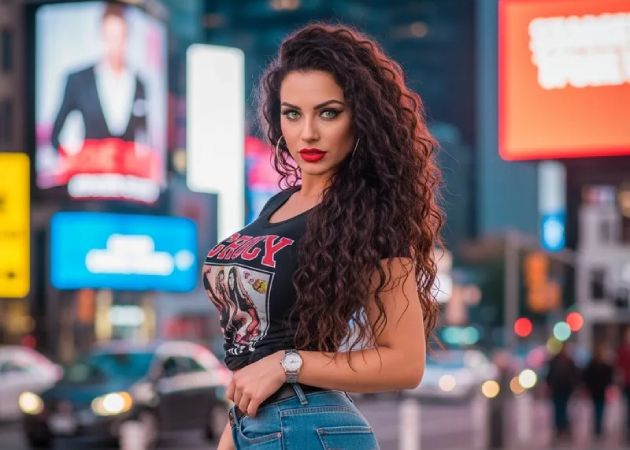
custom poses and expressions

Custom Poses and Expressions

With the AI celebrity image generator free, you can control the pose and facial expression of your celebrity images. You may ask for a smile, a serious look, or even an action pose, such as waving or dancing. This makes each image feel more natural and personal. Because you decide these details, the results better match your vision. It is great for storytelling, profile photos, or creative posts. This feature gives you freedom over how the celebrity appears.

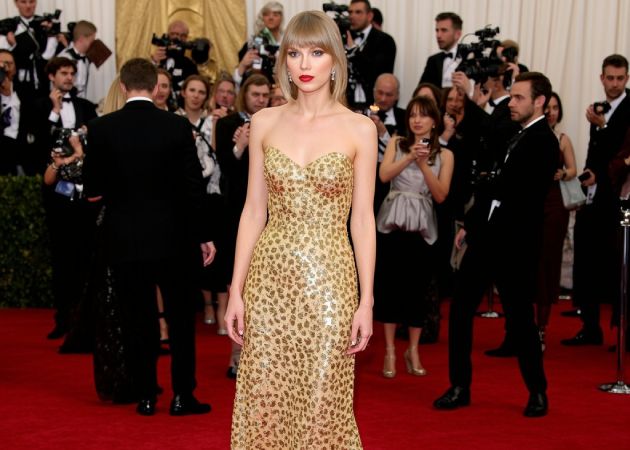
Red Carpet Photo Creation

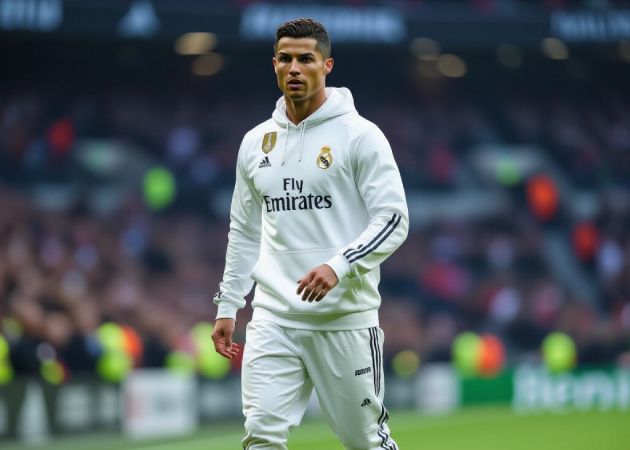
The best free AI celebrity image generator makes it easy to create glamorous red carpet images from simple text prompts. For example, you can type “Zendaya wearing a silver gown walking the red carpet at a film premiere,” and the AI will generate a realistic scene. This allows you to create high-quality celebrity-style photos without editing software. It's ideal for social media content, fan pages, or just exploring creative ideas. The tool handles all the details, from lighting to background, making the process fast and simple. In short, it brings star-quality glamour directly to your screen.

red carpet photo creation

Four Easy Steps to Create a Celebrity Fan Art

  • 01
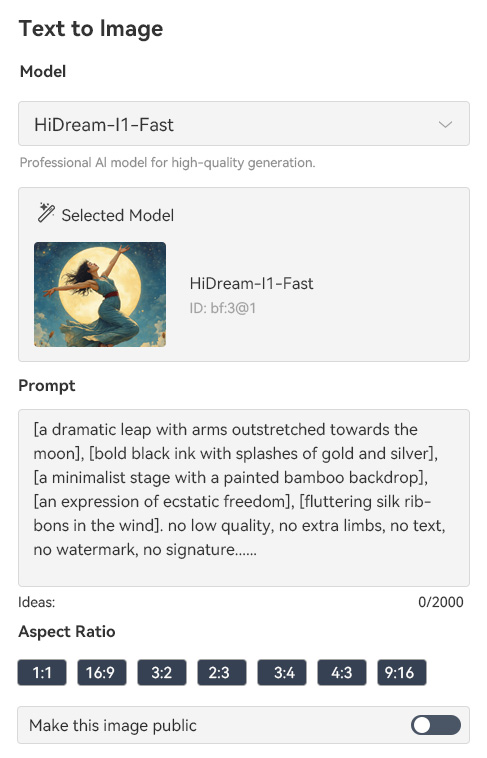
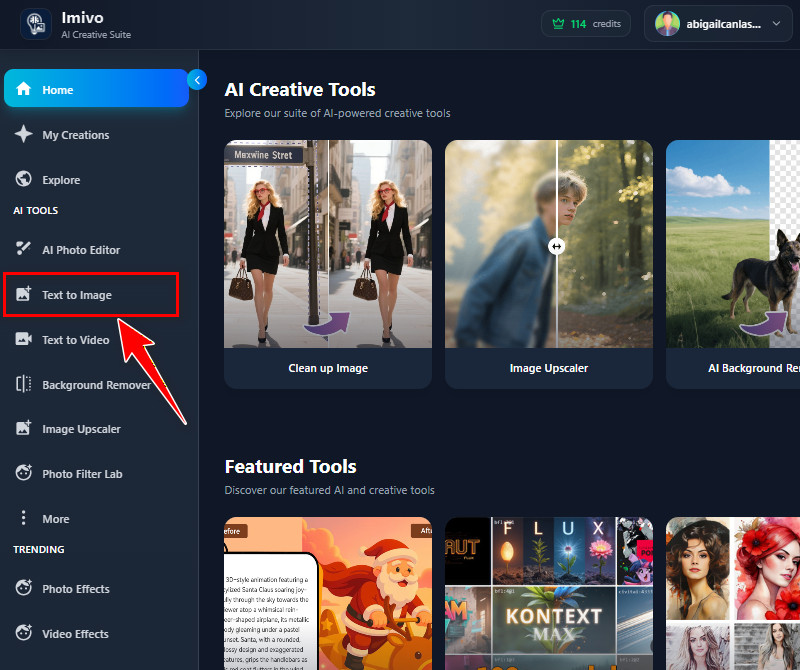
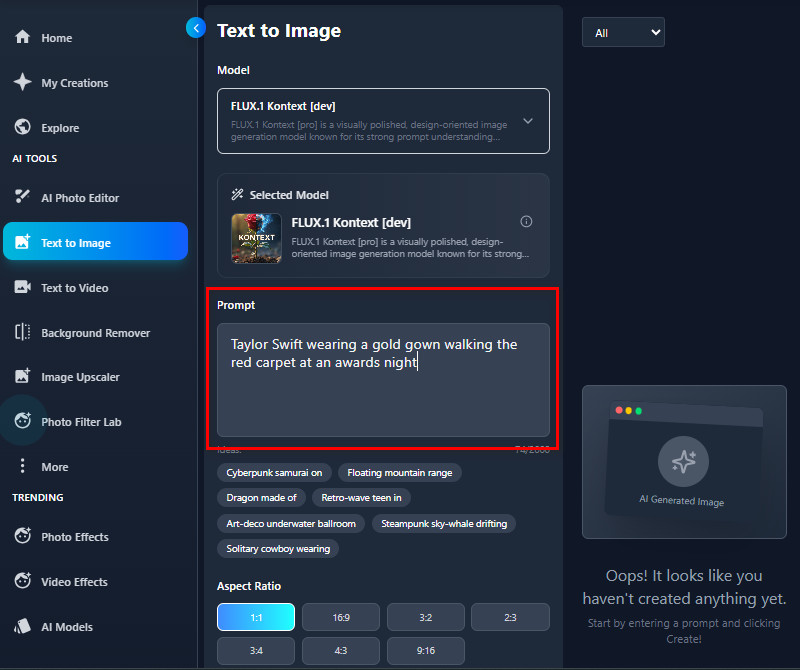
    Go to Text to Image Section
    First, log in or sign up on the AI tool. On the tool's main homepage, look in the left corner to see various sections. Find the Text-to-Image section, where you can start generating celebrity fan art.
  • 02
    Put Your Celebrity Description
    In the Prompt box, start typing the celebrity you want to make a fan art of. You can include the celebrity's name, expressions, outfit, and even the background you prefer. We suggest you provide more details to get the exact result you want.
  • 03
    Modify the Settings
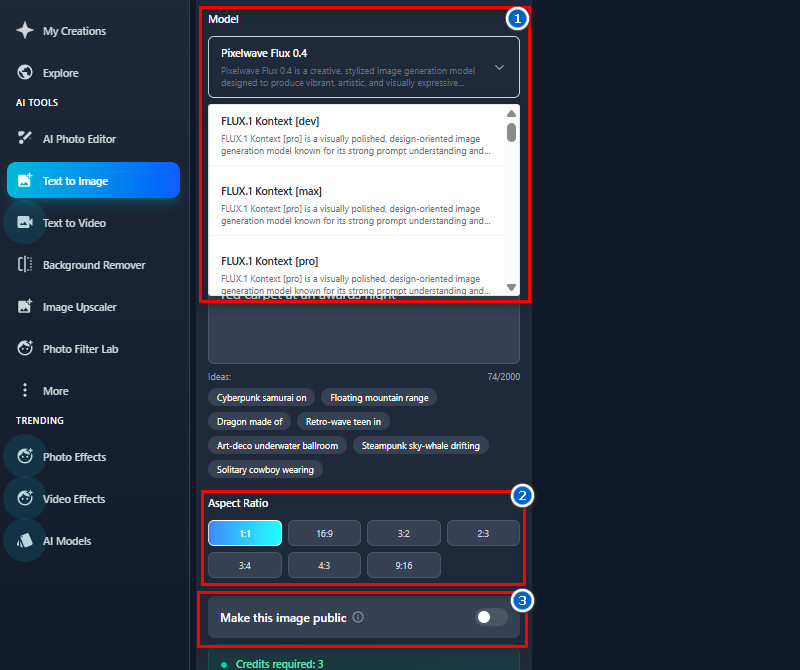
    Next, go to the Model section and choose the accurate AI model for generating realistic images. Then pick the output image size you prefer, like 1:1, 4:3, 16:9, and more. You can also toggle the "Make this image public" option to make the result private or public.
  • 04
    Generate and Save
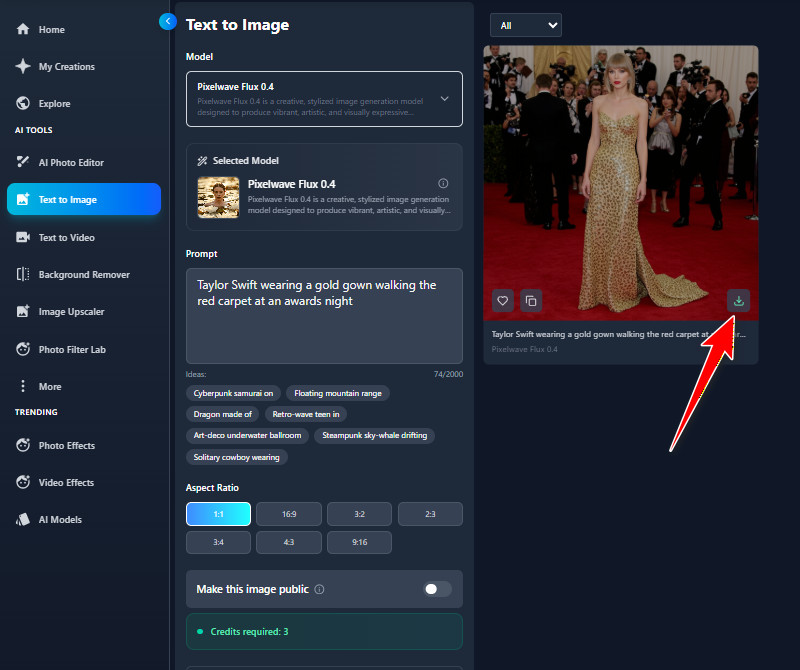
    Once all set up, hit the "Create" button and let the AI tool create your celebrity fan art. After a few seconds, you can see the results on the right side or in the Gallery section. Once satisfied, use the download icon on the output image to save it to your local drive.
go to text to image
put your celebrity description
modify the settings
generate and save

Find More Apps You'll Love

These apps are designed to help you create, customize, and transform visuals effortlessly according to your needs. They let you bring your ideas to life, whether you're designing characters, turning text into images, adding fun filters, or creating cute art styles. With these tools, you can express creativity, save time, and make shareable content that stands out.
"Creating celebrity-inspired fan art is straightforward with this tool. The portraits are creative and ready to share online. It makes content look polished without extra effort."
Kathryn Allen, Fashion Designer
12-11-2025
iiiii
iiiii

"The AI Celebrity Image Generator online helps me design unique celebrity looks for inspiration. It accurately captures facial features and makeup styles. It's practical and fun."
Patricia Brown, Makeup Artist
12-31-2025
iiiii
iiiii

"I used this tool to create celebrity-style avatars for Instagram. The results look clean and engaging. It's very user-friendly and fast."
Amber White, Travel Blogger
10-15-2025
iiiii
iiiii

"Celebrity fan art is easier to make with this tool. The portraits are colorful and creative. It's helpful for sharing unique content online."
Patricia Lopez, Florist
11-05-2025
iiiii
iiiii

"As a fan of Billie Eilish, I loved creating portraits of her with this tool. The AI captures her features so accurately. It's fun and easy to use for fan art."
Brian Scott, Music Student
11-23-2025
iiiii
iiiii

"Generating celebrity faces was fun and easy. The portraits looked detailed and professional. It's a great tool for fans and creators alike."
Willie Foster, Student
12-01-2025
iiiii
iiiii

Why Choose Us

Frequently Asked Questions

Can I use specific prompts to create red carpet or themed celebrity photos?

Yes, you can use specific prompts to create red-carpet or themed celebrity images. The AI Celebrity Image Generator works best when you give detailed descriptions. Try including the celebrity's name, their outfit, and the event or theme you want. For example, you might write, “Taylor Swift wearing a gold gown walking the red carpet at an awards night.” The AI will use your prompt to create an accurate image. The more details you give, the more realistic and creative the results will be.

Are the generated images suitable for commercial use?

Yes, you can use the generated celebrity images for commercial purposes. However, you should always use them responsibly and not in illegal or harmful ways. Avoid using images to impersonate someone or create false claims. You can also use them for social media, marketing, content creation, or personal projects. Also, make sure to follow any local copyright or publicity rules. Overall, the tool provides images that are legally safe to use for most projects.

Does the AI Celebrity Image Generator allow background customization?

Yes, you can customize the background. Just describe the background you want in your prompt. For example, you could say, “red carpet with photographers” or “concert stage with lights.” The AI will create the photo with the background you describe. This feature makes the portraits more realistic and visually appealing. It lets you tailor the scene to your creative idea.

Can I share my generated images directly to social media?

Absolutely! The tool provides a link to the generated image for easy sharing. You can copy the image link provided by the tool and post it directly to any social media account. You can also download the generated image using the download icon. Once downloaded, you can upload it to Instagram, Facebook, Twitter, or TikTok. This makes it simple to share your creations with friends or followers. Sharing is fast and convenient without needing extra editing.

Does the tool support multiple AI models for different styles?

Yes, the AI Celebrity Image Generator supports multiple AI models for different styles. The available models include FLUX.1 Kontext [max], HiDream-I1-Dev, HiDream-I1-Full, JuggernautXL XI Lightning, Pixelwave Schnell 0.4, RealVisXL V5.0, Realistic Vision V6.0 B1, Stable Diffusion 3, DreamShaper, epiCRealism, LEOSAM's HelloWorld XL, Qwen-Image-Edit, ToonYou, Anything XL, and FLUX.1 Kontext [dev]. Each model creates a different look, from realistic portraits to artistic or cartoon styles. You can try different models to see which one best fits your vision. Also, switching between models is easy and flexible. Using the right model helps achieve the most creative and accurate results.

pro image logoAceThinker PicWish

Background Removal Made Simple

pro banner image
Back to Top
Contact Us
Learning Center