menu

AI Christmas Filter - Create Festive Holiday Photos

This AI Christmas filter helps you to add festive elements and holiday moods to your photos quickly and easily. It is ideal for families, content creators, and social media users who want warm, seasonal images without the time-consuming manual editing.

Make Your Pictures Feel Llike Christmas

get retro polaroid style

Get Retro Polaroid Style

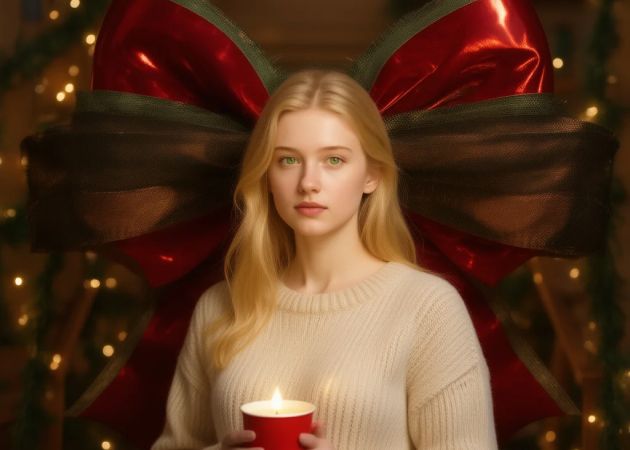
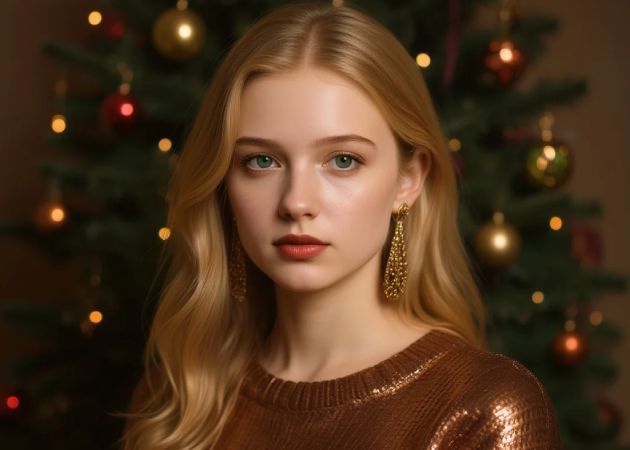
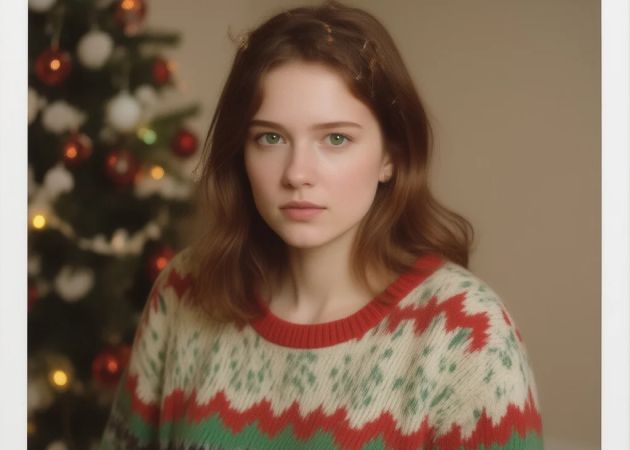
This feature gives your photos a retro Polaroid look inspired by the 90s. Instead of modern, sharp edits, the image feels warmer and slightly faded, which adds a sense of nostalgia. Moreover, it works well for holiday memories you want to feel personal and timeless. The effect blends perfectly with festive colors and soft lighting. That means you don’t need to adjust anything because the style is applied automatically. With an AI Christmas photo free, you can enjoy this classic look without extra effort.

Instantly Turn Any Photo into a Christmas Style

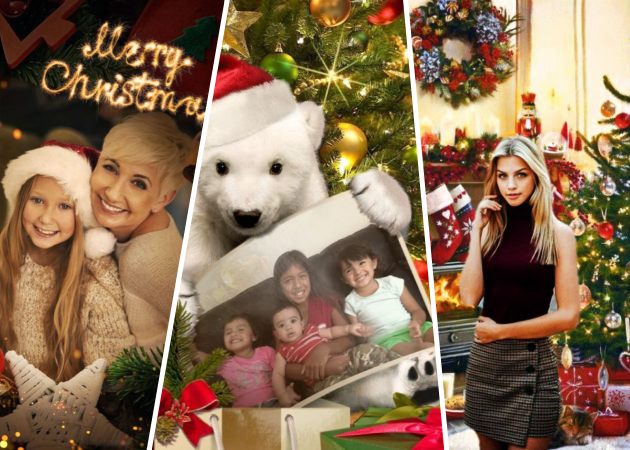
With this Christmas filter for photo online free, your photo is transformed into a Christmas theme in just one step. For example, if you upload a personal portrait taken in a regular indoor setting, the tool automatically changes the background to display festive decorations. It will adjust clothing details to include Christmas motifs and match all elements to evoke a holiday atmosphere. As a result, your image looks naturally prepared for the holiday season. This saves time since you don’t need to edit each element manually. It also works smoothly across different photo types and lighting conditions. Overall, anyone can create holiday-ready images instantly.

instantly turn photos into christmas style
download and printable output

Download and Printable Output

Once your generated image is ready, you can download it in high-quality JPG format. This means the photo stays clear and sharp even when printed. In addition, the size works well for small prints, photo albums, and standard frames. You don’t need to resize or enhance the image after downloading. Everything is prepared for easy use at home or for gifting. That’s why many users consider it the best AI Christmas photo free option for printable results.

Generate Any Photos

This tool supports all kinds of photos, including selfies, family pictures, group shots, and even pet photos. The tool adapts the Christmas style to each subject without losing important details. Because of this, everyone in the photo still looks natural and recognizable. It’s also helpful when you want to create multiple holiday images from different moments. The process stays simple, no matter who or what is in the photo. With a free AI Christmas filter, creating festive images for everyone becomes easy and fun.

generate any photos

Quick Steps to Follow in Applying the Christmas Filter to Your Photos

  • 01
    Login/Register to the Tool
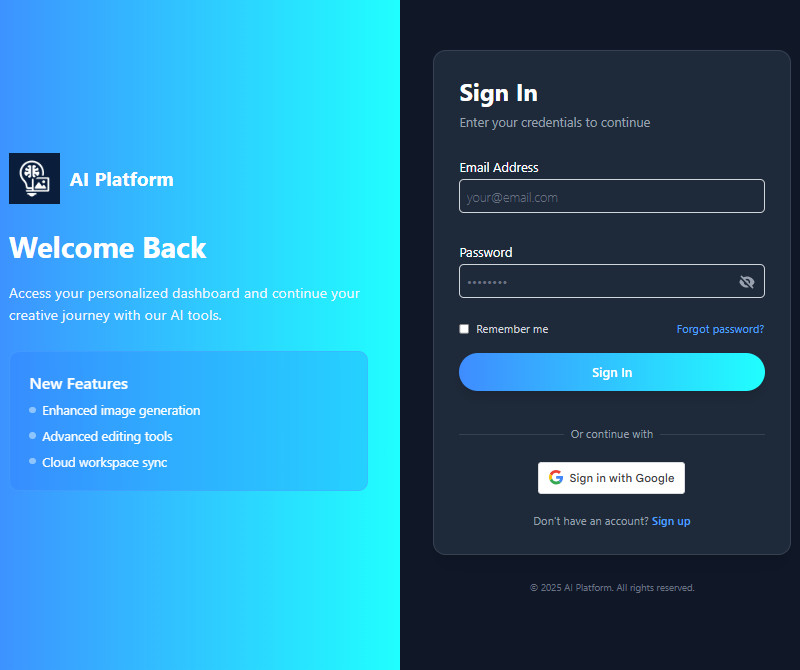
    Let’s start by visiting the AI Christmas Filter tool on your browser. Then, you will see a sign-up/in on the land page. Here, you will need to sign in if you already have an account. If you don't have an account yet, click "Sign Up" and enter your information. You can also use your Google account to register.
  • 02
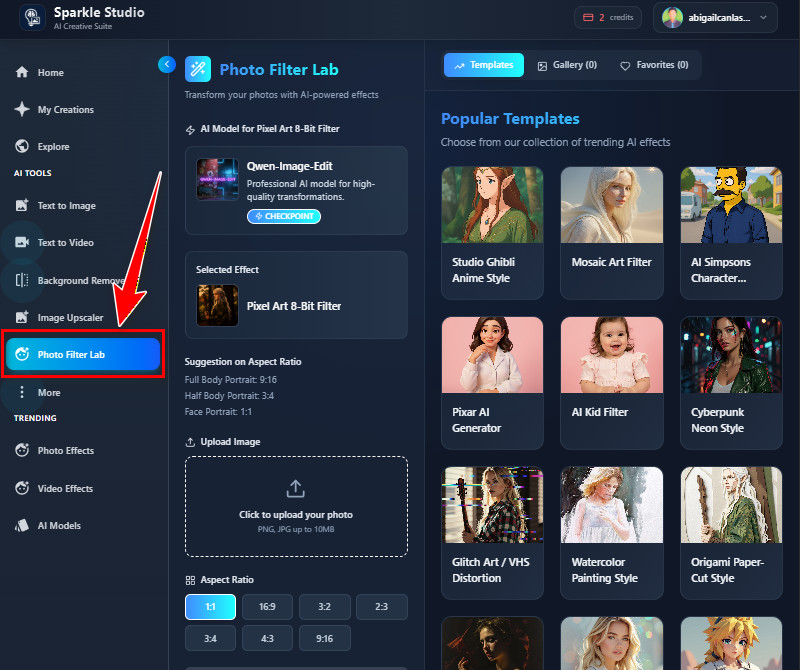
    Navigate to the Photo Filter Lab
    Once you are in the main land page, you will see more tabs on the right side. From there, look for the "Photo Filter Lab" and click on it. In this tab, you will see various filters, including the Christmas filter.
  • 03
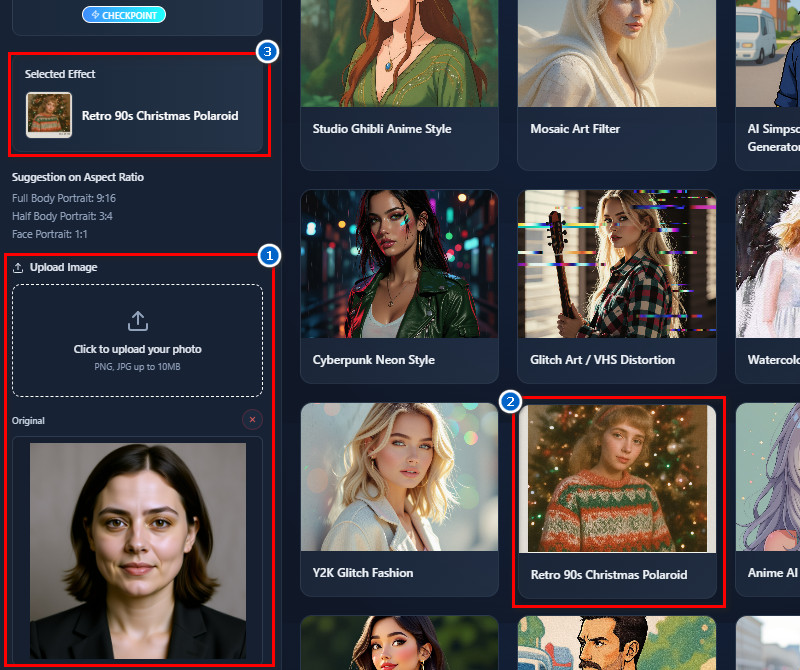
    Use Christmas Filter Template
    Next, upload the photo you want to apply the Christmas filter to. You can use the upload icon or drag and drop the photo directly onto the tool. After that, find the "Retro Christmas 90s Polaroid" template on the right side and click on it to select.
  • 04
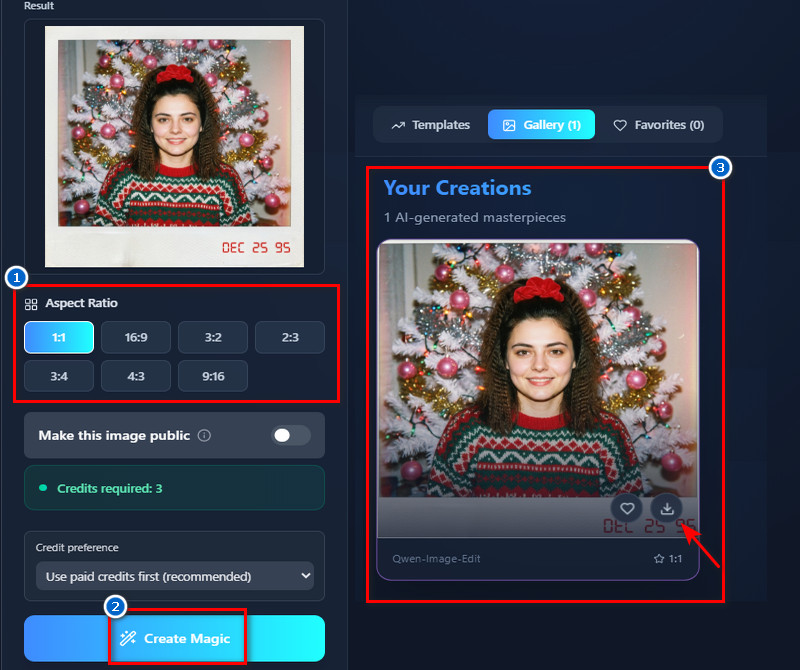
    Apply the Filter
    Before applying the effect, choose an aspect ratio for the output image. After that, click the 'Create Magic" button below and let the AI generate your image. Finally, when the result comes in, preview it and once satisfied, click the "Download" icon to save.
login or register
navigate photo filter lab
select christmas filter
apply and download

Find Apps That Fit Your Needs

These recommended AI tools help you quickly and easily create, edit, and enhance photos or videos. Each is created to serve different user needs, such as adding creative effects, generating content, or improving image quality. This way, you can find the right tool for your projects and save time while achieving professional results.
"I used the AI Christmas filter on some class photos, and they turned out really festive. The backgrounds and outfits changed automatically, which saved me a lot of time. It was easy to use, and the results looked good."
Mason White, Teacher
12-12-2025
iiiii
iiiii

"The filter gave my holiday promo images a nice touch. It automatically added seasonal elements, which looked natural. I liked not having to manually edit each photo."
Logan Wilson, Graphic Designer
12-05-2025
iiiii
iiiii

"I applied it to group photos from a holiday event. The festive effects looked natural on everyone in the picture. It’s useful when you want a quick seasonal update without editing manually."
Ellie Cooper, Event Planner
10-30-2025
iiiii
iiiii

"I tried it on product images for our holiday promotion. The tool added seasonal touches, making the photos more appealing. It was quick and straightforward to use."
Felix Gray, Retail Worker
11-04-2025
iiiii
iiiii

"I tried this AI filter on pet photos for a holiday calendar. The filter added cute Christmas backgrounds and decorations. The pets still looked natural, and it was easy to use."
Vera Luna, Pet Groomer
10-26-2025
iiiii
iiiii

"I tested it with family portraits, and it worked perfectly. The Christmas backgrounds and details blended well without covering the subjects. Overall, it saved me a lot of time on editing."
Hans Mattsson, Photographer
10-08-2025

iiiii
iiiii

Why Choose Us

Frequenlty Asked Questions

What if I’m not satisfied with the result?

If you are not satisfied with the result, you can regenerate the image. Each new generation creates a different version of your photo. This gives you more chances to get the look you want. You are not locked into the first result you see. Then, you can keep trying until you find the version you like most. This makes the process flexible and user-friendly.

Does the Xmas filter work for group photos or family portraits?

Yes, the Xmas filter works well for group photos and family portraits. It can handle multiple people in one image without issues. The filter also adjusts the background and style to fit everyone in the photo. In addition, faces remain clear and recognizable after applying the effect. This makes it great for holiday family pictures. You can use it for friends, relatives, or group memories.

What image formats are supported?

For uploading images, JPG and PNG formats are supported. These formats cover most photos taken by phones and cameras. You don’t need to convert your image before uploading. After processing, the exported image is saved as a JPG. This format is easy to share and print. It also keeps the file size manageable with good quality.

Do you offer a free version?

Yes, a free version is available for new users. You can receive 10 free credits when you register an account on the tool. These credits let you try the Christmas filter without payment. Also, each generation uses three credits. This helps you test the features before deciding to buy more credits. It’s a simple way to explore the tool risk-free.

Do I need to install an app?

No, you do not need to install any app. The AI tool works directly in your web browser. You can use it on browsers like Chrome, Edge, Safari, or Firefox. This means it works on both desktop and mobile devices. You just open the website, log in to your account, and start editing. It saves space on your device and works instantly.

acethinker picwish logoAceThinker PicWish

Remove Photo Background Easily

pro banner image
Back to Top
Contact Us
Learning Center