menu

AI City Generator - Create Realistic Urban Landscapes in Seconds

Our online AI City Generator lets people quickly create complete city designs using artificial intelligence. It is made for designers, planners, game creators, and storytellers who want to save time, explore ideas, and build realistic or creative cities with ease.

Build Your Own World From Ideas to Cities

refine your city details

Refine Your City Details

When building a large city, small details often take the most time, and that’s where our AI tool truly shines. It carefully enhances streets, buildings, lighting, and structure so your city feels alive and thoughtfully designed. It lets you achieve a clean, professional look without extra effort. Furthermore, the experience feels smooth, especially when you’re refining complex environments. With the help of our AI city creator, your megacity doesn’t just look complete, it feels intentional and immersive.

Choose Your AI Model

Every city idea is different, and sometimes one AI style just doesn’t fit the vision. That’s why having multiple AI models gives you more creative freedom from the start. Our AI city generator allows you to switch between models depending on whether you want realism, artistic flair, or bold structures. You can choose from FLUX.1 Kontext [max], HiDream-I1-Full, Juggernaut Pro Flux by RunDiffusion, RealVisXL V5.0 and more. This flexibility saves time because you don’t have to redo everything when a style feels off.

pick your model
build cities across every era

Build Cities Across Every Era

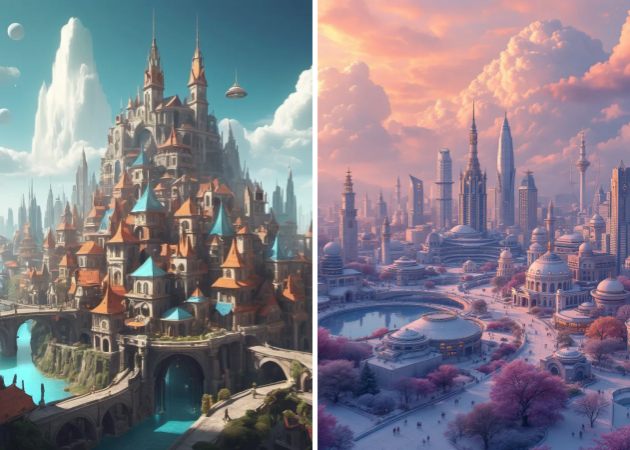
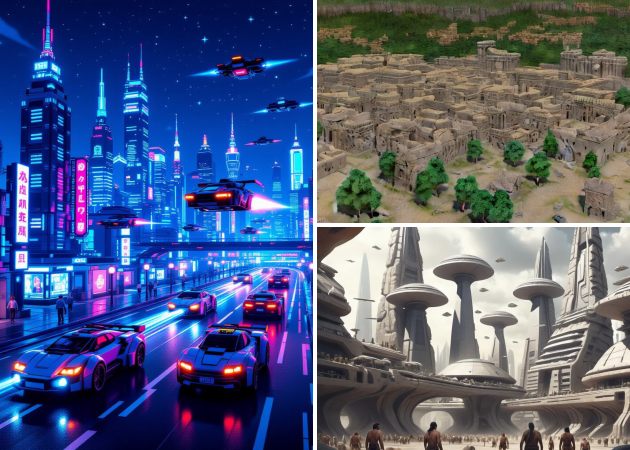
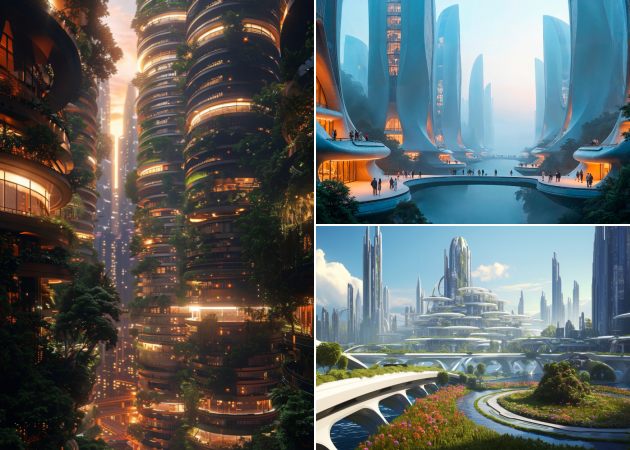
Not every project needs the same type of city. You can move from ancient streets to glowing skylines without changing tools or workflows. Whether you’re designing for a story, game, or concept art, each theme feels distinct and purposeful. Our futuristic city generator AI helps bring bold ideas to life while maintaining visual balance. As you explore different styles, creativity flows faster and feels less restricted.

Customize Every City Element

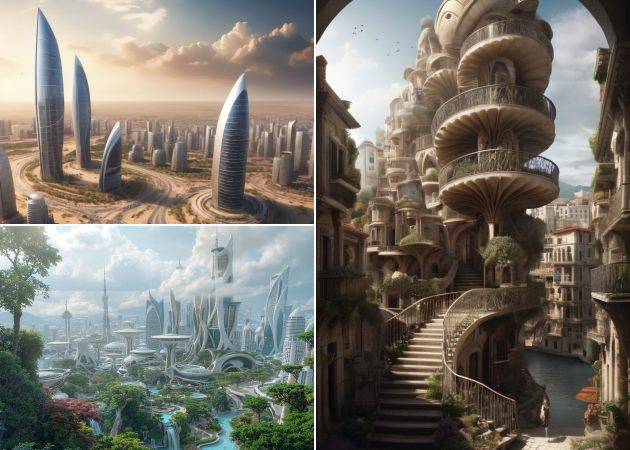
Sometimes the first result is close, and that’s completely okay. With our advanced prompt control, you can refine atmosphere, structure, and details until the city truly matches your vision. Changing the size, style, or setting feels simple and natural, not complicated. This makes it easier to clearly show your ideas, especially when sharing concepts or visuals. With smart city design AI, you stay in control and shape the city step by step to match your vision.

customize every city element

Simple Guide to Generate Your Dream City in Seconds

  • 01
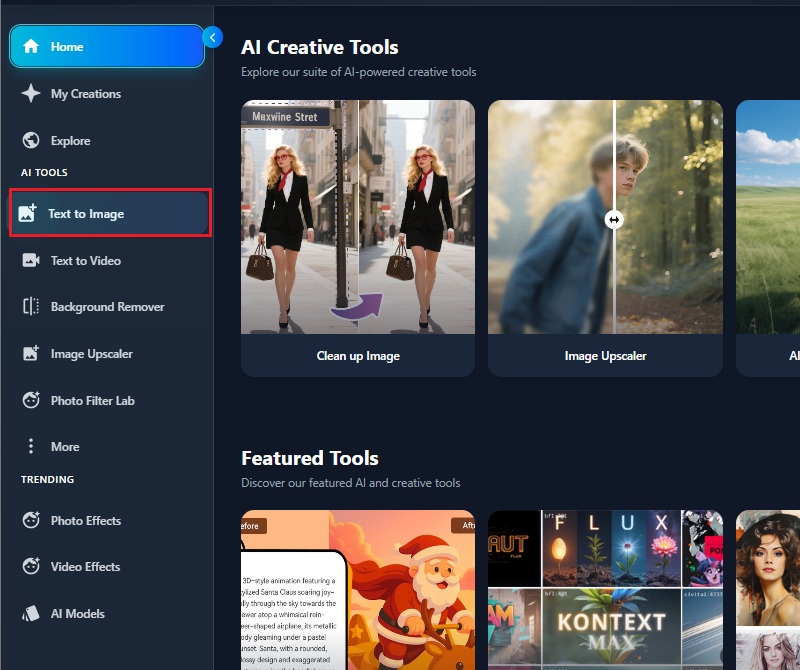
    Launch the AI City Generator
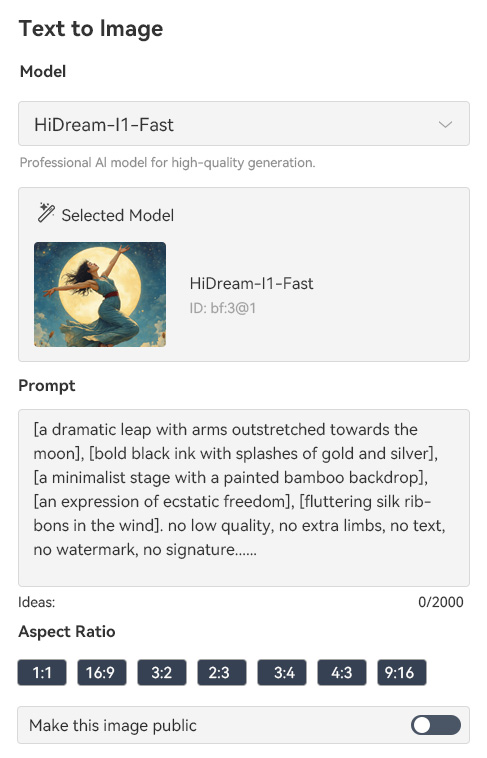
    First, open your browser and go to the AI City Generator website. Next, sign up or create an account to get full access to the tools. Once your account is ready, navigate to the text-to-image feature to start generating your city designs immediately.
  • 02
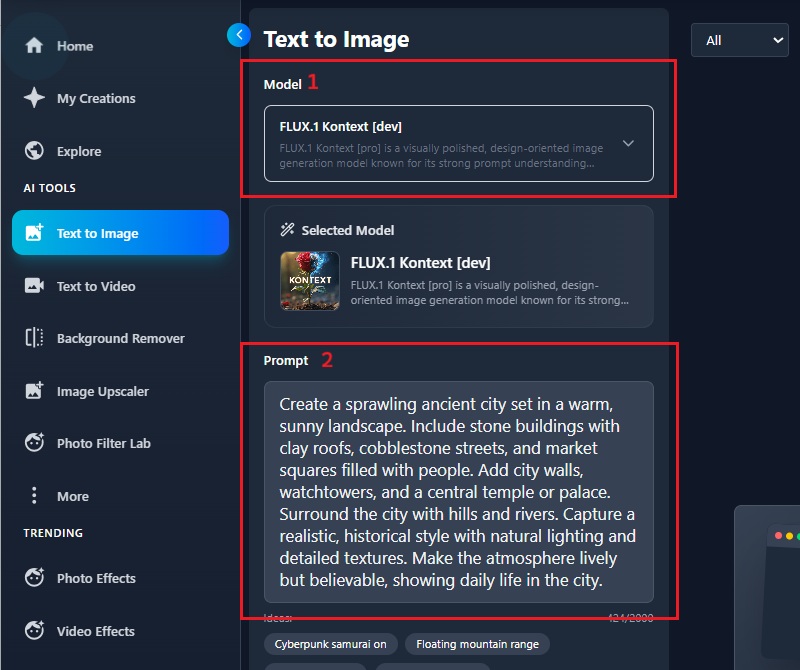
    Enter Text Description
    Next, select the AI model that best fits the style you want for your city. Then enter a clear text description of your city, including details such as buildings, streets, atmosphere, and theme. This helps the generator understand your vision and create a cityscape that matches your ideas.
  • 03
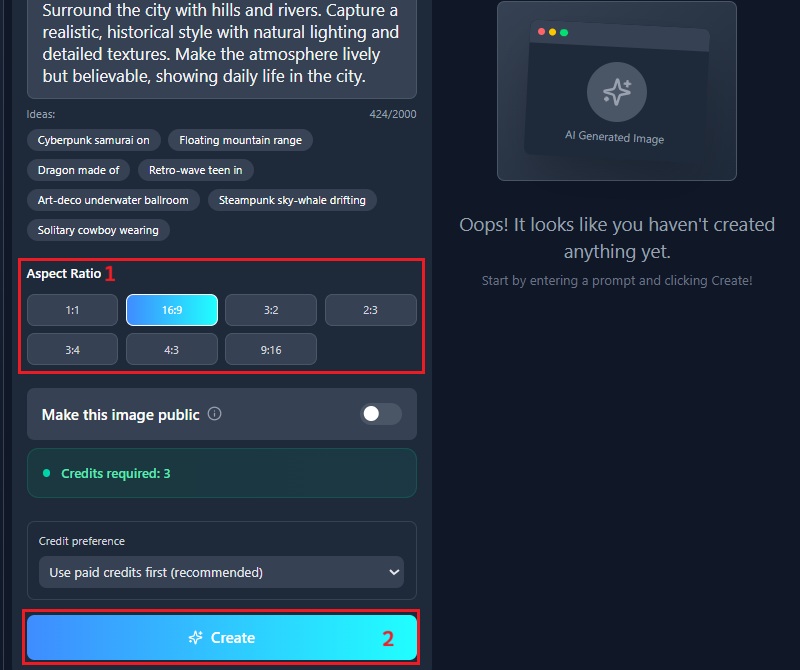
    Craft the Cityscapes
    After entering your description, choose the aspect ratio that fits your project, whether it’s wide, square, or tall. Then, hit the "Create" button to craft your cityscape. Subsequently, the AI will process your input and generate a detailed cityscape based on your specifications.
  • 04
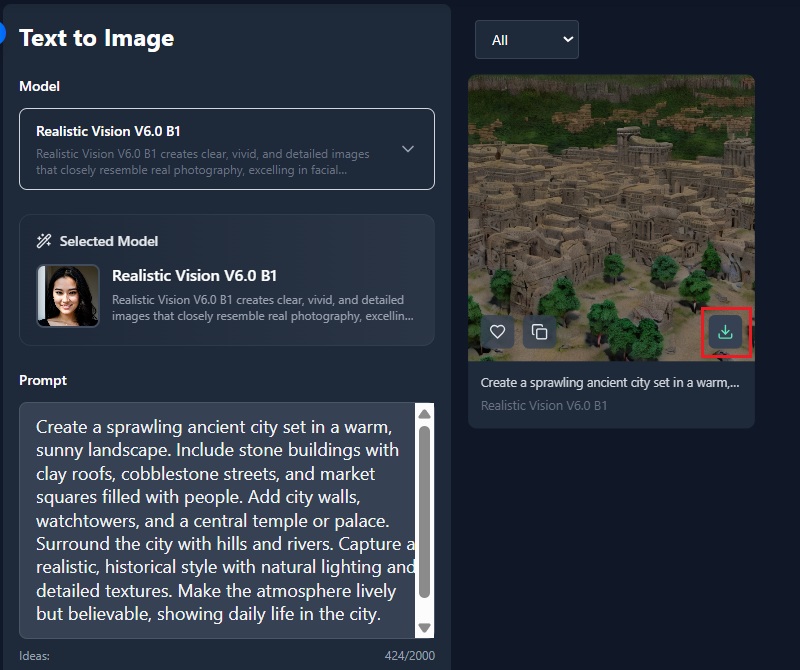
    Download Generated City
    Once your cityscape is ready, preview the image to make sure it matches your vision. After that, click the "Download" icon to keep the city on your device. You can now use the image for projects, presentations, or creative work.
launch the ai city generator
enter text description
craft the cityscapes
download generated city

Explore More Creative Tools

These recommended apps are chosen to support different creative needs, whether you’re designing visuals, building worlds, or improving content quality. They help users work faster, explore new ideas, and solve common creative challenges without adding complexity.
"This tool helps me quickly block out city layouts when I’m planning new levels. The results are clear enough to build on, and I don’t have to start from scratch every time."
Maisha Clarke, Game Level Designer
2025-12-18
iiiii
iiiii

"Using this city generator makes it easier to explore different city styles for my projects. The controls are simple, so adjusting the look doesn’t feel confusing. It’s helpful when I want to test ideas before drawing them out."
Johnny Roach, Architecture Student
2025-12-03
iiiii
iiiii

"This tool is useful when I need quick city references. The visuals give me a strong starting point without locking me into one style. I like that I can adjust details instead of redoing everything."
Khadija Quinn, Concept Artist
2025-11-16
iiiii
iiiii

"This generator gives me a clearer sense of place and scale. It helps me describe environments more accurately. I use it mostly for background inspiration."
Maria Harrington, Writer
2025-11-05
iiiii
iiiii

"This city generator helps with early scene planning. I can get a sense of scale and layout before moving to detailed work. I love that the results are clear and flexible."
Tristan Blevins, Film Artist
2025-10-19
iiiii
iiiii

"I use it mostly to experiment and learn. The tool makes city creation feel less overwhelming. Small changes actually make a visible difference. Highly recommended."
Niel Daniel, Digital Art Hobbyist
2025-09-17

iiiii
iiiii

Why Choose Us

FAQs about AI City Generators

Why should I use a city generator?

Using a city generator saves a lot of time when you need a detailed city layout quickly. It allows you to explore different styles and ideas without having to start from scratch. Besides, you can experiment with various designs and see results immediately. The tool makes planning, storytelling, and creative projects much easier. You can focus on improving the design instead of drawing every building manually.

Can I use the generated cities for marketing purposes?

Yes, you can use the generated cities in marketing materials. They provide clear, professional visuals for presentations, ads, and social media. You can adapt the images to match the style or theme of your campaign. This helps attract attention without spending hours on design. Moreover, the generated images can support ideas or products effectively because they look realistic. They are flexible enough to fit different marketing formats. Using them allows you to create polished visuals quickly.

Is it possible to customize the generated cities?

Yes, our AI city generator allows you to redefine the prompt to adjust your city’s appearance. You can change styles, details, and atmosphere to match your vision. Aside from that, the tool also has inpainting features to modify specific areas of the city. This lets you fix mistakes or add elements without having to start over. You can also experiment with different textures, lighting, or structures. It ensures the result matches exactly what you want.

Can I make a specific city style?

Yes, you can create cities in a specific style. For example, you can make futuristic, cyberpunk, historical, or fantasy cities. The generator adapts the buildings, streets, and atmosphere according to the style you choose. Additionally, you can refine the look with the prompt or inpainting tools for more precise results. This helps your city match the theme of a game, story, or project. It also allows creative experimentation with different visual ideas.

How long does it take to make my cityscape image?

Our smart city generator creates your image in just a few seconds. You don’t need to wait for complex rendering or manual drawing. The fast process also allows you to try multiple designs quickly. You can immediately see if the style or layout works for your project. This speed helps when you need inspiration or concept ideas fast. It also saves time compared to traditional city design methods.

pro image logoAceThinker PicWish

Transform Your Images with Clean Cuts

pro banner image
Back to Top
Contact Us
Learning Center