menu

AI Dance Video Generator

We made this tool to help anyone create dance videos with smooth motion and stylish effects without needing editing skills. Designed for creators, beginners, and social media users, it delivers quick and polished results, making it easy to create visually appealing dance clips in just a few steps.

Create dance videos with instant effects.

generate photo to dance video

Generate Photo to Dance Video

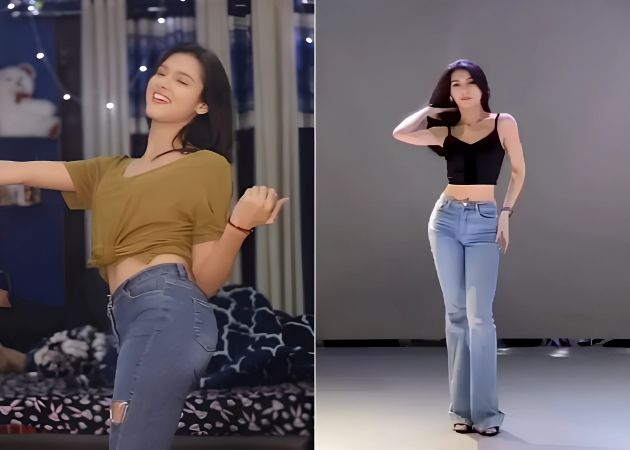
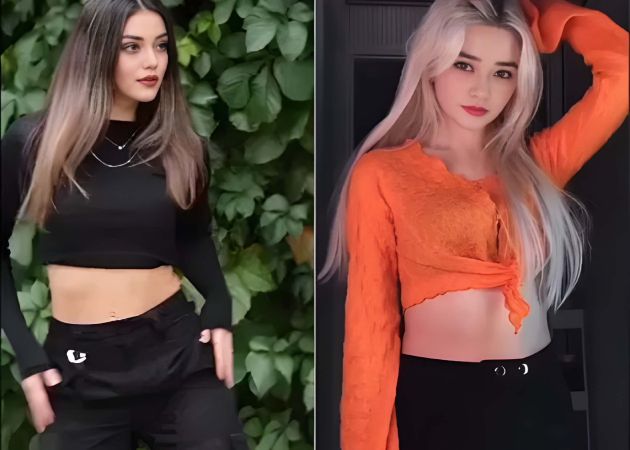
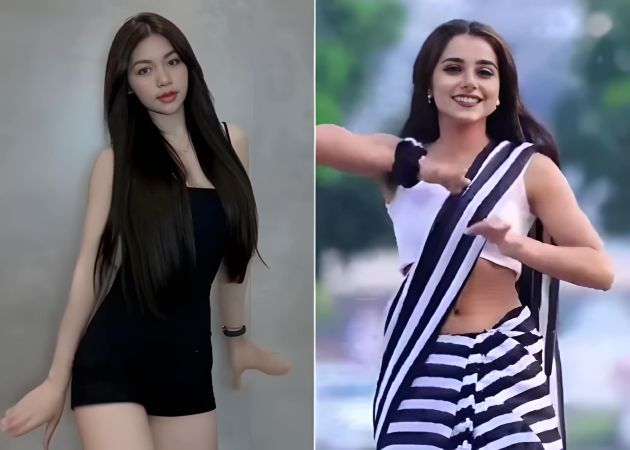
Turning a still image into a lively dance clip is easy with this AI tool. It helps you upload any photo and instantly transform it into a fun dance animation. We recommend uploading an image that has a simple background for better results. Moreover, the tool analyzes the picture and creates smooth movements that look natural and engaging. This is great for users who want quick content without learning editing skills. Additionally, it saves time because everything is automated. With this simple process, you can enjoy a creative experience that brings your photos to life.

Choose from Various Dance Templates

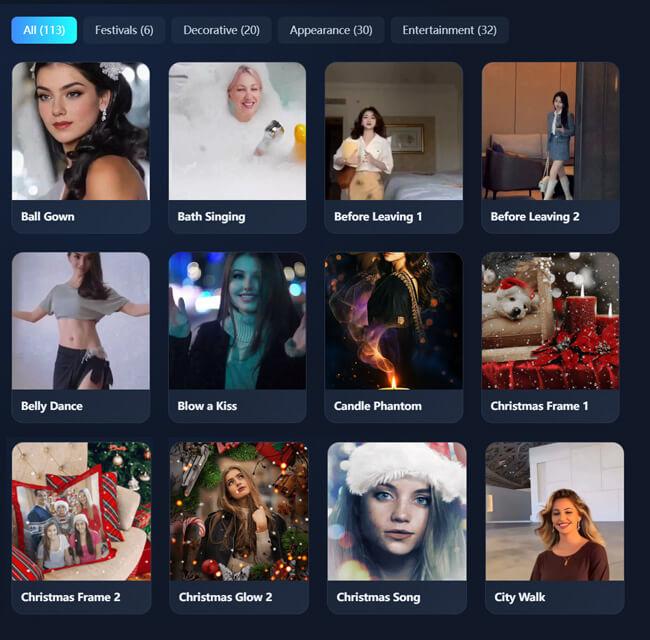
This feature lets you pick from a wide range of dance styles like belly dance, ethnic dance, sway, swag, modern dance, TikTok dance, and more. It gives you the freedom to match the mood or theme you want for your video. Furthermore, each template is designed to animate your photo smoothly, making it feel expressive and fun. Users will appreciate how easy our AI tool is to use, allowing them to try different looks without extra effort. Plus, it makes the whole creation process more enjoyable since everything is ready to apply. With these flexible options, you get the convenience of an AI dance generator free that offers creativity at your fingertips.

choose from various dance templates
post dance video on social media

Post Dance Videos on Social Media

This feature makes it easy to share your creations directly on platforms like Instagram, TikTok, or Facebook. By posting your dance videos online, you can instantly engage friends, followers, or fans. Moreover, it saves time because you don’t need extra software to prepare your clips for sharing. Our tool offers two ways to share: you can download it first and share it online. On the other hand, you can share it directly using the video link provided by our tool. Users will enjoy how simple our tool is to showcase their creativity and get real-time feedback. With Photo Dance AI free, you can turn your photos into fun dance videos and post them effortlessly on social media.

Produce High-Quality Outputs

With this feature, your dance videos are exported in high-quality MP4 format for smooth playback and clear visuals. This ensures your animations look professional, whether you’re sharing them online or keeping them for personal use. Furthermore, it enhances details so every movement appears realistic and polished. Users benefit from reliable video quality without complicated settings or editing. Plus, consistent output makes it easy to upload or use the videos anywhere. Using an AI dance video generator from photo, you can produce stunning, high-quality dance clips every time.

produce high quality outputs

Guide on How to Apply Dance Video Effects on Photos

  • 01
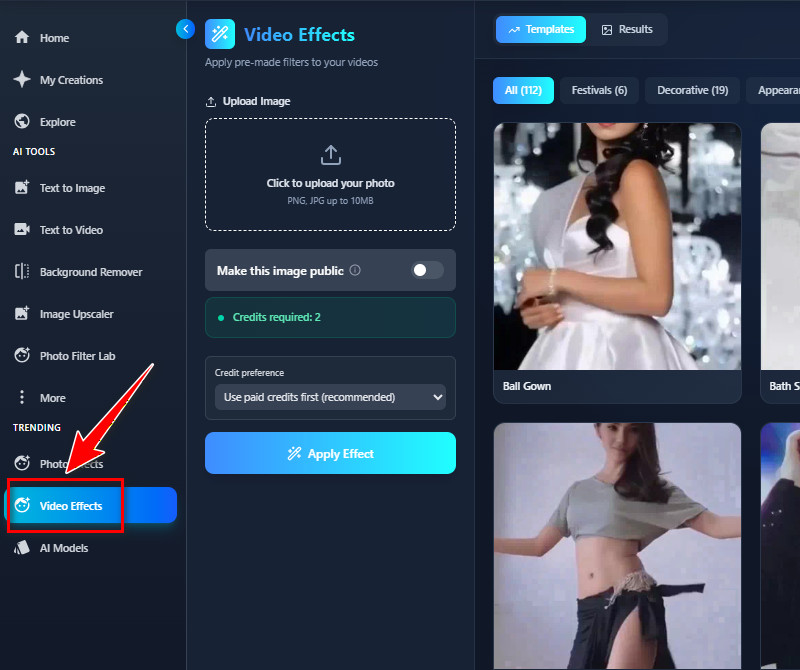
    Go to Video Effects Tab
    Begin by visiting our AI Dance Video Generator using your web browser. Then create an account if you haven't, or log in if you already have. Once you are on the main homepage, navigate to the Video Effects tab.
  • 02
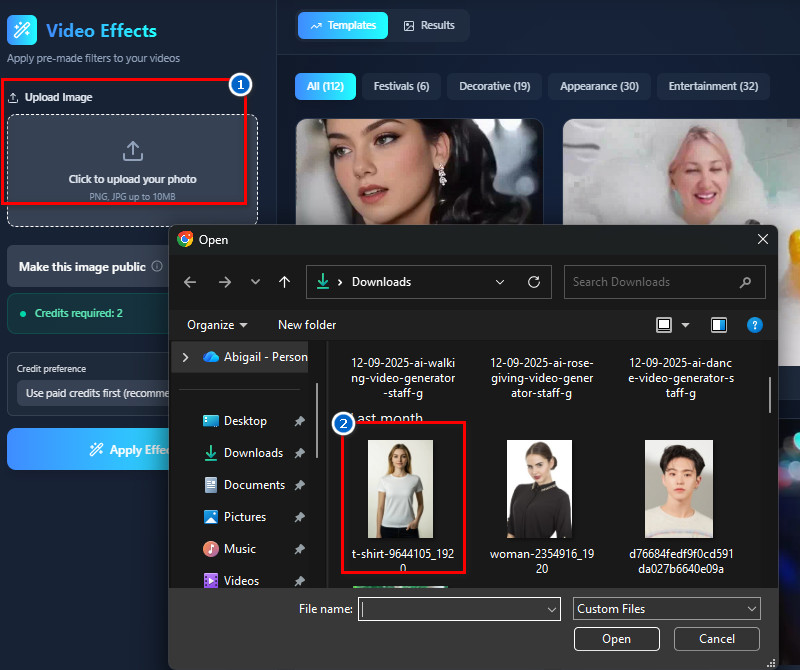
    Upload a Photo
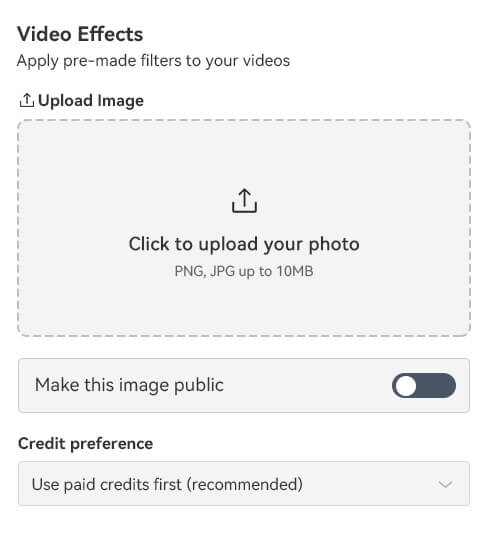
    Next, click the "Upload" button to upload an image. You can add a photo of yours in PNG and JPG formats with a clear background. Also, make sure the photo's file size is 10 MB or less.
  • 03
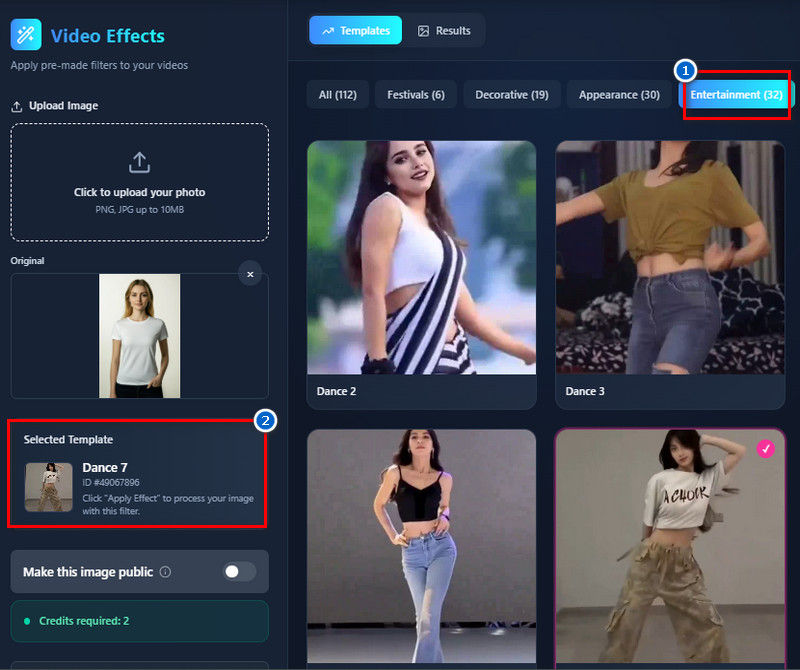
    Choose a Dance Effect
    After uploading, look to the right side and click the "Entertainment" tab. Here, you will see all the dance effects that our tool provides. Choose one you prefer and click on it to select.
  • 04
    Apply the Dance Effect
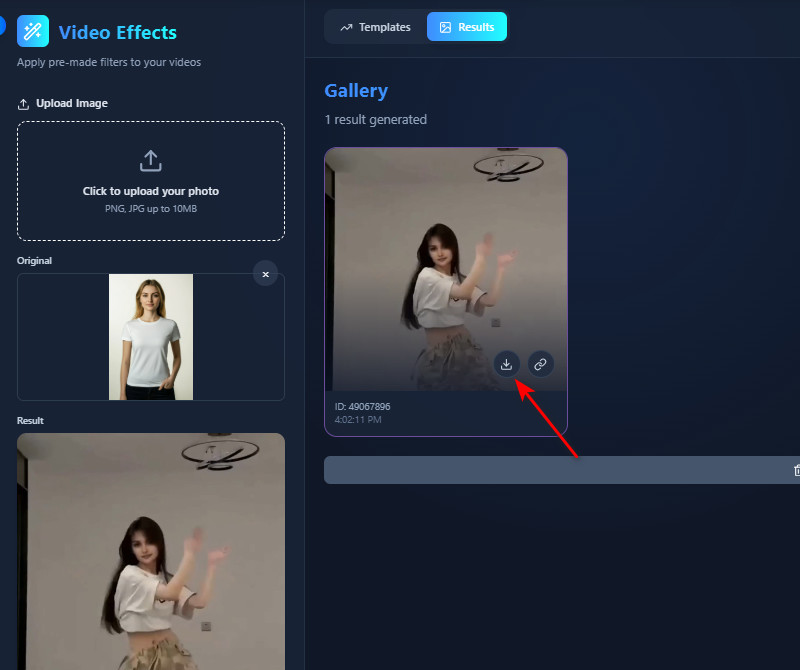
    Once everything is set, click the "Apply Effect" button, and your photo will start processing. When the result is ready, click the "Download" icon on the thumbnail to open it in another browser tab for previewing. Once satisfied, click the three-dot icon, select the download button, and the tool will download the file in MP4 format.
go to video effects tab
upload a photo
choose a dance effect
apply the dance effect

Find more options that match what you need.

These apps are perfect for users who want to upgrade photos, explore creative styles, and generate unique images without advanced editing skills. Whether you're enhancing selfies, designing content, or experimenting with AI art, these tools make creativity fast and accessible.
"I just wanted to make a fun clip to share online, and this tool worked perfectly. The process is fast, and the result looks very clean. I’m pleasantly surprised at how easy it is to use."
Maria Santos, Graphic Designer
12-07-2025
iiiii
iiiii

"I made a dance video from my profile picture for social media, and it looks great. The movements are natural, and the loops are smooth. It’s a fun way to engage my followers."
Leo Morales, Fitness Coach
10-12-2025
iiiii
iiiii

"I love that I can pick from different dance styles for my videos. The AI really understands the movements, and the process is quick. It’s perfect for my busy schedule."
Isabel Gutierrez, Marketing Specialist
10-26-2025
iiiii
iiiii

"Making dance videos used to be tricky, but this generator makes it easy. The templates are varied, and the AI creates smooth loops. It’s great for fast, creative videos.”
Nina Velasco, Content Creator
12-05-2025
iiiii
iiiii

"I use it to make short Instagram clips, and it’s very handy. The dance loops are smooth, and the videos look polished. It’s simple and fun to use for content creation."
Elena Cruz, Fashion Blogger
11-13-2025
iiiii
iiiii

"It’s amazing how the AI can turn a single photo into a dancing animation. The output is high-quality and professional-looking. I enjoy experimenting with different dance styles."
Rafael Dela Rosa, Illustrator
11-04-2025

iiiii
iiiii

Why Choose Us

Frequently Asked Questions

What kind of dance videos can I make?

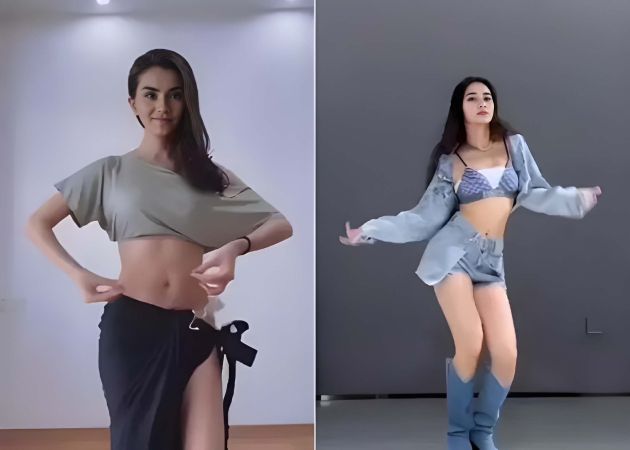
You can make a variety of dance videos using this tool. It includes styles like belly dance, modern dance, sway, swag, and ethnic dances. You can also create looped clips or short social media videos. The AI adapts your photo to match the chosen dance style. It's suitable for fun or marketing content. Overall, you have the flexibility to easily try different moves and styles.

Do the AI dance movements look natural?

Yes, the AI dance movements look natural and smooth. When I tested it, the motion matched the dance's style very well. The loops repeat without any awkward jumps or glitches. It also makes your photo feel more alive rather than stiff. Plus, the tool carefully analyzes pose and movement to produce realistic animation. Overall, it's very convincing for casual videos or social media clips.

How long does it take to generate a dance video?

It usually takes about 20–30 seconds to generate a dance video. I tried uploading a photo and picking a template, and the video was ready very quickly. The processing is fast, even for high-quality outputs. You don't need to wait long or adjust complicated settings. This makes it convenient if you want to create multiple videos quickly. It's perfect for users who need quick, polished clips.

Can I share my AI-generated dance video on social media?

Yes, you can share your dance videos directly on social media. It allows you to post clips on Instagram and TikTok without any extra editing. The videos are high-quality and fit well on most platforms. Sharing is easy because the output video is in MP4, perfect for any social media platform. It's also useful for creators who want to engage followers quickly. Moreover, the videos are copyright-free, so you don't need to worry about copyright issues.
What kind of images can I upload?

Our tool supports images in PNG or JPG format. It works best if the photo has a clear background or a simple background. Complicated backgrounds may make the AI less accurate in creating movements. In fact, I tried both clean and busy images, and the clean ones produced better results. The tool focuses on the main subject in your image for the dance animation. Overall, clear, simple photos deliver the best, most realistic results.

pro image logoAceThinker PicWish

Backgrounds Gone in One Click

pro banner image
Back to Top
Contact Us
Learning Center