menu

AI Manga Generator – Create Manga Art from Your Text Description

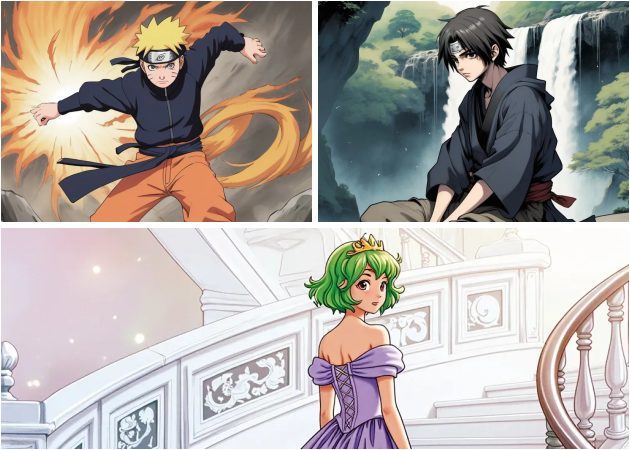
The AI Manga Generator lets users generate manga-style images from text descriptions. It is designed for manga fans, writers, and creators who want to turn ideas into visuals quickly without drawing skills.

From Text to Manga Worlds

instant manga creations

Instant Manga Creations

With simple text prompts, you can quickly turn ideas into manga-style images. You only need to describe the character, pose, or mood, and the AI handles the rest. This means creating manga art feels fast and effortless. Also, it works well for beginners and experienced creators alike. Many users enjoy using this AI manga generator because it removes the need for drawing skills. Overall, it helps bring manga ideas to life in just a few steps.

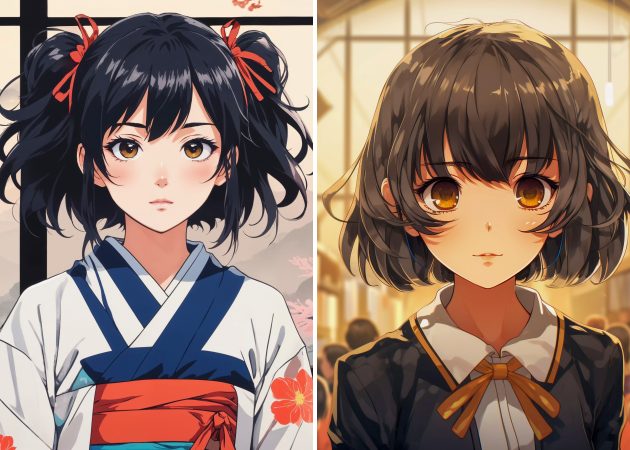
Make Colored or Black-White Manga Characters

Create colored or black-and-white manga styles by adding details to your prompt. For example, you can request classic black-and-white line art or vibrant anime colors. This flexibility gives you control over the final look. Additionally, it allows you to easily experiment with different moods and themes. With this AI manga generator free, it makes it easier to try both styles without pressure. We make sure that you can get characters that match your creative vision.

make colored or black-white manga characters
design manga story scenes

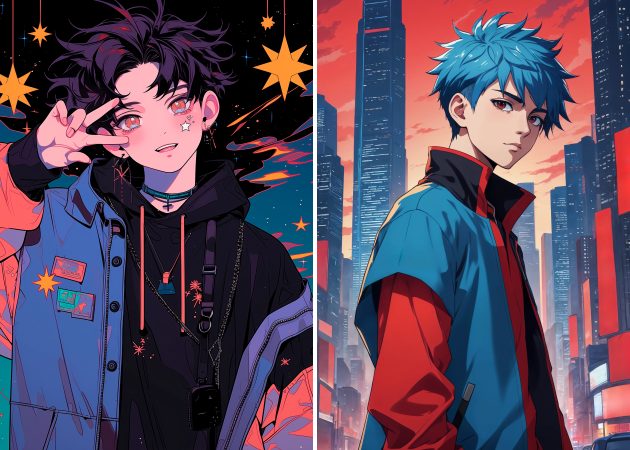
Design Manga Story Scenes

Creating full manga scenes is simple by describing the setting, characters, and story flow in text. You can even mention panels, camera angles, or short conversations between characters. Therefore, the tool becomes useful for storytelling, not just single images. Writers and creators can visualize scenes before finalizing their stories. Moreover, using an AI manga generator from text helps turn written ideas into visual layouts. Overall, it supports better planning and creative storytelling.

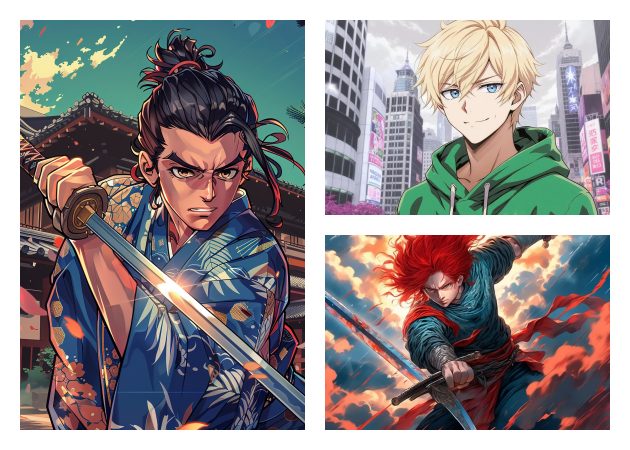
Generate Dynamic Action Scenes

Action-packed moments are easy to create by describing movements, effects, and emotions. The AI understands words like “running,” “fighting,” or “jumping” to add energy to the image. This means that the scenes will surely look lively and expressive. It is helpful for action manga concepts or dramatic story moments. With the free AI manga generator, you can test different action ideas quickly. In short, it helps capture motion and excitement through text alone.

generate dynamic action scenes

How to Create Manga Characters in 4 Steps?

  • 01
    Create an Account
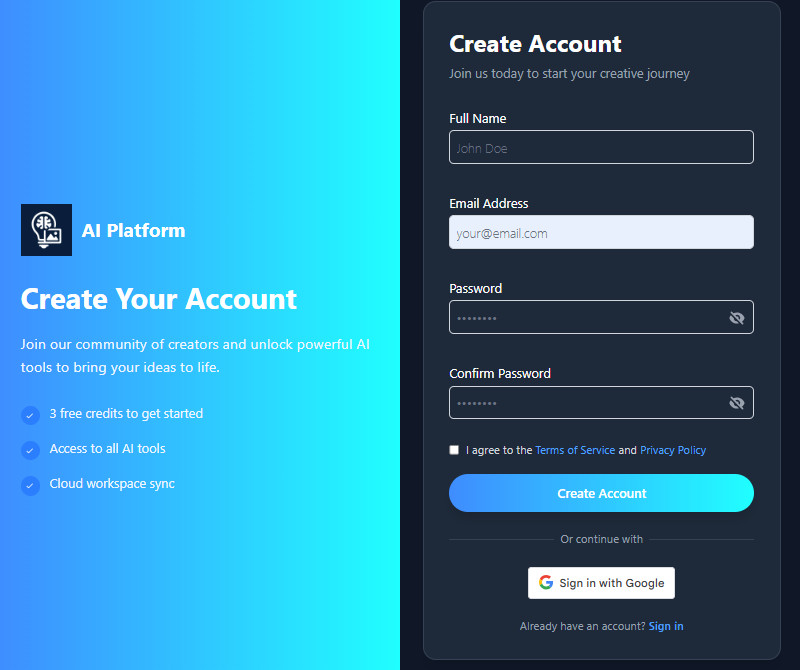
    If you're new to the AI tool, you need to create an account first before accessing the main homepage. Simply click the Sign Up button and add your details. For those users who want to log in directly, you can use your Google account; just click the "Sign In with Google" button.
  • 02
    Enter Your Manga Description
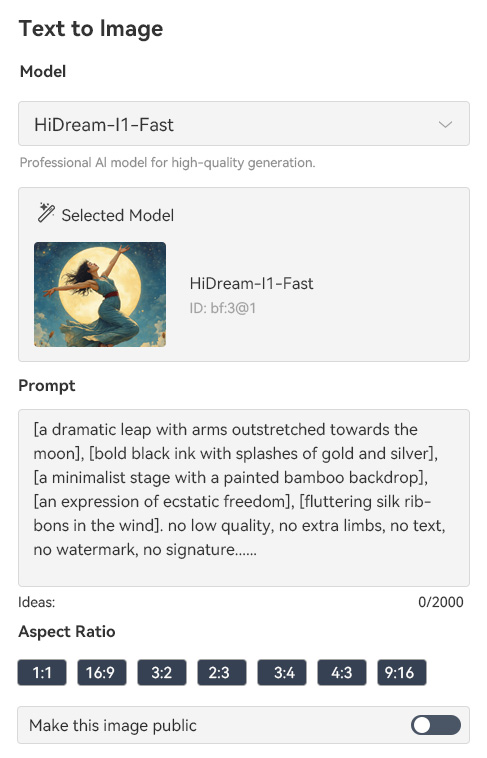
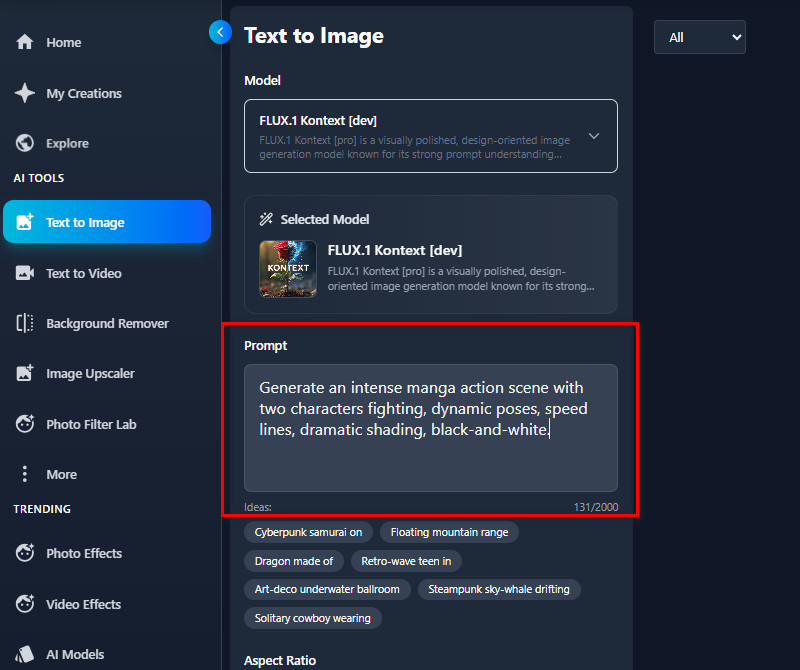
    On the main dashboard, navigate to the Text to Image tab. Then, enter your description for the manga character you want to create in the prompt box. Make the description as detailed as possible to make an accurate result.
  • 03
    Choose Your Settings
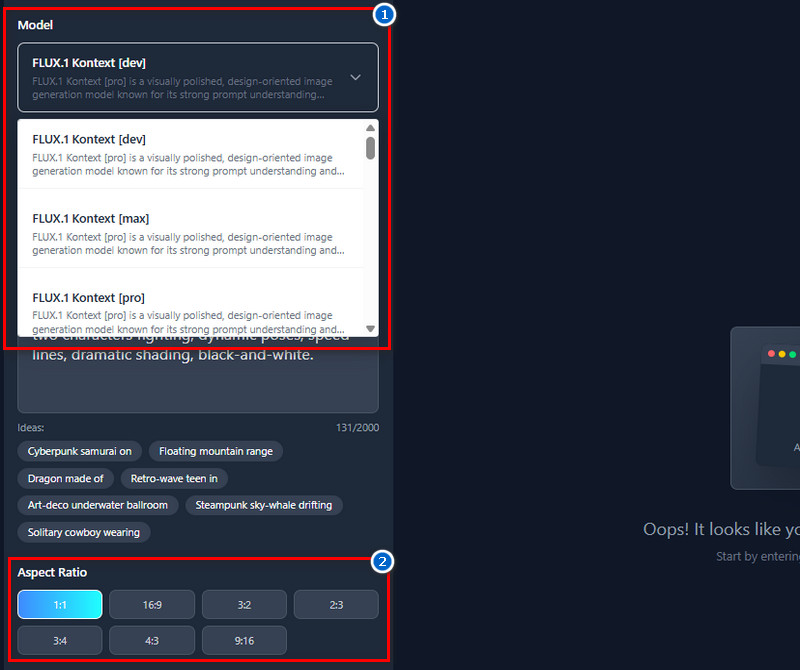
    Next, choose an AI model to generate your image. Click the dropdown menu in the Model section and choose one of the available models. After that, navigate to the Aspect Ratio below and select a size for the output image.
  • 04
    Generate and Download
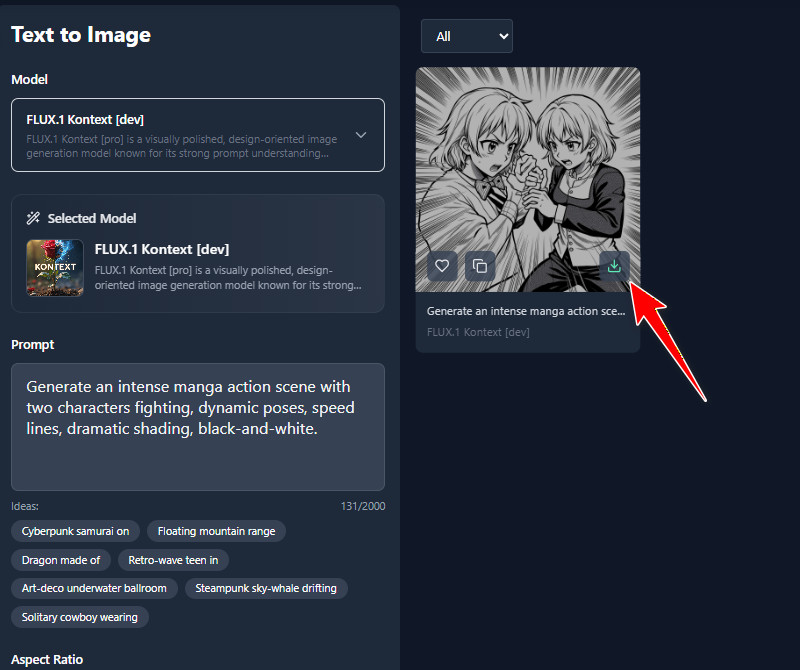
    Once all set up, click the "Create" button and let the AI tool do the work. The process will only take a few minutes, and you will see the results instantly. Finally, save the output image using the Download icon once you're satisfied.
create an account
enter your manga description
choose your settings
generate  and download

Find the Right App for You

These recommendations help users quickly find tools for changing, improving, or handling images and videos. They are made to save time, make things easier, and offer simple ways to improve content without special skills. Overall, they are useful for everyday creative needs.
"I tried this AI manga generator to visualize story ideas, and it worked better than I expected. The images clearly match my text prompts. I also like that it’s easy to use even for beginners."
Terry Chavez, Content Moderator
11-20-2025
iiiii
iiiii

"This tool helped me turn written ideas into manga-style images easily. I like how detailed the characters can be with simple prompts. It’s helpful for creative projects during my free time."
Justin Watson, Museum Guide
12-19-2025
iiiii
iiiii

"I like how quickly the images are made. The manga style looks right and neat. It’s good for trying out creative ideas without spending hours drawing."
Joan Smith, Quality Assurance Analyst
11-04-2025
iiiii
iiiii

"I tried the generator to see how much it can do. The tool works well with detailed text. It’s good for trying out different story ideas. The results look the same each time."
Paul Gray, Technical Support Agent
10-15-2025
iiiii
iiiii

"I enjoy using the AI manga generator for creative breaks. The characters feel expressive and fun. It’s easy to get results without learning design skills. The tool works as expected."
Roger Thompson, Documentation Specialist
10-26-2025
iiiii
iiiii

"I like how I can control the mood and style using text. The generated manga scenes are easy to adjust with new prompts. It’s a useful tool when I want fast creative results. No complicated setup needed."
Charles Parker, Inventory Planner
12-07-2025

iiiii
iiiii

Why Choose Us

Frequently Asked Questions

Can I generate AI manga characters in a consistent style?

Yes, you can make characters in the same style by using the same prompt each time. The AI will use the details you give to keep things looking the same. This is good for making different scenes with the same characters. You can also keep things like hair, clothes, or faces the same. Changing the prompt a little helps the style stay similar. This way, your manga pictures will look like they belong together.

Can the AI help with character design?

Yes, the AI can assist with character design if you describe the features you want. You can include details like hairstyle, clothing, pose, and expressions. The tool will then use these details to create the character visually. This saves time compared to drawing manually. You can also experiment with different prompts to see variations. It’s a practical way to develop character ideas quickly.

Are AI manga creator designs print-friendly?

Yes, the output images are high-quality and suitable for printing. The tool generates images in JPG format, which is widely accepted for print. The resolution is clear enough for posters, comics, or storyboards. You can also use the images digitally without losing quality. It’s convenient for both personal and professional projects. Overall, the designs are ready for any creative purpose.

Do I own my AI-generated images?

Yes, you own the images you generate with the tool. You can use them for personal or commercial purposes. The AI does not claim ownership over your creations. You can print, share, or modify them as needed. Just make sure any images uploaded are your own or free to use. This gives you full control over your creative work.

How many images can I generate daily?

For free users, the tool provides 10 starting credits. Each generation uses 3 credits, so you can generate about 3 images initially. If you have extra credits, you can generate as many images as you want without restriction. The tool allows you to continue generating as long as credits are available. This makes it easy to experiment with different prompts. Overall, it balances free access with a flexible credit system.

pro image logoAceThinker PicWish

Professional Cutouts, No Skills Needed

pro banner image
Back to Top
Contact Us
Learning Center