menu

AI Tarot Card Generator

This tool lets users create their own tarot cards from text, turning ideas into personalized digital designs. It's perfect for beginners, tarot enthusiasts, or anyone curious about exploring guidance, offering a fun and easy way to generate unique cards instantly.

Design Personal Tarot Cards in Seconds

designed personalized tarot deks

Design Personalized Tarot Decks

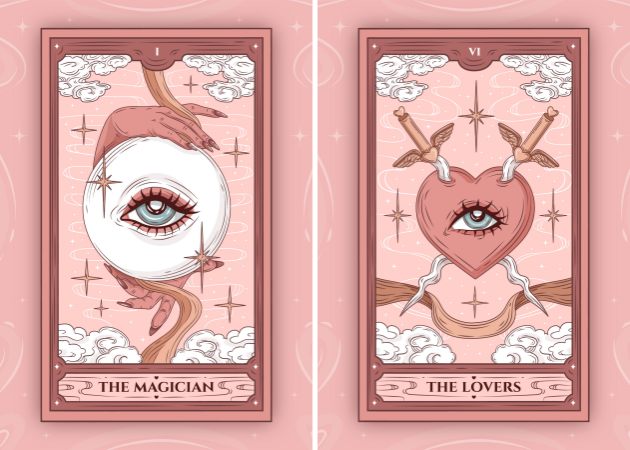
With this AI tarot card generator free, you can design your own tarot decks exactly how you imagine them. You start by typing a description, and the AI turns it into a fully illustrated card. You can also adjust styles, colors, and themes to match your personal taste. Many users enjoy creating decks for self-reflection or as gifts, and this tool is helpful for that. It allows anyone to craft a tarot deck that is personal and meaningful.

Download Tarot Cards Without Watermarks

The tarot card maker app produces high-quality images that you can download instantly. All generated cards are in clear JPG format for easy printing or sharing digitally. Besides, users can save their work without worrying about extra editing or logos. They come watermark-free, so the cards look clean, which is perfect for creating gifts, social media posts, or personal collections. You can also maintain full control over how the cards are used. In short, it combines convenience and quality for anyone creating custom tarot cards.

download tarot cards without watermark
create themed tarot collections

Create Themed Tarot Collections

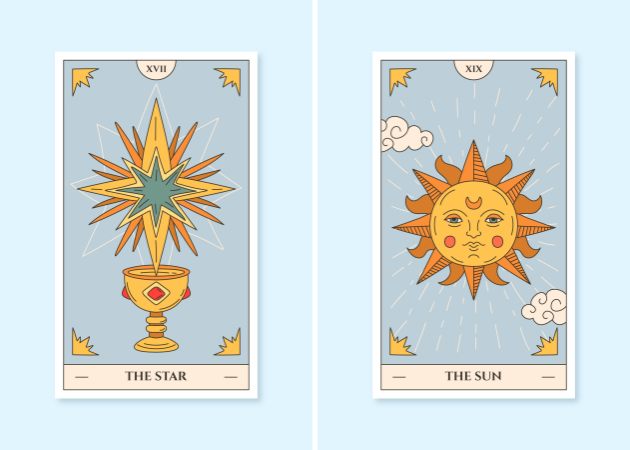
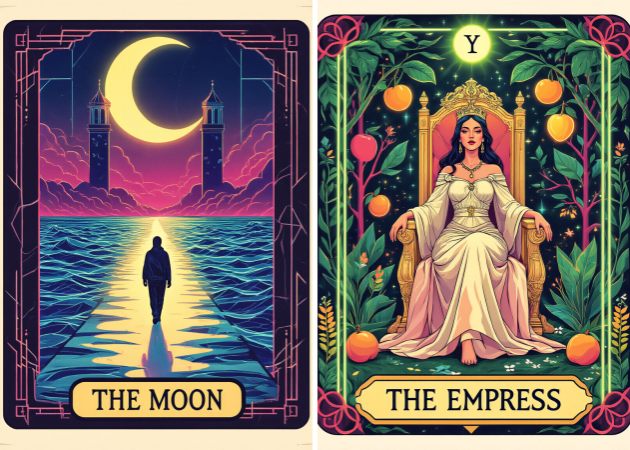
Using this best AI tarot card generator, you can create entire themed collections quickly. For example, you can make decks focused on mystical forests, cosmic energy, or modern minimalism. The AI interprets your text prompts to generate consistent styles across all cards. This is helpful if you want a cohesive look for your deck or project. You can also mix elements to create unique combinations you wouldn't think of manually.

Instantly Generate Beautiful Tarot Cards

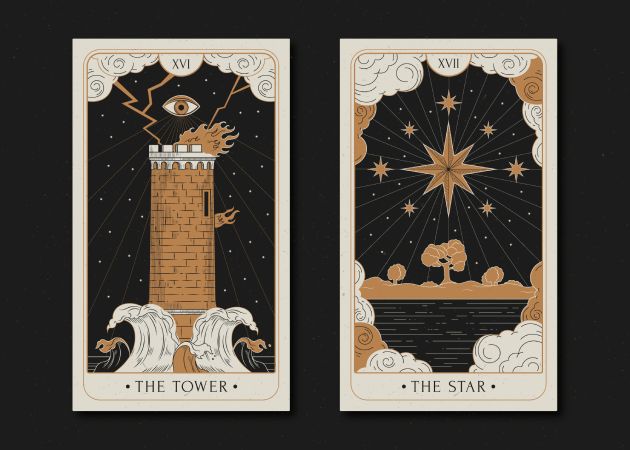
The tarot card maker online free can produce fully illustrated tarot cards in just seconds. You only need to type your prompt, and the AI generates a visual card instantly. This speed allows you to experiment with many ideas without waiting. That said, users can create cards for personal readings or digital projects and get the results instantly. The tool saves time while still producing visually appealing results.

instantly generate themed tarot cards

Step-by-Step Guide to Create Tarot Cards

  • 01
    Go to the AI Generator
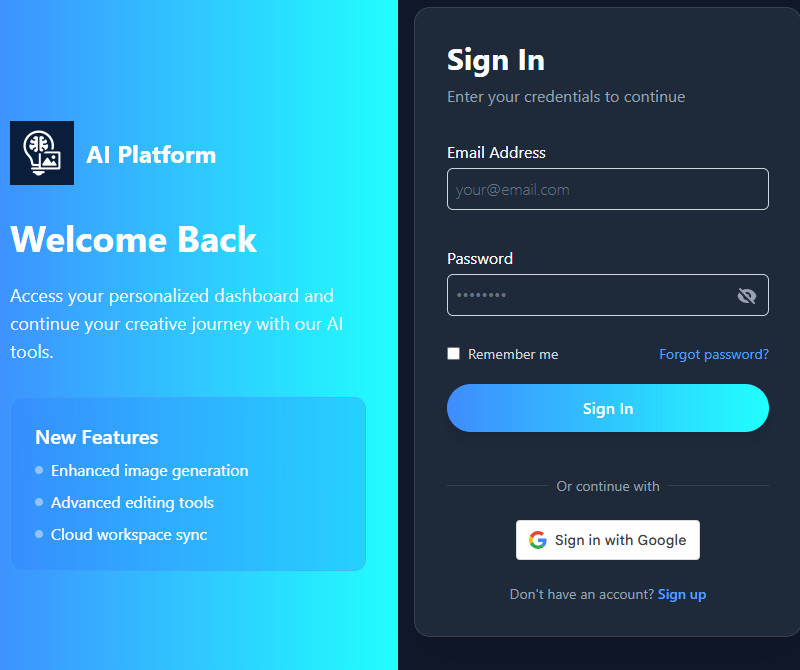
    Open our AI Tarot Card Generator on a web browser. Next, go to the login page if you already have an account. If not, sign in with your Google account or email address before accessing the main homepage.
  • 02
    Write a Prompt
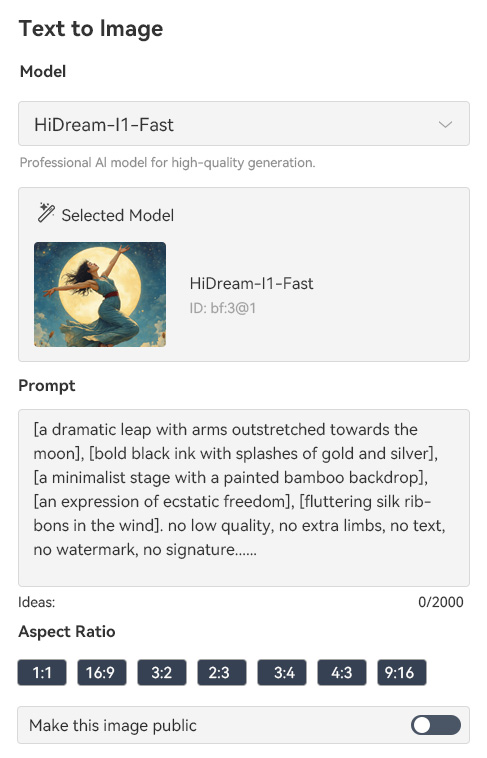
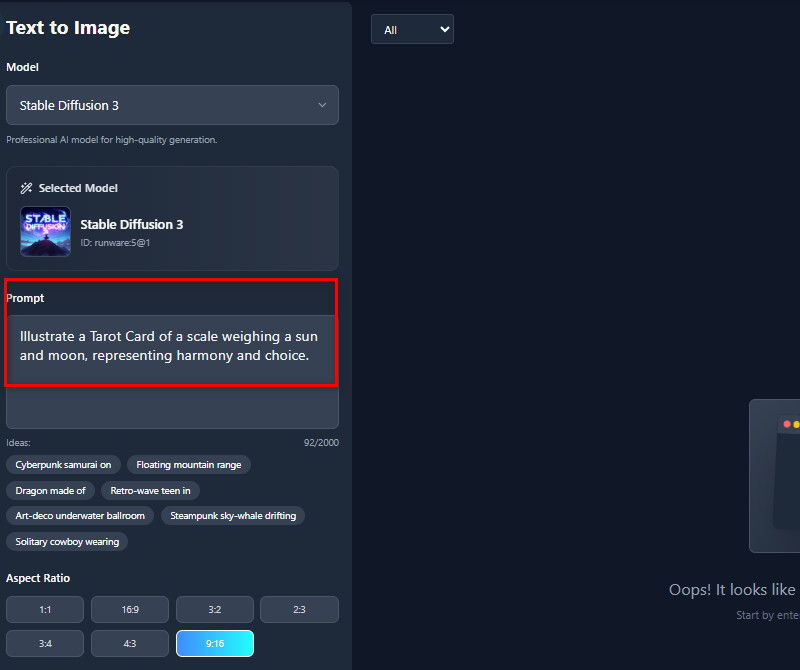
    Type a clear description of the tarot card you want to create. Include details like the character, colors, mood, and style to guide the AI. The more specific you are, the closer the result will match your vision.
  • 03
    Start to Generate
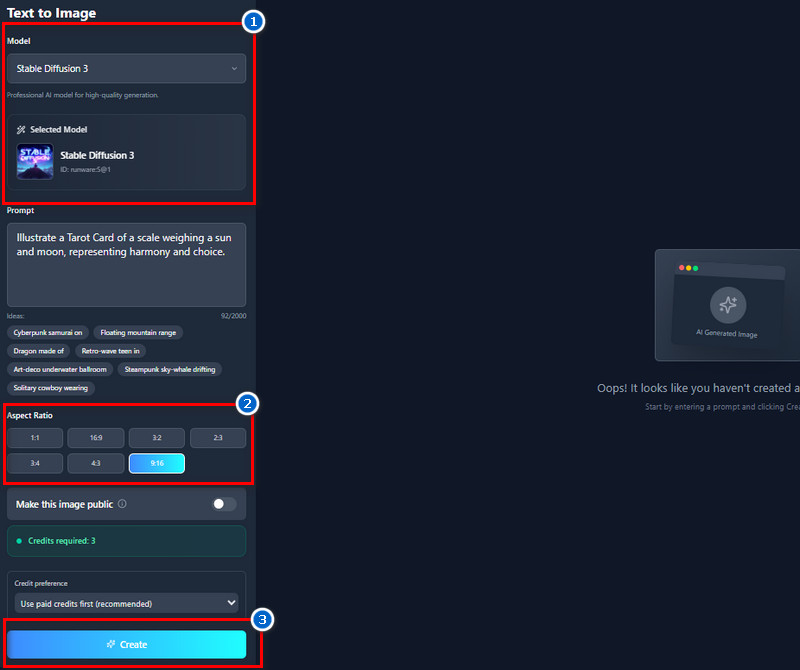
    Choose the AI model you prefer for generating your tarot cards. We suggest choosing between these models, such as FLUX.1 Kontext [max], JuggernautXL XL Lightning, Stable Diffusion 3, Pixelwave Flux 0.4, or epiCRealism. Then pick the correct size for your card, hit the "Create" button below, and let the AI create your card instantly.
  • 04
    Download and Share the Card
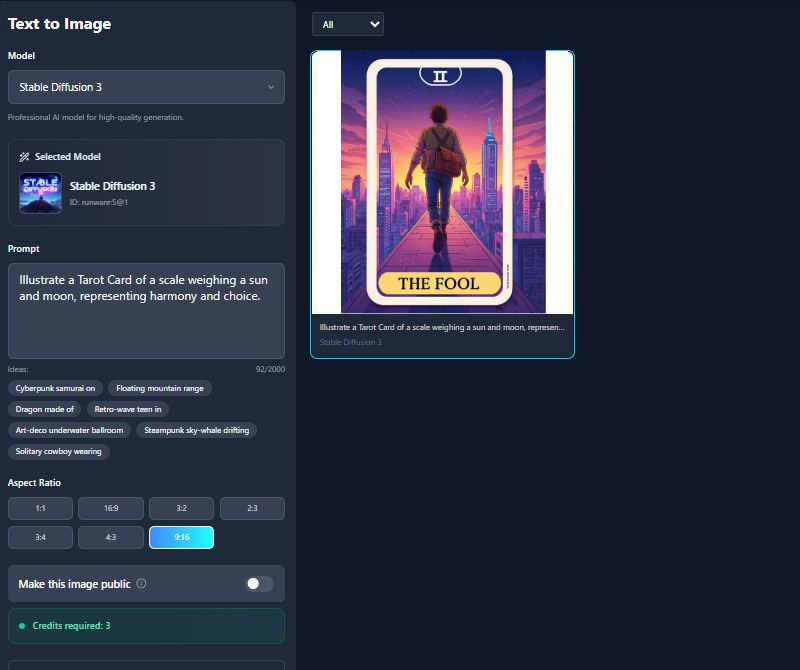
    Once the result comes in, click the heart shape icon to add the card to your favorites for easy access later. You can also download the card in high-quality JPG format. Lastly, share your creations with others or include them in your tarot collection.
go to the ai generator
write a prompt
start to generate
download and share the card

See What Next Apps Work for You

This section helps users discover AI-enhanced tools that match their creative or editing needs. We recommend apps such as photo editors, generators, and creative utilities to help users find tools that save time and improve their photos. Also, they can explore new features, enhance their workflow, and achieve better results without spending hours searching.
"I love how easy it is to make my own tarot cards. The AI understands my text and creates beautiful images instantly. It's perfect for testing different designs without having to draw myself."
Erin Scott, Tarot Enthusiast
11-03-2025
iiiii
iiiii

"As a Tarot reader who is fed up with my current tarot cards, I decided to create my own cards instead of buying them. I'm not great at painting, but this generator lets me make beautiful tarot cards easily. I can experiment with colors and styles, and the results always look amazing."
Margot Williams, Hobbyist Tarot Reader
10-27-2025
iiiii
iiiii

"I use it to make concept art for client projects. The AI generates multiple variations quickly, making it easier for me to pick the best design. It's simple and saves a lot of time on editing."
Max Hunter, Freelance Writer
10-04-2025
iiiii
iiiii

"I like using this generator for inspiration. It gives me new ideas for card layouts and color schemes. I can then refine my own drawings based on the AI output."
Bella Murphy, Graphic Designer
12-03-2025
iiiii
iiiii

"I use it to explore new design concepts for tarot cards. The AI generates multiple versions that inspire my own artwork. It saves time and sparks creativity."
Harriet Maclean, Freelance Illustrator
11-27-2025
iiiii
iiiii

"I use it to make tarot cards for craft projects at home. The AI captures my ideas perfectly, and I can print them easily. It's fun and creative for personal use."
Roman Morrison, DIY Enthusiast
11-11-2025

iiiii
iiiii

Why Choose Us

Have Questions? Get Answers Here!

What are tarot cards?

Tarot cards are a set of illustrated cards used for guidance, reflection, or storytelling. People use them to better understand their feelings or situations, not to predict the future with certainty. Each card has its own meaning, which can change depending on how it appears in a reading. Moreover, many users say tarot helps them slow down and think more clearly. Even if someone doesn't fully believe in spiritual tools, the cards can still offer personal insight. In short, tarot cards are a simple way to explore thoughts, choices, and emotions.

What are the different types of tarot cards?

A standard tarot deck has two main parts: the Major Arcana and the Minor Arcana. The Major Arcana includes 22 well-known cards, such as The Fool and The Empress, that represent major life themes. The Minor Arcana, on the other hand, has four suits: the Cups, Wands, Swords, and Pentacles, which focus on everyday situations. Each suit has number cards and court cards, similar to regular playing cards. Some decks also come in different art styles and themes, depending on the creator. Overall, these types help readers understand a mix of big ideas and daily experiences.

Can AI Tarot Card Generator Match Traditional Tarot Meanings?

Yes, an AI Tarot Card Generator can match traditional meanings when you give it clear instructions. If you describe the symbolism you want, the AI can include the correct icons, poses, or colors. For example, asking for “The Star with a calm and hopeful atmosphere” helps the AI reflect its classic meaning. Also, many users find the AI's output surprisingly close to real tarot decks they've used before. It may not always be perfect on the first try, but adjusting the prompt usually fixes it. With the right details, the AI can create cards that feel accurate and familiar.

Why should I use the Tarot Card Generator?

The Tarot Card Generator saves you a lot of time because it makes high-quality images in just a few seconds. You don't have to be an artist, so beginners and non-designers can still make beautiful cards easily. It also helps generate ideas because the AI often presents versions you never considered. Additionally, you can adjust every detail so the card fits exactly what you need, whether it's for personal use or a project. Furthermore, it helps users bring their tarot concepts to life without expensive tools. It's simply a faster, easier, and more flexible way to create tarot art.

How do I write a good Tarot Card AI Prompt?

A good prompt is clear, detailed, and specific about what you want the AI to create. Describe the style, mood, colors, and important symbols so the result matches your idea. It helps to mention key elements like “portrait layout, soft pastel tones, vintage design, calm expression.” You can also name the art style, such as illustration, watercolor, or cinematic. If your card has a theme—like fantasy or retro—include that in the prompt too. Finally, don't be afraid to test different versions because refining your prompt always improves the final image.

pro image logoAceThinker PicWish

Get Precise Cuts and Clean Transparent Backgrounds

pro banner image
Back to Top
Contact Us
Learning Center