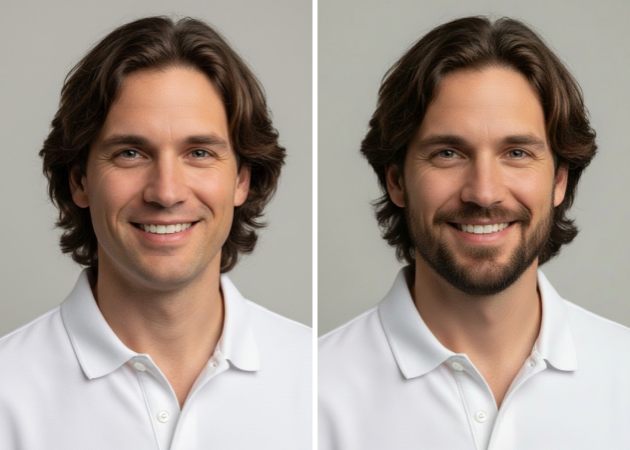
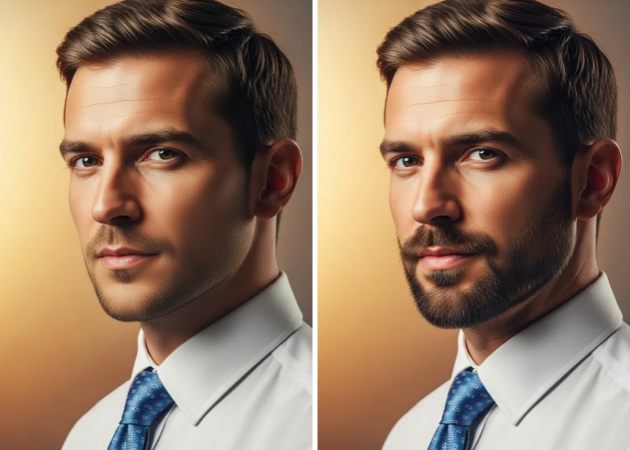
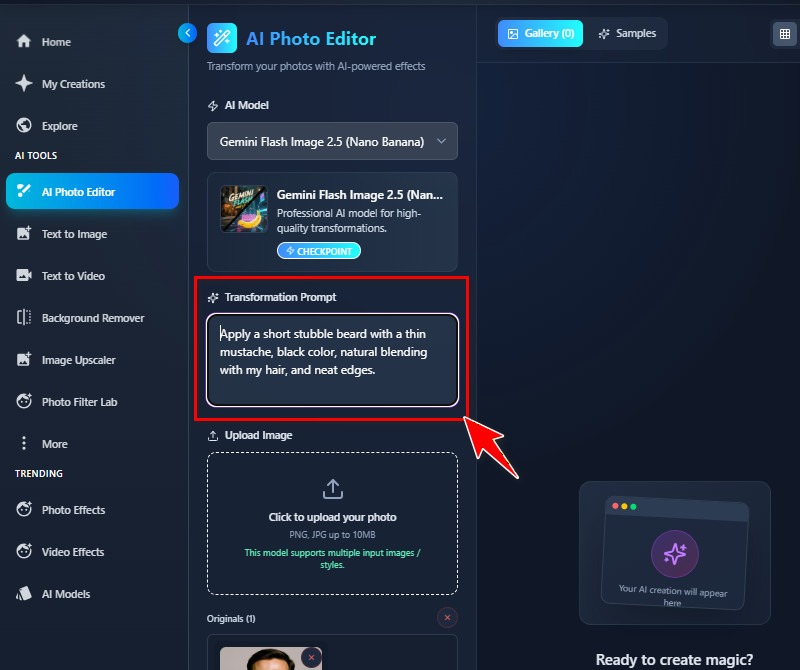
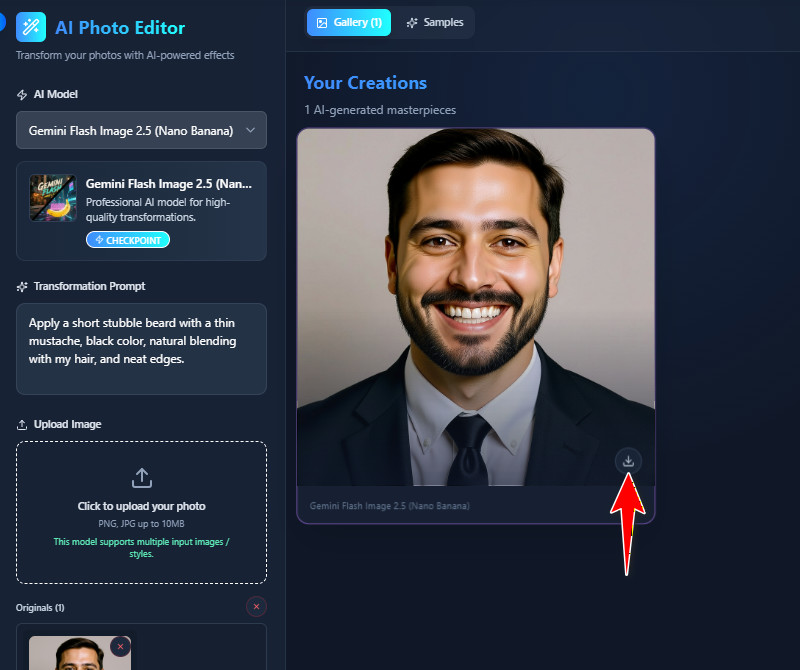
With this free AI beard filter, you can add any beard style you want to your photo. You can choose to include a mustache with your beard or just stick to the beard alone. The tool also lets you control the thickness and style of your facial hair, so it looks exactly how you imagined. All you need to do is describe your preferences in your text prompt, and the AI will apply them automatically. This makes it easy to try multiple styles without having to edit skills. It’s perfect for experimenting with different looks before committing to a real style.
Using the beard filter online, you can easily share your edited photos on platforms like Pinterest, Instagram, Facebook, or X (Twitter). The output images are fully copyright-free and free of watermarks, so your photos look professional and clean. You just need to make sure the photo is yours and not taken from the internet. This makes it safe and easy to share your new look with friends or followers. Sharing also helps you get opinions on different beard styles. It’s a convenient way to showcase your transformation without extra effort.
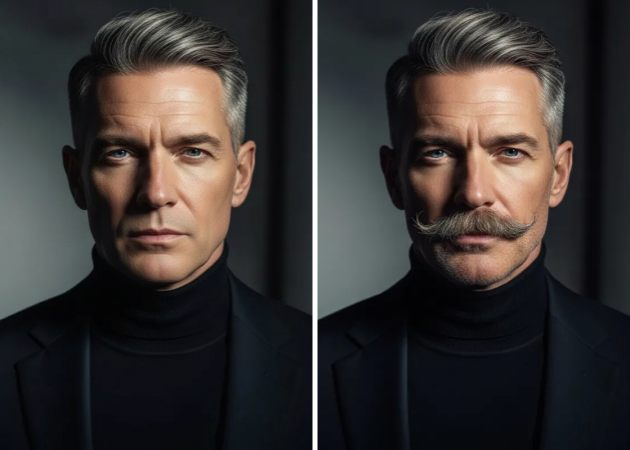

The AI beard filter ensures that while adding facial hair, your original facial expressions remain unchanged. It does not alter your eyes, mouth, or smile, so the final image still feels like you. The tool focuses only on adding realistic facial hair. This keeps the photo authentic and avoids any unnatural appearance. You can confidently use your selfies or portraits, knowing your expressions will stay true. It helps make the final look more believable and relatable.
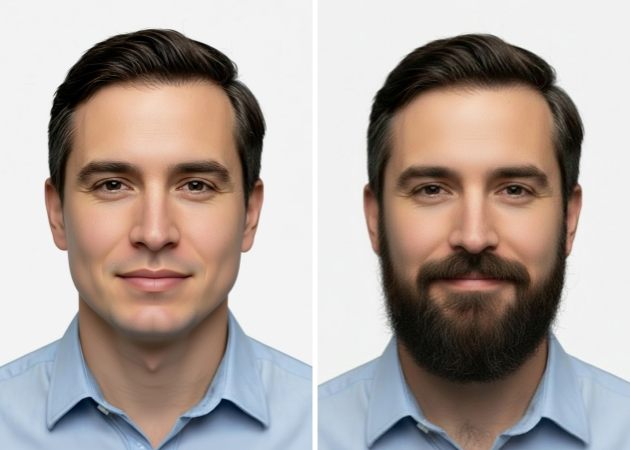
The AI beard filter online blends the added beard seamlessly with your natural hair texture. This means the beard looks like it’s really growing from your face rather than pasted on. You can also specify in your prompt that the beard color matches your existing hair for a more realistic result. The AI adjusts the shading and strands to make everything appear natural. This ensures your edited photo looks polished and professional. It’s especially helpful for testing styles before growing or trimming your real beard.


Over a million people use this tool to try out realistic beard styles with ease.
You can use the tool anytime and on any device, with no limits.
Trying out different beard styles can help you feel more confident about your appearance.
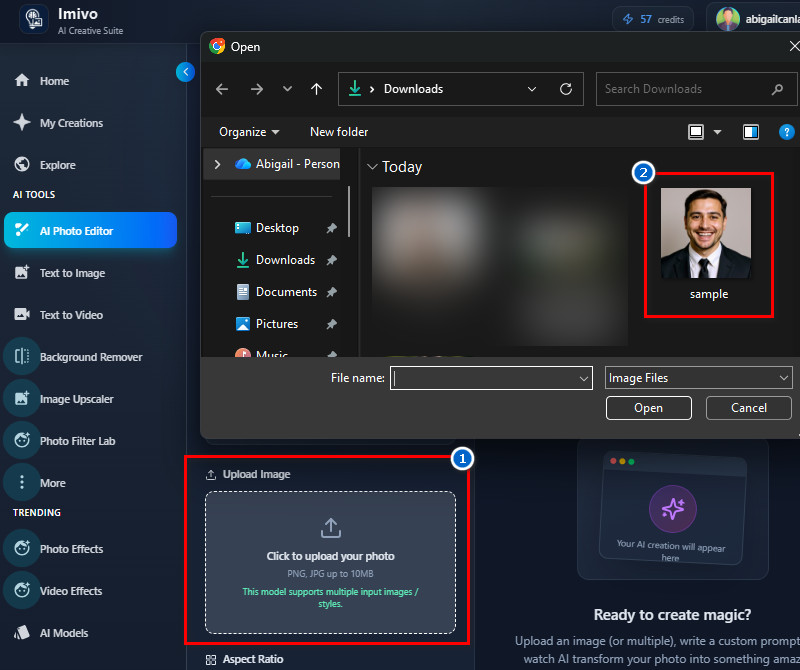
Anyone who wants to try different beard styles without growing facial hair can benefit from this filter. It is helpful for people who are curious about how they would look with a beard. Professionals, influencers, or anyone creating content can also use it for fun or projects. Even those deciding on a real beard style can preview their look first. It works for both selfies and portraits. Overall, it is designed for anyone who wants a quick, realistic preview.
Using a beard filter lets you see yourself in different styles without committing to real facial hair. It saves time and effort without manual editing or waiting for hair growth. Additionally, the results are realistic and easy to adjust to your preferences. You can experiment with styles, thickness, and colors. It helps boost confidence by letting you visualize your look beforehand. You can also share your new look with friends or on social media for opinions.
No, the tool simply adds realistic facial hair that adapts to your original face shape. It will not alter your natural features. This means that your expressions, eyes, and smile stay the same. In addition, the AI focuses only on applying the beard naturally. This ensures the final image looks authentic. You can confidently see the beard without worrying about distorted features.
Each user who successfully signs up for the tool receives 10 free credits. Since each edit uses 7 credits, you can make about 1 edit. This lets you try the tool without paying at first. After using the free credits, you can buy more if you want additional edits. The credit system helps manage usage fairly for all users. It is easy to keep track of how many edits you have left.
Yes, the tool supports images up to 10 MB. This means large, high-quality photos can be used without issues. It also supports multiple image file types, including PNG, JPG, and WebP. You can easily upload selfies, portraits, or close-up shots. The tool adjusts the image to apply the beard properly. This makes it flexible for different photo types and resolutions.