menu

Blue Eye Filter: Change Your Eyes to Striking Blue Shades

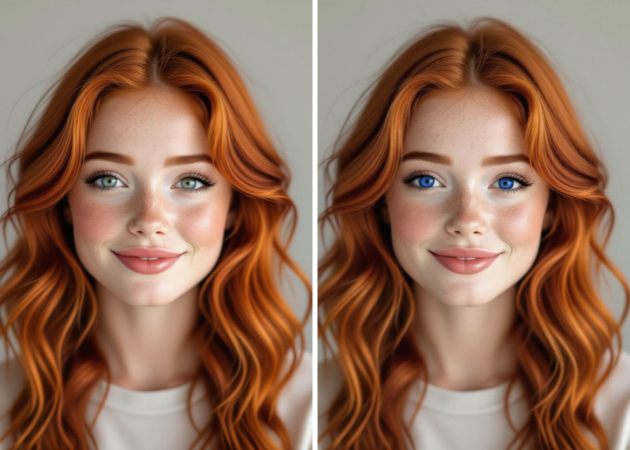
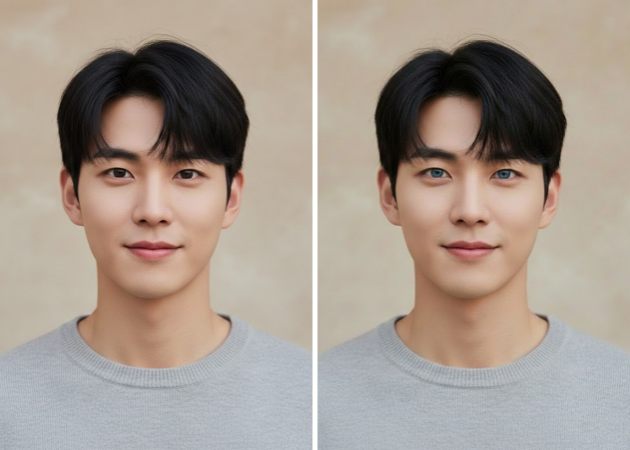
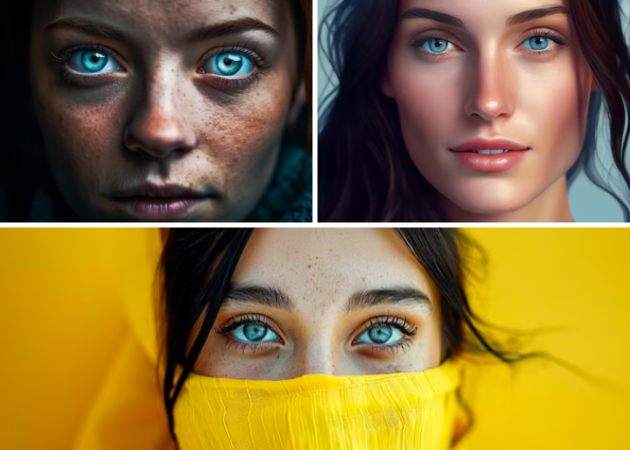
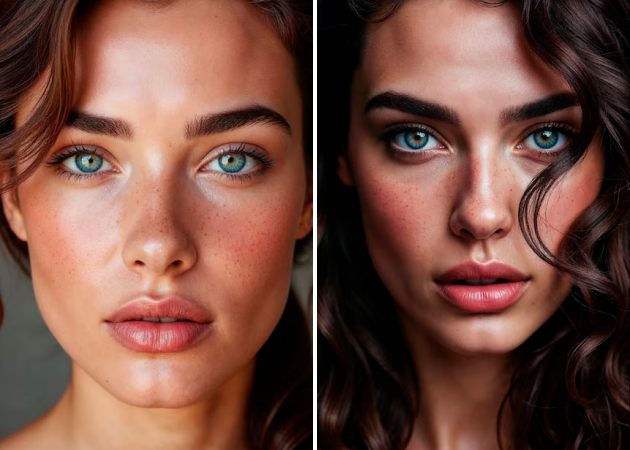
With the Blue Eye Filter, you can easily change your eye color to a bright, natural blue that makes your photos pop. It’s perfect for trying new styles, improving selfies, or adding a creative twist to your pictures.

Make Your Eyes Mesmerizingly Blue

transform your eyes online

Transform Your Eyes Online

With the online blue filter, you can give your eyes a stunning, natural-looking blue that blends perfectly with your photo. The AI carefully studies the lighting and natural details of your iris, making the iris color look authentic rather than fake. This means your selfies and portraits retain their depth and realism while standing out with a bold new look. You’ll notice how the subtle blend avoids any harsh edges, keeping your photo professional and polished. Whether for social media posts or personal photo edits, this filter effortlessly makes your eyes the highlight.

Make Portraits Pop Instantly

If you want your selfies or portraits to stand out, the AI blue eye filter adds immediate impact. It changes your eye color and brightens your whole look, giving your photos a fresh, bold style. The effect looks natural and draws attention, making your portraits more memorable. Even simple photos can look professional with this subtle boost. It’s an easy way to get noticed without using complex editing tools.

make portraits pop instantly
customize your eye color easily

Customize Your Eye Color Easily

The eye color filter lets you try out different shades of blue or other colors with easy text prompts. You can choose anything from soft gray-blue to bright sapphire, so your photos match your style or mood. Besides, you don’t need special photo skills to apply the blue eye filter. The filter works with your natural eyes to keep the look realistic while you get creative. It’s like having a makeup artist for your eyes, right in your browser.

Fix and Perfect Every Eye Detail

The AI eye color change tool does more than just change your eye color. It helps reduce red veins, smooth out wrinkles, and remove glare from glasses, so your eyes look bright and clear in any photo, whether it’s a wedding, a headshot, or a casual selfie. With a simple text prompt, you can adjust your eyes just the way you like. Your photos will look polished without heavy edits or fake effects, giving you sharp, natural-looking eyes that stand out. It’s an easy way to help your eyes shine.

fix and perfect every eye detail

Easy Steps to Achieve Mesmerizing Blue Eyes

  • 01
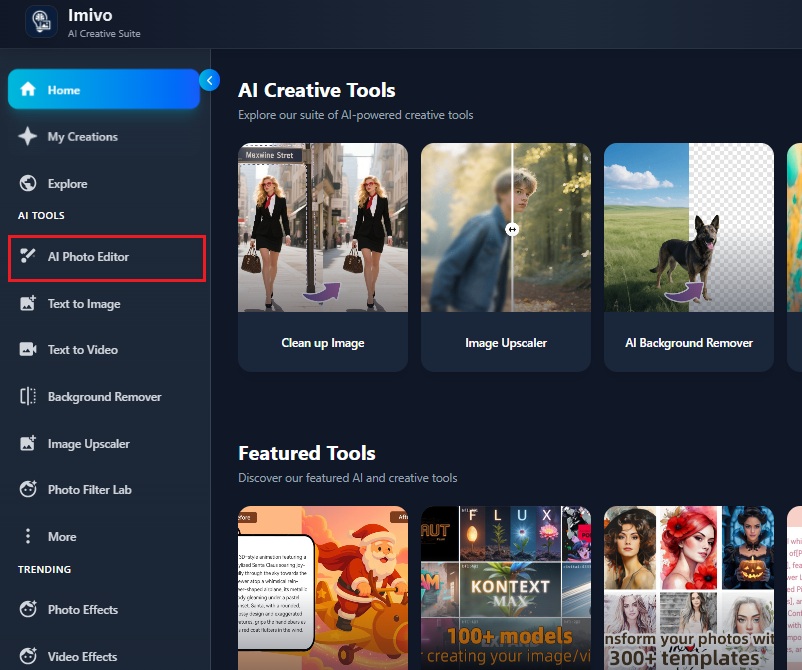
    Start with the AI Photo Editor
    First, go to the AI Image Generator & Editor on your browser. Sign in to your account to access all features. Once logged in, open the AI Photo Editor to start editing your photos.
  • 02
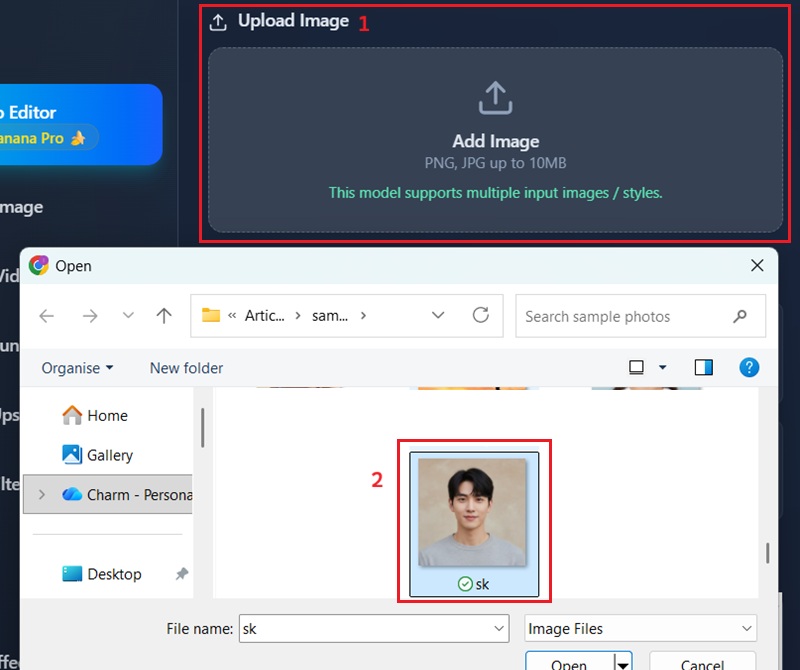
    Add Your Photo
    Next, click “Add Image” in the editor and select the photo you want to edit. Make sure the photo clearly shows your eyes for the best results. Once uploaded, your image will appear ready for editing or filter application.
  • 03
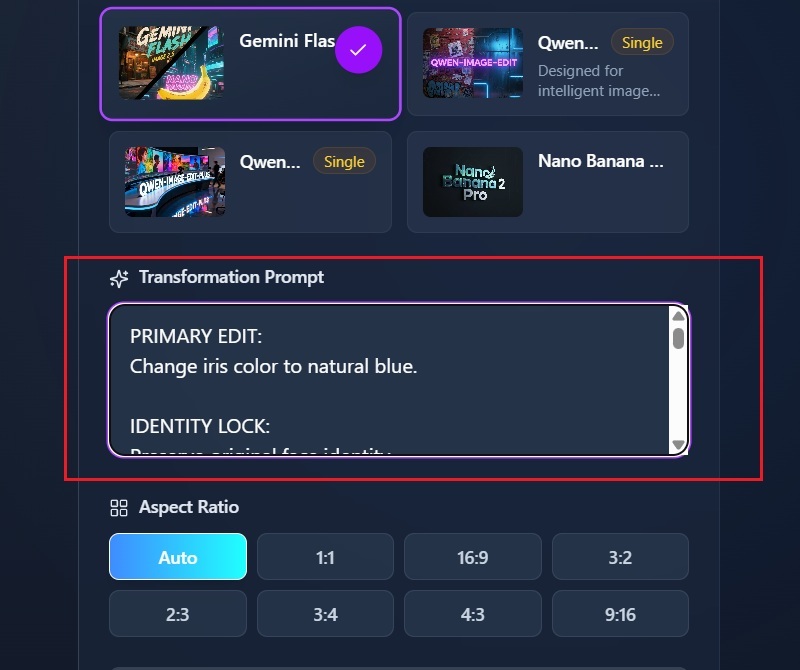
    Set Your Eye Color Prompt
    In the prompt box, describe how you want the eyes to look, such as “make the eyes blue” or “change iris color to sapphire blue.” This tells the AI exactly what transformation to apply. You can adjust the wording to experiment with different shades and styles.
  • 04
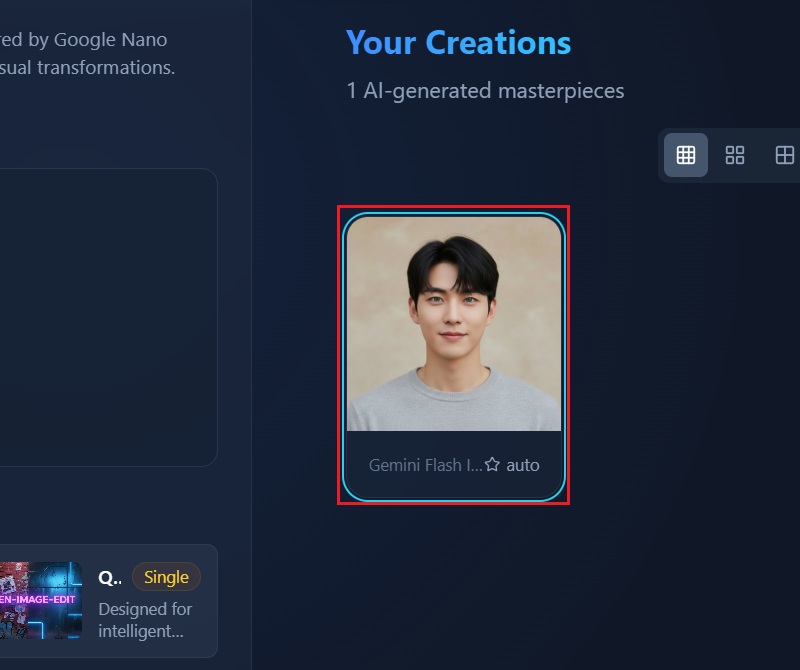
    Apply the Filter and Save
    After entering the prompt, click “Apply Effect” to let the AI process your photo. Wait a few moments while it updates the eyes with the new color. When finished, review the result and save your image to your device.
start with the ai photo editor
add your photo
set your eye color prompt
apply the filter and save

Transform Your Photos, Spark Your Creativity!

To help users explore more creative photo edits, these recommended tools let you enhance, stylize, and personalize your images in ways that match your mood and vision. Each app addresses different photo needs, from festive touches to imaginative transformations, making it easy to bring your ideas to life quickly.
"I really like how this filter lets me try out different shades of blue with ease. My eyes still look real in the photos, so everything feels authentic. It’s great for fun but natural-looking edits."
Marielle Baxter, Fashion Enthusiast
2026-01-19
iiiii
iiiii

"I’ve tried this filter on short videos and thumbnails. It helps the eyes stand out just enough to catch attention. It’s also easy to use, even when editing several photos at once."
Samir Herrera, Content Creator
2026-01-13
iiiii
iiiii

"This online blue eye filter made my portrait photos look sharper and more vibrant. The color looks natural and blends in well with my real eye color. It also saved me a lot of time compared to editing by hand."
Rhonda Hamilton, Graphic Designer
2026-01-07
iiiii
iiiii

"Trying out the blue eye filter helped me see different looks for my clients. The results look natural, so it’s easy to show them how small changes can make a difference."
Alivia Kidd, Makeup Artist
2026-01-04
iiiii
iiiii

"I used the filter on a few selfies, and it worked better than I expected. The blue shade looks real, not fake or pasted on. It’s a fun way to change up my social media photos."
Rhea Wu, College Student
2025-12-29
iiiii
iiiii

"This filter gave my photos a nice, subtle pop. It’s easy to use and doesn’t need any special software. I also like that my photos keep their original quality."
Roberta Pena, Blogger
2025-12-07

iiiii
iiiii

Why Choose Us

FAQs about Blue Eye Filter Online

How does the AI make your blue eyes look so realistic?

The AI carefully analyzes your iris, pupil, and the surrounding light in your photo. It analyzes the natural patterns and textures of your eyes to ensure the color blends well. Then it gradually applies the blue color, keeping all reflections and small details intact. This ensures the eyes still look natural and not like a sticker. The AI also adjusts the tone based on the lighting in your photo. Because of this, the final result matches your original eye depth and realism, resulting in a blue eye effect that looks like it was always part of your photo.

Can AI-generated blue-eyed images be used on social media?

Yes, the images created by the AI are perfect for social media use. You can use them as profile pictures, posts, or story updates without any problems. The effect is designed to catch attention while still looking natural. It does not distort your face or photo quality. Because the filter keeps your original details, it works well for both casual and professional profiles. You can also readily share photos with friends or followers. This makes it a quick way to enhance your social media content.
Will the blue eye filter work if you wear glasses or have shadows?

The AI works best with clear, unobstructed eyes. Minor shadows or small reflections are usually handled well. However, if there are strong shadows or thick glasses frames, the accuracy of the eye detection might drop slightly. The filter might not color the eyes perfectly in those cases. You can try adjusting your photo or using a different angle to improve the results. Even with some obstruction, the AI usually produces a noticeable effect. For the best outcome, clear photos give the most natural blue eye results.
How does the AI apply different shades of blue to your eyes?

The AI automatically chooses a natural shade of blue that looks appealing in your photo. It adjusts brightness and tone based on lighting conditions. This ensures the blue does not look too bright or artificial. You can also test with slight variations of your text prompts. The AI blends the blue with your original eye texture for a realistic look, and it works across different skin tones and photo settings. This way, every photo ends up with a balanced and natural blue eye effect.
Is my photo safe to use with the blue eye filter?

Yes, your photo is completely safe and private. The system does not share your images with others unless you want to. All your uploaded photographs are processed securely and used only to create your effect. They are not publicly accessible, so you don’t need to worry about them. You can delete or save your photos after editing without worry. The AI does not track your personal information. This makes it safe to experiment with the filter freely.

pro image logoAceThinker PicWish

The Ultimate Image Editing Tool

pro banner image
Back to Top
Contact Us
Learning Center