menu

Braids Filter - Your Digital Hair Makeover Tool

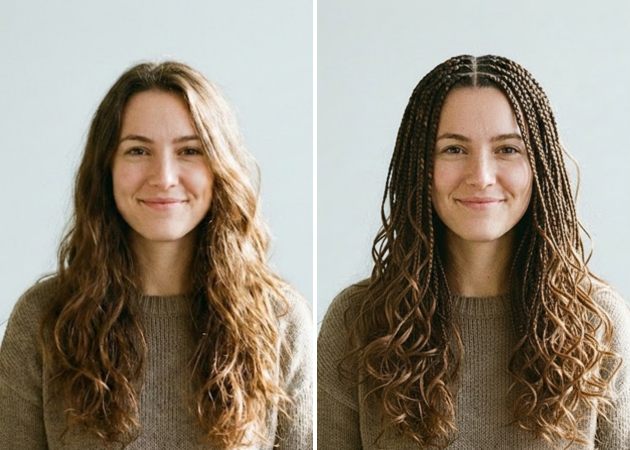
With the Braids Filter, users can instantly visualize realistic braided hairstyles, making hairstyle planning easy and convenient. Ideal for individuals seeking style inspiration or hair professionals testing new looks.

Apply Braids to Your Photos with AI

try braids virtually on yourself

Try Braids Virtually on Yourself

Have you ever wanted to see yourself with braided hair? Our online braids filter lets you try out realistic braids on your photo using your own text prompt. You can quickly see different styles and colors to find the one that suits you best. It works like a virtual mirror, so you can experiment as much as you want without making any changes to your real hair. The AI blends the braids with your hair for a natural, lifelike look. It’s a fun and safe way to try new trends, plan your next hairstyle, or create a cool photo for social media.

Braids Filter for Everyone

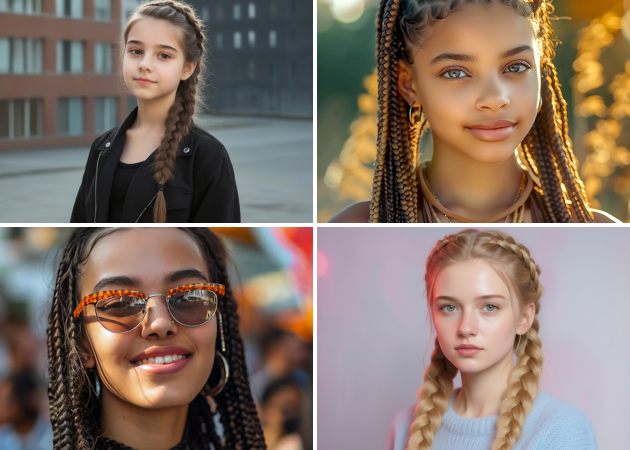
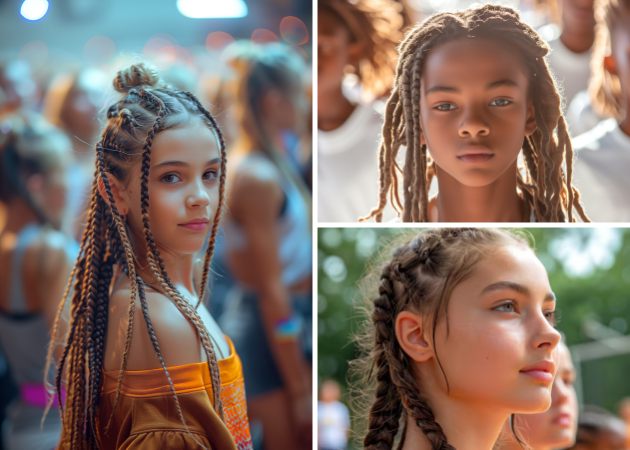
Braided hairstyles are a great way to show your personality, and our online braids filter is made for everyone. With one click, you can try out many braid styles to match your face and mood. It’s for anyone who wants to express themselves through their hair, regardless of gender. The AI helps you switch between styles quickly, so you can find your favorite look in seconds. Whether you want something simple for every day or a bold new style, this tool makes it easy for everyone to try.

braids filter for everyone
design your own braids

Design Your Own Braids

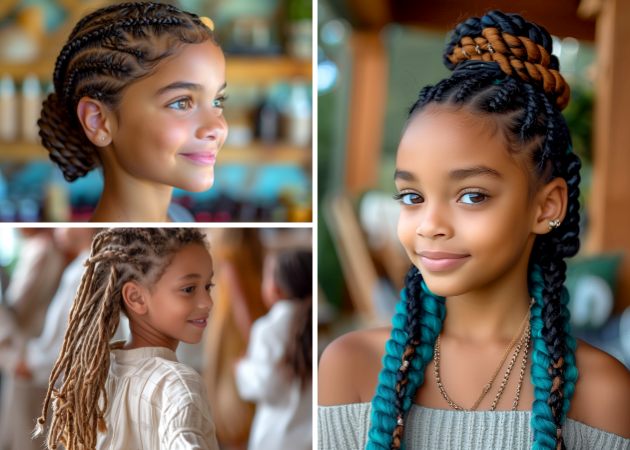
With our AI braids filter, you can design truly unique braided hairstyles by simply entering your own prompts. Whether you want a French braid, Dutch braid, or fishtail, the tool lets you personalize your look in a way that feels tailored just for you. The process is simple and fun, giving you complete creative control over your hair transformation. You can experiment with bold styles or subtle twists without ever touching a strand of hair. Plus, the results are realistic and ready to share instantly. This feature is excellent for anyone who loves exploring new looks and expressing their personal style.

Enhance Your Online Presence

Standing out online is easier than ever with the braids filter online. You can use it to create eye-catching profile pictures, avatars, or marketing visuals that grab attention. Adding stylish, realistic braids to your photos gives your online content a fresh and modern look. It works for social media posts, professional profiles, or any digital platform where first impressions matter. Moreover, the AI ensures your braids look natural and polished, boosting your confidence and helping you shine in any feed.

enhance your online presence

Simple Steps to Transform Your Look with the Braids Filter

  • 01
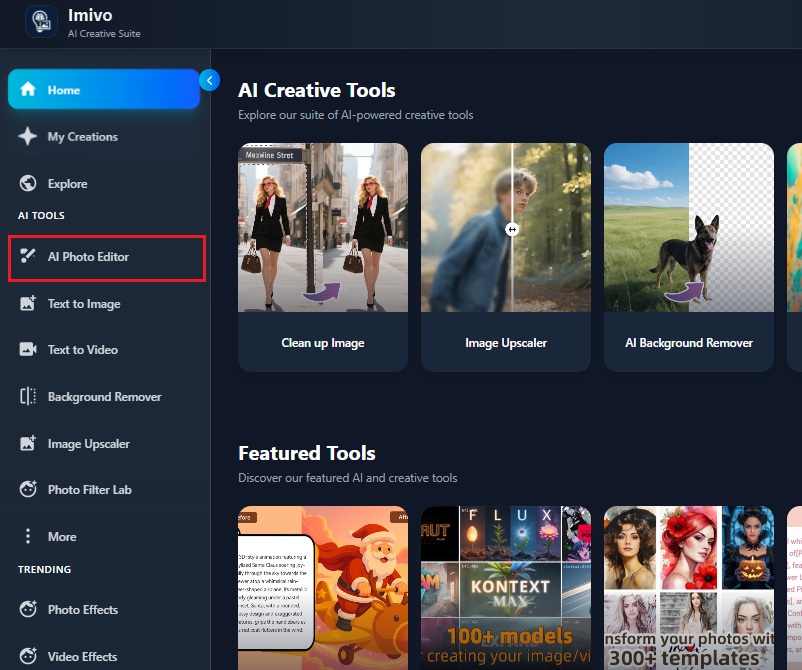
    Open AI Photo Editor
    Begin by visiting the official Braids Filter page in your browser. Log in to your account to access all the features. Once you’re signed in, open the “AI Photo Editor” to start your hairstyle transformation.
  • 02
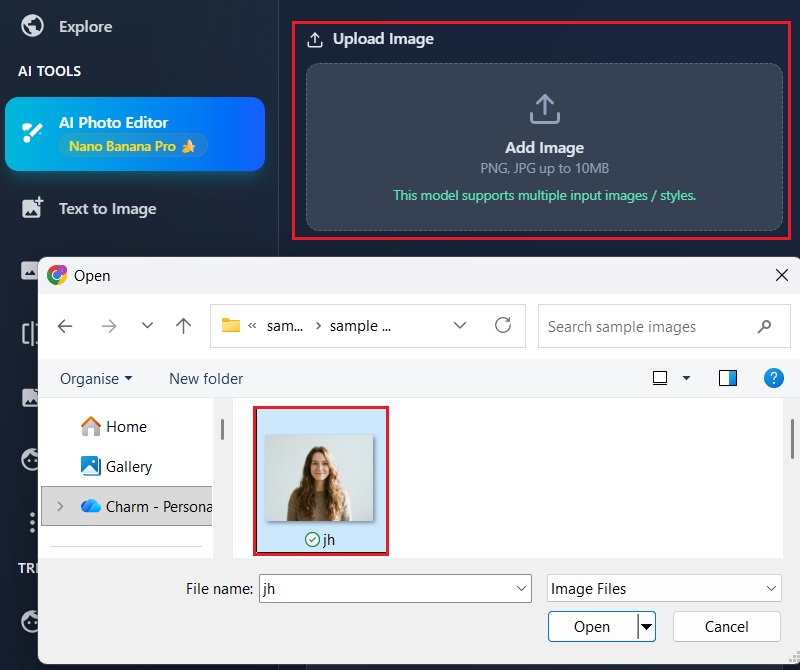
    Add Your Photograph
    Click the “Add Image” option to import your desired photo into the editor. Choose a clear, front-facing image that shows your hair well. This ensures the braids will align perfectly with your face and hair.
  • 03
    Enter Custom Prompts
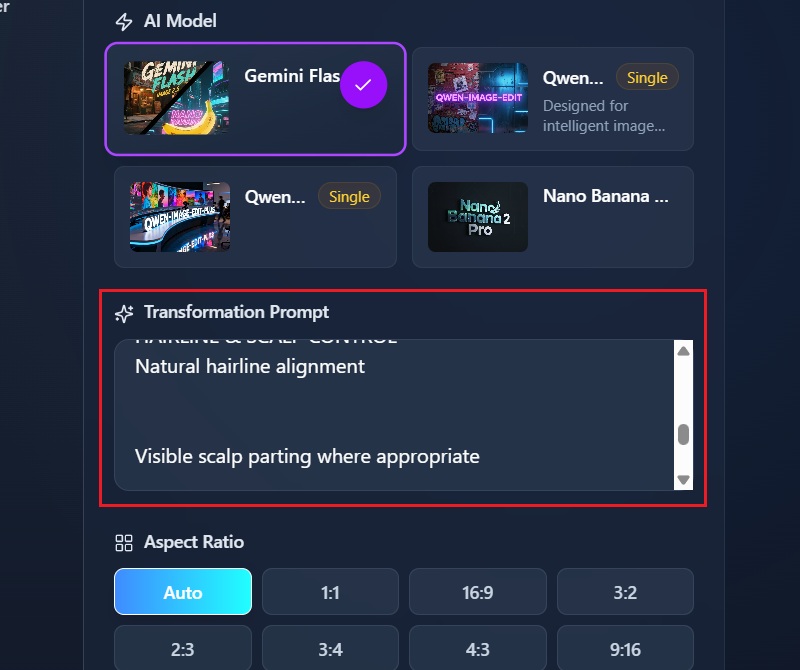
    Type your desired hairstyle in the text box to guide the AI. You can describe styles like “French braid” or “Dutch braid with intricate details.” The more precise your prompt, the closer the result will match your vision.
  • 04
    Apply the Braid Effect
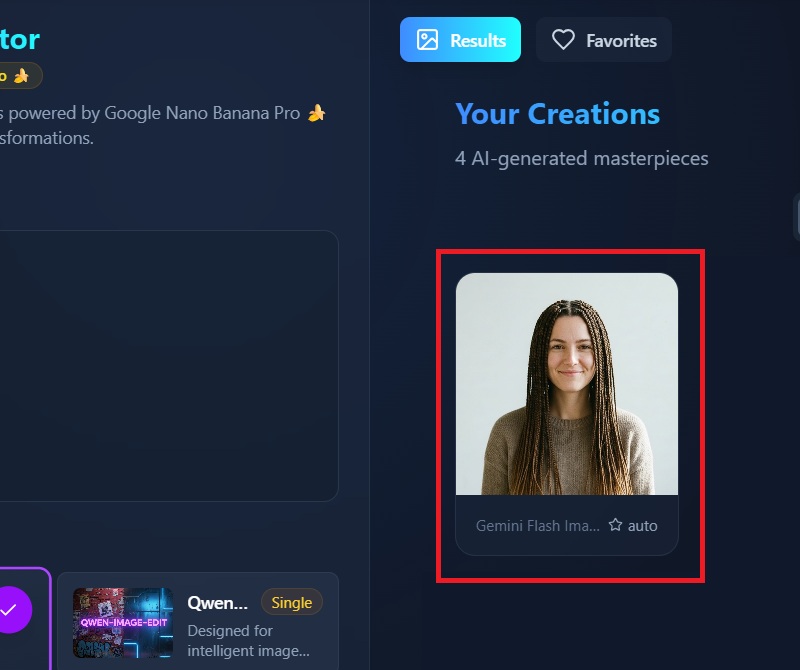
    Press the “Apply Effect” button to see the AI generate the braids on your photo. Wait a few moments while the braids filter processes the image. Finally, download your transformed photo and enjoy your new look.
open ai photo editor
add your photograph
enter custom promtps
apply braid effect

More Tools to Express Yourself

These AI-powered tools are perfect for anyone looking to have fun with photos, enhance visuals, or create unique content effortlessly. They meet the needs of social media enthusiasts, content creators, or anyone who likes to experiment with creative effects without complicated software.
"It’s much easier to try out different braid styles online than in real life. The filter shows how each style will look on me, and I enjoy testing out bold options. It’s a practical way to get quick previews."
Troy Gonzales, College Athlete
2026-01-21
iiiii
iiiii

"Virtual try-ons have never been this easy! I love how I can switch between different braids and see which style complements my face shape. Perfect for testing trends before committing."
Isha Rodriguez, Fashion Blogger
2026-01-15
iiiii
iiiii

"This tool places braids very accurately. I can use it on my clients’ photos to achieve realistic mockup results. It’s a creative addition to any professional workflow."
Iqra Thompson, Wedding Photographer
2026-01-11
iiiii
iiiii

"This filter is creative and practical. I like how I use it to create mockup visuals for projects or social media avatars, and it always delivers. Switching between braid styles is seamless."
Farhan Meza, Graphic Artist
2026-01-06
iiiii
iiiii

"The Braids Filter Online makes content creation much easier. Profile pictures get a fresh, unique look without a long salon visit. It’s a fun way to try out new style ideas."
Alec Fletcher, Social Media Manager
2026-01-03
iiiii
iiiii

"It’s simple and fun to use, even if you’re not tech-savvy. The braids look very natural, and you can easily customize the styles. Definitely a cool way to play around with your look."
Lucille Parker, High School Teacher
2025-12-31

iiiii
iiiii

Why Choose Us

Frequently Asked Questions

Can I change the braid size and color?

Yes, you have full control over the braid size and color through the prompt feature of our braids filter. You can make the braids thicker, thinner, longer, or shorter depending on the style you want. The hair color can also be adjusted to match your natural hair or experiment with unique shades. You simply enter your preferences in the text prompt before generating the result. The AI reads these details and applies them accurately to your photo. It’s easy to tweak multiple times until you get the look you want.

Will the braids look natural on my face?

Yes, the braids are applied to look very realistic on your face. Our AI uses advanced face alignment, shading, and texture blending to match your facial features. This means the braids follow your head shape naturally. Even lighting and shadows are adjusted to make the result look seamless. You don’t have to worry about awkward placement or unnatural angles. The filter works well for both close-up and full-head photos; it makes the hairstyle look like it really belongs on you.

What to do if the braids don’t work right?

If the braids don’t look right at first, there are ways to improve the result. Make sure your photo is clear, well-lit, and shows your hairline. You can adjust the prompt details to describe the braid style, size, or placement more specifically. Sometimes changing the angle of your head in the photo helps the AI better align the braids. Furthermore, avoid backgrounds that are too busy, as they can affect the AI’s precision. Following these steps usually yields a much better, more realistic result.

Is the filter good for all hair types?

Yes, the AI works with all hair types and textures. Whether your hairstyle is straight, wavy, curly, or coiled, the filter accurately detects it. It then adjusts braid placement to fit your natural hairstyle. You don’t have to change anything in your photo for it to work. Even thick or thin hair is handled properly, so the braids look natural. The AI also respects hair volume and flow to make the result believable. This makes it suitable for anyone who wants to try braids virtually.

Can I test multiple braid styles in a single photo?

Yes, you can try different braid styles on the same photo. Once you upload your image, simply enter a new prompt for each braid style you want to see. The AI will generate a fresh version every time based on your description. This allows you to compare styles and pick the one you like best. You don’t need to take a new photo each time. You can experiment freely with French, Dutch, fishtail, or any other braids.
pro image logoAceThinker PicWish

Transform Images in Seconds

pro banner image
Back to Top
Contact Us
Learning Center