menu

Fish Eye Filter - Add Wide-Angle Effect to Photos

Use this filter to turn ordinary photos into wide-angle, creative images with a playful curved effect. It is perfect for casual users, photographers, and social media enthusiasts who want unique and eye-catching visuals quickly and easily.

See Your Photos from a New Angle

customizable fisheye effect

Customizable Fisheye Effect

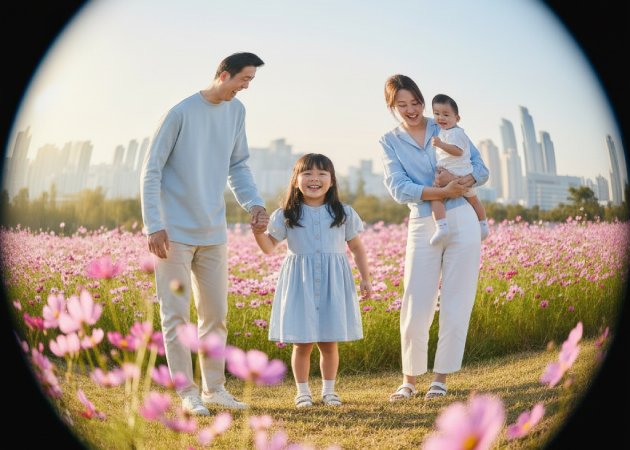
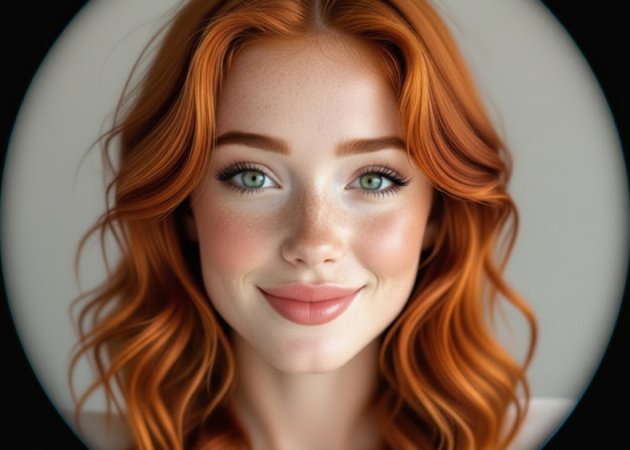
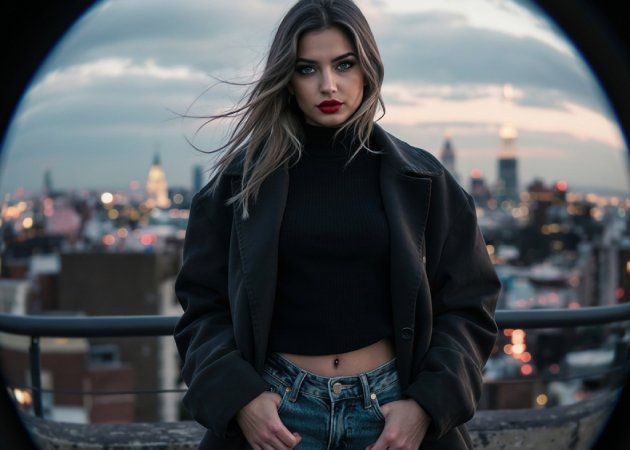
Get creative with a fully customizable fisheye effect that lets you add any style to your photos. With this Fish Eye filter, you can pick from different options, like the circular wide-angle lens, diagonal fisheye, and cropped circle fisheye. The circular wide-angle lens gives your photo a rounded, bubble-like look, great for action shots or city scenes. Diagonal fisheye stretches the picture from corner to corner, which works well for landscapes and indoor photos. A cropped circle fisheye highlights the center of the photo and cuts off the edges, making it perfect for portraits or fun selfies. Each option gives your photos a new look and lets you easily try out creative ideas.

Fisheye for All Photos

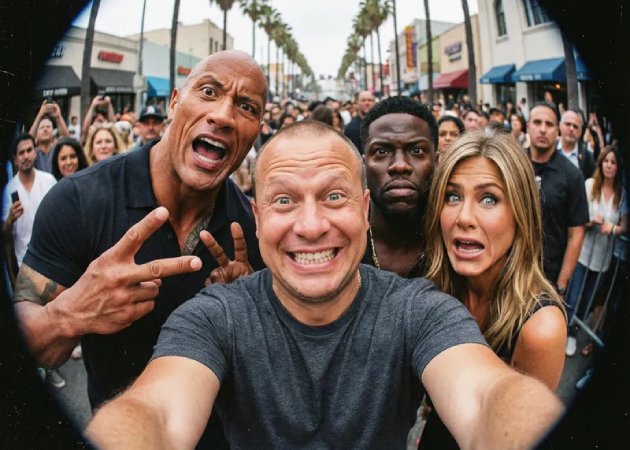
You can use the fisheye effect on any photo you have, whether it’s a selfie, a landscape, or a group shot. With this Fish Eye filter online, even everyday photos or travel pictures can become exciting, wide-angle images. Selfies get a stretched look, while wide landscapes feel more real and engaging. Group photos look more creative, making everyone fit nicely in the picture. Even photos of objects can look cool and artistic with this tool. This flexibility makes it easy to improve any photo you want, with no limits.

fisheeye for all photos
instant fisheye transformation

Instant Fisheye Transformation

Change your photos in just seconds with the fisheye filter online tool, powered by fast, smart AI. The tool automatically adds the effect, so you see the results right away without making any changes yourself. Whether you’re editing a selfie, a beautiful view, or a photo from an event, the AI keeps the image looking smooth and natural. It saves you time compared to older software that requires many settings. Even big, high-quality photos are handled quickly and easily. This makes it fast, simple, and easy for anyone to make eye-catching fisheye photos.

Text-Guided Photo Effects

With the AI fisheye lens photo effect, you can change your photos using simple text instructions. Just describe what effect or strength you want, and the AI changes your image to match. You can combine the fisheye look with other creative styles, choose how curved the photo is, or highlight certain parts. The text-guided feature makes editing easy, so you don’t need special skills to get great results. It’s perfect for trying out fun angles or creative photo ideas. This way, anyone can make unique, personal images in minutes.

text guided photo effects

How to Add a Fish Eye Filter to an Image

  • 01
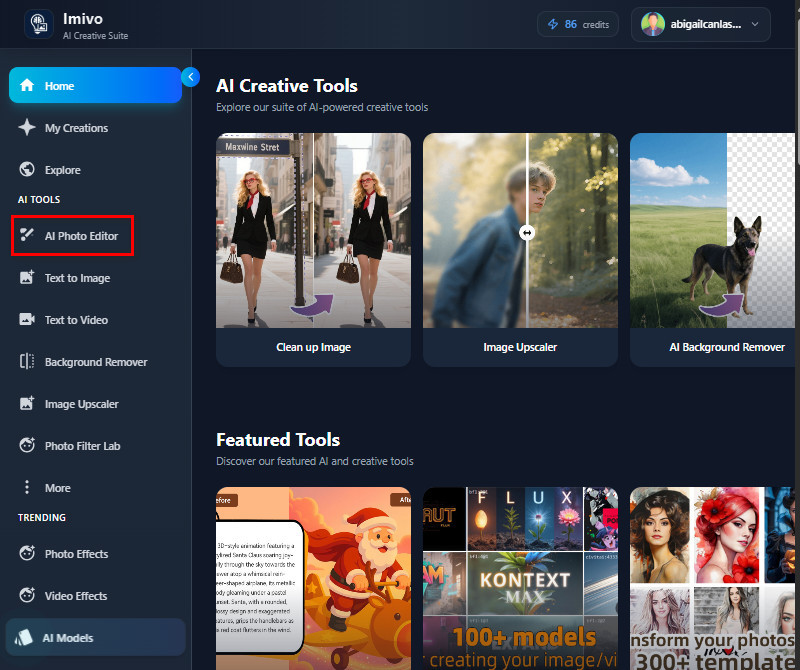
    Navigate to AI Photo Editor
    To begin, open a browser and visit the AI tool. Once you reach the login page, create an account using your email or a Google account. After that, you will go to the main interface where you can see the AI Photo Editor.
  • 02
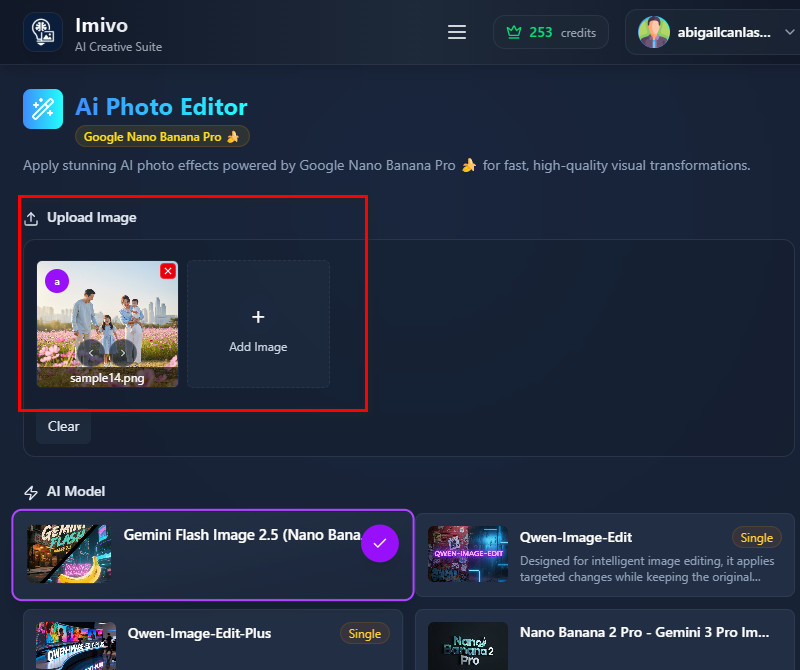
    Add Your Image
    Next, go to the upload section and click 'Add Image." Your File Explorer will then appear on your screen. Find the photo you want to apply a fish-eye filter to and upload it to the tool.
  • 03
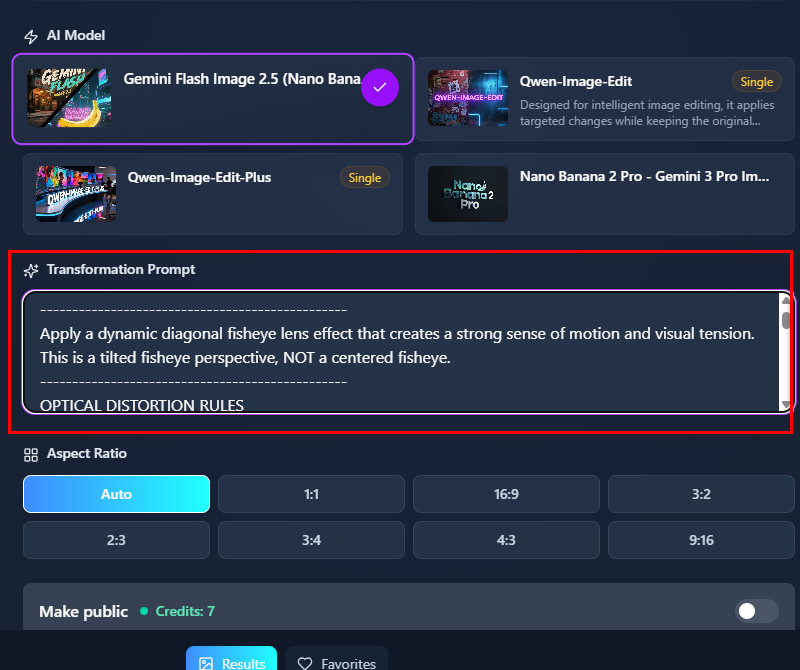
    Input Your Description
    After uploading, proceed to the Transformation Prompt box and start typing the changes you want. You can include the type of fish eye you want and what to include in the filter. You can also describe how strong or subtle you want the distortion to appear.
  • 04
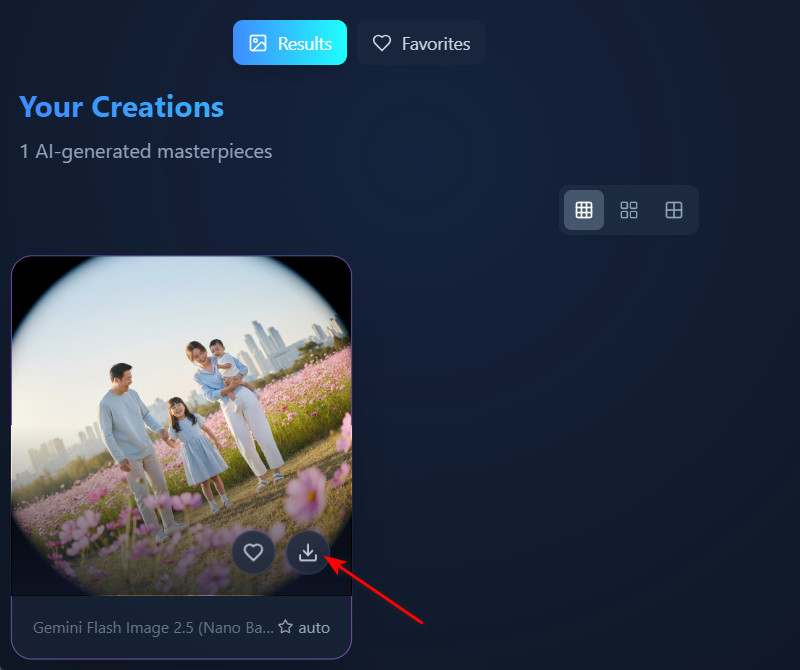
    Preview and Download
    Once everything is set, click "Apply Effect" and let the AI apply the fisheye effect as instructed. The process will only take a few seconds, and you will see the result instantly in the Gallery section. Finally, use the download icon to get the output image once you're satisfied.
navigate to ai photo editor
add your image
input your description
preview and download

Discover More Tools That Work for You

These tools help you quickly and easily improve, change, and have fun with your photos. You can use these tools to get clearer pictures, add personal touches, and make edits for fun or work without special skills. With features like computer-generated cakes, clearer pictures, image rotation, and background changes, these tools make photo editing easier and more useful for everyone.
"This tool brought my landscape photos to life. The wide-angle effect adds a playful twist while keeping things believable. I got great results without fussing with settings, making casual edits a breeze."
Nina Anderson, Writer
12-03-2025
iiiii
iiiii

"I’m impressed by this tool’s speed. In just seconds, it turned my ordinary photo into a playful fisheye masterpiece. The AI keeps everything smooth and intact, making it ideal for eye-catching social posts."
Eva Morales, Web Developer
11-15-2025
iiiii
iiiii

"I tried this tool on my travel photos, and suddenly they felt more alive and dynamic. The wide-angle effect really draws out the perspective, and applying it is quick and effortless. I appreciate how it keeps all the details crisp."
Mario Benítez, IT Support
01-10-2026
iiiii
iiiii

"I love how versatile this tool feels. Whether it’s portraits, landscapes, or group photos, the fisheye effect adds a playful touch that still looks natural. It’s a great fit for both casual snaps and creative projects."
Luis Núñez, Event Planner
10-19-2025
iiiii
iiiii

"I love being able to fine-tune the fisheye effect with just a prompt. Editing feels effortless and personal. My photos stand out without looking overdone, and the tool works fast on any image."
Elsie Kerr, Retail Worker
10-30-2025
iiiii
iiiii

"The AI fisheye lens effect made both my selfies and landscapes pop. Adjusting the distortion with a quick text prompt was super convenient. The results looked smooth and natural, making it a fun tool to play around with."
Bruce Taylor, Animator
12-25-2025

iiiii
iiiii

Why Choose Us

Frequently Asked Questions

What is the fisheye effect?

The fisheye effect is a visual distortion caused by an ultra-wide-angle lens. It produces a hemispherical or panoramic image that looks curved, almost like a bubble. Straight lines near the edges appear to bend outward, creating a unique “fishbowl” look. This effect captures much more of the scene than a normal lens, sometimes up to 180° or more. Photographers use it for artistic, immersive, or surreal effects in sports, landscapes, and creative shots. It can create either circular images with black borders or diagonal images that fill the entire frame.
Will the tool affect the quality of my original image?

No, the tool does not reduce the quality of your original image. It preserves resolution and details while applying the fisheye effect. Even high-resolution photos remain sharp after editing. The AI ensures the distortion looks natural, without blurring or pixelation. This allows you to save and share the edited photo without losing quality. You can continue using the output for printing or social media.
Can I control the level of fisheye distortion?

Yes, you can control the level of distortion by including it in your text prompt. The AI will only apply the amount you describe in your instructions. You can also make the effect as subtle or as pronounced as you prefer. It works for both minor adjustments and dramatic wide-angle changes. Besides, you don’t need any technical tools to control it manually. The prompt system makes it easy to experiment until the photo looks the way you want.

Is the effect strong or subtle?

You can generate both strong and subtle fisheye effects depending on your needs. A subtle effect slightly curves the edges, creating a gentle, wide-angle look. On the other hand, a strong effect can dramatically bend lines, giving a more exaggerated, playful perspective. You can choose either style simply by including your preference in the text prompt. This gives you full control over how noticeable the fisheye distortion is. The tool lets you experiment freely to match the mood or style of your photo.

Can I undo or adjust changes after applying the filter?

Undoing changes is not possible because the tool creates a new image with the effect applied. However, you can adjust the effect by editing your prompt and generating a new version. This way, you can refine the distortion or try different fisheye styles. You can continue experimenting until the photo looks just right. The AI ensures that every new version maintains the image's naturalness and detail. This process allows for flexible edits without permanently altering the original photo.

pro image logoAceThinker PicWish

Make Any Background Disappear

pro banner image
Back to Top
Contact Us
Learning Center