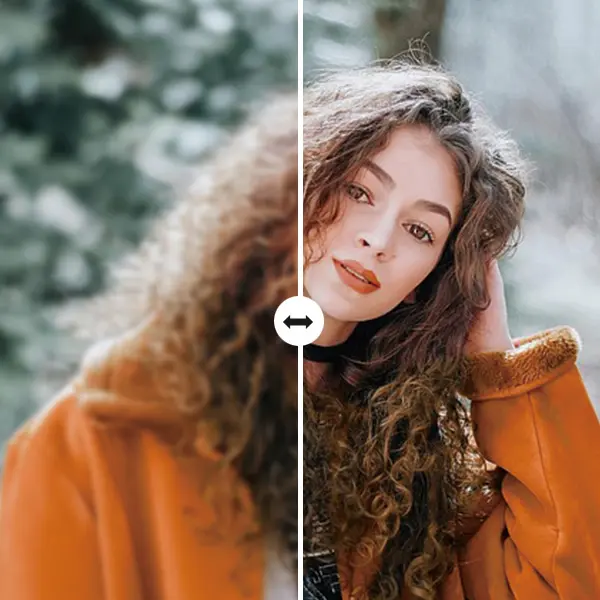
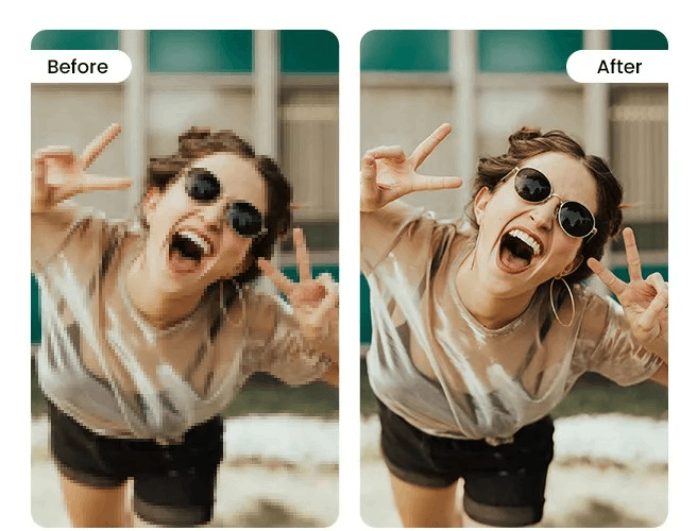
Blurry or low-quality photos? Our AI unpixelate image tool helps you to unpixelate image online in seconds. It restores the lost quality and sharpness of your pictures. This utilizes advanced technology to smooth rough edges, fill in missing details, and restore clarity to your photos.
Whether it's an old photo or a resized image, you can quickly bring it back to life with just a few clicks. You only need to upload your photo, and the system automatically enhances it for you. No editing skills or additional downloads are required - just clean, detailed results every time.

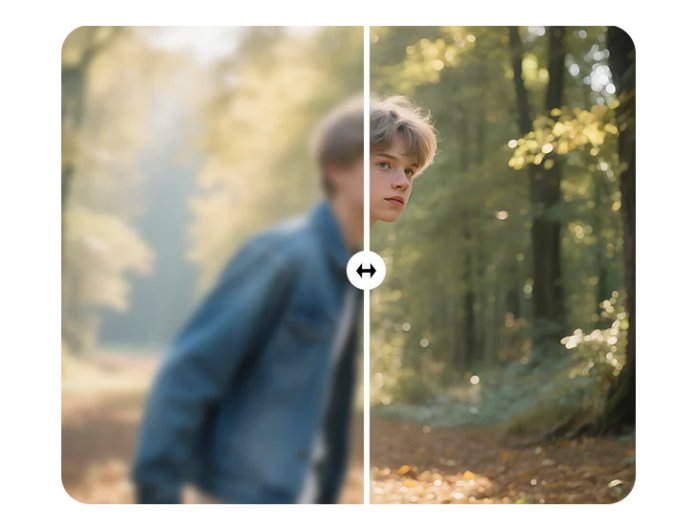
With our image upscaler or deblur image online feature, you can easily fix photos that appear blurry or out of focus. Our online image tool restores the sharpness and fine textures of your images. As a result, your pictures will appear more vivid and realistic.
Unlike common filters that over-sharpen, our tool carefully restores details while keeping natural tones and textures. It balances brightness, contrast, and color to ensure your photos look true to life.


Your privacy is always protected when using our unpixelate image online service. All your images are processed securely on our servers. Moreover, these images are automatically deleted after a short period of time, ensuring your file remains confidential.
Additionally, our web-based platform eliminates the need for software installations. This allows you to access the tool from any device with an internet connection. As a result, you can conveniently and efficiently fix pixelated images without compromising your device's storage or security.
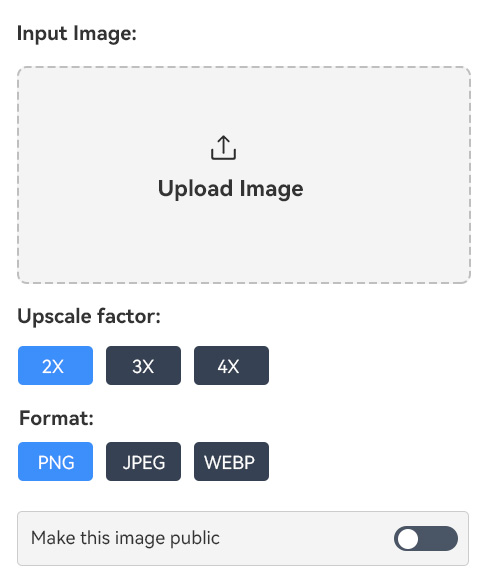
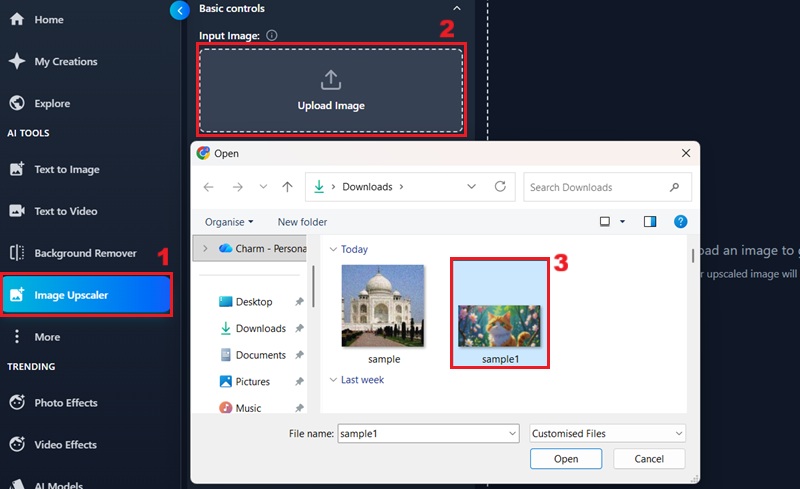
First, click the "Image Upscaler" from the left panel of the tool. To add your image, click the "Upload Image" box and pick the image you want to unpixelate.
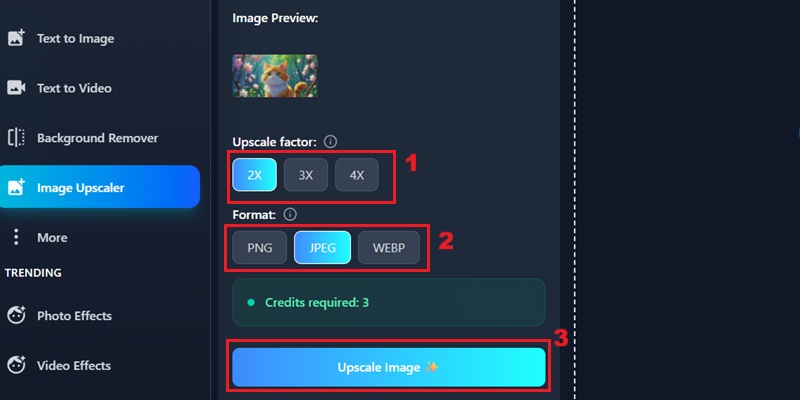
Once uploaded, select the desired upscale factor and the output format for your image. After that, click the "Upscale Image" to proceed.
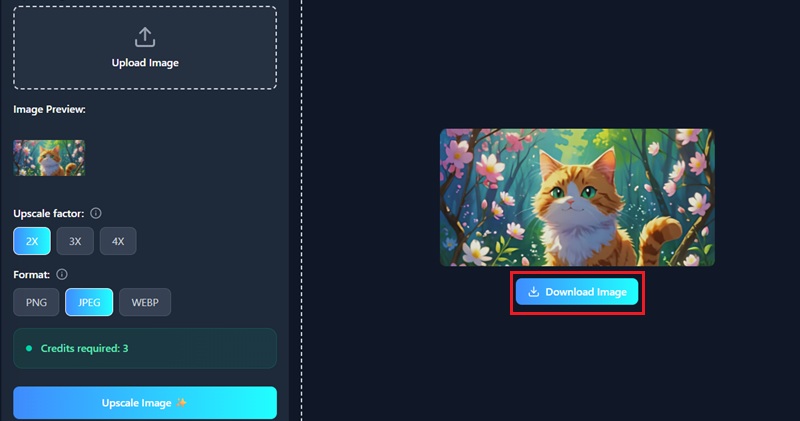
Finally, download your newly enhanced, high-resolution image by clicking the "Download Image" option.
Image unpixelation is the process of turning a low-resolution or pixelated image into a clearer and more detailed version. It works by analyzing the blurry or blocky areas of the picture and then reconstructing them with smoother edges and sharper details.
To unpixelate a photo, you can utilize our AI-powered online tool. This unpixelate image tool enables you to enhance image quality and reduce pixelation. You can upload your pixelated image, and the advanced algorithms will process it to produce a clearer, higher-resolution version.
You can enhance various image types, including JPG, PNG, and JPEG. Our online unpixelate image tool works well for portraits, old photos, screenshots, and digital artwork. Therefore, regardless of the source, you can utilize it to enhance the quality of your images.
You can expect significantly improved image clarity, reduced blurriness, and pixelation for your images. Our tool efficiently removes pixelation, restores fine details, and improves the overall clarity of your pictures.
Absolutely. You can use our online image unpixelate tool on any mobile phone, tablet, or computer. It's fully compatible with all major browsers, including Safari, Opera, Chrome, and others, allowing you to enhance your photos at any time.