menu

Gothic Filter - Unique Dark-Themed Photo Edits

This app uses AI to turn ordinary photos into striking gothic-style images, making it ideal for creatives, social media users, and anyone who enjoys dark, artistic visuals. It lets users create moody, high-contrast photos quickly while preserving facial features and important details.

Transform Your Photos into Dark, Artistic Masterpieces

ai drivern gothic transformation

AI-driven Gothic Transformation

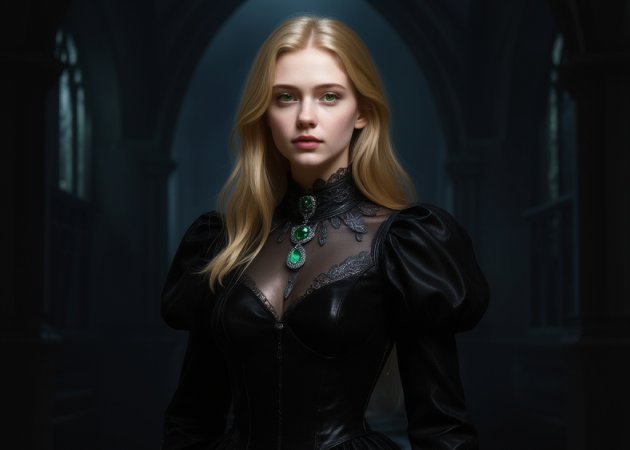
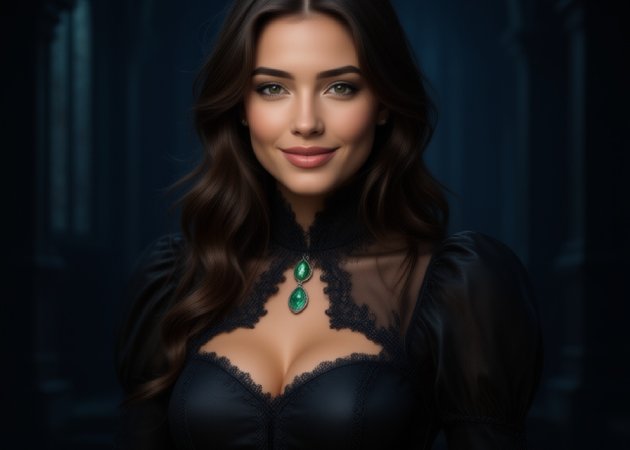
Turn regular photos into dark, gothic-style visuals using this AI filter. With the gothic filter that uses advanced AI, the tool analyzes lighting, facial details, and colors to create a moody atmosphere. It keeps the main subject clear while adding dramatic tones and shadows. Additionally, the transformation feels smooth and balanced, not harsh or overdone. You don’t need editing skills to achieve this look. Therefore, you can easily create gothic-inspired images with just one upload.

Instant Gothic Photo Makeover

Get an instant gothic makeover using this goth filter online free! This tool gives your photo a full makeover, including makeup, outfit tones, and even the background. Besides, it applies dark makeup effects, deeper clothing colors, and atmospheric backgrounds instantly. Moreover, the changes blend naturally with your original photo. This helps create a complete gothic look without manual edits. It works well for portraits, selfies, and themed photos. Overall, it saves time while delivering a strong Gothic style.

instant gothic makeover
artistic horror style creations

Artistic Horror-Style Creations

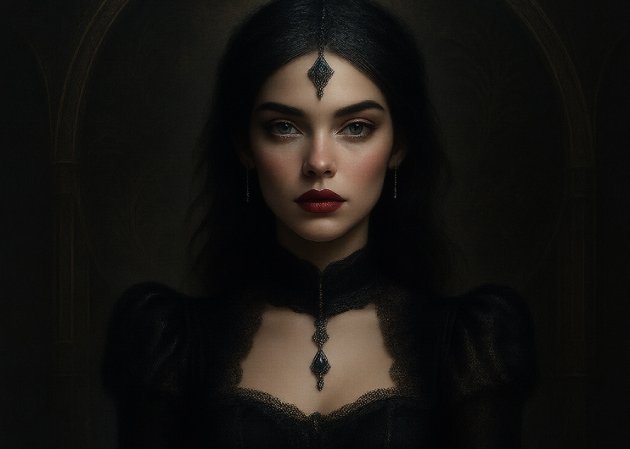
Are you one of the people who enjoy dark and horror-inspired visuals? This AI goth filter is for you! The effect adds eerie tones, dramatic lighting, and a mysterious mood. It enhances shadows and textures to match the look of horror-themed photos. At the same time, it keeps the image clear and visually appealing. This makes it great for creative projects, cosplay photos, or themed posts. In short, it helps users express darker artistic ideas easily.

High-Contrast Visual Styling

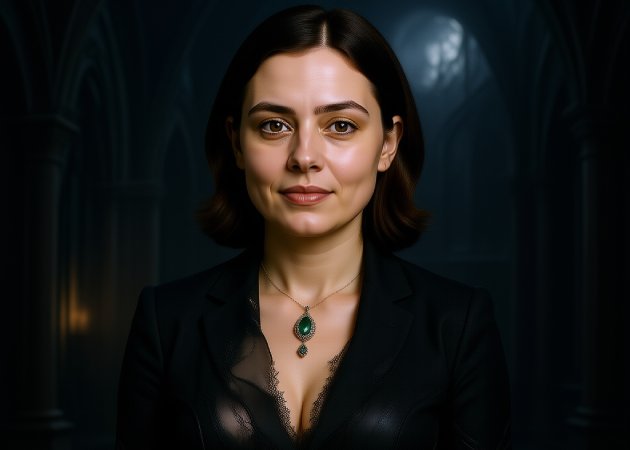
This feature focuses on bold contrast to make photos look striking and dramatic. With the free AI Gothic filter online, highlights become sharper while shadows grow deeper. This balance adds depth and intensity to every image. Additionally, facial features and important details remain visible and defined. The result feels powerful but still polished. Therefore, users receive visually compelling images that stand out on social media and other creative platforms.

high contrast visual styling

Step-by-Step Guide To Turn Photos into Gothic Style

  • 01
    Navigate to the Photo Effects Lab
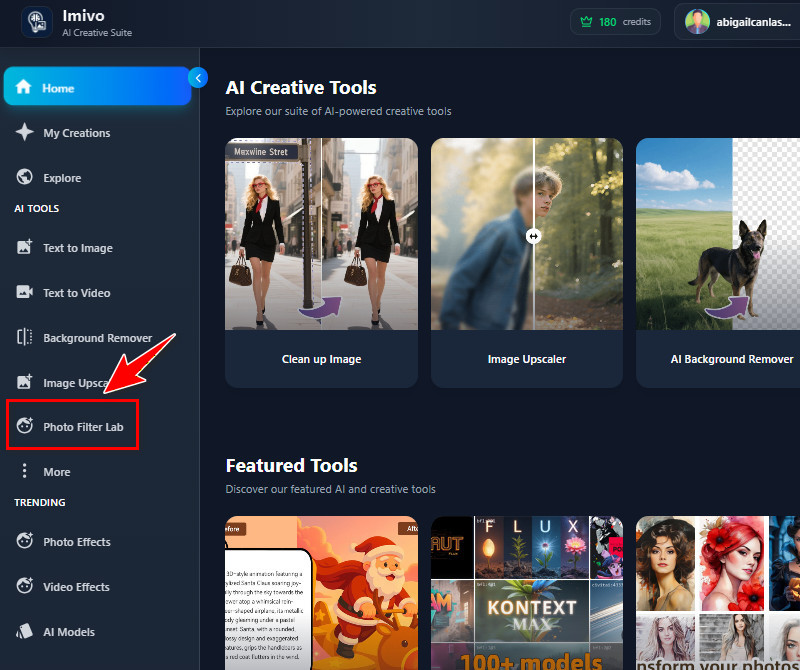
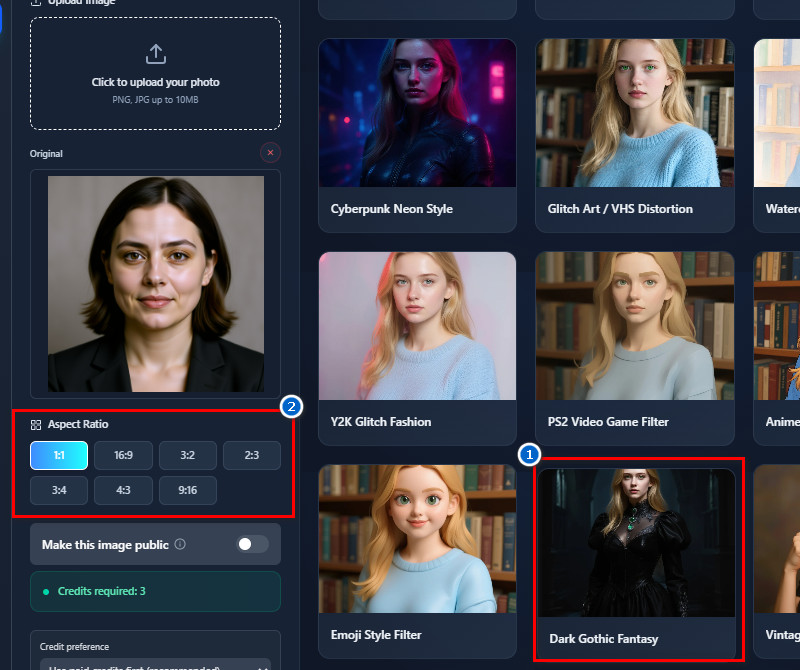
    First, access the AI Tool and log in to your account, or create one. After logging in, you can access the tool's main dashboard. Here, look at the left side and find the Photo Effects Lab section.
  • 02
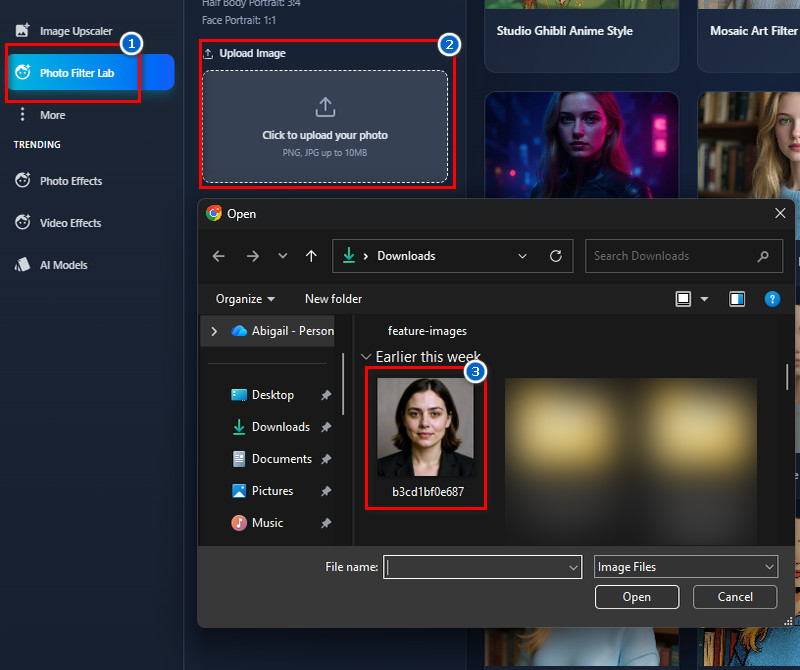
    Upload an Image
    When you're in the Photo Effects Lab, start uploading your photo. Click the Upload icon in the Upload section, then select the photo you want to convert. Or open File Explorer, find the photo, and drag it into the upload section.
  • 03
    Choose the Gothic Effect
    Once the photo is uploaded, go to the Templates tab. Scroll through the available filters until you see the Dark Gothic Filter. Click on it to select and proceed to the aspect ratio for the output image.
  • 04
    Generate and Save
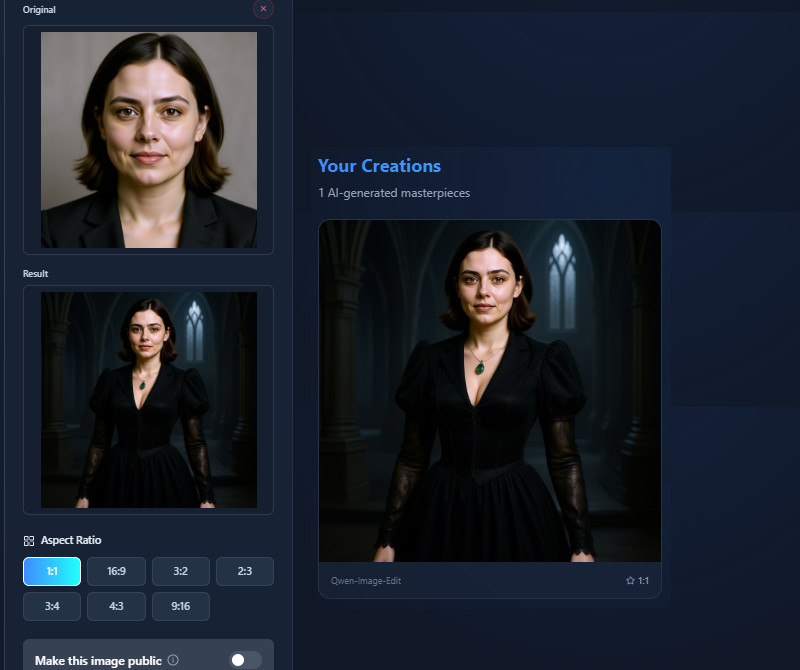
    When ready, click the Create Magic button and let the tool transform your photo. The process will only take a minute, and the results will provide. Finally, see the output image and save it using the Download icon.
navigate to photo effects lab
upload an image
choose the gothic effect
generate and save

Your Next Favorite App Awaits

These apps are built for users who want to turn photos into art, design custom products, and optimize images for digital use with minimal effort. Whether you're expressing creativity, building a brand, or saving storage space, these tools make visual creation both fun and practical.
"I love how the tool makes photos feel atmospheric. The dark tones and high contrast give it a very professional look. It’s perfect for moody edits without extra software."
Vincent Brooks, Photographer
10-22-2025
iiiii
iiiii

"The AI Gothic Filter is fast and intuitive. It transformed my headshots into something more artistic. I’ll definitely use it for content creation."
Aaron Roberts, Content Creator
10-16-2025
iiiii
iiiii

"I tried the gothic filter for a book project, and it gave my images the right dark mood. It’s easy to generate multiple versions. The results are consistent and sharp."
Kathleen White, Writer
12-13-2025
iiiii
iiiii

"The filter works well on both portraits and group photos. The results are consistent, and it keeps expressions clear. Sharing on Instagram looks really good."
Zachary Long, Social Media Manager
11-02-2025
iiiii
iiiii

"The filter adds a dramatic touch without overdoing it. Shadows and highlights feel balanced, and the photos look natural. It’s very easy to use."
Deborah Moore, Photographer Assistant
12-20-2025
iiiii
iiiii

"I tried this on a few travel photos, and the gothic effect added a moody atmosphere. The backgrounds blend nicely with the subject. It’s a fun tool to play with."
Andrea Foster, Blogger
11-13-2025

iiiii
iiiii

Why Choose Us

Frequently Asked Questions

What is a Gothic Filter?

A Gothic Filter is a digital tool that transforms ordinary photos into dark, moody, and dramatic visuals. It enhances shadows, contrast, and colors to create a gothic-style aesthetic. Besides, the filter can be applied to selfies, portraits, or other images to give them an artistic look. It uses AI technology to make these changes quickly and accurately. The main goal is to create visually striking images without needing advanced editing skills. Overall, it’s popular for social media, creative projects, and themed photography.

Can I apply the Gothic Filter to different types of photos?

Yes, the Gothic Filter works on many types of photos. You can use it on selfies, portraits, group photos, or even landscape images. The AI adjusts the effect to match the image's content. It keeps important details clear while applying the dark, dramatic style. Users can also experiment with photos at different angles and with different subjects to achieve the best results. This makes the tool versatile for a wide range of creative needs.

Will the filter affect my background or only my appearance?

Yes, the tool can change both your appearance and the background. It applies effects to the entire image, creating a consistent gothic look. Backgrounds can be darkened, stylized, or enhanced to match the subject. Meanwhile, facial features and main objects are preserved clearly. This makes your photos feel more cohesive and professionally edited. Overall, it helps create a complete gothic-style image without manual adjustments.

What file formats does this tool support?

The tool supports uploading JPG and PNG files. Each image file can be up to 10 MB, allowing for large photos. This ensures that images are processed quickly without losing quality. Most photos from cameras, phones, or online sources are also compatible. This means users don’t need to convert files before uploading. It makes the tool simple and accessible for everyone.

Is the tool free to use?

The tool is free to access online, but generating photos requires credits. Free users receive 10 credits to try the tool initially. For additional use, you can purchase one-time credits or subscribe to a plan. One-time credit packages range from $1.99 to $39.99. Subscription plans are also available, ranging from $2.50 to $30.00 per month. This system allows both casual and frequent users to access the features flexibly.
pro image logoAceThinker PicWish

Clean Background Removal Made Easy
pro banner image
Back to Top
Contact Us
Learning Center