menu

AI Image Style Transfer

The AI Image Style Transfer tool enables users to convert photos into artistic images with AI-powered effects. It is well-suited for social media users, designers, and creatives seeking unique visuals quickly and easily.

Create Stunning Images with AI Magic

showcase your photos beautifully

Showcase Your Photos Beautifully

You can upload a variety of photos to showcase your creativity, including selfies, portraits, landscapes, and even animal photos. This AI image style transfer supports JPG and PNG image formats with a maximum file size of 10 MB, making it easy to work with almost any image. Once uploaded, choose a filter you prefer, and the AI quickly transforms your picture into a stunning artistic style. Whether you want to enhance a personal photo or create a unique visual for social media, it works seamlessly. The results are eye-catching and ready to use instantly. Overall, it’s a simple way to make your images look professional with AI image style transfer.

30+ Ways to Style Your Photos

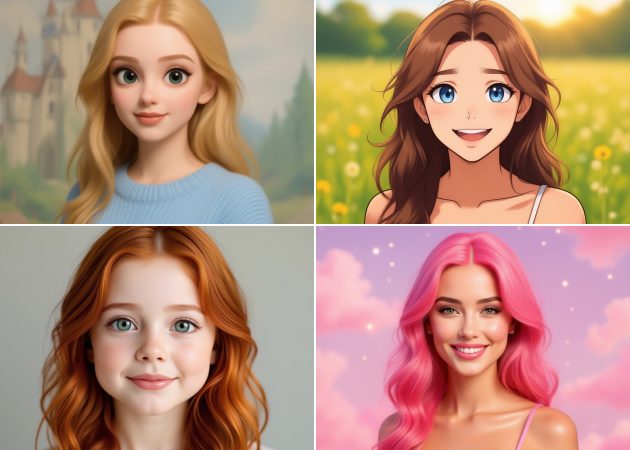
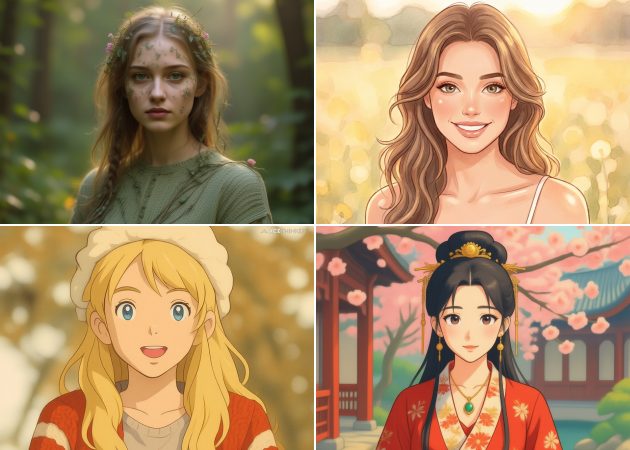
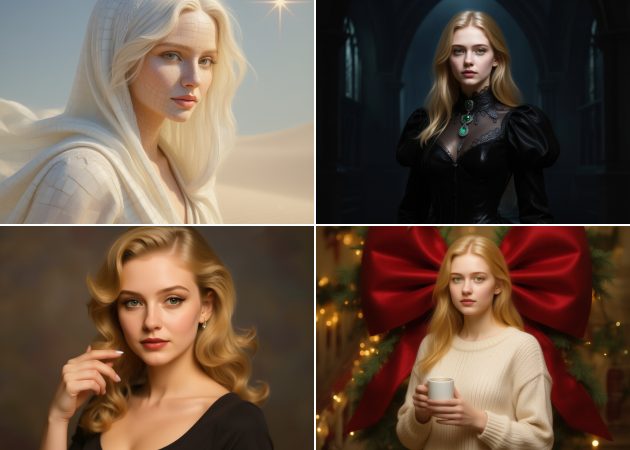
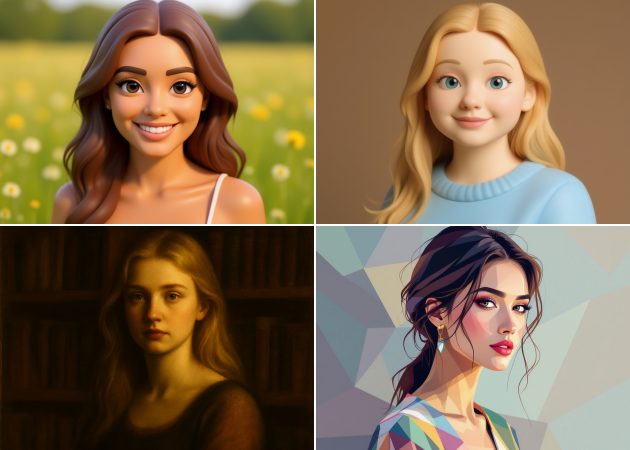
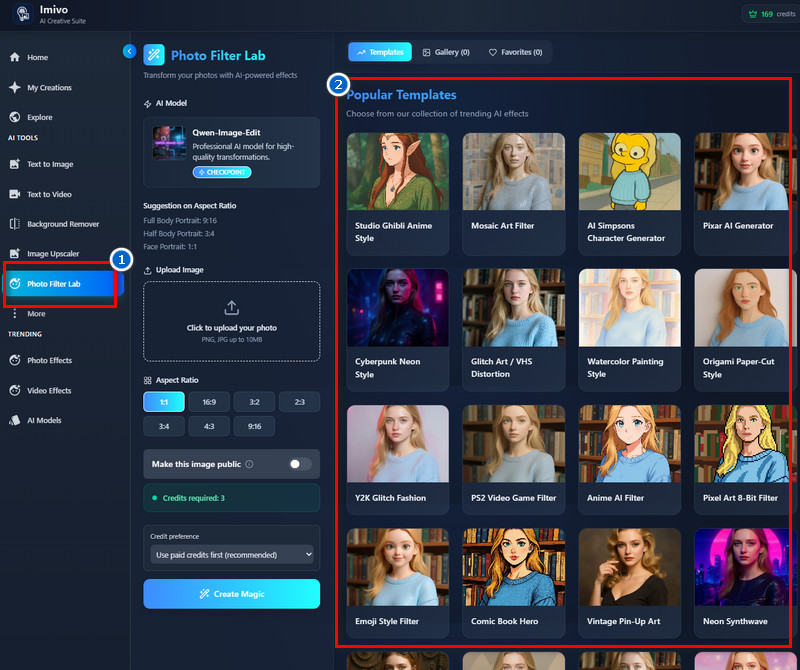
You can explore over 30 creative filters to transform your photos into different artistic styles. Options include Studio Ghibli Anime Style, AI Simpsons Character Generator, Pixar AI Generator, Vintage Pin-Up Art, Comic Book Hero, and many more. Each filter can be applied to your pictures to create a unique, creative look. Since the tool is credit-based, every generation uses 3 credits, so make sure you have enough to try multiple styles. The variety allows you to experiment and find the perfect artistic effect for each image. It’s a fun and versatile way to use AI image style transfer online free.


30+ ways to style your photos
share without branding marks

Share Without Branding Marks

With style transfer AI free, your images are ready for any purpose. Your generated images are high-quality and watermark-free, allowing you to use them freely anywhere. The results are also copyright-free, so you can post them on social media, websites, or even print them for personal or commercial use. The AI ensures that the artistic style is applied cleanly while preserving important details. This makes sharing professional-looking visuals easy and hassle-free. You don’t need to worry about logos or branding interfering with your creative work.

Customize Image Dimensions

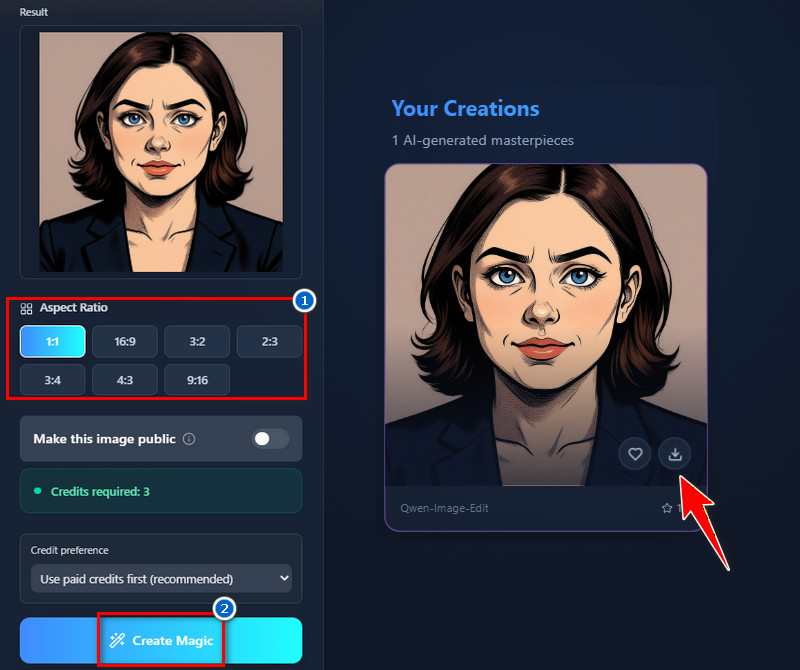
Select the preferred aspect ratio for your final image, including 1:1, 16:9, 3:2, 2:3, 3:4, 4:3, or 9:16. For reference, full-body portraits work best in 9:16, half-body portraits in 3:4, and face portraits in 1:1. This flexibility ensures your images are optimized for social media, printing, or digital projects. The AI seamlessly adjusts the style to your chosen dimensions. As a result, your photos look polished and professional in any format. It’s an easy way to control output size with the AI Image Style Converter.

custom image dimensions

Step-by-Step Guide to Enhance Your Pictures Easily

  • 01
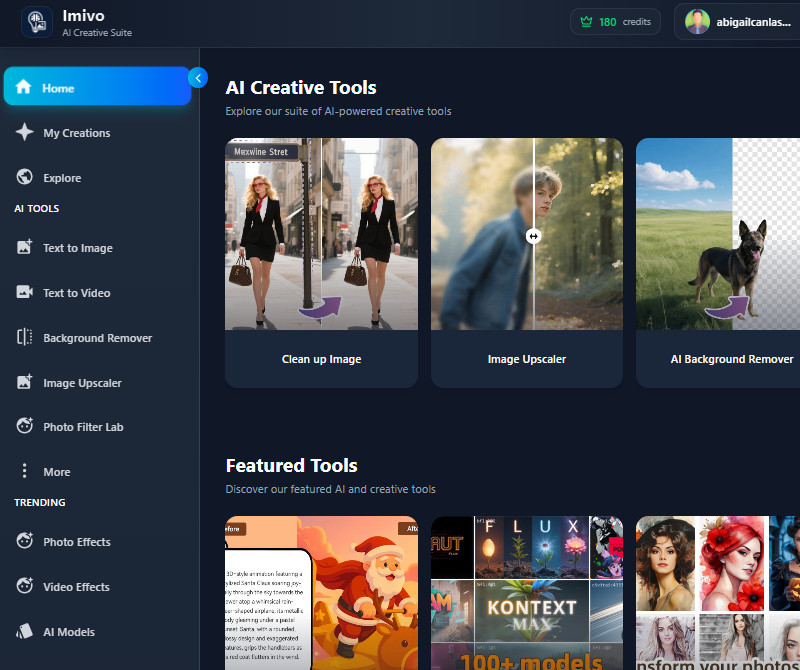
    Go to Homepage
    Start by logging in to the AI tool to enter the main homepage. You can sign up/i using your Google account or your email address with your details. Once finished, you can access the homepage.
  • 02
    See the Various Filters
    As you see on the homepage, the tool offers various features. One of these is the Photo Filter Lab, where you can find a variety of photo filters. Go to this section to explore the available filters.
  • 03
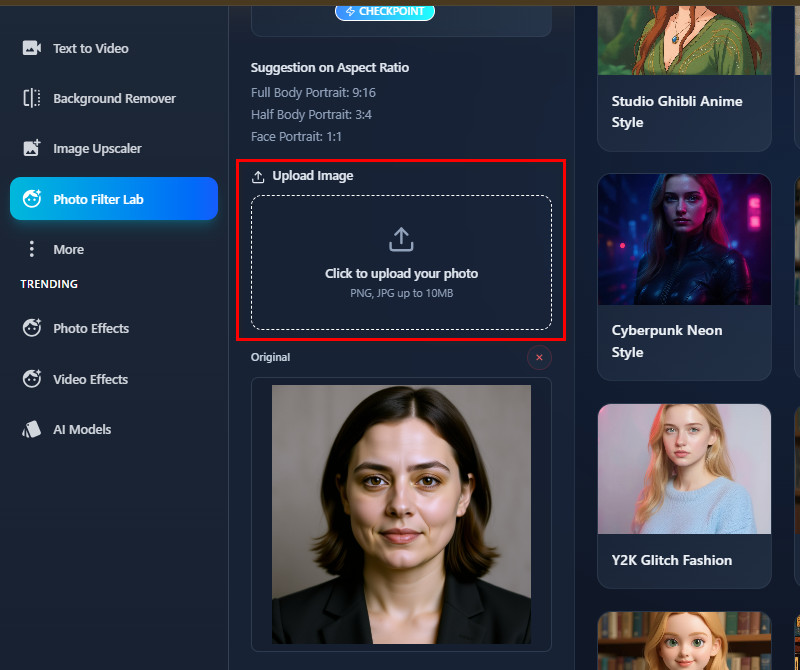
    Add Your Photo
    Next, go to the Upload Image section to add your photo. Select an image from your device to upload, which will pop up on your screen. You can also use the drag-and-drop option for a faster upload.
  • 04
    Apply Effect and Save
    After that, choose your preferred photo filter to apply to your image. Next, select the aspect ratio that fits your needs. Once everything is set, apply the effect, wait for the results, and save the final image.
go to homepage
see the various filters
add your photo
apply effect and save

Unlock More Helpful Tools

These recommended tools help users easily edit, enhance, and optimize their images. They meet the needs of people who want quick, professional results without complicated software. Overall, they make creating and sharing high-quality visuals faster and more convenient.
"I turned travel photos into digital art for my blog. The results were high-quality and visually interesting. It’s an easy way to make posts more engaging."
Mary Jackson, Travel Consultant
11-02-2025
iiiii
iiiii

"I used it for personal portraits, and the final images looked artistic but natural. It didn’t take long to process. I’m happy with the results."
Lori Brown, Copy Editor
12-10-2025
iiiii
iiiii

"I loved trying multiple filters on the same portrait. Each filter gives a new artistic touch. The variety of 30+ options keeps creativity flowing."
Peter Diaz, Photographer
10-14-2025
iiiii
iiiii

"I applied various artistic filters to my photos, and the output looked impressive. The tool is straightforward, and the quality is good. It’s helpful for creative projects."
Jack Wood, Technical Support Specialist
12-19-2025
iiiii
iiiii

"I used it to create fun images for online groups. The AI gave consistent results, and members liked the visuals. It’s quick and easy to try different styles."
Danielle Adams, Community Manager
11-15-2025
iiiii
iiiii

"I experimented with multiple filters on the same photo. The results were very different each time. It’s great that the tool offers so many creative options."
Sean Cox, Blogger
10-10-2025
iiiii
iiiii

Why Choose Us

Frequently Asked Questions

What is AI Image Style Transfer?

AI Image Style Transfer is a tool that uses AI to transform your photo into a specific artistic style. For example, you can turn a selfie into a painting that looks like Studio Ghibli or a comic book illustration. The AI analyzes your image and applies patterns, colors, and textures from the chosen style. This makes your photo look creative without manual editing. It works for portraits, landscapes, objects, or even group photos. Overall, it’s a quick way to create unique and artistic visuals.

Why Would I Apply a Style to an Image?

Applying a style can make your photos more creative and visually appealing. It helps your images stand out on social media or in projects. You can turn ordinary photos into artwork, illustrations, or fun cartoon styles. This process saves time compared to manually editing the photo. It also lets you easily experiment with different looks. In short, styling images adds artistic value and makes them more engaging.

Is there a limit to the number of images I can process?

There is no set limit to how many images you can make. You can create as many images as you want, as long as you have enough credits. Each time you use a style, it uses 3 credits, so just make sure your account has enough. This lets you try out different photos and styles as much as you like. You can even use different styles on the same photo if you want. Overall, it gives you lots of freedom to be creative.

Can the tool preserve facial features in portraits?

Absolutely, the tool preserves facial features 100%. It keeps important details, such as eyes, nose, mouth, and expression. Even with heavy artistic styles applied, the person in the photo still looks like themselves. This makes it perfect for profile pictures or creative portraits. The AI ensures the balance between style and realism. As a result, your photos remain clear and professional-looking.

Is my uploaded photo data secure?

Yes, your uploaded photos are secure when using the tool. The AI processes images online without permanently storing them. This means your data is handled safely, and privacy is maintained. In addition, only you can access the results from your account. The tool also uses secure connections to prevent unauthorized access. This ensures that your images stay private and protected.

pro image logoAceThinker PicWish

Erase Backgrounds with One Click

pro banner image
Back to Top
Contact Us
Learning Center