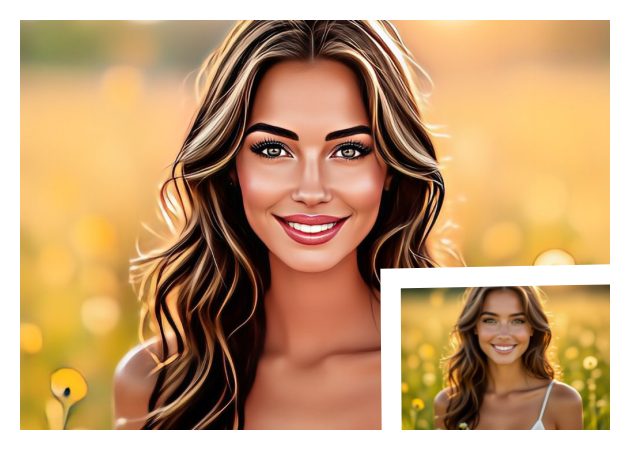
You can easily turn your selfies into fun, lively 3D cartoon avatars with our Photo to 3D Cartoon AI free tool. Whether it's your solo picture, a group photo with friends, or even a cute pet shot, the tool can bring them all to life in a playful 3D style. It's a great way to make your everyday photos stand out with a creative twist.
Moreover, you don't need any design skills to create your own 3D characters. The AI handles all the work, such as detecting faces, adding depth, and generating soft shading for a natural look. It's quick, fun, and perfect for anyone who wants to see their photos in a whole new light.
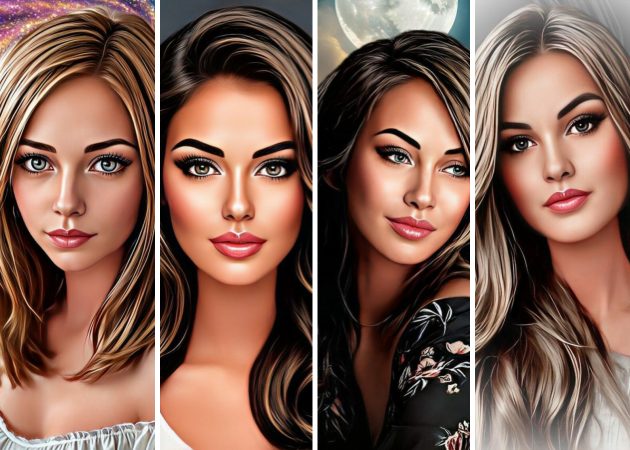
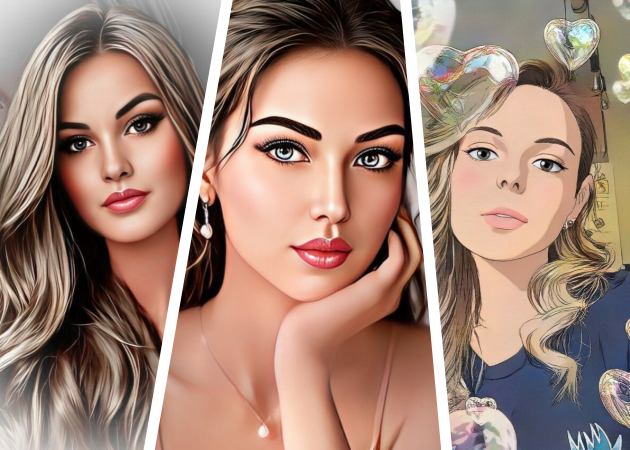
Give your pictures a creative touch by turning them into different cartoon styles. This includes pop art, Claymation, Pixar-inspired art, or even manga. Each effect adds its own personality, helping you explore a range of artistic vibes from bold and colorful to smooth and cinematic. It's perfect for experimenting and expressing your unique style.
Using our tool to convert Photo to 3D cartoon AI, you can switch between these styles in just one click. The tool automatically enhances the details, color tones, and textures to match your chosen look. Whether you prefer a classic anime mood or a modern 3D film style, it brings your imagination to life beautifully.


Once your image is ready, you can use it for all kinds of creative projects. That means you can apply your cartoon photos as video thumbnails, profile pictures, or story covers on social media to grab more attention. It's also fun to use for online avatars, posters, or personalized gifts.
With our Photo to Cartoon AI tool, your converted 3D images can fit anywhere—from casual sharing to professional visuals. You get high-quality, eye-catching results that instantly add charm and creativity. Plus, it's legal to use since you make it, so you don't need to worry about copyright issues.


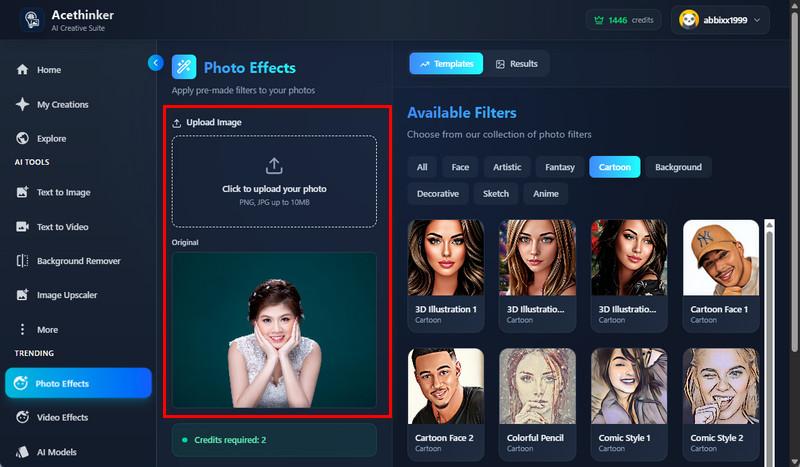
On our Photo to 3D Cartoon online tool, upload your selfie, group photo, or your pet image. Make sure the format is PNG or JPG, and the file size is up to 10 MB.
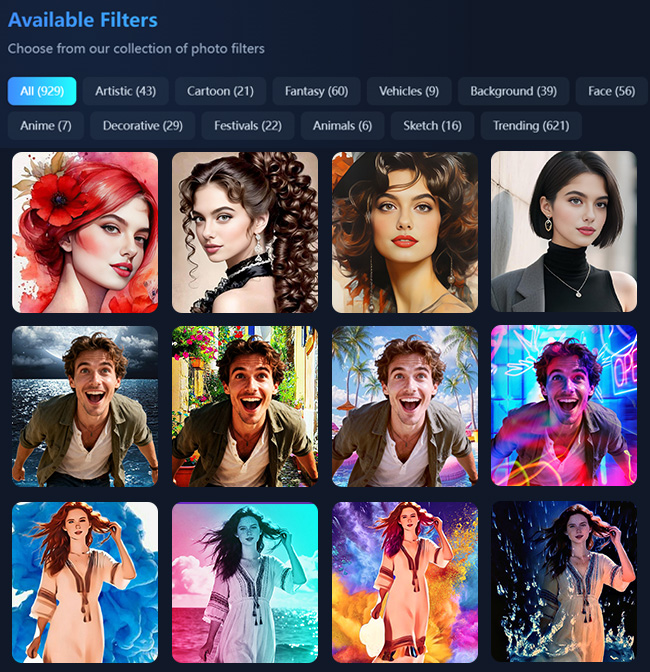
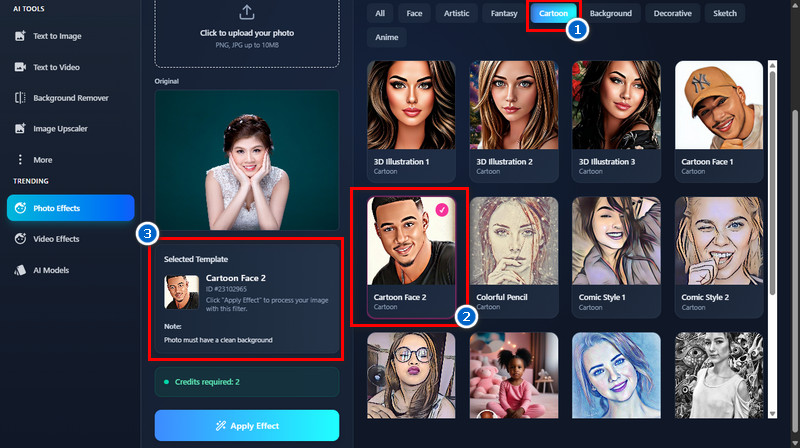
From the available filters, click the "Cartoon" section to see the available 3D Cartoon filters. Then click the one you prefer.
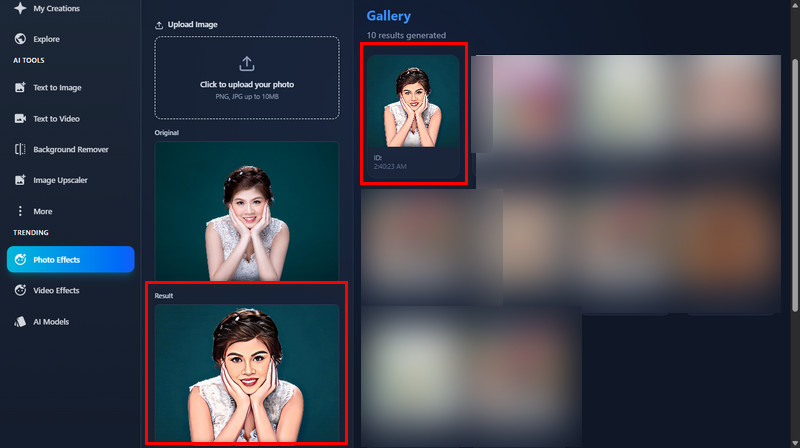
Next, click "Apply Effect" below and let the tool generate your image into a 3D cartoon style. Once done, see the results and download the photo afterward.
High-quality pictures with clear details and good lighting work best for this tool. Make sure your image is bright and not blurry so the AI can detect faces and edges properly. Besides, natural lighting and sharp focus help create a smoother, more realistic 3D cartoon.
Yes, our cartoon maker works perfectly on mobile devices. Since it's a browser-based cartoon maker, you can access it easily on your Android or iOS devices. You can also easily upload a photo and get your 3D cartoon result directly from your phone or tablet.
Yes, you can freely use the cartoon images for commercial purposes. Besides, you can apply them for business profiles, marketing visuals, or creative content. Just make sure the original photo is yours and not downloaded only so you can use it for commercial purposes.
No, our tool does not impose watermarks on the output image. You'll get clean and high-quality results ready for use anywhere. This makes it ideal for both personal and professional projects.
This online tool works on any browser, including Chrome, Safari, Edge, and Firefox. You don't need to install anything—just open it and start converting photos. It's designed to run smoothly across all major browsers for your convenience.