menu

Short Hair Filter - Your Ultimate AI Hairstyle Transformation Tool

The short hair filter lets users see what they would look like with a short hairstyle, so they can try new looks without actually cutting their hair. It is perfect for anyone who wants to experiment with their style and feel more confident about changing their hair.

Get Your Dream Hairstyle with AI

see realistic haircuts now

See Realistic Haircuts Now

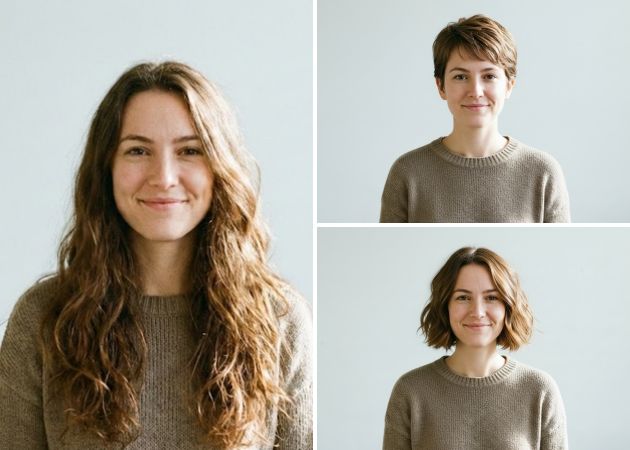
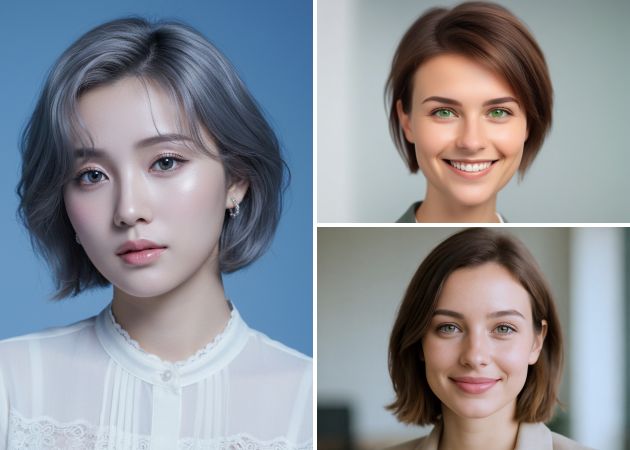
With the online short hair filter, you can instantly see how different hairstyles would look on you. As you upload an image, the AI carefully adapts each haircut to your face shape. It gives a natural, realistic preview that feels like looking in a mirror. This makes it easy to test bold choices or subtle changes, helping you feel confident before making a real cut. You’ll notice how layers, bobs, or pixie cuts fall naturally, giving you a true sense of the final look.

Experiment with Any Hairstyle

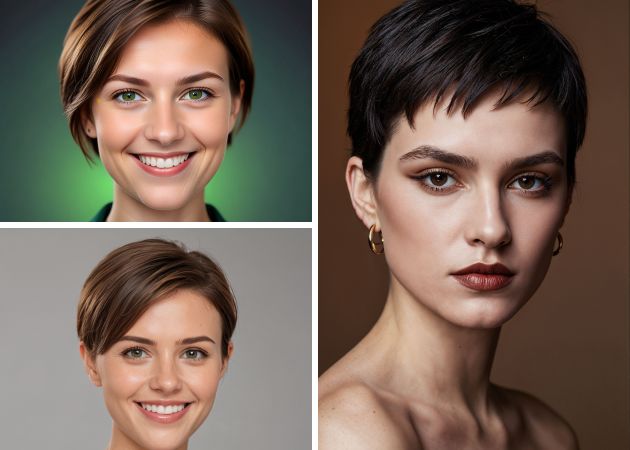
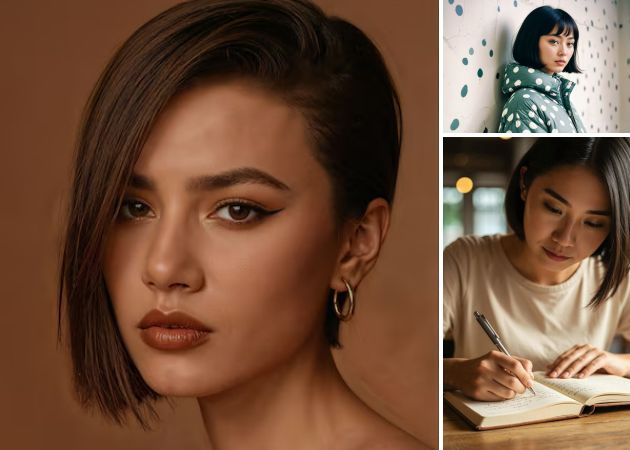
With the AI hairstyle changer, you can play with dozens of different haircuts, from short and sleek to playful layered looks. Trying multiple styles helps you discover what suits your face and personality, so you don’t need to rely on luck at a salon. The tool makes experimenting easy and fun, allowing you to mix and match cuts you’ve always wanted to try. You can see how bangs, short edges, or stylish uneven cuts look on you, helping you choose a hairstyle you will really like.

experiment with any hairstyle
test trendy hair colors

Test Trendy Hair Colors

With our online short hair filter, you’re not just changing the cut—you can see yourself in new, stylish colors too. From bright blondes and deep brunettes to soft pastels or fiery reds. The colors are applied naturally, so you can imagine the result in real life. This makes it simple to plan bold transformations or subtle highlights without committing right away. Seeing a fresh color on a haircut you already like helps you feel confident before visiting a salon.

Customize Haircuts with Prompts

The AI short hair filter online lets you turn your imagination into a hairstyle with just a few words. Typing prompts like “choppy pixie with bangs” or “wavy short bob” creates a custom look that fits your face perfectly. This feature makes it easy to go beyond preset options and try something truly unique. You can tweak details, explore variations, and instantly see results without waiting or guessing. It’s a creative, hands-on way to experiment until you find a style that feels exactly right for you.

customize haircuts with prompts

How to Transform Your Hair into a Short Style with AI

  • 01
    Launch the Short Hair Filter
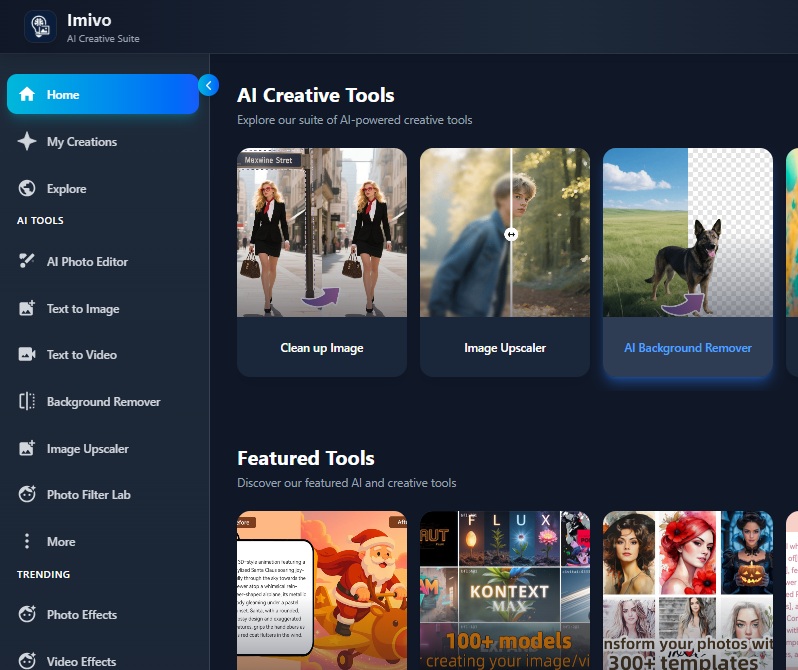
    Open the Short Hair Filter page in your device's web browser. You will be prompted to complete an account or log in. Upon successful authentication, the main interface will become accessible. Here, access the "AI Photo Editor" by clicking it.
  • 02
    Choose Your Photo
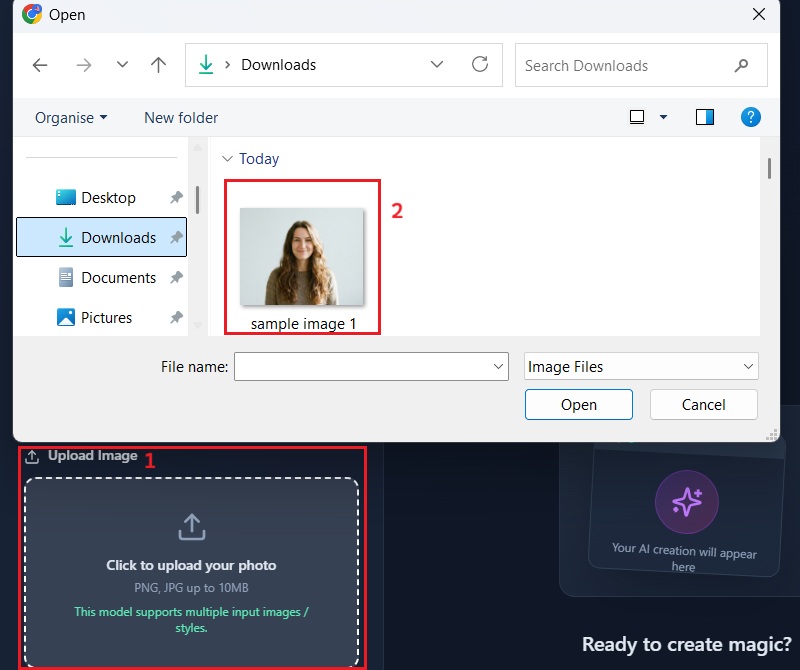
    Next, on the AI Photo Editor, click the "Upload Image" button to access your file explorer. Once opened, browse your images and select the image you want to edit. To upload it successfully, click on it and confirm your selection by hitting the "Open" option.
  • 03
    Insert Transformation Prompt
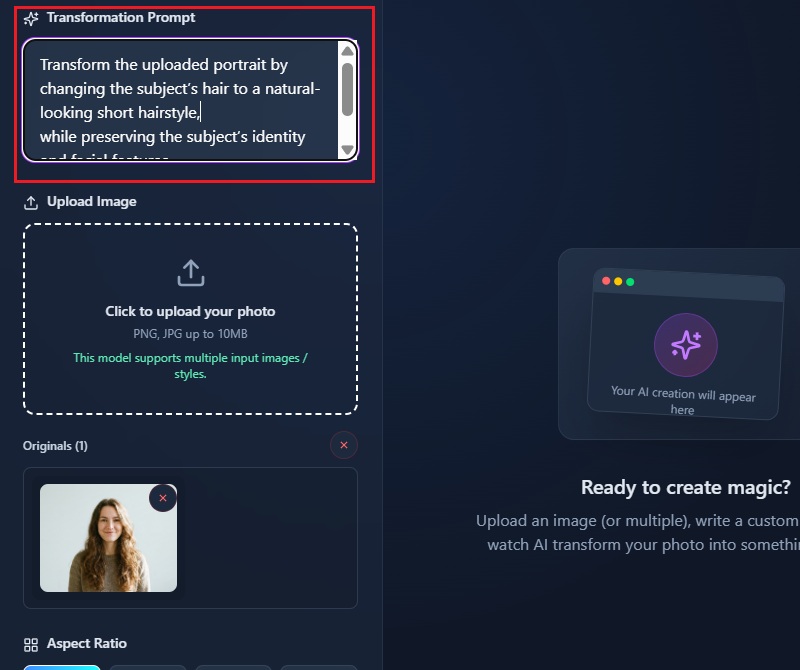
    Once you’ve uploaded the image you want to edit, locate the transformation prompt. Here, you can input specific commands to guide the AI in generating your desired short hairstyle. For instance, you can include prompts such as 'short hairstyle' or be specific about a cut like a bob or pixie cut.
  • 04
    Create Your Desired Short Haircut
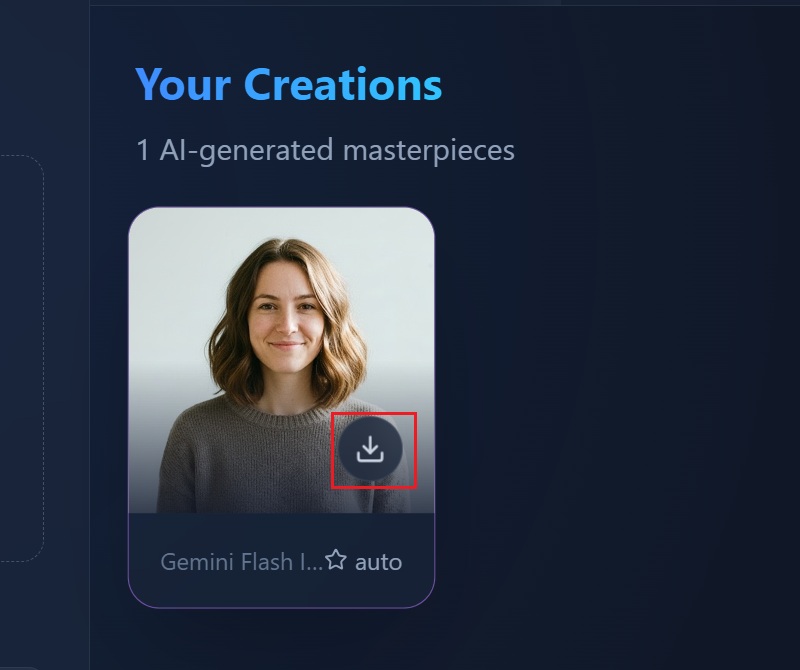
    After entering your preferred style, click on the aspect ratio you want for the output size. Then, hit the "Apply Effect" button, and the AI will process your input and generate a realistic visualization of your chosen short hairstyle. Finally, click the "Download" icon to keep the copy on your device.
launch the short hair filter
choose your photo
insert transformation prompt
create your desired short haircut

Try More Creative Tools – Make Your Ideas Shine!

These apps help you turn your imagination into fun and shareable visuals, from videos to sketches and artistic photos. Whether you want to create cartoons, add art effects, or make a video from text. They are ideal for anyone who loves trying new styles and sharing creative content quickly.
"As a hairstylist, I use the short hair filter to show clients what different cuts might look like. The AI does a great job adapting to different face shapes, helping them feel confident before their haircut. It’s a useful tool in my shop."
Carlos Miguel, Hairstylist
2026-01-11
iiiii
iiiii

"I tried the short hair filter just for fun, and it was really easy to see how different cuts would look on me. The results felt very natural, and it helped me decide if I want to actually go shorter. I liked experimenting with different styles."
Lewys Mann, Student
2026-01-09
iiiii
iiiii

"This tool makes it simple to visualize a new hairstyle before going to the salon. The AI adapts well to my face shape, so it doesn’t feel fake. I could try a few different cuts quickly."
Valentina Perkins, Graphic Designer
2026-01-08
iiiii
iiiii

"I’ve always been curious about a bob, and this filter let me see how it would look. It felt realistic and fun to play around with. I feel more confident about trying a shorter style now."
Coral Marquez, Teacher
2026-01-05
iiiii
iiiii

"It’s a clever way to test hairstyles without committing to them. I tried a pixie cut, and the preview looked very natural on me. It’s nice to get an idea of the final look before cutting."
Lucia Banks, Photographer
2025-12-30
iiiii
iiiii

"I love that I can experiment with different short hair colors, too. It made me realize which shades suit me best. The app is really user-friendly and fun."
Kade Carney, Marketing Assistant
2025-12-28

iiiii
iiiii

Why Choose Us

FAQs about Short Hair Filter

How can you see yourself with short hair?

You can explore different short hairstyles by searching for various short hair filters online. Alternatively, you can utilize our AI Image Generator & Editor to see yourself in styles like a bob, pixie cut, or layered short hair. Just upload your picture, include a short prompt, and the tool will instantly transform your hair. This makes it easy to test multiple styles without visiting a salon. You can also adjust details like hair angle or length for a more realistic preview.

What is a short hair filter editor, and how does it work?

A short hair filter editor is an online tool that changes your hair in a photo. You upload your image and describe the hairstyle you want using a simple prompt. The AI then transforms your hair to match the style you typed in. It can create short cuts like a bob, pixie, or layered style. The tool adapts the hairstyle to fit your face shape naturally. You can try multiple looks without any actual haircut.

Will short hairstyles look natural on different faces?

Yes, our short hair filter editors use AI that recognizes your face features. The tool adjusts the hairline, length, and volume to match your face. This makes the hairstyle blend naturally, even if your face shape is square, round, or oval. You can see how each cut frames your eyes, cheeks, and jaw. The results often look like a real haircut rather than a digital effect. This gives confidence that the style you see can work in real life.

Can you try multiple short hairstyles at once?

Absolutely! You can experiment with many short styles using different prompts in the editor. You can switch between a bob, pixie, or layered cut quickly. This makes it easy to compare how each style looks on your face. You can also adjust small details, such as bangs or hair parting. Trying multiple styles helps you decide which one feels right for you. The process is fast, so you can explore lots of options in just a few seconds. It makes choosing a hairstyle less stressful and more fun.

Is it possible to save and share your short hair results?

Yes, the short hair filter lets you save your edited images in high quality. You can download them to your device for future reference. It’s also easy to share your new look on social media. You can send the image to your hairstylist to show exactly what style you want. This makes consultation with your stylist easier and more accurate. Saving and sharing results helps you plan your haircut confidently.
pro image logoAceThinker PicWish

Precise Background Erasing with Advanced AI Tool

pro banner image
Back to Top
Contact Us
Learning Center