menu

Bald Filter - Seamlessly Transform Your Look

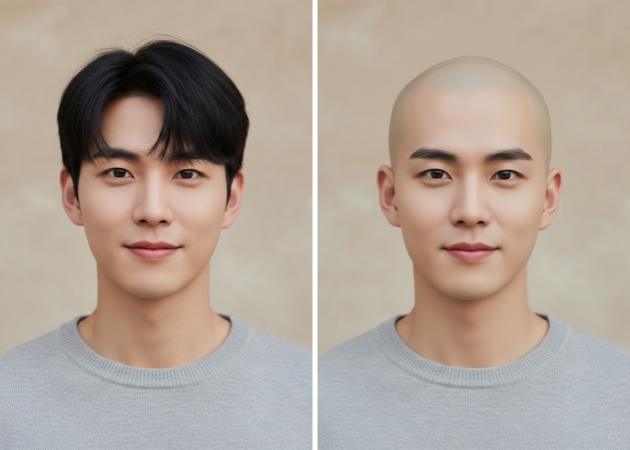
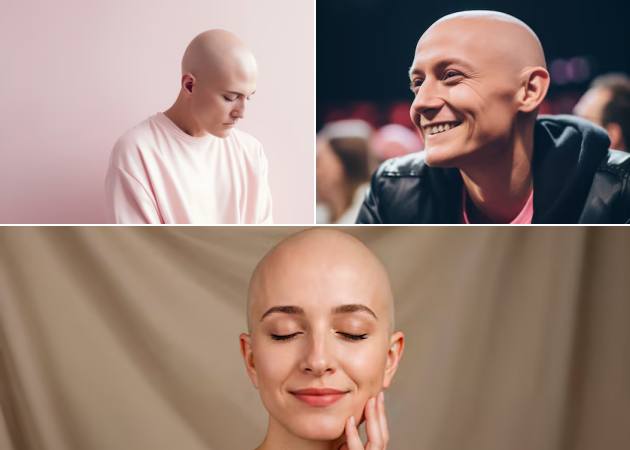
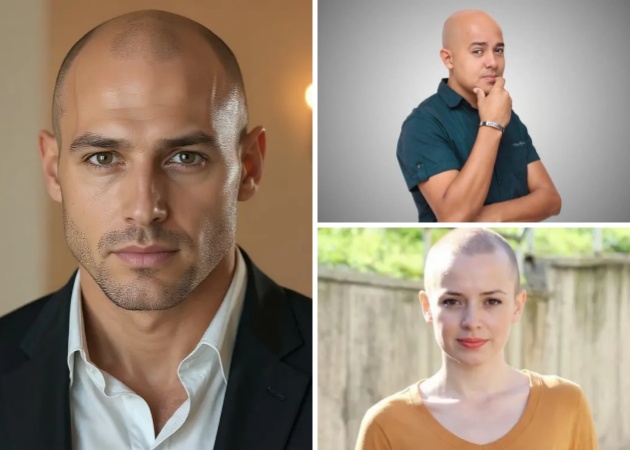
This AI bald filter online photo editor is designed to help you instantly visualize a bald look in a realistic and natural way. It’s ideal for anyone curious about a new appearance or planning a style change, offering quick results without editing skills.

Slogan of the App Product (write in another perspective)

ai-powered bald tranformation

AI-Powered Bald Transformation

Curious about how you’d look without hair? This feature uses smart technology to remove hair cleanly and replace it with a smooth, natural scalp that fits your face. What makes this bald filter helpful is how fast it works; you upload a photo and see the transformation almost instantly. There’s no need to manually erase hair, which saves time and avoids awkward results. Whether it’s for entertainment or self-exploration, the process feels effortless and satisfying.

Text Prompt Customization

By typing what you want, like a "clean shave or a slightly textured scalp," you guide the AI bald filter to match your idea. This gives you more control without requiring editing skills or technical knowledge. It feels more personal because you’re shaping the final look through words, not complicated tools. Moreover, the experience becomes interactive, almost like giving instructions to a stylist. Your simple prompt changes can lead to noticeable differences in results, making experimentation fun.

text prompt customization
realistic skin & head shape rendering

Realistic Skin & Head Shape Rendering

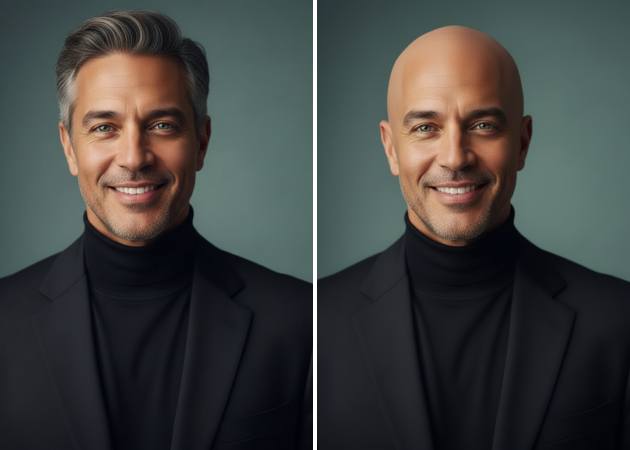
A bald look only works if it feels believable, and this feature focuses on the details that matter most. The bald filter online photo editor keeps your facial structure, skin tone, and head shape intact, so the image still looks like you. There’s no flat or plastic finish, which is often the problem with basic filters. Besides, the shadows, highlights, and proportions stay balanced. This helps the edit blend smoothly with your original photo.

High-Quality Output for Sharing

Once you’re happy with the look, image quality shouldn’t hold you back. This online bald filter delivers clear, sharp results that look good on social media, in chats, or in profile photos. The details remain crisp even after saving or sharing, which keeps the edit from feeling rushed. You don’t have to redo the process just to get a better version for posting. It’s designed for quick sharing without sacrificing clarity.

high-quality output for sharing

How to Create a Bald Head Look Easily?

  • 01
    Launch the Bald Filter Editor
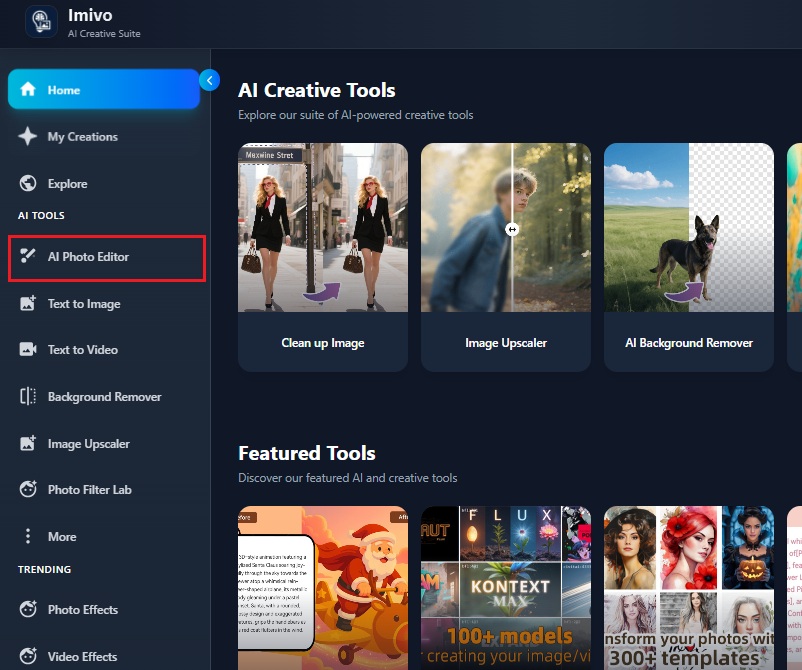
    Access the online tool directly from your web browser without needing any software downloads or installations. Log in to your account if you are an existing user; if not, register for an account. Then, on the main dashboard, click the "AI Photo Editor."
  • 02
    Add Prompt and Upload Image
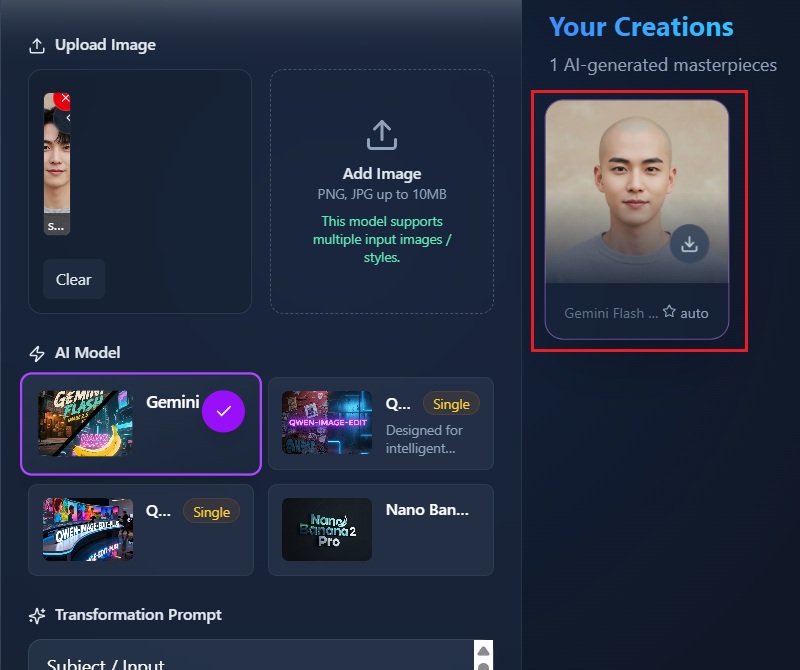
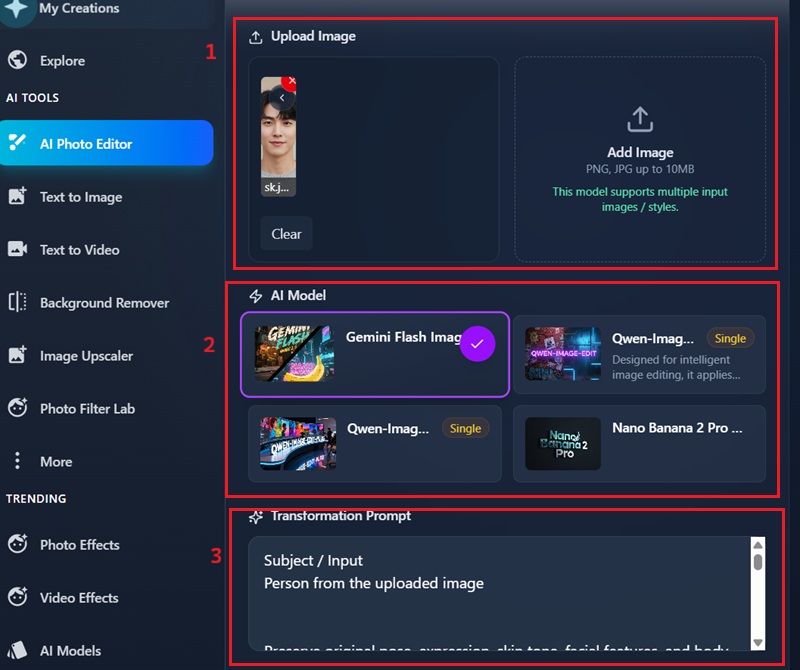
    From the AI Photo Editor interface, choose the "AI Model" you want to use for your photo editing. Then, in the prompt box, input a detailed description of the desired bald hairstyle or effect. After that, click on the upload box and pick the photo you want to edit.
  • 03
    Create a Bald Image
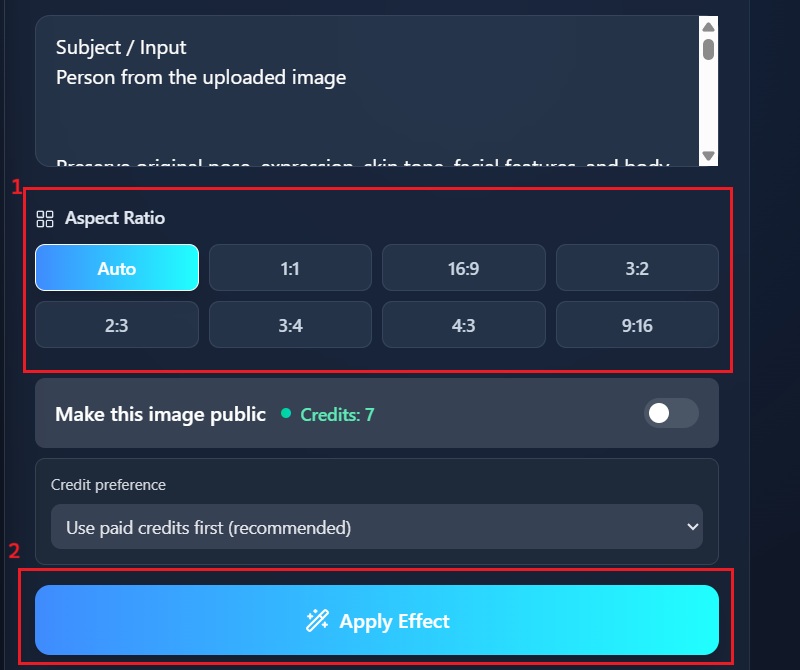
    Then, choose your desired aspect ratio for your output image. After specifying your preferences, initiate the AI transformation process by clicking the "Apply Effect." This will prompt the AI to generate a bald version of your uploaded image.
  • 04
    Download Your Result
    Once the AI has processed your image, a preview of your bald transformation will appear, allowing for immediate review. You can then save your edited image by clicking the "Download" icon. Then, access your bald image, and share it with friends or on social media platforms to showcase your new look.
launch the bald filter editor
add prompt and upload image
create a bald image
download your result

Explore More Smart Editing Tools for Everyday Needs

These apps cater to users who want to explore AI creativity, transform photos into art, and generate unique visuals without technical skills. From realistic human portraits to artistic mosaics and custom vehicles, each tool helps bring imaginative ideas to life with just a few taps.
"Tried this AI bald filter online just out of curiosity, and it actually looked more realistic than expected. The head shape and skin tone stayed natural, which surprised me. It was quick to use and didn’t feel complicated."
Blake Carlson, Marketing Executive
2026-01-02
iiiii
iiiii

"I tried this with my classmates' selfies, just for fun. The bald effect blended well and didn’t look awkward. It was fun to share and see their reactions to their virtual bald transformations."
Cassius Ferrer, College Student
2025-12-28
iiiii
iiiii

"This was fun to try during a break. The result didn’t look edited or fake, which made it more enjoyable. It gave me a good idea of how I might look with a shaved head."
Sameer Lindsay, Office Administrator
2025-12-17
iiiii
iiiii

"I used the tool to see if going bald would match my look. The output was hilarious but clean and didn’t mess up my facial features. It’s simple but does the job well."
Warreb Ferrell, Fitness Coach
2025-12-15
iiiii
iiiii

"The AI bald filter online helped me create a quick visual for a post idea. It processed quickly and maintained decent image quality. No extra steps, which I liked."
Saira Bowers, Content Creator
2025-12-10
iiiii
iiiii

"I wasn’t expecting much, but the result turned out pretty believable. The lighting and skin details looked consistent. It felt more like a preview than a filter."
Katy Galvan, Sales Representative
2025-12-03

iiiii
iiiii

Why Choose Us

FAQs about AI Bald Filter Photo Editor

What exactly is an AI bald filter, and how does it work?

An AI bald filter is a photo editing tool that removes hair from your image and replaces it with a realistic bald look. You upload a photo, and the system scans your face, head shape, and lighting. Then describe the transformation you want for your image. After that, the AI predicts how a bald version of your head should look based on those details. It will then rebuild the scalp area to match your skin tone. Because of this, the result looks more natural and not like a cutout.
Can I edit and apply a bald filter on group photos?

Yes, you can apply the bald filter on group photos using the AI bald filter photo editor. When you upload your image, the tool detects multiple faces in your image. To ensure the correct person receives the bald effect, you should clearly mention it in the transformation prompt. For example, you can specify which person you want to edit. This helps the AI focus on the correct face rather than randomly applying changes. The rest of the people in the image stay untouched. As a result, the final output looks clean and intentional.
Can I use this photo editor without downloading an app?

Yes, you can use the photo editor without installing anything on your device. Since it is a web-based tool, everything runs directly in your browser. You only need an internet connection to upload and process images. This means you don’t have to worry about storage space or updates. It also works across different devices, including laptops and mobile phones. The editing process feels smooth and quick.

Are my photos protected when processing?

Yes, your photos are protected while they are being processed. The images are encrypted, which helps prevent unauthorized access. During editing, your photo is only used to generate the requested result. You also have control over whether your image stays private or is shared publicly. Sharing is optional and meant for users who want to inspire others. If you choose not to share, the image remains private.

Do I need photo editing skills to use the AI bald filter?

No editing skills are required to use the AI bald filter. The tool is designed to guide you through each step clearly. You upload a photo, add a short prompt, and let the AI handle the rest. There are no manual brushes or complicated controls. Even if you are a first-time user, you can get good results. Additionally, the bald filter photo editor's interface is simple and easy to understand. This makes the experience stress-free and accessible for everyone.

pro image logoAceThinker PicWish

Edit Photos With Confidence

pro banner image
Back to Top
Contact Us
Learning Center