menu

Photo to Mosaic - Create Stunning Mosaic Images

The tool helps you transform ordinary images into detailed mosaic artworks quickly and easily. It can create unique, colorful visuals without complex editing skills, which makes it ideal for anyone, especially artists.

Transform Pictures Into Mosaic Art Easily Online

mosaic art made simple

Mosaic Art Made Simple

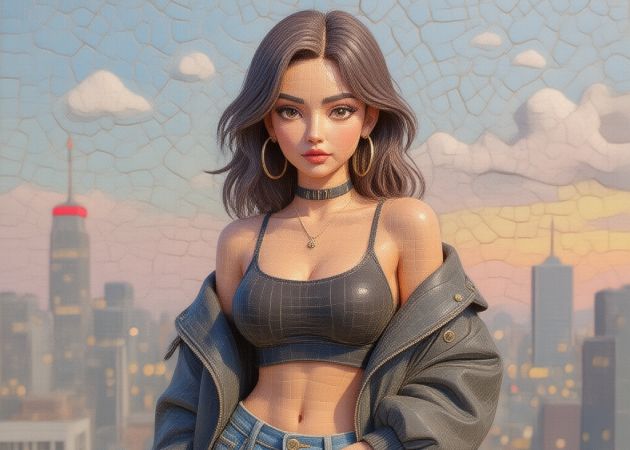
Using the photo mosaic filter, you can easily and quickly create stunning mosaic designs. For example, you might upload a landscape photograph, and the filter will automatically arrange thousands of small colored tiles to re-form the image as a mosaic. With this feature, turning your photos into mosaic art becomes effortless. The tool automatically arranges tiny tiles to recreate your image, saving you time and effort. Even beginners can achieve impressive results without learning complex software. It also ensures each mosaic retains clear details and vibrant colors. As a result, anyone can create professional-looking artwork in minutes.

Convert Portraits into Mosaic Look

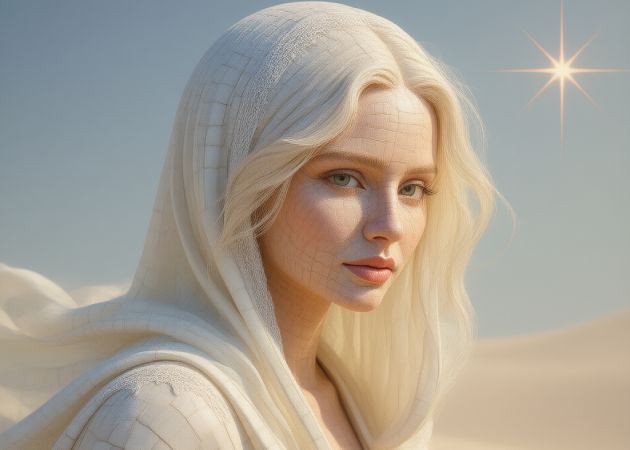
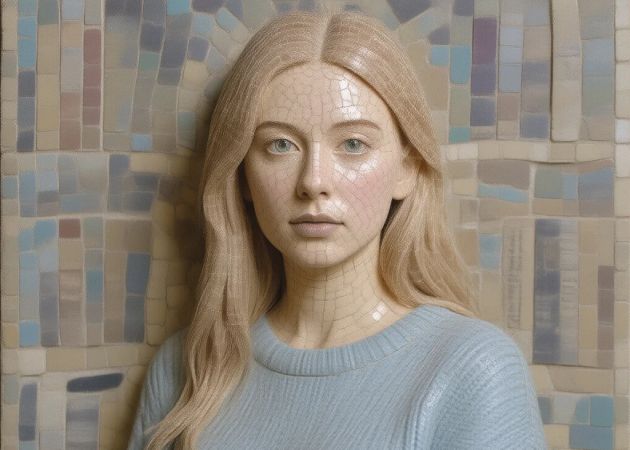
This feature allows you to transform portraits into unique mosaic images. It keeps the subject’s key details intact while giving a creative tile-based appearance. The process works automatically, so you don’t need advanced skills. Plus, it’s perfect for personal photos, profile pictures, or gifts. Additionally, the tool maintains clarity, ensuring faces remain recognizable. With Photo Mosaic Free, you can experiment with portraits without spending money.

convert portraits into mosaic look
suitable for all users

Suitable for All Users

We designed our tool for everyone! Whether you are a student, artist, or casual user, you can utilize this AI filter tool. Additionally, you don’t need prior experience, as the interface is simple and intuitive. Moreover, it is accessible for any browser and ensures fast processing. This makes it easy to create mosaics for social media, personal projects, or print. Aside from that, it works on all types of photos, from selfies to landscapes; you can upload them all. By using this tool to create photo mosaic, anyone can make creative artwork in just a few clicks.

Make Images Look Retro

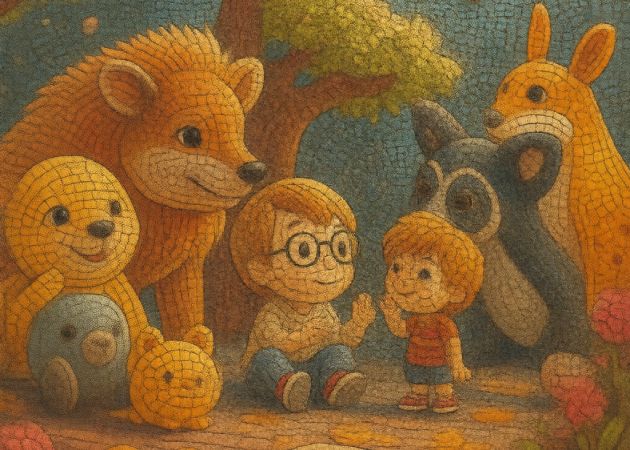
Are you a fan of the retro style? This feature gives your mosaic creations a nostalgic, retro appearance. For example, the color tones and tile layout add a vintage feel, making your photos stand out. The effect is applied automatically, so you can see the transformation instantly. In addition, it saves you time while delivering stylish, artistic results. Besides, the tool is ideal for themed projects, gifts, or decorative pieces. Using a free online photo mosaic creator, you can achieve this retro-mosaic look without installing any software.

make images look retro

Follow These Easy Steps to Transform a Photo into Mosaic Art

  • 01
    Access the Main Dashboard
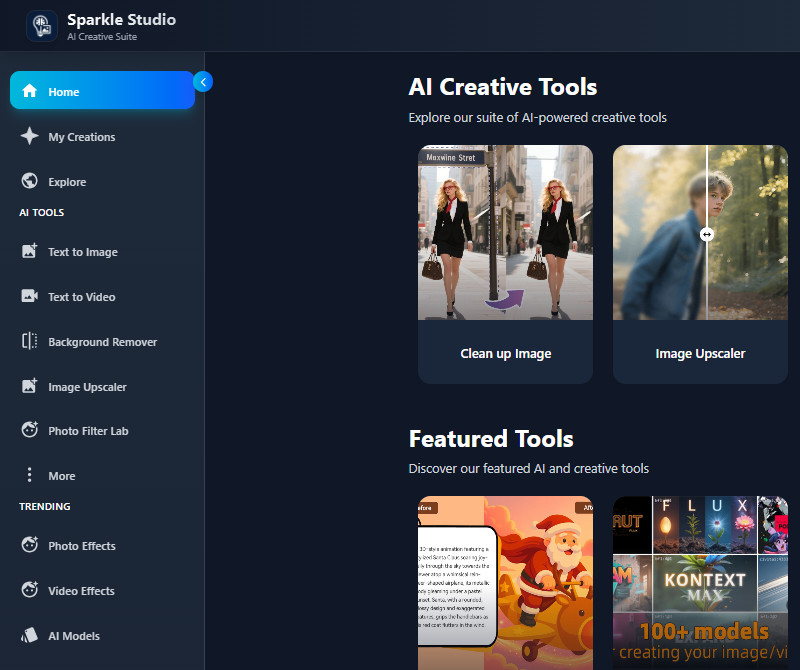
    Begin by searching for and opening our Photo to Mosaic tool in your web browser. Then, the tool asks you to register or sign in. After that, you will access the main dashboard.
  • 02
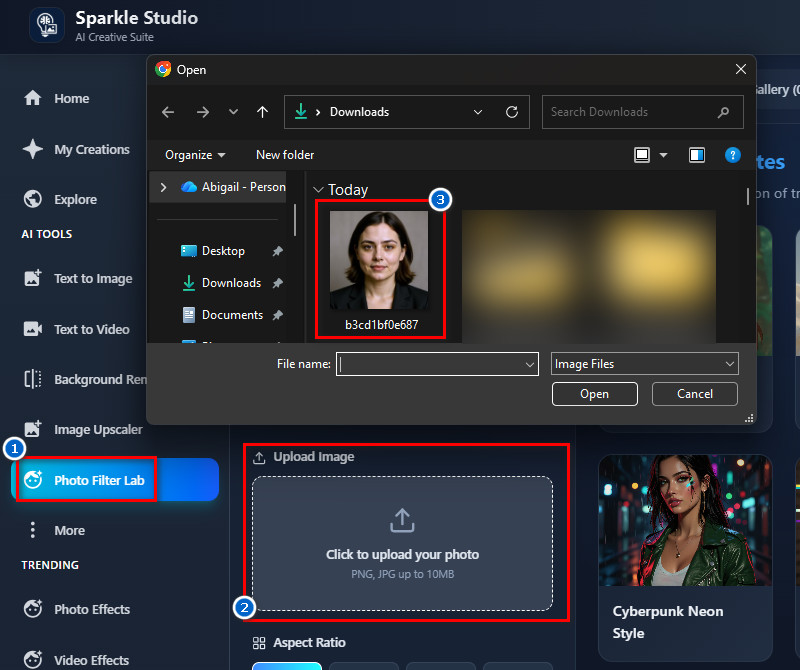
    Upload the Photo
    Next, go to the "Photo Filter Lab" section to access all the photo filters. From there, look at the upload section. Click the button there, then select the image you want to apply the filter to in the pop-up File Explorer.
  • 03
    Apply the Mosaic Filter
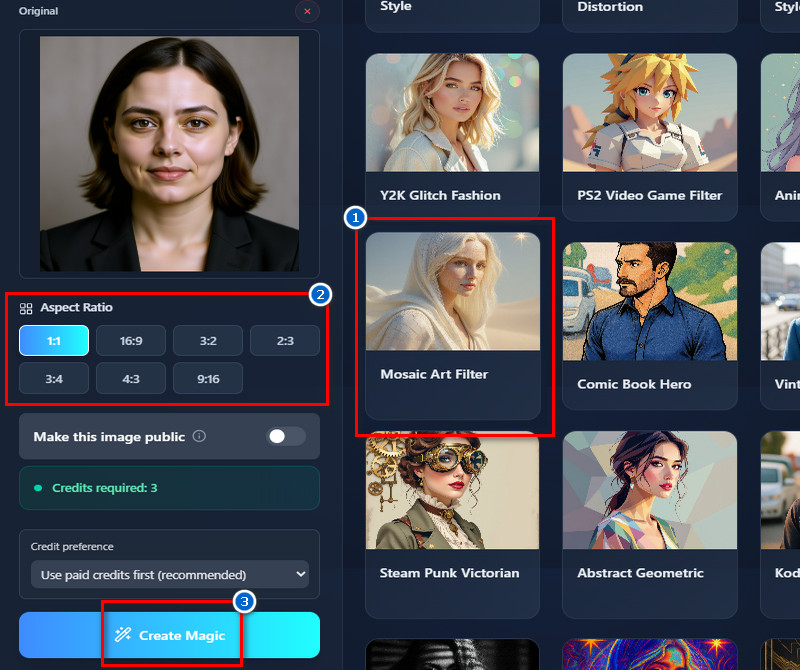
    Once the photo is uploaded, find the mosaic art filter on the right side. Click the filter to select it, then choose an output image size in the "Aspect Ratio" section. After that, click the "Create Magic" button to start applying the filter.
  • 04
    Download the Final Image
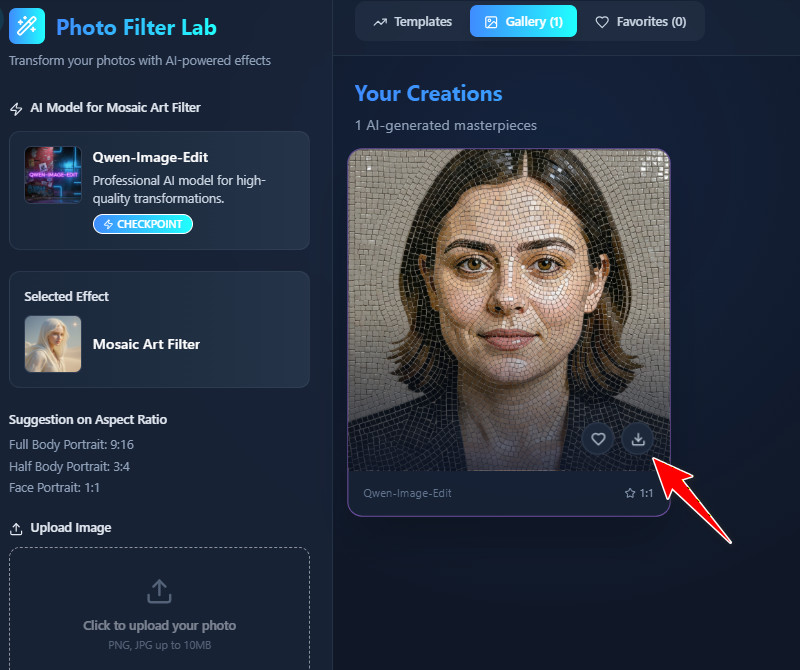
    After a minute, the tool will provide the result. You will see it in the "Gallery" section, below the original photo. Once satisfied, use the "Download" icon on the final image to save it.
access the main dashboard
upload the photo
apply the mosaic filter
download the final image

Discover Apps You’ll Love

The AI tools listed below are designed to help you quickly and easily create, edit, and enhance photos. They cater to different needs to improve your photos. This way, you can find the right tool to simplify your projects and achieve professional results.
"This tool helped me create mosaic art for a client project. The tiles looked clean, and the overall effect was impressive. It saved me a lot of time on editing."
Eva Adam, Graphic Designer
12-01-2025
iiiii
iiiii

"I applied it to my sketches to create mosaic-style art. The tool preserved important details while adding creativity. It’s fun and practical for my projects."
César Salas, Illustrator
10-19-2025
iiiii
iiiii

"I wanted to make a mosaic for a birthday card, and it worked perfectly. The process was fast, and the final image looked unique. It’s really easy to navigate the tool."
Raffaella Poli, Hotel Manager
10-13-2025
iiiii
iiiii

"I tried it on some old photos, and they looked completely new. The mosaic style added an artistic vibe. The tool is fast and easy to use."
Aaron Fontaine, Mechanic
11-17-2025
iiiii
iiiii

"I tried this tool just for fun, and it was surprisingly good. The mosaic effect looked professional. I could quickly create different versions of the same photo."
Vic Carlier, IT Support
11-20-2025
iiiii
iiiii

"I converted a travel photo into a mosaic, and it looked amazing. The tiles added a nice, creative touch. It was very easy to use and fast."
Ann Lundgren, Therapist
12-13-2025

iiiii
iiiii

Why Choose Us

Frequently Asked Questions

What is Photo Mosaic?

Photo Mosaic is a technique that turns an ordinary photo into a mosaic composed of many small tiles. Each tile contributes to forming the overall image, creating an artistic effect. The tool automates this process, so you don’t need advanced skills. It works with any type of photo, including portraits, landscapes, or objects. This makes it easy to create unique and visually appealing images. Overall, it is a fun and creative way to transform your photos.

What is the range of block sizes in the mosaic effect?

The tool uses smaller blocks automatically to create detailed mosaics. You don’t need to adjust the size yourself, as the effect is applied consistently. Smaller blocks help preserve the main details and make the image look clear. Even without customization, the mosaic still appears visually appealing. The process is fully automated, so it’s very easy to use. As a result, anyone can create a detailed and beautiful mosaic with just one click.

Can I use multiple photos to create one mosaic?

No, the tool does not require multiple photos to create a mosaic. It works by applying the mosaic effect to a single image. The algorithm rearranges the tiles automatically to form the final mosaic. You don’t need to manually combine or edit multiple pictures. This makes it simple and fast to generate mosaic art. You can achieve creative results using just one photo.

Are there any restrictions on commercial use?

No, there are no restrictions on commercial use. You can use the mosaic images for personal projects, social media, or business purposes. This includes printed materials, advertisements, or online content. Additionally, the tool allows you to create content freely without worrying about licensing issues. You can also sell or share the images without limitation. However, make sure the uploaded photo is yours and that you did not download it from the internet to avoid copyright issues.
Can I customize the color or style of tiles?

No, the tool applies a retro style automatically to your image. You cannot change the colors or patterns of the tiles. This ensures a consistent artistic look for every mosaic. Likewise, the retro style gives the image a vintage and appealing feel. Even without customization, the results are visually attractive. You just need to upload your photo, and the tool takes care of the rest.

acethinker picwish logoAceThinker PicWish

Clear Backgrounds, Better Images

pro banner image
Back to Top
Contact Us
Learning Center