menu

Pop Art Generator - AI-Powered Pop Art Creation

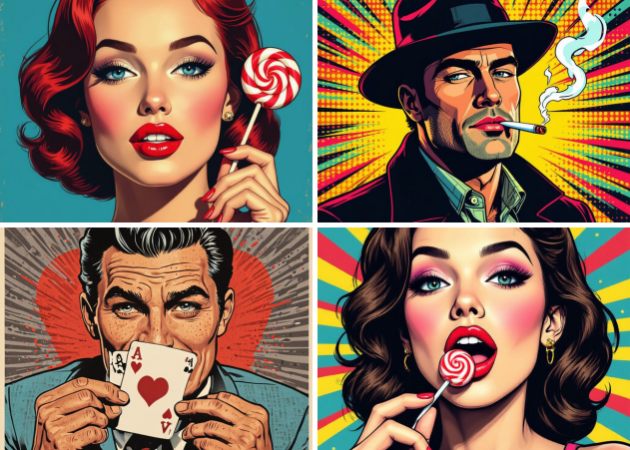
Pop Art Generator lets users create bold, colorful pop art images from text prompts or photos, powered by AI. It is made for anyone who wants to create eye-catching pop art images easily, even without any design experience.

Transform Words and Existing Photos Into Eye-Catching Art

customize your pop art style

Customize Your Pop Art Style

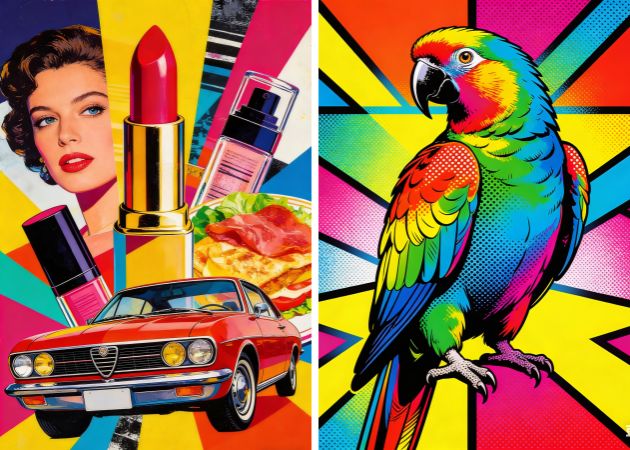
Unleash your creativity with full control over every detail. This tool lets you choose how bold, colorful, or simple your artwork should look, so the result really matches your taste. You can change styles by typing what you want, like bright comic colors, old-school tones, or modern pop looks. This makes the pop art generator AI great for people who want their art to feel personal instead of ordinary. For example, you can describe a fun poster style or a neat gallery look, and the tool follows your idea. It gives you freedom without needing any design experience.

High-Quality Pop Art for Print & Digital

Enjoy results that look sharp and ready to use anywhere. With this Pop Art Generator Free, the generated images are clear, detailed, and visually strong. The output is in JPG format, which works well for both online sharing and physical printing. Whether you plan to post on social media, add visuals to a blog, or print wall art, the quality stays consistent. This helps you save time while still getting reliable results.

high quality pop art for print and digital
bring your pop art vision to life

Bring Your Pop Art Vision to Life

Turn ideas into visuals without complicated steps. The tool focuses on transforming simple text descriptions into finished artwork. You only need to explain what you imagine, such as colors, mood, or theme, and the tool handles the creation process. This makes the AI pop art generator free, especially helpful for users who struggle to draw or design manually. You can simply describe 'create me a bold pop art portrait inspired by classic posters", and see it generated instantly. We also recommend using a detailed prompt for more precise, accurate results. It also removes creative barriers and makes experimentation easy.

Turn Your Photos into Pop Art

Give your own images a bold artistic makeover. With this AI generator, you are not limited to creating images from scratch. You can upload your own selfie and transform it into a colorful pop-art-style image with simple prompts. This pop art generator from photo is great for profile pictures, gifts, or creative projects. For instance, a regular selfie can become a vibrant pop art portrait in seconds. It helps you turn everyday photos into eye-catching artwork effortlessly.

turn your photos into pop art

How to Generate Unique Pop Art Easily?

  • 01
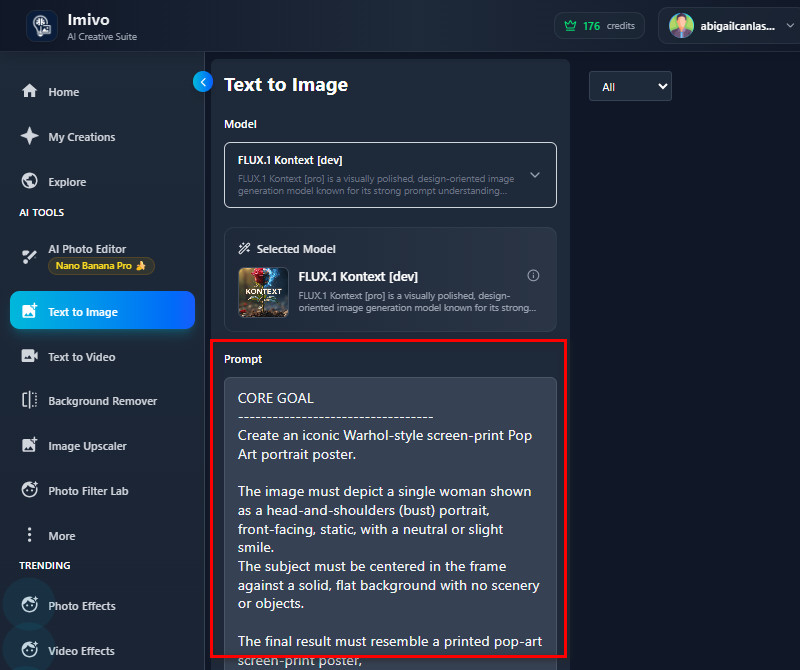
    Navigate to Text to Image
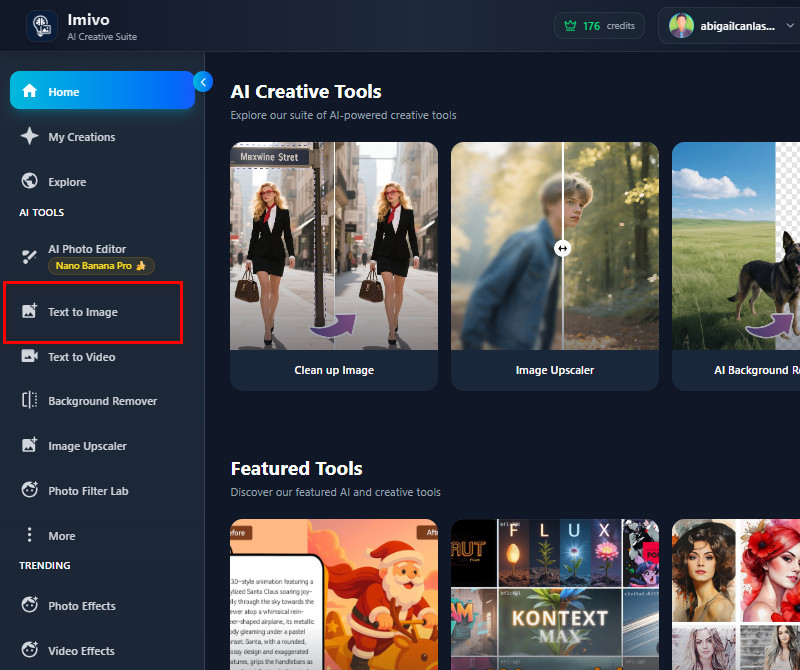
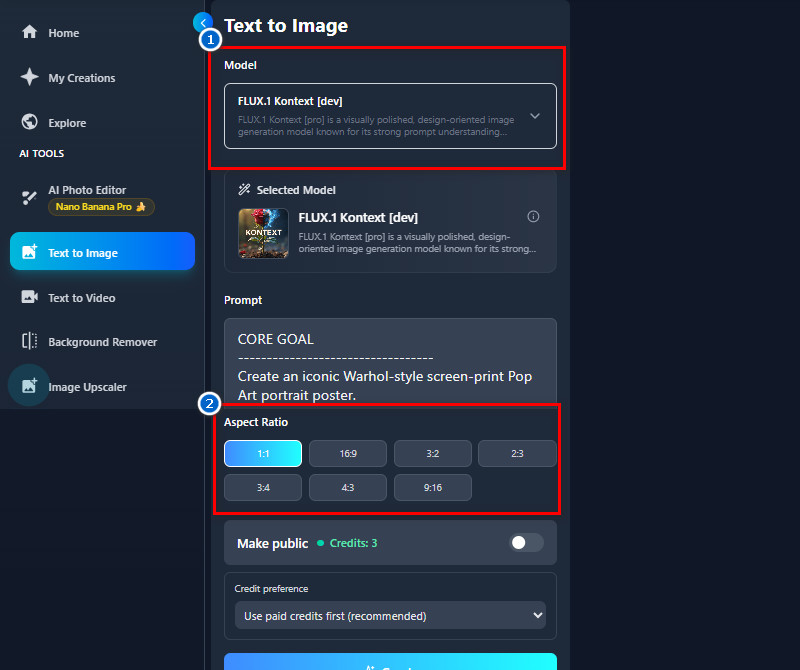
    Open the AceThinker AI Image Generator and Editor in any web browser. Then, if you have an account, log in. If you don't have one, you need to create an account to access all the tools. Once you reach the main dashboard, look for "Text to Image" under AI Tools.
  • 02
    Enter Your Text Prompt
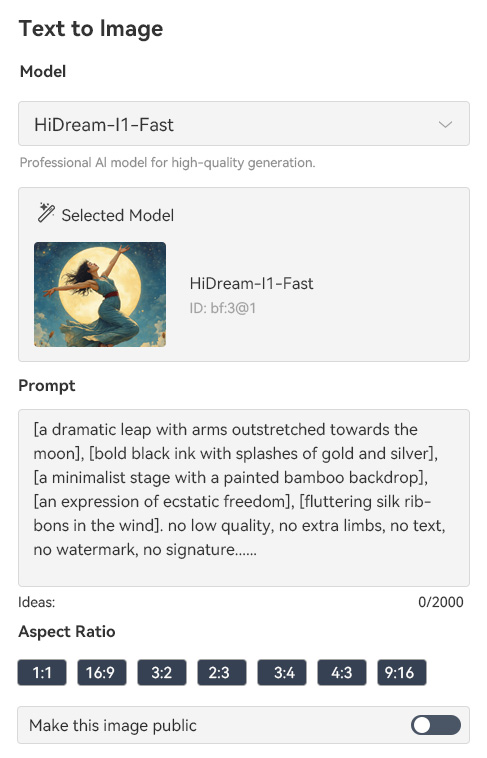
    In the Prompt box, describe the pop art you want to create. You can include details such as colors, style, subject, background, or any specific effects. The more specific and detailed your description, the closer the result will match your vision.
  • 03
    Choose Your Settings
    Next, choose the AI model you prefer that will help you generate your prompt text. Then, scroll down and select the aspect ratio you prefer for your output image. After that, hit the "Create" button below and let the AI model do its work.
  • 04
    Preview and Download
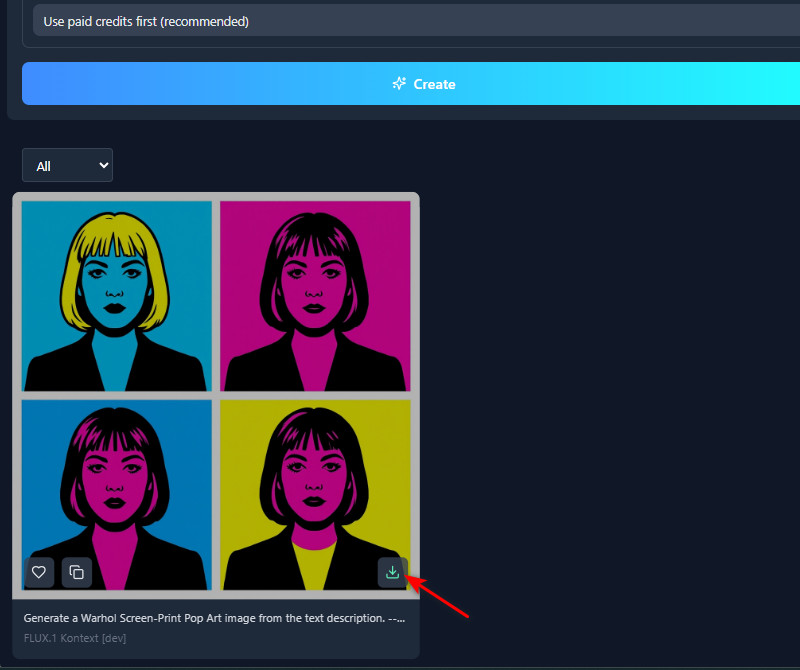
    After a few seconds, you can now preview the result in the Gallery section. You can check the result and see if it matches your description. When you're happy with the output, tap the download icon in the output photo to save it to your device.
navigate to text to image
enter your text prompt
choose your settings
preview and download

Explore More AI Online Tools to Try

Describe the main purpose of these recommendations, correlate your description with user needs. Make it no more than 3 sentences.
"I love how this tool can create bold, creative images from text prompts. The colors and details are very vibrant. It’s easy to use, even without any design experience."
Jacob Ross, Photographer
10-25-2025
iiiii
iiiii

"I used this tool to make pop art from my favorite photo. It was simple to describe the style I wanted, and the AI generated it perfectly. The result looked bright and eye-catching."
Ema Pérez, Writer
12-15-2025
iiiii
iiiii

"It’s amazing how the AI captures the style I described in the prompt. I can create pop art from scratch or from my photos. It’s fast and reliable."
Michele Chen, Freelancer
12-31-2025
iiiii
iiiii

"I like how flexible the tool is. I can create a pop art piece from a prompt or upload my own photo. It delivers consistent, high-quality results every time. "
Alejandro Guerrero, Graphic Designer
01-19-2026
iiiii
iiiii

"I tried creating pop art from scratch, and it worked really smoothly. The AI perfectly interpreted my text prompt. The images are clear and ready to share online."
James Roche, Music Teacher
11-23-2025
iiiii
iiiii

"This pop art generator is really fun to experiment with. I uploaded a selfie and quickly turned it into a comic-style portrait. The AI did a great job keeping the details clear."
Zara Walker, Call Center Agent
01-05-2026

iiiii
iiiii

Why Choose Us

Frequently Asked Questions

What is pop art?

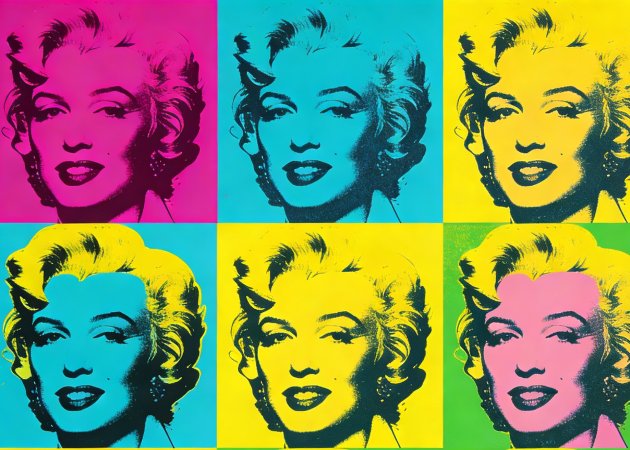
Pop art is a style of art that uses bold colors, clear lines, and simplified shapes to create visually striking images. It often turns everyday objects, people, or scenes into colorful, attention-grabbing visuals. The style became popular in the 1950s and 60s, inspired by comic books and advertisements. Pop art is designed to be fun, modern, and easy to recognize. With a pop art generator, you can recreate this style digitally from text prompts or photos. It allows anyone to create pop art without needing traditional art skills.

Can I create multiple versions from the same text prompt?

Yes, you can make several versions from the same text prompt. Just make sure you have enough credits to create more images. Each time you generate, the AI might give you a slightly different result because it understands prompts in its own way. This makes it easy to try out different colors, styles, and layouts. You can pick your favorite or keep a few versions. It’s a simple way to see different pop art designs from one idea.

Can I create pop art from pet photos?

Yes, you can turn your pet photos into pop art just like selfies or portraits. You can upload your pet’s image and let the AI transform it automatically. Alternatively, you can describe your pet in a text prompt and generate pop art from scratch. This is useful for creating unique gifts, social media posts, or personal collections. The AI preserves your pet’s facial details while applying bold pop art colors. It’s an easy and fun way to make your pets the center of attention.

How realistic or detailed are the generated pop art images?

The pop art images you get are realistic and detailed. The AI uses your photo or prompt and follows your instructions while preserving important features. Colors, shapes, and lines are clear and bold. Even tricky details, like faces or pet markings, show up well. This means you can print, share, or use the images online. You can count on getting high-quality results each time.

Can I specify the layout or composition in my prompt?
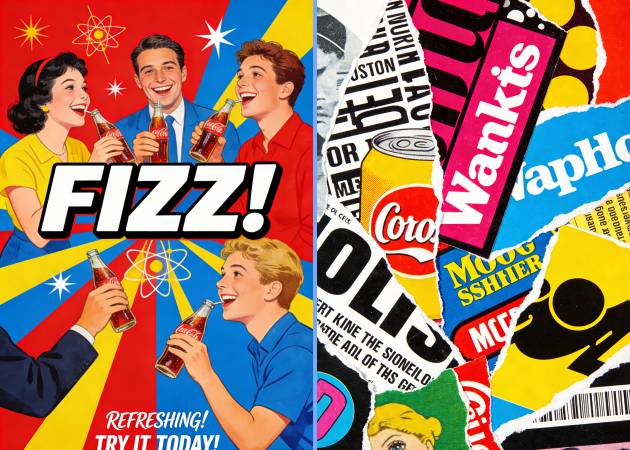
Yes, you can decide the layout or composition in your text prompt. You can say where you want things to go, what the background should look like, or how the image should be arranged. The AI follows your instructions to make your pop art design. This helps you create visuals that are unique and personal. You can also try different prompts to see which layout you like best. It gives you control without editing it manually.
pro image logoAceThinker PicWish

Get Transparent Photo Background Easily

pro banner image
Back to Top
Contact Us
Learning Center