menu

Pregnant Fi;lter - Your Future Pregnancy in a Photo

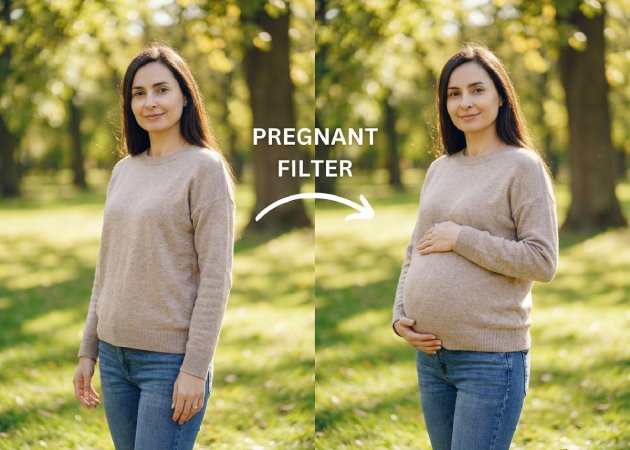
This filter lets you see how you might look during pregnancy with realistic AI-generated effects. It is perfect for expectant mothers and curious individuals who want natural, fun, and shareable maternity photos.

See Your Pregnancy Journey Before It Happens

visualize pregnancy stages with ai

Visualize Pregnancy Stages with AI

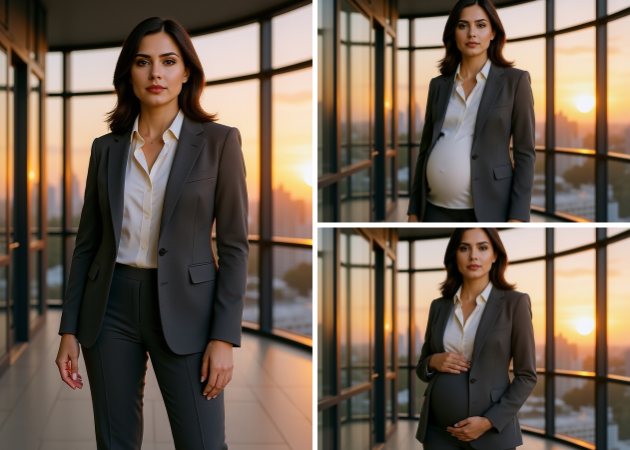
Do you forget to take photos of your pregnancy journey and want to start now? This AI Pregnant Filter lets expecting mothers create realistic maternity photos for every stage of pregnancy. You can describe how you want to start and end the journey, and customize the bump's size, shape, and even posture in each photo. For example, you can create images showing your first trimester with a small bump, then gradually increase the bump as you move through the later months for a full maternity shoot. This allows you to preserve memories you may have missed while keeping the photos natural and realistic. It’s a fun and easy way to document your pregnancy journey from start to finish.

Promote Maternity Products

Our pregnant filter online can also be used for commercial purposes, letting businesses create promotional images for maternity products. The edited photos are completely copyright-free and watermark-free, making them ready for marketing campaigns, online stores, or social media posts. However, it’s important that the original photos are your own and not taken from the internet. You can showcase products like maternity clothes, accessories, and baby items in a natural, professional way. Besides, with this tool, you can save time and money compared to traditional photo shoots. It makes advertising easier while keeping visuals engaging and realistic.

promote maternity products
enjoy creative edits

Enjoy Creative Edits with This AI Filter

Anyone can try out fun and creative edits with the pregnant AI filter. It’s not just for women—you can make men, pets, or even cartoon characters look pregnant for funny or imaginative results. Just upload a photo of a pet, a friend, or a cartoon, and see the instant transformation. The AI keeps the details realistic while adding the pregnancy effect naturally. This tool is perfect for social media, creative projects, or just for fun. It gives you various ways to create playful, shareable content.

Personalized AI Photo Transformations

With this AI Pregnant Filter online, you can fully change your photos by describing exactly what you want in a text prompt. You can adjust the outfit, hand position, hairstyle, accessories, background, lighting, and facial expression. For example, you might create a photo of yourself in a flowing maternity dress with your hands on your bump, standing in a garden, or in comfortable clothes at home. This flexibility lets you control the final image and make sure it matches your ideas. It’s great for both fun edits and professional maternity photos. The AI makes even complex changes easy, quick, and realistic.

personalized ai photo transformation
How to Make a Pregnancy Photo in Seconds?

  • 01
    Visit the AI Tool
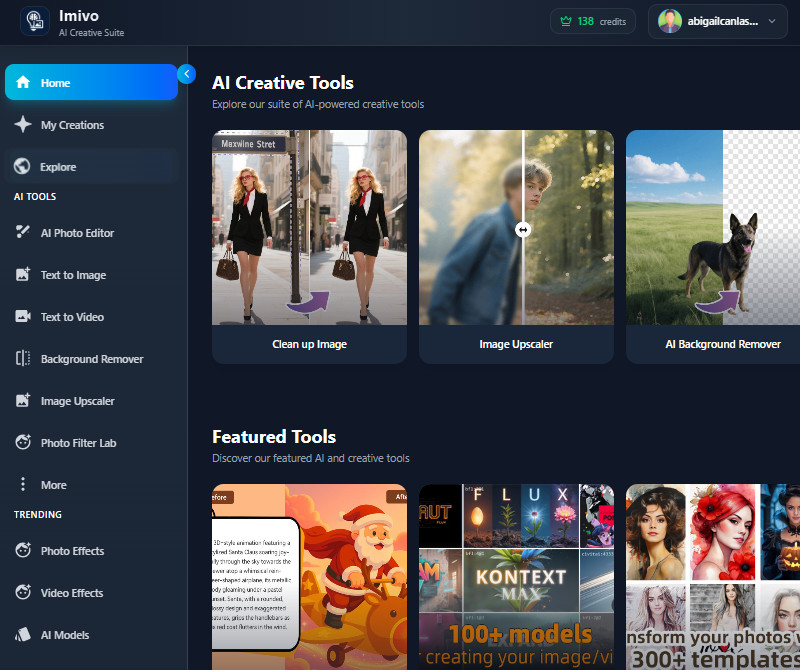
    First, visit the AceThinker AI Image Generator and Editor using a web browser. Then, it will ask you to log in to your account or create a new account. After logging in, you will now have access to the main dashboard of the AI tool.
  • 02
    Navigate to AI Photo Editor
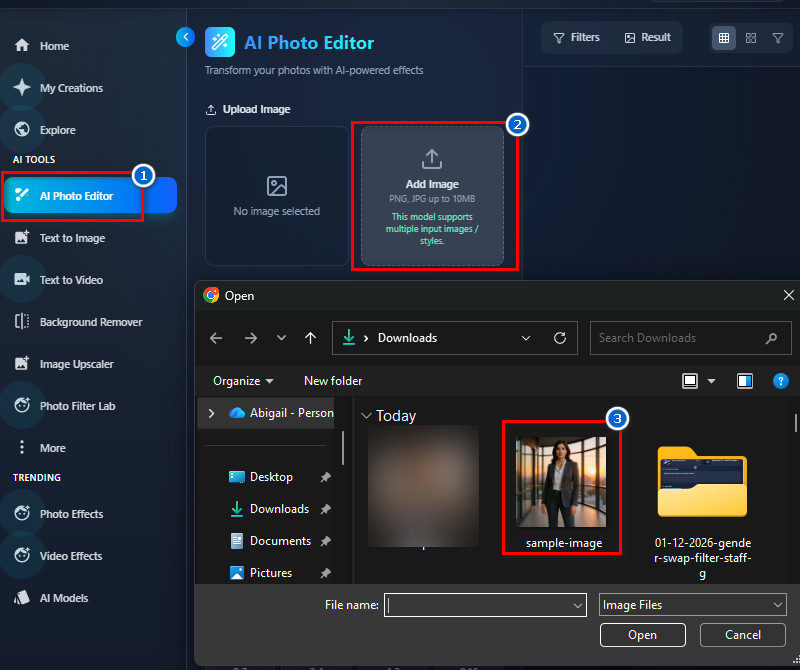
    Next, go to the "AI Photo Editor" tab, which you can use to generate a photo of a pregnant one. Then start uploading your photo by clicking the upload icon, then find and select it in the pop-up "File Explorer." Make sure the photo is clear and does not exceed 10 MB.
  • 03
    Describe the Transformation
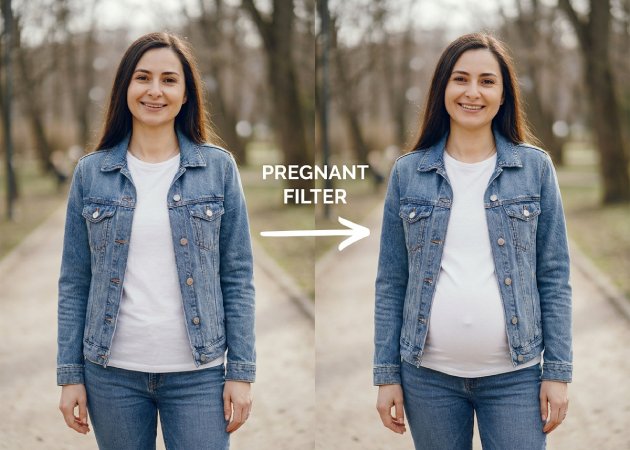
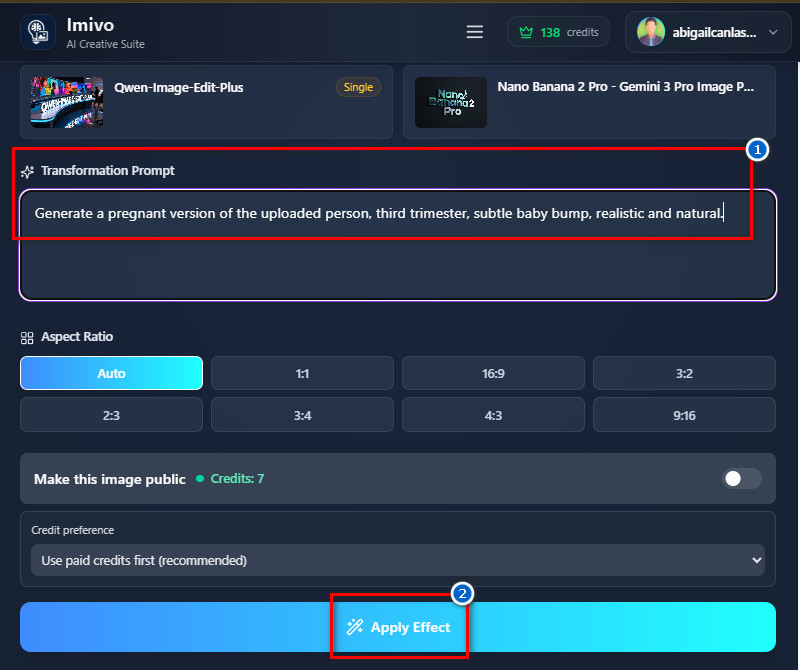
    After that, navigate to the "Transformation Prompt" box and start to describe how you want to transform the image. You include in your description the pregnancy trimester, baby bump size, your looks, outfit, and many more. Make sure to be more detailed (if possible) so you can get an accurate result.
  • 04
    Save the Edited Photo
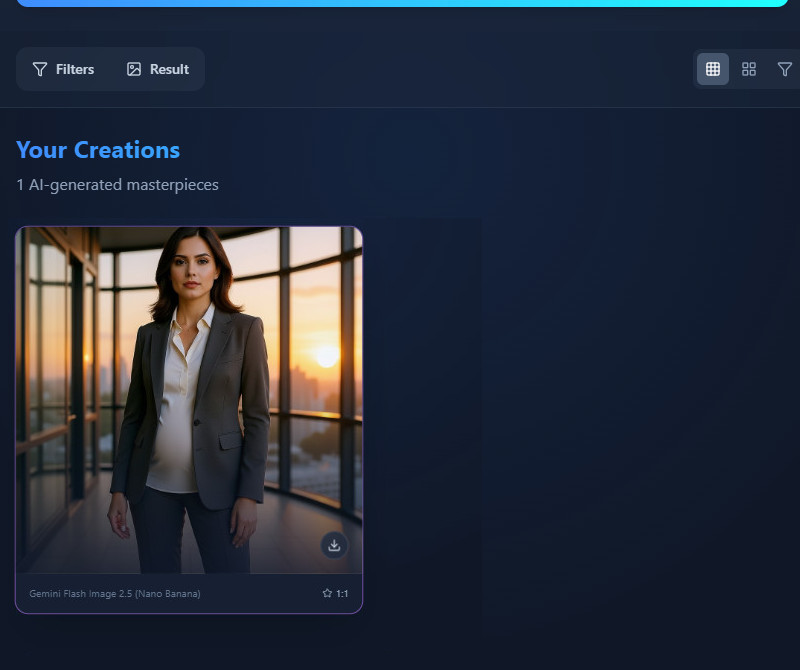
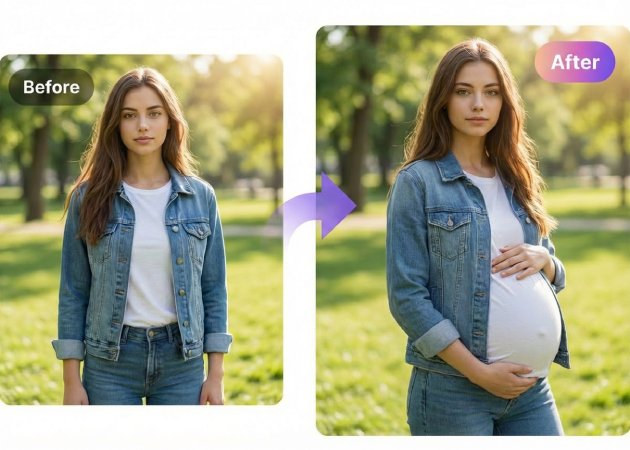
    When the result comes up, preview it on the Gallery tab and see if it looks like how you imagined it. If satisfied, tap the download icon in the photo to save it as a JPG. If not, you can tweak the prompt and generate it again until you can get the result you want.
visit the ai tool
navigate to ai photo editor
describe the transformation
save the edited photo

More Helpful Apps For You

These tools make it easy for anyone to improve and change their photos in creative and useful ways. You can have fun with edits, try out artistic effects, or clean up your pictures without needing any special skills. With a few clicks, you can create celebrity images, add unique effects, make mosaics, or remove things you don’t want in your photos.
"The Pregnant Filter online is surprisingly accurate. I uploaded my selfie, added some details, and it generated a natural-looking bump. It only took a few seconds."
Phoebe Zhang, Engineer
10-15-2025
iiiii
iiiii

"I used it for a friend who is expecting, and it was fun to see the preview. The AI kept facial expressions intact and looked very natural. The result was realistic and easy to share."
Lillie Taylor, Chef
10-14-2025
iiiii
iiiii

"I didn’t expect the results to look so natural. The Pregnant Filter online maintains facial details while generating the bump. It’s a great tool for casual experiments."
Aria Smith, Software Developer
01–05-2026
iiiii
iiiii

"I enjoyed using the Pregnant Filter online for a creative project. The AI made the transformation look realistic. I could also adjust details like the outfit and pose."
Annabelle Sharma, Content Creator
12-18-2025
iiiii
iiiii

"I love how easy it is to use. I could visualize my pregnancy at different stages without any complicated editing. The AI did a good job keeping my features realistic."
Abigail Williams, Nurse
12-09-2025
iiiii
iiiii

"The tool is straightforward and easy to navigate. The pregnancy effect looks natural and doesn’t distort my face. It was ready in just a few seconds."
Lucy Li, Musician
11-20-2025
iiiii
iiiii

Why Choose Us

Frequently Asked Questions

How realistic are the results?

The results are very realistic because the AI studies body shape, lighting, and skin texture in your photo. It understands where a baby bump should naturally appear on the body. Then, the system blends the bump smoothly with your clothes and posture. It also keeps your facial features and expressions unchanged unless you indicate in your prompt that you want to change them. This helps the final image look like a real maternity photo. Most users are surprised by how natural the output appears.

How long does it take to generate a pregnant photo?

The pregnant photo is usually generated in just a few seconds. You only need to upload your image and add your description. After that, the AI processes everything automatically without extra steps. Don't worry, the process speed does not reduce the image quality, so you will get the original quality. Besides, even large photos are handled quickly. This makes it easy to make multiple edits quickly.

Can I customize the pregnancy stage or clothing?

Yes, you can fully customize the pregnancy stage and clothing using your prompt. You can describe whether you want an early, mid, or late pregnancy look. You may also mention what type of outfit you want in the image. The AI follows your instructions carefully to match your vision. You can adjust details until the result looks right for you. This gives you control over how your maternity photo appears.

Can I use the AI Pregnant Filter multiple times with different photos?

Yes, you can use the tool many times, but it works on a credit-based system. Each edit costs 7 credits, and every user gets 10 free credits to try the tool first. If you are happy with the results, you can buy more credits by going to Credits Available, then Buy Credits, and choosing a plan. One-time credit packs range from $1.99 to $39.99. There are also subscription plans that range from $2.50 to $30.00. This lets you choose a payment option that fits your needs.

What devices does the AI Pregnant Filter support?

You can use the tool on desktops, laptops, and mobile phones. It works directly in a web browser, so no app download is needed. Both new and older browsers are supported. For example, it works on Chrome, Edge, Firefox, Opera, and similar browsers. This makes it easy to access from almost any device. You can edit photos at home or while on the go.

pro image logoAceThinker PicWish

Remove Backgrounds Like Magic

pro banner image
Back to Top
Contact Us
Learning Center