menu

AI Y2K Filter – Bring Back the Bold 2000s Aesthetic

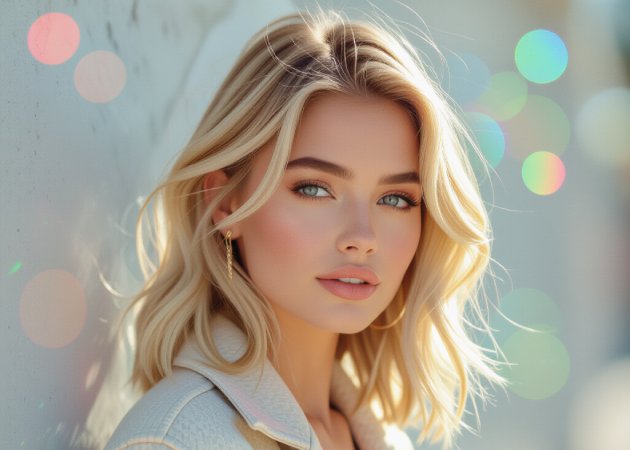
The Free AI Y2K Filter lets you recreate the iconic look of the early 2000s with just one upload. Powered by intelligent image processing, it enhances photos with glossy highlights, vibrant colors, and retro-inspired textures while preserving facial details in a natural, clear way. The tool is designed for users who love nostalgic visuals, pop culture styling, and expressive photo edits. In just seconds, your image is transformed into a trendy throwback ready for sharing.

AI Y2K Filter Brings Back the Iconic Retro-Futuristic Vibes

authentic y2k color and chrome effects

Authentic Y2K Color and Chrome Effects

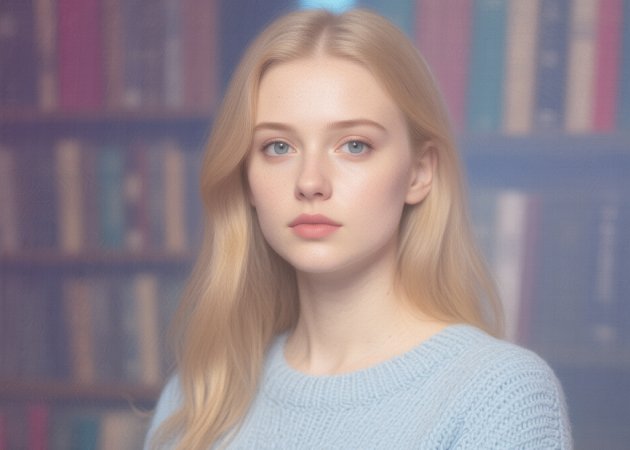
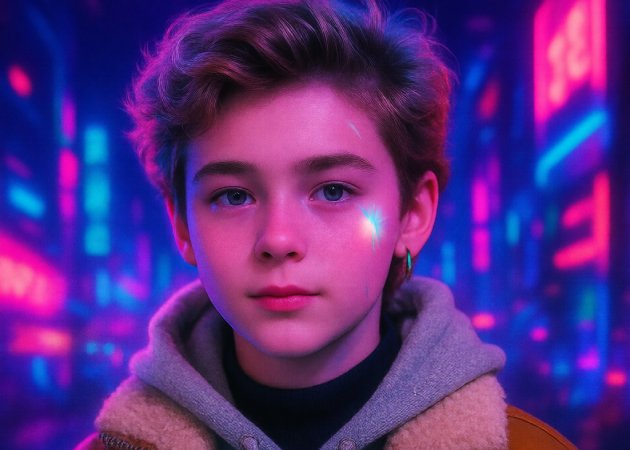
The AI Y2K Filter applies the signature vibrant color palettes and metallic finishes that defined early-2000s aesthetics, blending bold neon hues with reflective chrome accents for striking visuals. These effects mimic the futuristic design trends of the era, giving your photos a distinctive glossy look that stands out on social media. Warm pinks, electric blues, and flashy gradients evoke the pop culture and digital optimism of the millennium period. The AI adjusts tones intelligently to keep colors balanced and eye-catching. This feature ensures every image captures the nostalgic energy of classic Y2K visuals.

Retro Digital Texture and Glitch Details

This feature introduces digital-era textures, such as subtle grain, soft lens flare, and slight glitch cues reminiscent of early digital cameras and interfaces. The AI recreates the imperfect, slightly lo-fi feel found in photos from that time, adding character and depth without overwhelming your image. These digital touches inject a sense of nostalgia and authenticity that feels true to the Y2K period. Gentle artifacts and enhanced highlights give photos a dynamic, curated flair. Users enjoy visuals that feel both nostalgic and contemporary.

retro digital texture and glitch details
nostalgic visual styling and filters

Nostalgic Visual Styling and Filters

The AI Y2K Filter Generator blends retro aesthetics with modern processing to create expressive photo transformations that feel both playful and stylish. It enhances features such as highlights, shadows, and contrast, conveying early-millennium visual themes without losing clarity. Users can also adjust the stylistic intensity to lean toward soft, dreamlike effects or bold, high-energy retro finishes. This flexibility allows you to explore different Y2K-inspired looks in your photos. The final output feels cohesive, trendy, and ready for sharing.

Retain Facial Details with Y2K Flair

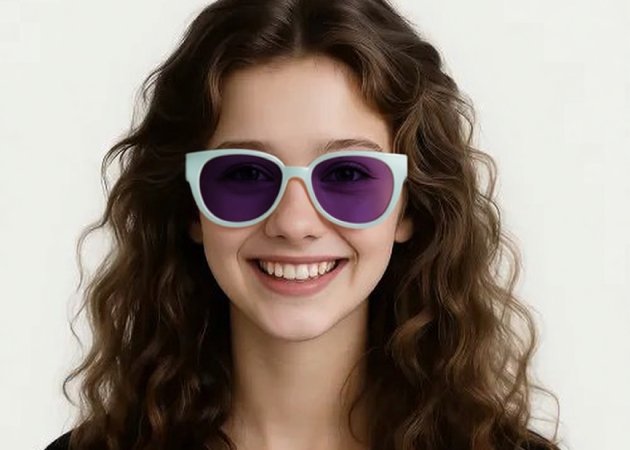
While applying strong Y2K aesthetic effects, the AI prioritizes preserving your subject's facial expressions and identity features so they still look natural and recognizable. The algorithm carefully balances texture overlays and retro enhancements to avoid distorting important visual details. This makes the filter suitable for personal portraits, profile pictures, and group shots alike. Even with dramatic color and texture treatments, the resulting effect feels polished and intentional. Take advantage of this feature to create images that combine nostalgic aesthetics with personal style.

retain facial details with y2k flair

Three Simple Guide to Transform Photos with AI Y2K Filter

  • 01
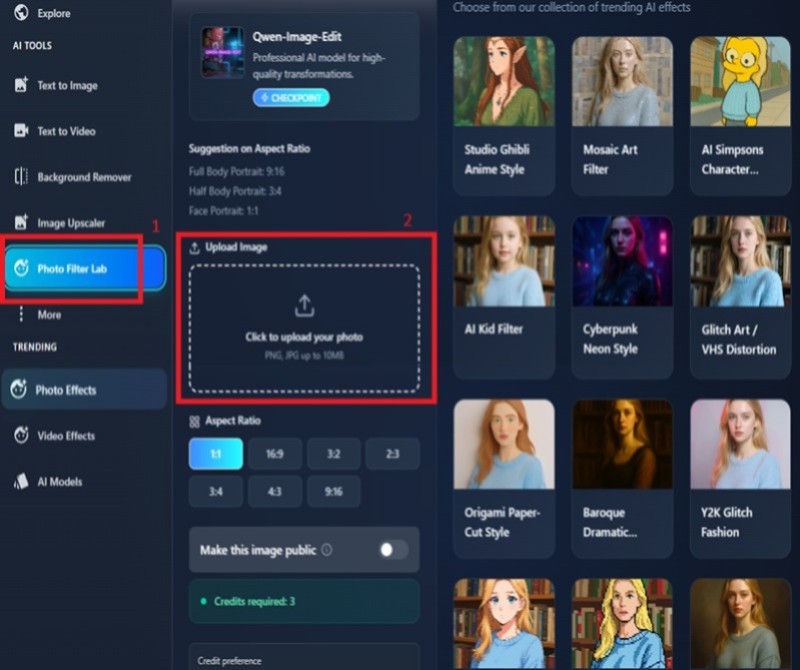
    Access the AI Y2K Filter
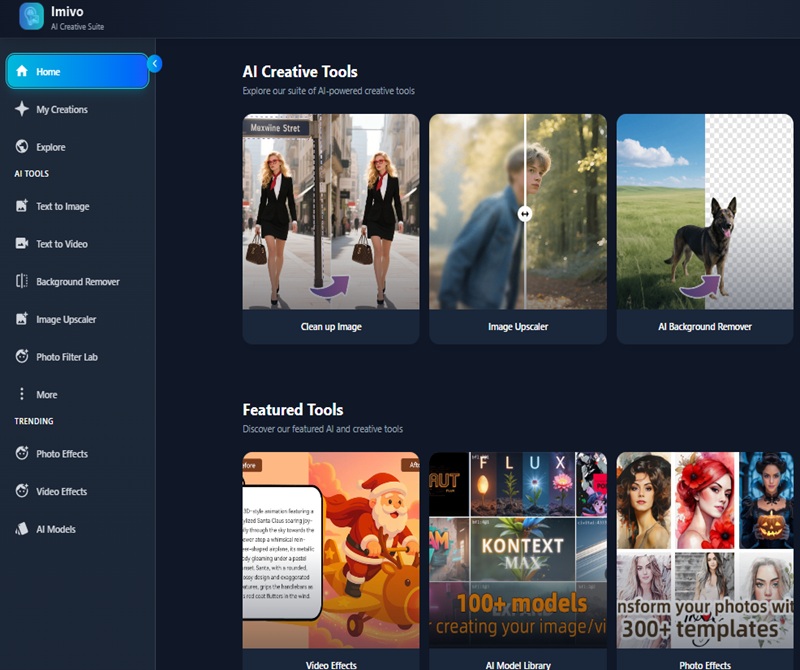
    Start by visiting the AI Y2K Filter in your browser. If you don’t have an account, sign up to access all features; returning users can simply log in. Once inside, you’ll see the main editing workspace where all tools are available. The interface is designed to be intuitive, making it easy to start your retro transformation. From here, you’re ready to upload your photo.
  • 02
    Upload Your Existing Photo
    Click the “Upload” button or drag and drop your photo into the workspace. Clear images with good lighting give the best results, especially portraits and selfies. The AI automatically prepares your photo, analyzing key features and details. Both single and group shots are supported. This ensures a smooth and accurate Y2K effect application.
  • 03
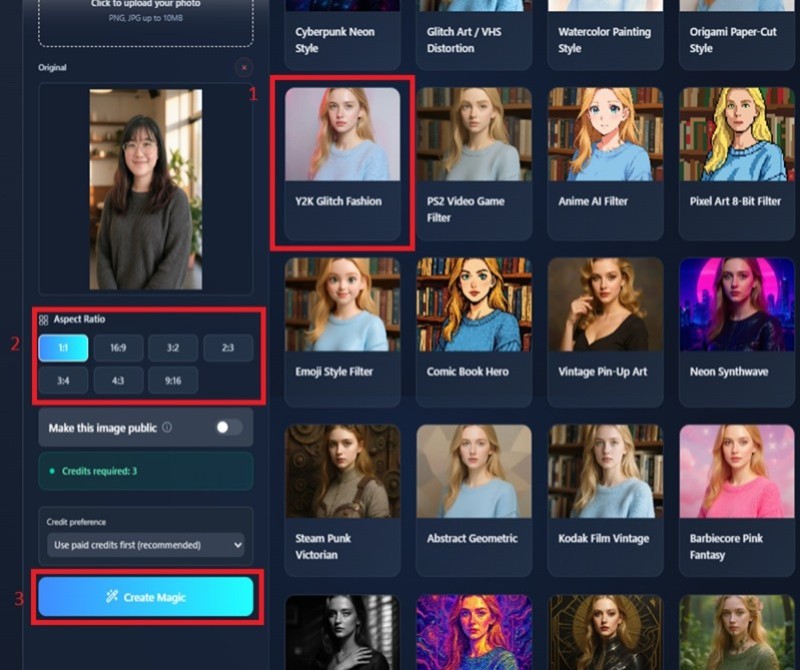
    Choose Y2K Filter and Generate
    Select the Y2K filter from the available options to apply the retro effects. You can tweak settings like color intensity, glow, and retro textures to match your desired aesthetic. The AI intelligently adjusts for lighting, facial features, and composition. You may regenerate the image to explore different variations. This allows you to experiment creatively until you achieve the perfect look.
  • 04
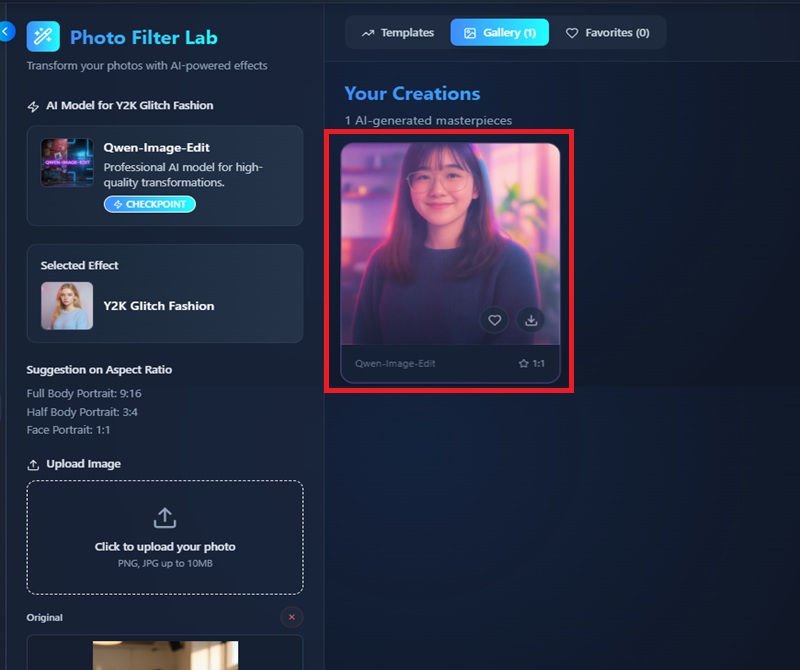
    Generate and Download Your Image
    Click the “Generate” button to apply the Y2K effect. The AI processes your image in seconds and displays a preview of the result. Review the photo to ensure it matches your expectations, and regenerate if needed. Once satisfied, download the final image in high quality. Your photo is now ready to share on social media or use in creative projects.
access the ai y2k filter
upload your existing photo
Choose Y2K Filter and Generate
download your Y2K image

Explore More AI Tools to Boost Your Creativity

Focused on users who want faster and simpler ways to handle image tasks, these tools cover both creative and practical needs. Instead of manual editing or complex settings, they rely on AI to deliver clean results quickly. From reducing file size to adding playful effects, each app supports a different visual goal.
"The AI Y2K Filter instantly transformed my photos with a vibrant 2000s aesthetic. The colors and textures are lively yet balanced. It’s so easy to use, and the results are perfect for social media”
Amara Wilson, Graphic Designer
12-15-2025
iiiii
iiiii

"I applied the filter to both selfies and group photos. Everyone’s features remained clear while the retro effects added a playful, glossy look. It’s perfect for engaging posts."
Diego Ramirez, Social Media Strategist
11-28-2025
iiiii
iiiii

"The Y2K effects captured exactly the style I was looking for. The AI keeps facial details intact while adding bold, nostalgic colors. Quick and fun to use for any project"
Nina Patel, Freelance Photographer
12-05-2025
iiiii
iiiii

"This filter elevated my social media content. The retro effects feel authentic and lively without being too much. It’s intuitive and delivers consistent results every time."
Liam Foster, Lifestyle Blogger
11-20-2025
iiiii
iiiii

"Using the AI Y2K Filter gave my vacation photos a fresh, retro look. The color tones and textures are spot-on, and all the details are preserved beautifully. Highly recommended."
Elena Kim, Travel Enthusiast
11-22-2025
iiiii
iiiii

"This tool simplified my creative workflow. From Y2K effects to image enhancements, it’s easy to use and produces amazing results every time. A must-have for digital editing."
Omar Thompson, Digital Content Creator
11-01-2025

iiiii
iiiii

Why Choose Us

Frequently Asked Questions

How popular is the AI Y2K Filter?

The AI Y2K Filter has gained a lot of attention on social media because of its fun retro aesthetic. Many users enjoy transforming ordinary selfies and portraits into vibrant 2000s-inspired images. It’s especially popular among teens, content creators, and digital artists. The filter works well for both casual posts and creative projects. Its combination of ease of use and visually appealing results keeps users coming back.

Why should I use the AI Y2K Filter?

The filter turns standard photos into colorful, retro-style images with minimal effort. It enhances colors, textures, and lighting while keeping facial features natural. This makes your photos stand out on social media or for personal projects. It’s also intuitive, requiring no advanced editing skills. Overall, it’s a fun and efficient way to add a nostalgic Y2K vibe to your images.

How long does it take to apply the filter?

Applying the AI Y2K Filter is fast—usually just a few seconds per image. The AI processes your photo automatically, analyzing details and applying effects quickly. Larger or higher-resolution images may take slightly longer, but the tool remains efficient. Most users get results almost instantly, ready to download and share.

Can I regenerate the image?

Yes, you can recreate your image to play with other comic interpretations. Generation can differ slightly in different ways. That way, you can try until you get the appearance you like. Each regeneration needs credits. It is a simple way to narrow down your findings. Numerous users love the use of different variants.


What types of photos work best?

Close-up selfies and well-lit portraits produce the best results. Clear images with simple backgrounds help the AI apply retro effects more accurately. Group photos also work, though individual faces may show the effect more prominently. Avoid blurry or very low-resolution images for optimal results. This ensures that colors, textures, and details appear crisp and vibrant.

pro image logoAceThinker PicWish

Create Polished Visuals in Seconds

pro banner image
Back to Top
Contact Us
Learning Center