menu

AI Collage Generator - Create Your Own Collage Designs

Extensive part that explains the main purpose, target user and benefits, 2 sentences

Turn Your Ideas into Stunning Collages

create artistic collage from words

Create Artistic Collage from Words

With this feature, you can turn simple text into eye-catching collage art in just a few steps. First, type your ideas or descriptions, and the tool automatically transforms them into visual elements. Then it blends images, colors, and layouts into a single creative piece. As a result, you can save time while still getting artistic results. Even better, this AI collage generator eliminates the need for design skills, making it perfect for beginners. Overall, it helps you bring imagination to life using only words.

Make Social Media Collage Designs

When creating content for social platforms, this tool makes the process fast and easy. You simply enter text prompts, and the visuals are generated with social-ready layouts. In addition, the designs are optimized to catch attention while scrolling. This AI collage generator free option lets you experiment without cost. Meanwhile, you can create posts that look professional and unique. Ultimately, it helps your content stand out with less effort.

make social media collage designs
generate collage in any occasion

Generate a Collage for Any Occasion

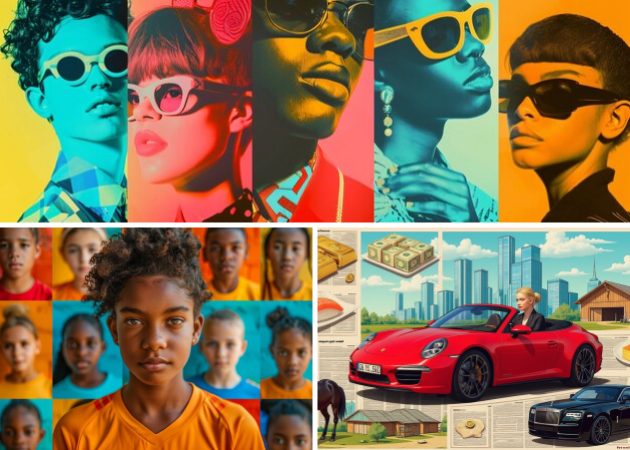
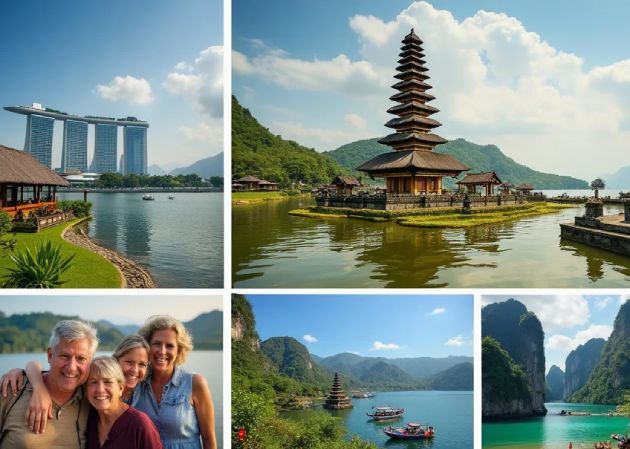
No matter the event, this feature helps you create collages that match the moment. For example, you can describe birthdays, holidays, travel memories, or work themes using text. Then the tool instantly turns those words into fitting visuals. As a free collage maker, it allows you to create without worrying about fees. Moreover, it adapts styles to suit different occasions. In the end, you get meaningful designs that feel personal and timely.

Control the Number of Collage Sections

This feature gives you more control over how your collage looks and feels. You can decide how many sections or panels the collage should have before generating it. As a result, your visuals feel more organized and balanced. Unlike basic tools, the best AI collage maker lets you customize the layout structure with ease. Additionally, it helps you focus on the key elements of your design. Overall, it gives you flexibility while keeping the process simple.

control the number of collage sections

How to Create a Photo Collage in 4 Easy Steps?

  • 01
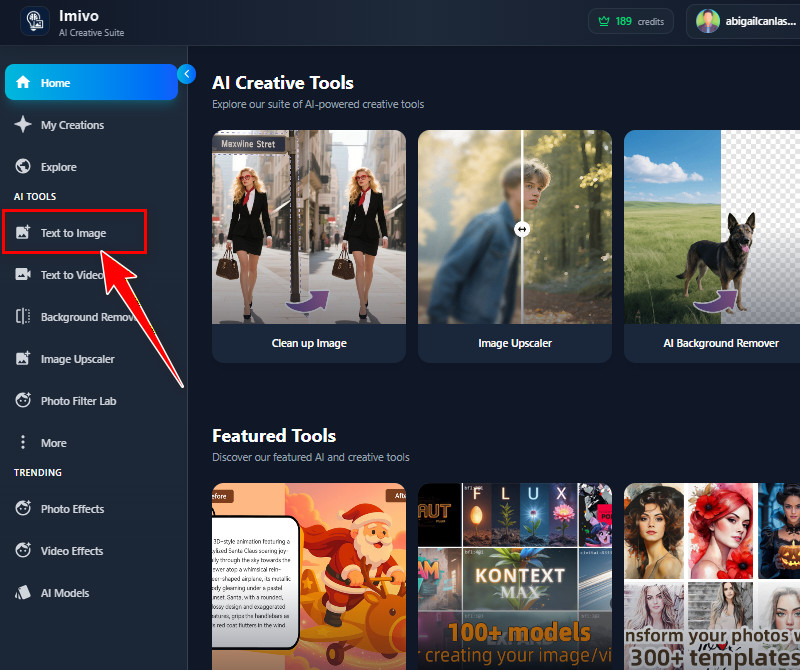
    Access the Text-to-Image Feature
    Start creating an account on the tool to get free credits. You can use your Google account or your email address and enter your details. After that, you will go to the main page of the AI tool, where you can see the Text-to-Image feature.
  • 02
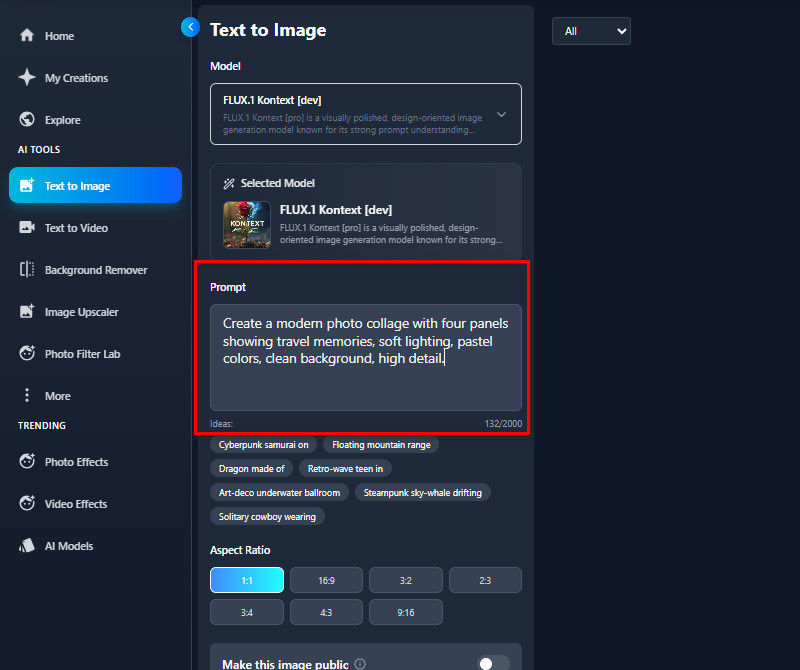
    Enter Your Text Prompt
    In the Text-to-Image page, start entering your text prompt. You can describe the theme of your collage, how many sections you want, and any style or colors you prefer. Be as detailed as possible so the tool can create the collage you imagine.
  • 03
    Select Preferred Settings
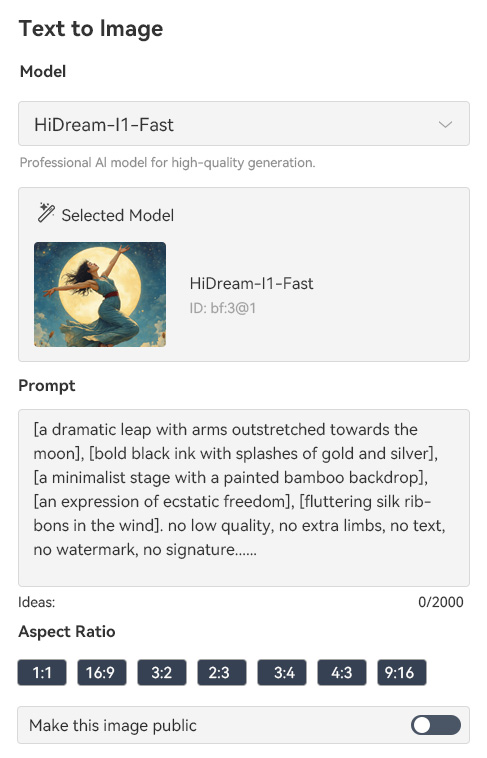
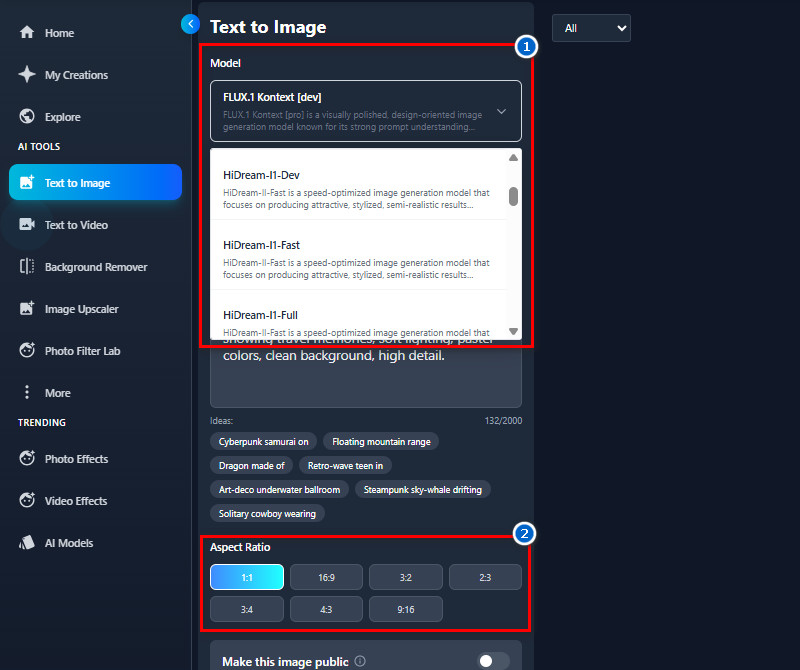
    Next, choose an AI model that will match your prompt. The tool offers various AI models that you can try. After that, select the final image's aspect ratio.
  • 04
    Generate and Download
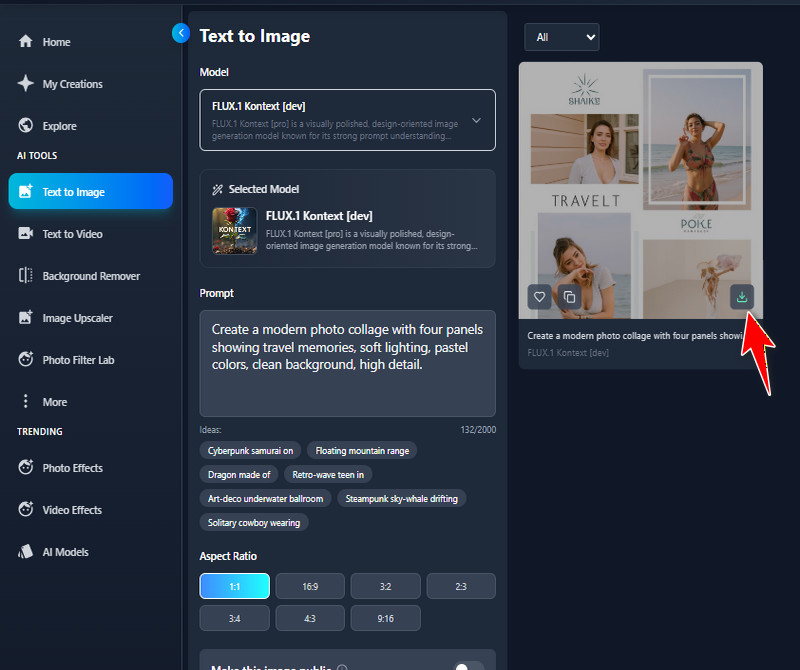
    When ready, click the "Create" button and let the AI create your collage. Once the collage is generated, you can preview it on the screen. If you're satisfied, use the download icon on the image to save it.
access the text to image
enter your text prompt
select preferred settings
generate and download

More Apps Worth Trying

These tools are helpful for people who want to do basic creative and editing tasks in one place. They have easy features that let you make pictures, videos, and designs better without special skills. This helps people save time and make better content faster.
"I tried this AI collage generator for a client project, and it worked really well. The images came out clear, and it saved me a lot of time. I especially liked how it turned my text ideas into visuals easily."
Judy Scott, Graphic Designer
10-22-2025
iiiii
iiiii

"This tool is easy to use and helped me create Instagram posts quickly. I just typed in my ideas, and it generated the collage instantly. It's a real time-saver for social media content."
Athena Wood, Social Media Manager
12-08-2025
iiiii
iiiii

"I created visuals for my blog using this AI collage generator, and the results were good. The images looked professional enough for my posts. I appreciate how fast it works."
Brittany Hernandez, Blogger
12-14-2025
iiiii
iiiii

"I used it to create mood boards for a client project. The tool accurately interpreted my text descriptions into visuals. It's a nice way to present ideas quickly."
Maria Carroll, Interior Designer
11-30-2025
iiiii
iiiii

"This AI collage generator helped me quickly visualize outfit concepts. I just typed the idea, and the tool made a neat collage instantly. It's useful for brainstorming and sharing ideas with my team."
Lucas Barry, Fashion Designer
11-15-2025
iiiii
iiiii

"I used it for a school assignment, and it worked well. The tool is easy to navigate, and the images closely match my descriptions. It made my project look more creative."
Camille Navarro, Student
10-06-2025

iiiii
iiiii

Why Choose Us

Frequently Asked Questions

What is a Photo Collage?

A photo collage is a group of pictures arranged into a single design. It combines multiple photos, text, or other elements to create a single visual piece. People use collages to tell stories, share memories, or create artwork. You can also make them digitally or on paper. Moreover, with an AI tool, you can generate collages automatically from your ideas or text. This makes creating collages faster and easier.

What types of collages can I create with the tool?

You can create any type of collage you want with this tool. Just describe the style, theme, or elements in your prompt. Then, the AI will generate the collage based on your description. You can make collages for social media, events, or personal projects. You can also try different art styles, colors, or layouts. The tool gives flexibility to bring any visual idea to life.

Can I customize the collages generated by the AI?

Yes, you can customize the AI-generated collages. If you want changes, just edit your text prompt and generate again. You can modify the style, number of sections, colors, or layout. Furthermore, each new prompt gives you a fresh result based on your edits. This makes it easy to experiment until you get the look you want. It puts you in control of the final collage.

How many collages can I generate for free?

Our tool gives new users 10 free credits upon registration. Each collage generation uses 3 credits. This means you can generate collages 3 times for free. After that, you would need to get more credits to continue. The free credits are enough to try the tool and see how it works. It's a simple way to explore without paying at first.

Can I use images I created or found on your platform for commercial purposes?

You can use the images you create with the tool for commercial purposes. However, images you find on the platform are not for commercial use. Some of those images belong to other creators. Using your own creations ensures you have full rights. This way, you can safely use them for business, marketing, or products. Always make sure to use only images you have the right to use.
pro image logoAceThinker PicWish

Background Removal Made Simple

pro banner image
Back to Top
Contact Us
Learning Center