
Prepare PDFs for Sharing Within Email and Upload Size Limits
Reduce file size, organize pages, and adjust the document structure to meet common limits, such as 25MB email attachments and fast-loading uploads. Ensure PDFs are optimized for quick sending, mobile viewing, and smooth delivery across email, messaging, and online platforms.
star
star
star
star_half

Lightweight PDF Preparation Before Sharing Workflows
Organize PDFs for Sharing with Precision and Integrity
Share-Optimized Organization Without Layout Drift
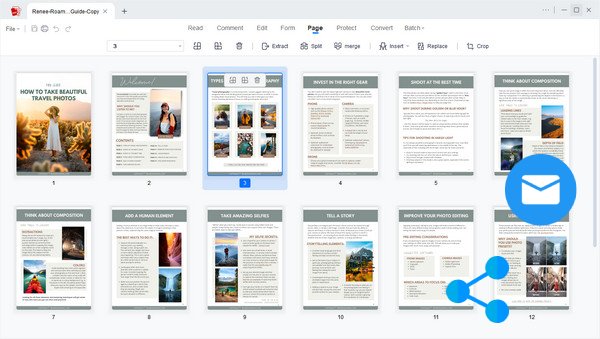
Organize, merge, or rearrange PDFs without disturbing their structure. Our engine maintains precise alignment for tables, columns, vector graphics, and form fields—even under complex multi-page operations. Powered by Vector-Level Rendering and Structure-Aware Page Mapping, each element is preserved at the object level (glyphs, curves, XObjects, annotations), ensuring reorganized PDFs remain visually consistent, print-ready, and cross-platform stable.
Technical Metrics
We validate organizational precision using measurable, industry-recognized standards. These metrics confirm the engine’s ability to maintain document reliability during rearrangement, merging, and splitting.
PDF Preparation Challenges
See common issues people face when preparing PDF files for sharing and use.
Large Files Block Email Attachments
When you try to send a PDF via email or upload it to a platform, the file size exceeds the limit. This causes delays, failed uploads, or the need to resend multiple times.
Pages Out of Order Before Sending
Before sharing a document, you notice that the pages are out of order or mixed up. This makes the file confusing for recipients and requires extra time to fix before sending.
PDF Rejected During Upload
When you upload a PDF for submission or sharing, the platform may reject it due to file size limits, incompatible versions, or embedded elements. This prevents successful uploads and delays the sharing of your document on time.
Formatting Breaks Across Devices
After sending your PDF, the layout, fonts, or spacing appear inconsistent across devices. This makes your document look unprofessional and harder to read for others.
Real PDF Sharing Scenarios
Learn when you need to prepare PDFs before sending or uploading files.
- Email Attachments
- Online Uploads
- Share Documents
- Fast Sending
When sending a PDF via email, large file sizes or unstructured pages can prevent delivery or confuse recipients. This slows down communication and often requires resending corrected files.

What you can do:
When uploading documents to platforms, PDFs may be rejected due to size limits, incompatible issues, or inconsistent structure. This interrupts submissions and delays completion.

What you can do:
When sharing PDFs with clients or teammates, disorganized or unclear files can cause confusion and back-and-forth revisions. This affects professionalism and slows collaboration.

What you can do:
When preparing PDFs for quick sharing, large or cluttered files can take longer to send or load. This creates delays, especially when speed matters.

What you can do:
Add → Sequence → Optimize → Publish
Upload your PDF files and quickly prepare them for sharing by organizing pages, reducing file size, and ensuring they’re ready for email or upload.
-
1
Prepare Documents for Structured Distribution Processing
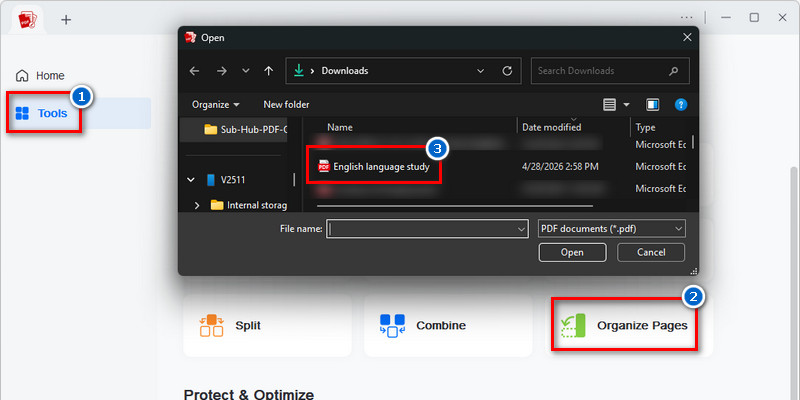
Load files into the intake workflow to organize PDFs for multi-document handling and distribution preparation. This establishes a structured foundation for consistent page processing and layout recognition across document sets.
-
2
Build a Logical Reading Sequence for Shared Viewing
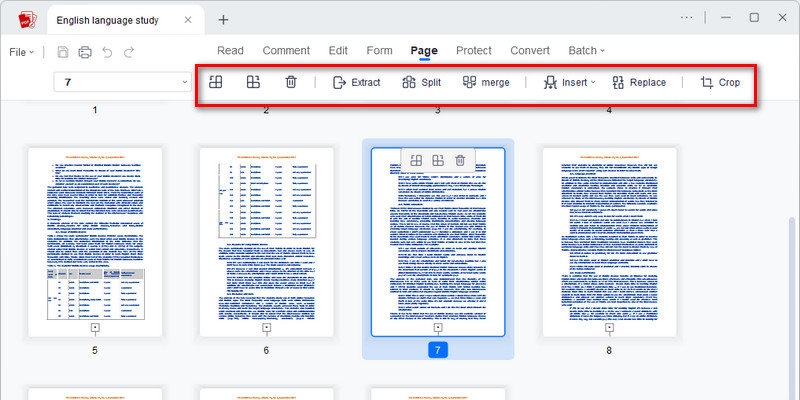
Reorder document pages to form a clear, recipient-focused flow that improves readability across email, cloud previews, and browser-based PDF viewing. This ensures information is presented in a structured and easy-to-follow progression.
-
3
Reduce File Size for Faster Cross-Platform Transfer
Optimize embedded assets and remove unnecessary file weight to improve upload speed and attachment reliability. This helps ensure smooth delivery across email systems, messaging platforms, and cloud storage environments.
-
4
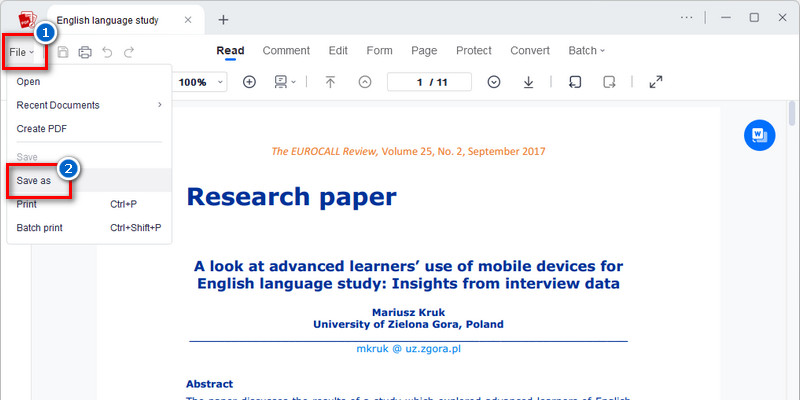
Publish a Fully Optimized Multi-Channel PDF
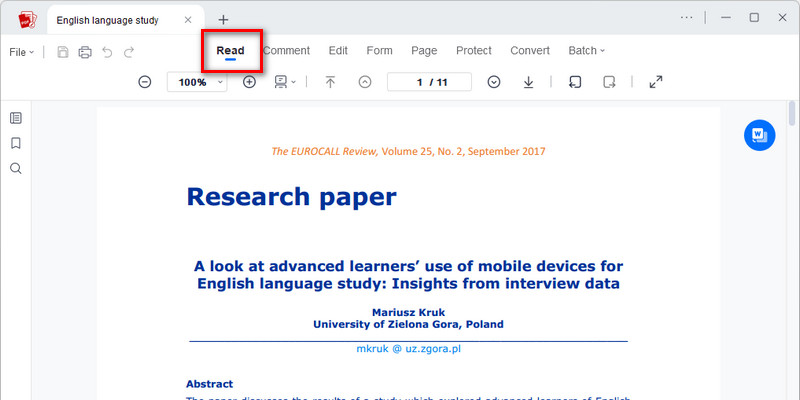
Export the final document as a distribution-ready PDF designed for consistent rendering across devices and platforms. The output preserves structure, formatting integrity, and readability for professional sharing workflows.













star
star
star
star_half
Why Choose This Tool to Prepare PDFs Before Sharing
Secure Sharing with Privacy Protection
Your sensitive documents remain private throughout the entire sharing process. Every file is protected with end-to-end encryption, ensuring that only you and your intended recipients can access the content.
Instant Cleanup After Sending
Maintain full control over your digital footprint with automatic file deletion. Once you have optimized and shared your PDF, our system wipes the data from our servers to ensure no sensitive information is left behind.
High-Speed Optimization for Faster Delivery
Eliminate wait times for large file uploads. By optimizing your documents directly in your browser, you can prepare even the most complex PDFs for instant email delivery or cloud submission.
Error-Free Performance on Any Platform
Ensure your recipients see exactly what you intended, regardless of their device. Our browser-based processing ensures your shared PDFs maintain consistent formatting and high-quality resolution across Windows, Mac, and mobile devices.