

menu

verifiedTrusted by 50,000+ YouTubers

Edit Podcast Audio for Clear, Engaging Episodes

Remove background noise, trim long pauses, and enhance vocal clarity in raw podcast recordings for 30–60-minute episodes. Export high-quality MP3s (128–192 kbps) ready for Spotify or Apple Podcasts.
Start to Edit Podcast Online for Free

Fix Your Podcast Audio Fast

Choose the podcast audio problem you want to solve.
Educational Episodes Start Losing Clarity

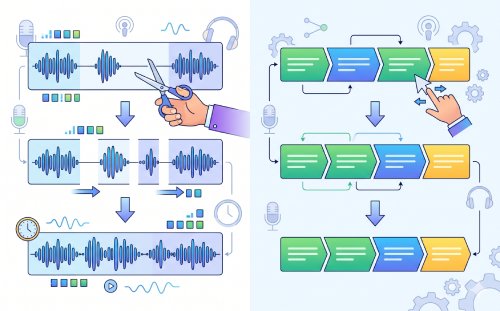
Educational podcast recordings often include repeated explanations, restarted sentences, or extended clarifications as speakers organize thoughts while talking. Although useful during recording, these repetitions can reduce pacing efficiency during playback. Editing removes redundant phrasing and trims unnecessary pauses so key explanations remain direct, easier to follow, and better structured for long listening sessions.

school

desktop_cloud

Remote Recordings Don't Sound Like One Room

Remote setups introduce natural inconsistencies between speakers. One voice may sound close and controlled, while another carries a room echo or background noise. Even when the conversation is strong, this mismatch can pull attention away from the content. Balance speaker levels, reduce background noise, and smooth tonal differences so the conversation feels consistent even when recorded in separate environments.

Solo Recordings Feel Too Raw to Publish
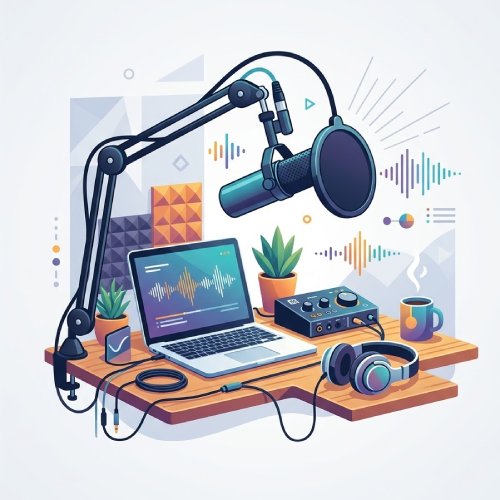
Solo podcast recordings frequently include filler words, repeated phrases, mid-sentence corrections, and uneven pacing because the speaker records continuously without interruption. Editing removes these distractions while preserving the speaker's original tone and delivery style. This creates a tighter final episode that sounds more intentional and professionally structured without making the conversation feel scripted.

Podcast Audio Editing: Trim, Combine, and Finalize Output

graphic_eq

Edit and Arrange Podcast Recordings

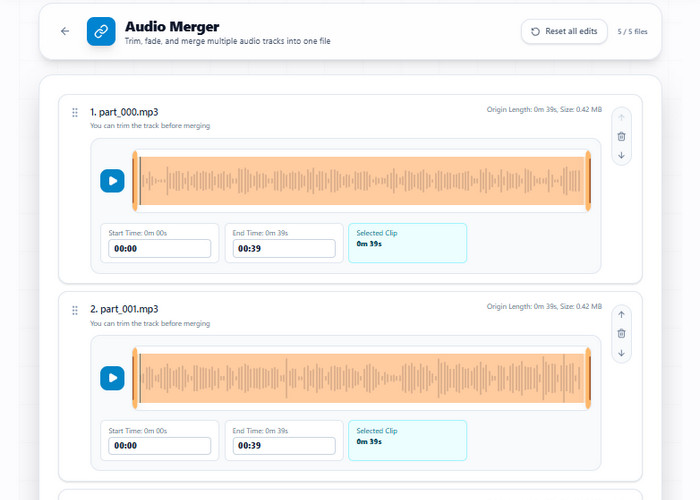
Combine multiple audio clips in the merger tool by arranging them in a specific sequence, then trim each part using start and end markers to isolate the chosen segments. Fade-in and fade-out effects can be applied to clip boundaries to transition between audio files, resulting in a single continuous audio file available for download in MP3, WAV, or OGG format.

bar_chart_4_bars

Technical Metrics

Shows supported editing actions and output formats used when trimming and merging podcast audio files.

  • check_circle
    Input: Multiple audio files
  • check_circle
    Editing Actions: Trim (start/end selection), arrange clip order, apply fade in/out
  • check_circle
    Output Type: Single merged audio file
  • check_circle
    Output Formats: MP3, WAV, OGG

Go From Recording to Ready

Turn rough podcast audio into clear, polished episodes in minutes.
01

Clean Raw Recording

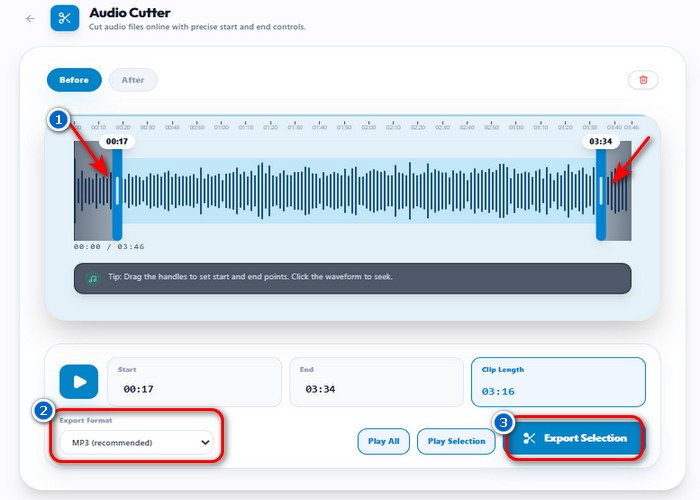
Start with the full raw podcast recording, which often includes silence gaps, filler words, and uneven pacing. These elements reduce engagement when left unedited. Use Audio Trimmer to remove unnecessary pauses, mistakes, and repetitions while preserving the natural flow of the conversation.

Clean Raw Recording

02

Structure the Episode Flow

Most recordings don't follow a clear structure, especially interviews or unscripted discussions. The goal here is to turn separate parts into a coherent episode with a natural progression. Use Audio Merger to arrange segments into a clear flow with intro, discussion, and outro.

Structure the Episode Flow

03

Improve Voice Clarity (Optional)

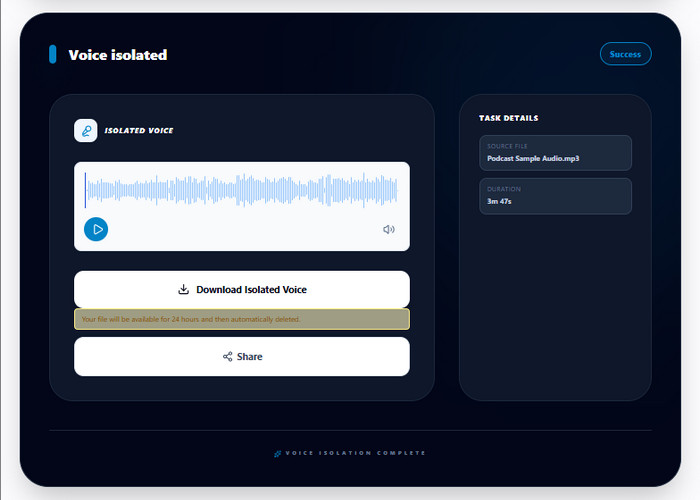
Remote or multi-speaker recordings often have inconsistent audio quality between participants. This can make parts of the conversation feel unbalanced or harder to follow. Use Audio Voice Isolator to reduce noise and normalize speech clarity across all speakers.

Improve Voice Clarity (Optional)

04

Prepare for Publishing

Finalize the episode using standard podcast export settings before uploading to streaming platforms. Export MP3 files at 128–192 kbps with peak levels below -1 dB to maintain balanced playback quality across Spotify, Apple Podcasts, and mobile listening apps. This reduces the need for additional processing after publishing.

Prepare for Publishing

Make Every Podcast Episode Easier

  • noise_awareNoise Reduction
  • computer_cancelRemove Silence
  • speech_to_textEnhance Voice Clarity
  • format_image_leftExport Audio
Clean Podcast Audio with Noise Reduction

Clean Podcast Audio with Noise Reduction

Reduce consistent background sounds such as room echo, keyboard clicks, fan noise, or traffic hum before final export. Use Audio Voice Isolator to separate speech from environmental noise while keeping dialogue natural and intelligible. This helps spoken words remain clear during headphone playback, especially in interviews and remote recordings.
Improve Audio Flow

Remove Silence and Improve Audio Flow

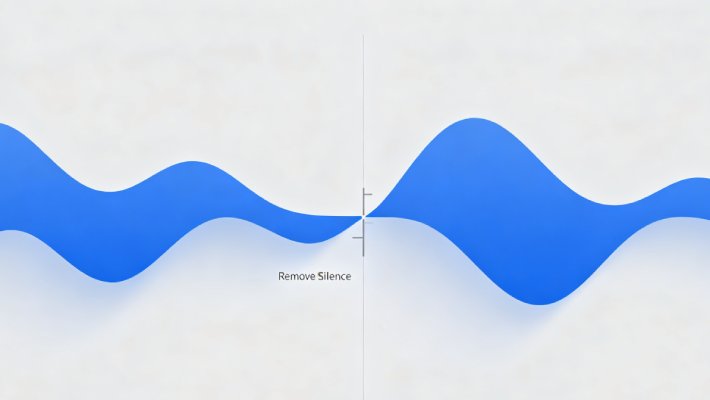
Cut silence gaps longer than 1–2 seconds to maintain a steady conversation pace across 30–60 minute episodes. Use Audio Cutter to remove filler pauses, repeated phrases, and off-topic tangents without affecting natural breathing rhythm. This improves listener retention by keeping discussions concise and continuously moving forward.
Enhance Voice Clarity

Enhance Voice Clarity for Better Listening

Balance uneven speaker levels caused by different microphones, recording distances, or remote call setups. Audio Voice Isolator helps normalize vocal presence so quieter voices remain understandable without forcing aggressive volume boosts. This creates a more consistent listening experience across headphones, speakers, and mobile playback.
Export Audio to MP3

Export Audio Ready for Podcast Platforms

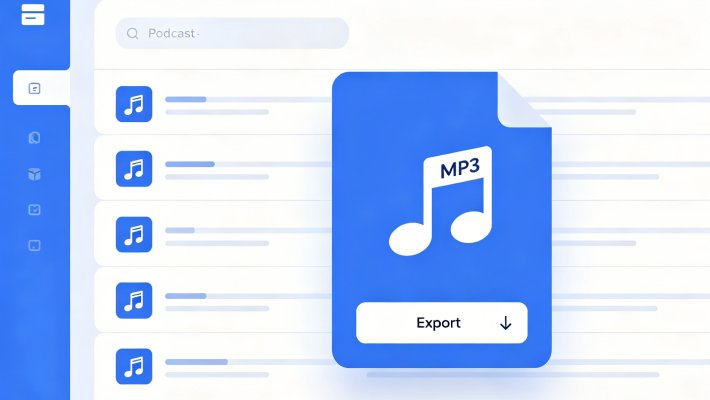
Export podcast episodes in MP3 format at 128–192 kbps to maintain clear speech quality while keeping file sizes manageable for streaming platforms. Audio Converter prepares files for Spotify, Apple Podcasts, and RSS distribution using standard podcast settings such as 44.1 kHz sample rate and peak levels below -1 dB.

Other Tools You May Be Interested

content_cut

Audio Cutter

Remove long pauses, mistakes, and repeated words from podcast recordings to improve pacing using Audio Cutter. It helps keep conversations smooth and engaging by cutting unnecessary silence while preserving natural speech flow.

  • check_circle
    No installation required
  • check_circle
    Works on any device
  • check_circle
    Quick export & share

Benny's Pick

Web-Based Editor

merge

Audio Merger

Audio Merger helps organize separate podcast sections into one continuous episode timeline before publishing. Use it to combine intro music, interviews, sponsor reads, and outro segments without rebuilding the episode manually in advanced editing software.

  • check_circle
    No installation required
  • check_circle
    Works on any device
  • check_circle
    Quick export & share

Aisha's Choice

Desktop App

mobile_speaker

Audio Voice Isolator

Improves speech clarity by reducing background noise and balancing uneven speaker levels with Audio Voice Isolator. It is especially useful for remote podcasts where audio quality varies across different recording environments.

  • check_circle
    No installation required
  • check_circle
    Works on any device
  • check_circle
    Quick export & share

Lara's Must-Have

Mobile Quick-Edit

sync

Audio Converter

Audio Converter prepares podcast episodes for publishing by exporting files in MP3 or WAV format using platform-friendly audio settings. Use MP3 (128–192 kbps) for Spotify and Apple Podcasts, or WAV when storing high-quality backup masters for future editing.

  • check_circle
    No installation required
  • check_circle
    Works on any device
  • check_circle
    Quick export & share

Viral Pick

AI Script-to-Video

Frequently Asked Questions

How do I remove long pauses without making the podcast sound rushed?expand_more

Podcast recordings can feel boring or uninteresting to watch when conversations contain long silences or repeated pauses. To remove long pauses, use an Audio Splitter to split the audio tracks into multiple segments, which is especially useful when the pauses occur in the middle of the podcast. After that, use the Audio Cutter to start removing the gaps at the start and end of the split segments. However, the tool only supports one file, cutting the audio edges one at a time, which is time-consuming. But remember: export the episodes in a similar format, such as MP3, to keep the files compatible with most podcast platforms while maintaining clear speech.

How do I combine intro, interview, ads, and outro into one episode?expand_more

After recording your separate podcast segments, combine the intro, interview, ad break, and outro using Audio Merger. You can also trim the unnecessary parts at the start and end. Adding fade-in and fade-out effects between segments helps create smoother transitions and prevents abrupt audio cuts during playback. Then, if you need to add background music, use Audio Mixer to combine the music track with your podcast audio and balance the volume levels so the voice remains clear throughout the episode. After that, exporting the final podcast as an MP3 is well-suited for publishing, while exporting it as a WAV is better for archiving or further editing. Nevertheless, differences in microphones or recording environments may still result in noticeable audio differences between sections.

How can I clean background noise from a remote interview recording?expand_more

Remote interviews often capture fan noise, room echo, or other environmental sounds that distract from the speaker’s voice, especially when you don’t have a microphone with noise cancellation. To remove the background noise, use AI Voice Isolator. This tool helps you reduce or remove unwanted background noise and make dialogue easier to understand. After cleaning the audio, export it in the same format as the original recording to preserve its natural quality without introducing additional compression loss. However, strong distortion, clipped speech, or overlapping voices may still remain partially audible after processing.

How do I balance voice and background music in a podcast episode?expand_more

Background music can overpower spoken audio if the recording levels are not adjusted properly. Using Audio Mixer, you can lower the music volume while keeping the host or guest voices more consistent throughout the episode. If you don’t know what the perfect balance for the background music and your audio is, you can use the presets that the tool provides, such as Voice Focus (80% voice and 25% music), Balanced (65% voice and 45% music), and Music Boost (50% voice and 70% music). If the original voice recording is extremely quiet or distorted, balancing alone may not fully restore clarity. Also, the export format will match the audio file you uploaded, so make sure both the voice recording and background music use the same format.

What audio problems cannot be fully repaired after recording?expand_more

Severely distorted audio, clipped microphone peaks, heavy background noise, overlapping voices, and missing recording sections cannot always be fully repaired after recording. However, tools like AI Voice Isolator can help reduce steady background noise and improve voice clarity, while Audio Mixer can balance voice and background audio levels to make the recording more listenable.

Start Editing Podcast Audio Now

Edit podcast audio online with no installation. Clean and improve episodes directly in your browser.

Back to Top
Contact Us
Learning Center