

menu

verifiedTrusted by 50,000+ YouTubers

Edit High-Retention Short-Form Videos for TikTok & YouTube Shorts

Create fast-paced vertical videos optimized for swipe behavior on TikTok and YouTube Shorts. Trim for strong 1–3 second hooks and convert to 9:16 format to improve viewer retention and completion rates.

Start to Edit Video Online

Make Short Videos Go Viral

Edit short-form videos for TikTok, Shorts, and Reels to boost engagement and reach.

Turning Long Videos into Shorts for Reach Expansion

YouTubers repurposing content into YouTube Shorts often struggle with footage that feels "compressed" instead of naturally engaging. The issue isn’t length—it’s missing highlight structure. Use Video Cutter to extract high-impact moments, then reframe them into short narratives that feel complete even in under a minute.

content_cut

subtitles

Improving Viewer Retention Through Captions

Short-form viewers frequently watch without sound, especially on mobile, where fast scrolling and silent playback are common. Without captions, even strong visuals lose clarity, and retention drops early. Use the Video Transcription tool to overlay readable text that reinforces meaning without slowing the pace or distracting from the visuals.

Fixing Vertical Framing for Mobile-First Viewing
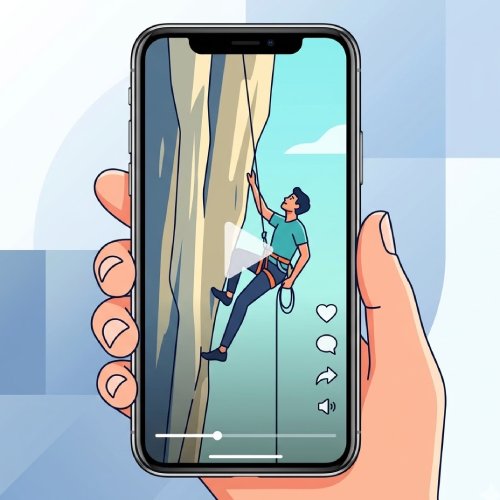
Landscape videos often struggle on TikTok, Reels, and Shorts because key subjects lose focus in a vertical, scroll-driven layout. The issue is not just resolution but how visual elements are positioned within a 9:16 frame. Use Video Resizer to reframe and convert footage into vertical format, keeping essential actions centered and visually dominant for mobile viewing.

Short-Form Video Editing: Trim and Resize for Vertical Formats

graphic_eq

Create Videos for TikTok, Reels, and Shorts

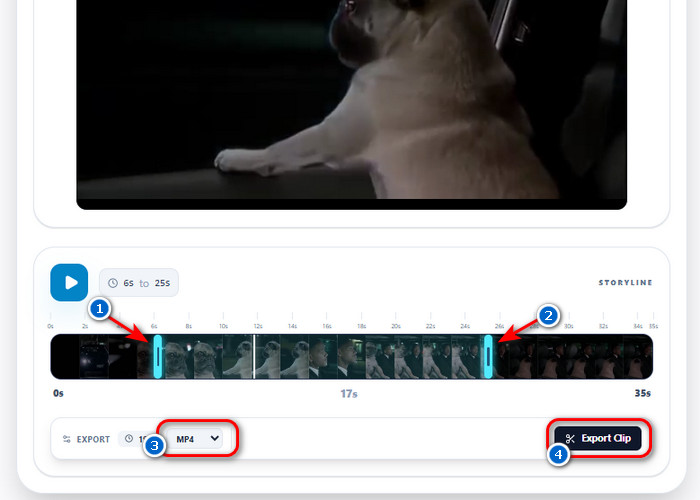
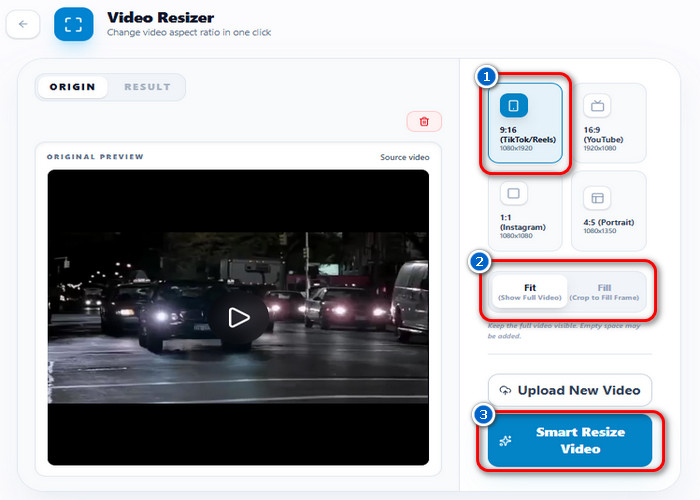
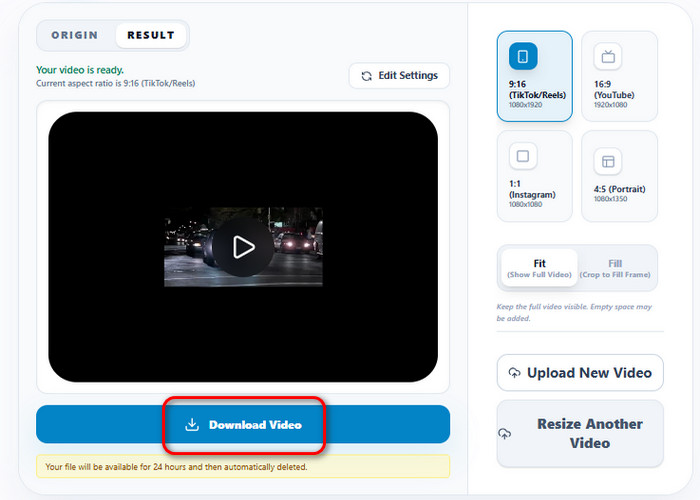
Trim videos by setting start and end points to isolate a specific segment of the recording. The frame can then be adjusted using aspect ratios like 9:16 or 1:1, with "Fit" keeping the full video visible or "Fill" cropping the image to match the frame boundaries. The tool then re-encodes the video into a new file that combines the selected segment and the updated display size.

bar_chart_4_bars

Technical Metrics

Shows supported editing actions and frame settings used for short-form video creation.

  • check_circle
    Editing Actions: Timestamp-based trimming (Start/End)
  • check_circle
    Frame Settings: 9:16, 16:9, 1:1, 4:5
  • check_circle
    Display Modes: Fit (Full Visibility), Fill (Crop to Frame)
  • check_circle
    Export Formats: MP4, WEBM, GIF

Edit Short Videos with Fast Workflow

Transform raw footage into engaging short-form videos quickly with an efficient workflow.
01

Prepare Short Clips

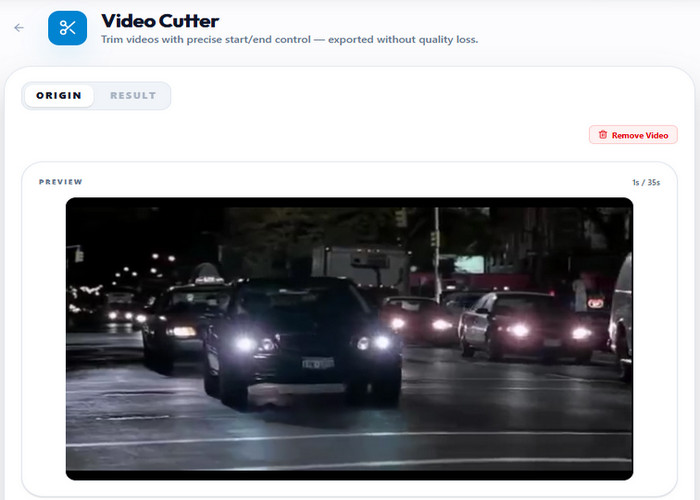
Break long footage into smaller, meaningful segments using Video Cutter. This isolates usable moments without forcing the full video into short-form format. The result is focused clips ready for further editing.

Prepare Short Clips

02

Improve the Hook

Refine each clip by removing slow intros and keeping attention-grabbing moments in the first few seconds. Video Cutter helps tighten pacing so viewers don’t swipe away early. This increases retention from the start of the video.

Improve the Hook

03

Convert to Vertical Format

Adjust the clip for mobile viewing using Video Resizer. It converts the video into 9:16 format for TikTok, Shorts, and Reels. This ensures proper screen fit and platform compatibility.

Convert to Vertical Format

04

Finalize for Upload

Export the final vertical video with Video Resizer for smooth playback and fast load times across platforms. The output is optimized for TikTok, YouTube Shorts, and Instagram Reels. It is ready for immediate publishing without extra edits.

Finalize for Upload

Features Built for Short-Form Video Editing

  • animated_imagesEdit Videos for TikTok
  • add_adAdd Captions and Effects
  • view_sidebarOptimize for Vertical Viewing
  • file_exportExport Videos for Posting
Edit Videos for TikTok

Turn Long Videos into Short Clips

Long-form footage often contains multiple moments that never get seen when kept in a single upload. Instead of compressing everything into one video, Video Cutter helps isolate strong segments that can stand on their own as independent posts on TikTok, Shorts, and Reels. This allows one recording to generate multiple pieces of content with different hooks.
Add Captions and Effects

Fix Weak First Impressions

Most short-form videos fail not because of content, but because the opening seconds don’t immediately show value. With Video Cutter, the strongest moment can be placed earlier while slow intros are removed entirely. This instantly shifts attention to the hook, reducing early swipe-away behavior.
Optimize for Vertical Viewing

Make Videos Work Without Sound

Short-form videos are often watched in silent, autoplay mode, especially on mobile feeds where users scroll quickly. Captions and visual emphasis help the message stay clear even when sound is unavailable. This ensures the video remains understandable and engaging across silent viewing conditions.
Export Videos for Posting

Format Videos for Mobile Screens

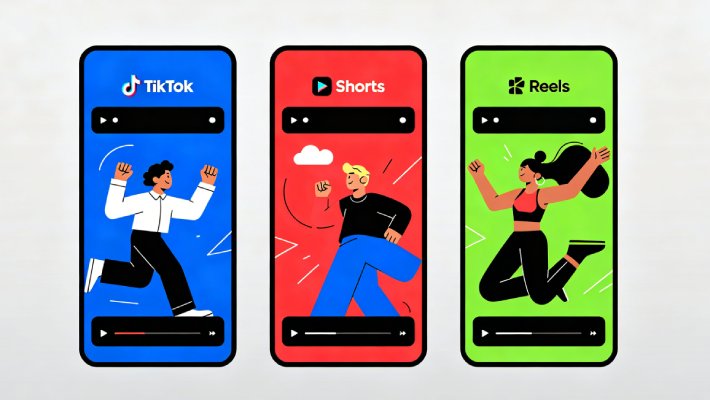
Content that isn’t framed for vertical viewing often loses impact on TikTok, Shorts, and Reels due to cropping or poor composition. Video Resizer resizes footage to the 9:16 format, so key actions stay visible and properly centered. This creates a more consistent viewing experience across mobile-first platforms.

Other Tools Recommended for You

headphones

Video Cutter

Trim and restructure video clips to remove weak moments and highlight the most important parts of your footage. This helps shape content for short-form platforms where viewer attention depends on fast pacing and strong opening seconds.

  • check_circle
    Frame-accurate trimming
  • check_circle
    Optimize hooks for the first 3–5 seconds
  • check_circle
    Split long videos into short clips

Benny's Pick

Web-Based Editor

edit_note

Video Resizer

Convert videos into vertical 9:16 format optimized for TikTok, YouTube Shorts, and Instagram Reels. This ensures key subjects stay centered and visible, preventing cropping issues on mobile-first platforms.

  • check_circle
    9:16 vertical conversion
  • check_circle
    Auto-reframe key subjects
  • check_circle
    Platform-ready output formatting

Aisha's Choice

Desktop App

hangout_video

Audio & Video Transcription

Convert spoken content into readable text for captions, subtitles, or editing reference. This improves accessibility and helps videos perform better in silent viewing environments common on mobile feeds.

  • check_circle
    Automatic speech-to-text conversion
  • check_circle
    Caption-ready output generation
  • check_circle
    Multi-language transcription support

Lara's Must-Have

Mobile Quick-Edit

screen_record

Video to Audio Converter

Extract audio from video files for reuse in podcasts, voiceovers, or background audio content. This allows creators to repurpose existing video content into standalone audio formats without loss of quality.

  • check_circle
    MP3 / WAV extraction formats
  • check_circle
    High-quality audio preservation
  • check_circle
    Fast conversion for reuse workflows

Viral Pick

AI Script-to-Video

Frequently Asked Questions

How do I cut a short-form video to keep only the strongest moment?expand_more

Short-form videos with weak pacing or unnecessary sections should be trimmed to keep only the most engaging moments. Use Video Cutter to set precise start and end points around the strongest hook, reaction, or key message, and remove any slow buildup or filler content. Then, keeping the original frame rate in MP4 format usually helps maintain smoother playback on mobile platforms. Don’t worry, because the tool only cuts the video, but it doesn’t compress or lower its quality. However, weak lighting or shaky footage will still remain visible after trimming.

How do I convert a landscape clip into vertical 9:16 for TikTok, Reels, or Shorts?expand_more

Landscape videos may appear cropped or poorly framed on vertical social feeds. Resize the clip with Video Resizer and set the output to 9:16 for TikTok, Reels, or Shorts. Then choose between Fit mode, which keeps the full video visible with possible empty spaces, or Fill mode, which crops the frame to fully cover the vertical screen and focus on the main subject. Exporting at 1080x1920 in its original format generally fits mobile platforms more consistently.

How do I make a short clip into a GIF or emoji reaction?expand_more

Reaction clips work better in lightweight formats when shared in chats or social posts. Convert the selected scene using Video to GIF / Emoji and keep the duration short to reduce file size. Then set the best settings for a balance of quality and performance: frame rate (10 FPS for smooth playback), Output Size/Resolution (75% for a good balance between clarity and file size), and GIF Quality/Animation Clarity (85%–90% for sharp, clean animation without making the file too heavy). Remember, GIF exports still have less color detail than regular video files.

Can I remove text or unwanted objects from a short video frame?expand_more

Short-form clips may contain distracting captions, logos, or other elements that detract from the subject. The Remove Video Text Tool can be used to remove or cover those elements before reposting the video. You can highlight the unnecessary elements, and the tool will do the rest. However, the tool will only blur the selected elements and not fully reconstruct or permanently erase them from the original video.

What export settings reduce upload problems on social platforms?expand_more

Upload failures often occur because the video uses unsupported codecs, is oversized, or has incorrect dimensions. To reduce upload problems on social platforms, export your video in a widely supported format like MP4 (H.264 codec), at a standard resolution such as 1080p and a stable 30 FPS frame rate, to ensure smooth playback and compatibility across platforms. To get the MP4 format, use Video Converter, and to achieve the correct aspect ratio, like 16:9, 1:1, or 9:16, use Video Resizer. But remember, social apps may still recompress uploads depending on their own processing settings.

Start Editing Short Videos Now

Edit TikTok, Shorts, and Reels for fast, engaging content creation.

Back to Top
Contact Us
Learning Center