menu

Create Animated Videos Online Easily
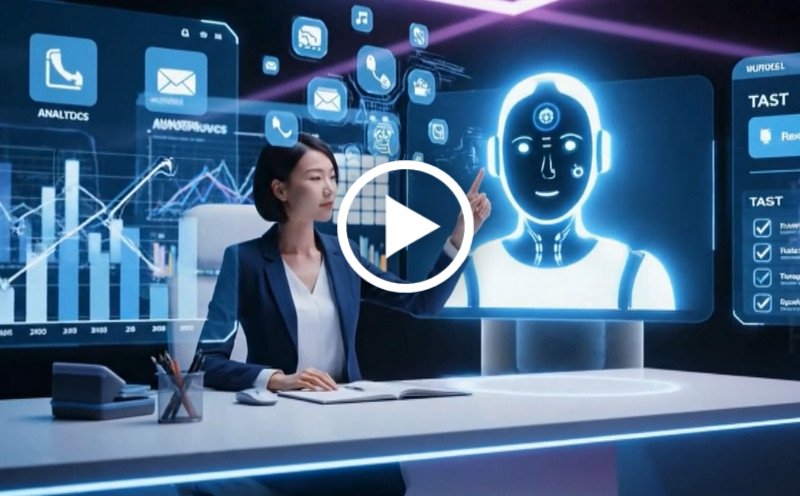
Create animated videos in minutes with smart AI tools. This platform helps you create animated videos for marketing, storytelling, and education without any design or editing skills.
Create Animated Videos
Or drop image here, paste image or URL
Try with one of these

Who Needs Animated Video Tools Most

photo_library

Content Creators

Content creators can use animated videos to make social media content more engaging, visually appealing, and effective at capturing audience attention.
temp_preferences_custom

Educators & Trainers

Teachers and trainers who need animated visuals can use animations to explain complex topics more clearly, helping learners understand and retain information more effectively.
movie

Marketing Specialists

Professionals creating promotional campaigns can create animated promotional content that communicates messages clearly and attracts more audience interest than static visuals.
sync

YouTubers & Streamers

Video creators can add animated elements to enhance storytelling, strengthen branding, and create a more professional viewing experience.

Create Animated Videos by Scenario

Explore ways to create animated videos for any purpose.

shopping_bag

Marketing Video Creations

Creating eye-catching marketing videos can take time, effort, and creative skills that many users don't have.

  • check_circle Turn product ideas into engaging visuals
  • check_circle Highlight key features with clear animations
  • check_circle Create short ads for different platforms
  • check_circle Customize styles to match your brand
video_library

Social Content Animations

Turning blog posts into videos can be time-consuming, and the results often feel dull or uninspired.

  • check_circle Design short clips for posts and stories
  • check_circle Add motion to grab attention quickly
  • check_circle Use templates for faster creation
  • check_circle Produce AI animated videos for daily content
brush

Learning & Training Videos

Standing out on social media is hard when content needs to be fast, creative, and visually appealing.

  • check_circle Turn lessons into engaging visuals
  • check_circle Simplify topics with step-by-step animation
  • check_circle Add text and visuals for better learning
  • check_circle Use an animation video maker for training content

Create Animated Videos in 3 Simple Steps

Turn your ideas into engaging animations quickly.

  • 1

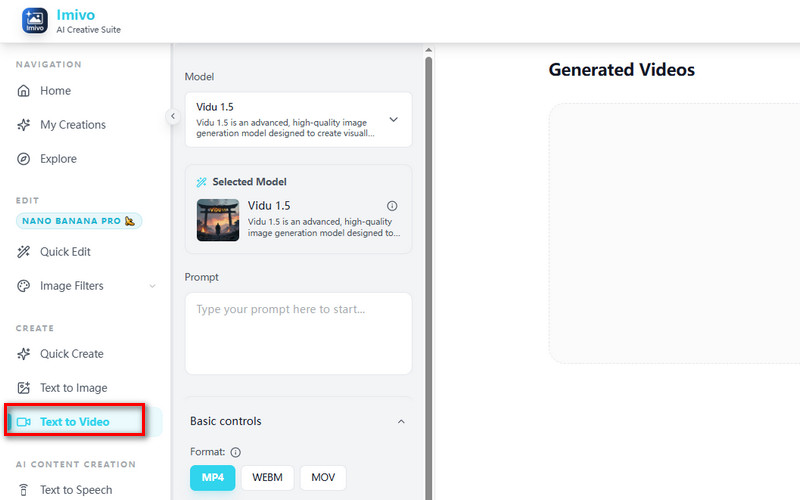
    Open Text to Video

    Open the AI animation generator and select the “Text to Video” option to begin creating your animated video from a simple idea or concept.

  • 2

    Add Your Idea

    Type your idea into the "Text Prompt" box clearly so the tool can understand your concept and turn it into a structured animated video.

  • 3

    Generate & Save

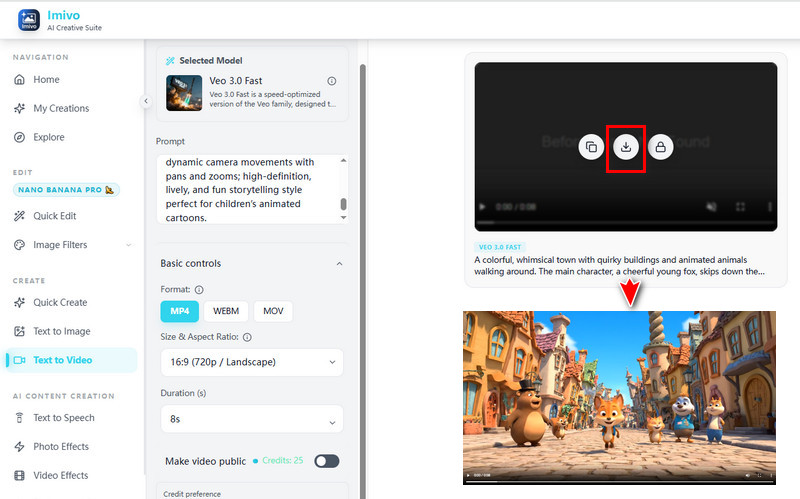
    Click generate to create your animated video instantly, then download it and use it for sharing, marketing, or personal creative projects.
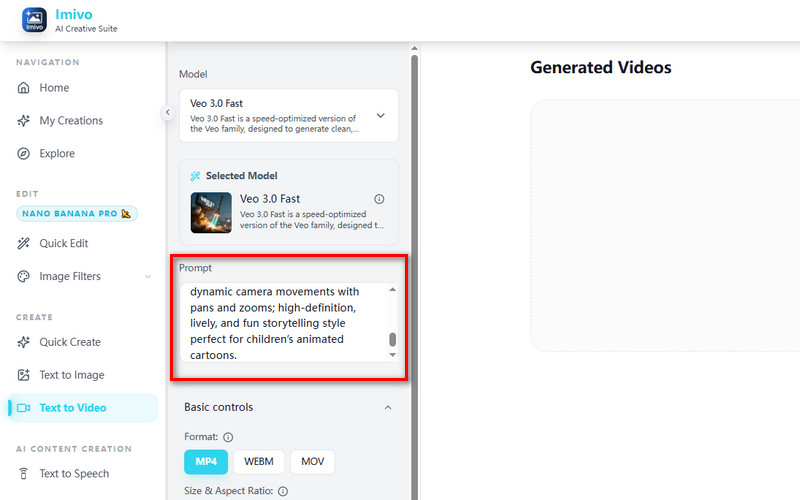
Open Text to Video
Add Your Idea
Generate & Save

Why Choose Us

bolt
Smooth Animations

Enjoy clean, high-quality animations that look professional and play smoothly across different devices and platforms.

verified_user
Fast Generation

Create animation videos quickly using AI, reducing wait time and helping you produce content without delays.

school
Secure Processing

Your data stays safe with secure systems, ensuring privacy while creating and editing your animated videos.

school
Multi-Platform Ready

Export videos in formats optimized for social media, websites, and presentations, ready to share anywhere.

Frequently Asked Questions

How can I generate animated videos from text or images using AI?expand_more

The tool includes both Text-to-Video and Video Effects features for generating animated videos from prompts or uploaded images. In the Text-to-Video workflow, users can enter a text description or idea, select an AI model, and generate short video clips automatically. Available models include Veo 3.0 for clean cinematic visuals and synchronized contextual audio, Vidu 1.5 for storytelling-style animations, and KlingAI V1 Pro for realistic motion and physics-based scenes. The Video Effects feature also lets users upload images and apply animated effects to social media content, promotional clips, and short-form video posts.

What animation styles are supported (e.g., cartoon, motion graphics, cinematic)?expand_more

The Text to Video feature supports multiple animation and video generation styles depending on the selected AI model. Vidu 1.5 is suitable for narrative storytelling, stylized animation, and creative scene generation for short promotional content or social media clips. KlingAI V1 Pro focuses on highly realistic visuals with more natural movement and physics-based animation. Veo 3.0 supports cinematic-style video generation with synchronized contextual audio and dialogue, making it useful for short cinematic scenes, advertising concepts, and visual storytelling projects. The generated videos are typically 4-8 seconds long, depending on the selected model and workflow.

Can I control the duration, pacing, and transitions of the animation?expand_more

Yes, users can influence pacing, camera movement, scene behavior, and animation flow through detailed prompts. The generated output depends heavily on how the prompt describes movement, timing, transitions, and subject actions. However, the current Text-to-Video workflow primarily supports generating short clips of 4-10 seconds. For longer productions, users can generate multiple scenes separately and combine them later using a video editor for longer storytelling sequences, advertisements, or presentation videos.

Does the tool support adding voiceovers or background music?expand_more

No, the tool does not support adding voiceovers or background music. However, you can export the generated video clips and edit them using a video editor such as WindCut. This allows you to add voiceovers, background music, subtitles, and other audio elements to complete your social media videos, advertisements, or presentation content.

Can I edit or refine the animation after it is generated?expand_more

Yes, users can refine generated animations by adjusting the original prompt and regenerating the clip. Changes to scene descriptions, motion instructions, visual style, lighting, or subject behavior can produce a different output version. However, the tool generates a new video rather than directly editing frames from the previously generated clip.

What video formats and resolutions are available for export?expand_more

The Text to Video feature supports exporting videos in MP4, WEBM, and MOV formats. MP4 is commonly used for YouTube, Facebook, Instagram Reels, and TikTok because of its broad compatibility and compressed file size. WEBM is useful for websites and online embeds where faster loading performance is important, while MOV is suitable for higher-quality editing workflows in video editing software. The tool also supports multiple aspect ratios and resolutions, including 16:9 videos from 720p to 1080p for YouTube and presentations, 1:1 videos from 360p to 540p for square social media posts, and 9:16 videos from 360p to 1080p for TikTok, Instagram Reels, and YouTube Shorts.

Create Your Animated Video

Create professional animated videos in seconds using AI tools online. No installation needed, just start instantly and bring your ideas to life.

No credit card required
Back to Top
Contact Us
Learning Center