menu

Enhance Photos for Marketing & Promotional Visuals with AI

Improve existing ad creatives, landing page visuals, and promotional photos using AI-powered background cleanup, image sharpening, and object removal tools for polished campaign-ready results.
Enhance Photos for Marketing
Or drop image here, paste image or URL
Try with one of these

Smarter Marketing Visuals for Brands

photo_library

Digital Marketers

Digital marketers create visual content for campaigns and advertisements. Photo enhancement tools improve image quality, helping marketing materials attract more attention.
temp_preferences_custom

Online Store Owners

Online store owners rely on product photos to attract customers and drive sales. Enhanced images showcase products more clearly, creating a more professional shopping experience.
movie

Influencers & Content Creators

Content creators produce visuals for blogs, videos, and social media. Sharper and higher-quality images help content stand out across platforms.
sync

Marketing Agencies

Marketing teams manage campaigns for brands and clients. AI enhancement speeds up image preparation while maintaining a consistent visual style.

Marketing Photo Enhancement Scenarios

See how enhanced photos improve ads, product pages, and social media marketing results.

shopping_bag

Paid Ads

Clean up paid ad creatives by removing distracting elements, improving product focus, and sharpening campaign visuals for a stronger advertising presentation.

  • check_circle Remove distractions from ad visuals.
  • check_circle Improve product clarity in creatives.
  • check_circle Sharpen promotional campaign images.
  • check_circle Prepare cleaner assets for ad placements.
video_library

Landing Pages

Enhance landing page visuals with sharper image quality, cleaner promotional presentation, and improved banner clarity for a more polished page design.

  • check_circle Enhance promotional visual quality.
  • check_circle Improve product and hero photosh
  • check_circle Upscale low-resolution banners.
  • check_circle Create cleaner landing page presentation.
brush

Social Media Campaigns

Upgrade existing campaign photos with cleaner backgrounds, improved visual consistency, and a more polished promotional presentation for social marketing.

  • check_circle Replace distracting backgrounds
  • check_circle Improve campaign image presentation.
  • check_circle Create cleaner promotional scenes.
  • check_circle Prepare sharper visuals for social posts.

Simple Steps to Enhance Marketing Photos

Follow easy steps to edit, improve, and create professional marketing images quickly and effectively.

  • 1

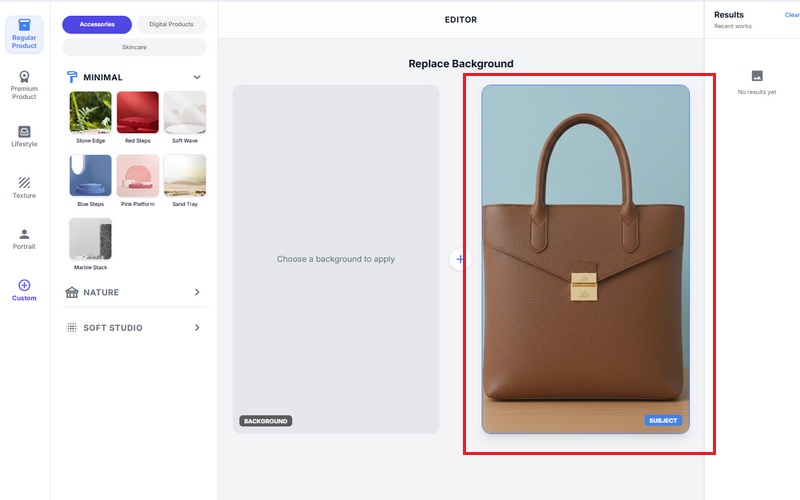
    Upload Marketing Images

    Upload existing ad creatives, promotional photos, landing page visuals, or campaign banners that need cleanup, sharpening, or visual improvement.

  • 2

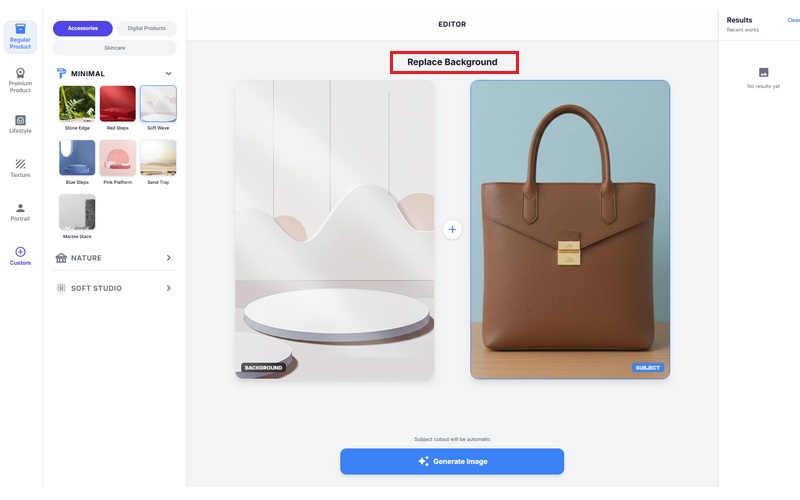
    Enhance and Clean Visuals

    Use AI enhancement tools to replace distracting backgrounds, sharpen blurry campaign images, remove unwanted objects, and improve overall promotional presentation.

  • 3

    Download Campaign-Ready Images

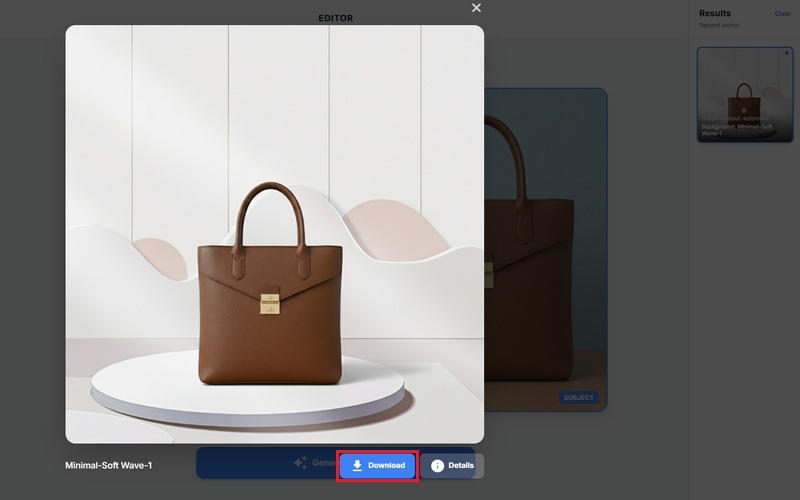
    Export polished marketing visuals optimized for paid ads, landing pages, social campaigns, email marketing, and promotional publishing.
Upload Marketing Images
Enhance and Clean Visuals
Download Campaign-Ready Images

Why Marketing Teams Use AI Enhancement Tools

bolt
Improve Campaign Visuals Faster

Clean and optimize promotional images without rebuilding designs from scratch.

verified_user
Create Cleaner Promotional Presentation

Improve product focus, sharpen campaign visuals, and remove distracting elements from marketing assets.

verified_user
Prepare Polished Marketing Assets

Enhance existing visuals for ads, landing pages, social campaigns, and email promotions using fast AI cleanup workflows.

school
Maintain Consistent Campaign Quality

Create sharper, cleaner, and more visually consistent marketing materials across multiple promotional channels.

Frequently Asked Questions

How can I enhance low-quality images for marketing campaigns using AI?expand_more

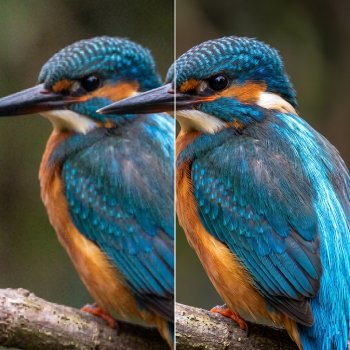
Yes, you can enhance low-quality images for marketing campaigns using the tool's Image Upscaler feature. Users can upload compressed or low-resolution visuals and choose between 2X and 4X upscaling options to improve image clarity and resolution. The enhancement process helps refine blurry promotional graphics, product photos, social media visuals, and banner images while preserving their original composition. After processing, the enhanced files can be exported in PNG, JPG, or WEBP formats depending on the intended marketing use.

What types of improvements (e.g., sharpness, lighting, color) does the tool apply automatically?expand_more

The Image Upscaler automatically improves image sharpness and overall clarity after processing low-quality visuals. It also refines visible details and slightly balances lighting to make subjects appear cleaner and more defined in marketing layouts. In some cases, colors appear more refined because blurred areas become sharper and easier to distinguish. The enhancement process focuses on improving image quality rather than heavily altering the original design.

Can I upscale images while preserving details for ads and banners?expand_more

Yes, the Image Upscaler preserves the original appearance of uploaded images while improving their quality. Banner graphics, promotional materials, and product images maintain their original layout, text positioning, and visual structure after enhancement. Instead of redesigning the image, the tool sharpens edges, improves clarity, and enhances lighting consistency, keeping the visuals suitable for digital ads, website banners, and social media campaigns.

How does the tool optimize images for different marketing channels (web, social, ads)?expand_more

The tool optimizes images by increasing resolution and improving visual clarity, making them more suitable for websites, social media platforms, and online advertisements. Since the enhanced files can be exported in PNG, JPG, and WEBP formats, users can select the format that best matches their publishing requirements. WEBP is useful for reducing file sizes on websites, while PNG is preferred for higher-quality marketing graphics or visuals that require transparency.

Can I batch-enhance multiple images with consistent results?expand_more

No, the current version of the Image Upscaler does not support batch enhancement. Images must be uploaded and processed individually. However, the workflow requires only a few steps: uploading the image, selecting Auto, 2X, or 4X upscaling, and downloading the enhanced result. The tool also applies a relatively consistent sharpening and clarity improvement across different uploaded marketing visuals.

What output formats and resolutions are recommended for marketing use?expand_more

The tool supports exporting enhanced images in PNG, JPG, and WEBP formats. PNG works well for Shopify and Amazon product banners, JPG is suitable for Facebook and Instagram promotional posts, and WEBP helps optimize images for WordPress websites and Google Ads. The 2X and 4X upscaling options also help prepare low-resolution visuals for ecommerce listings, social media graphics, and digital advertisements.
Autumn Warm Scene

Autumn Warm Scene
Natural Window Light Scene

Natural Window Light Scene
Styled Product

Styled Product
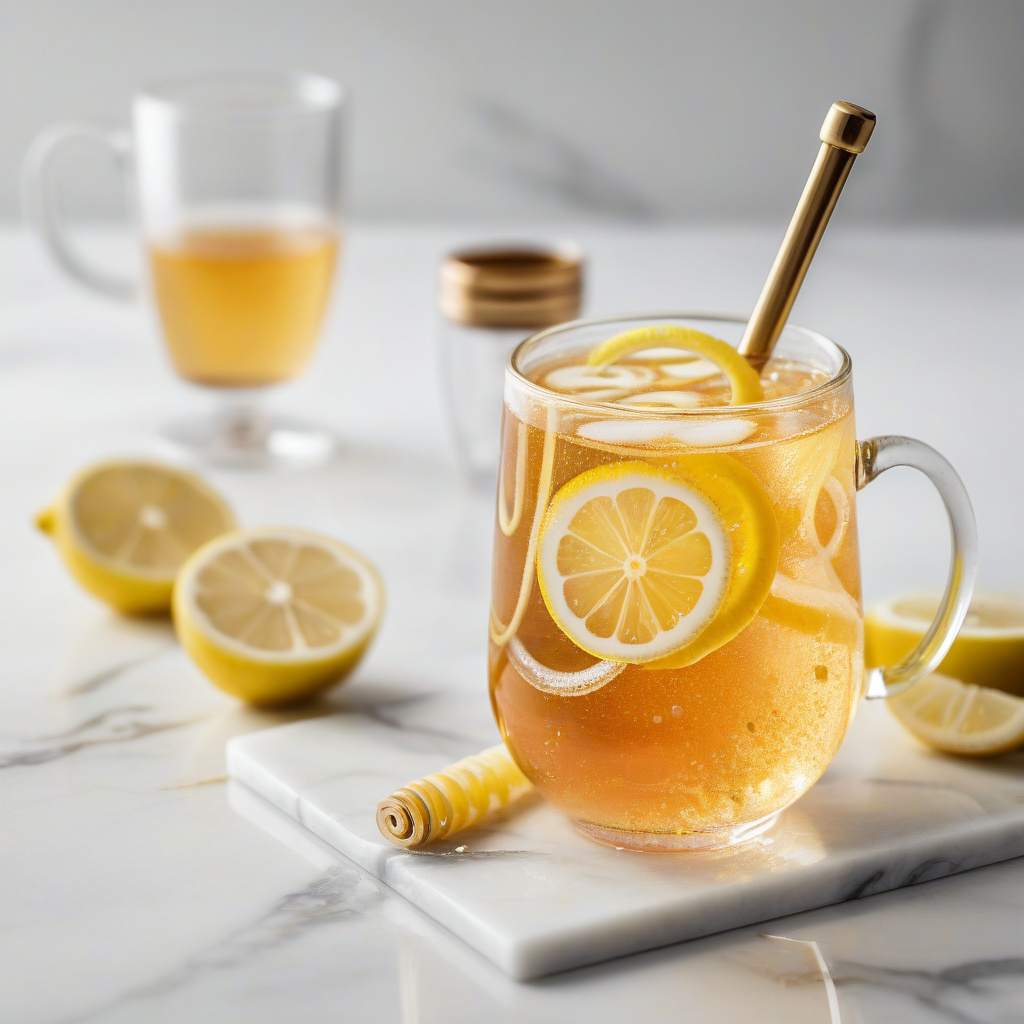
Modern Marble Surface

Modern Marble Surface

Enhance Marketing Photos Online

Turn blurry campaign visuals into polished creative ready for ads, landing pages and every stage of your marketing workflow.

Online access • Fast workflow • No installation
Back to Top
Contact Us
Learning Center