menu

Create AI Social Media Graphics for Every Platform
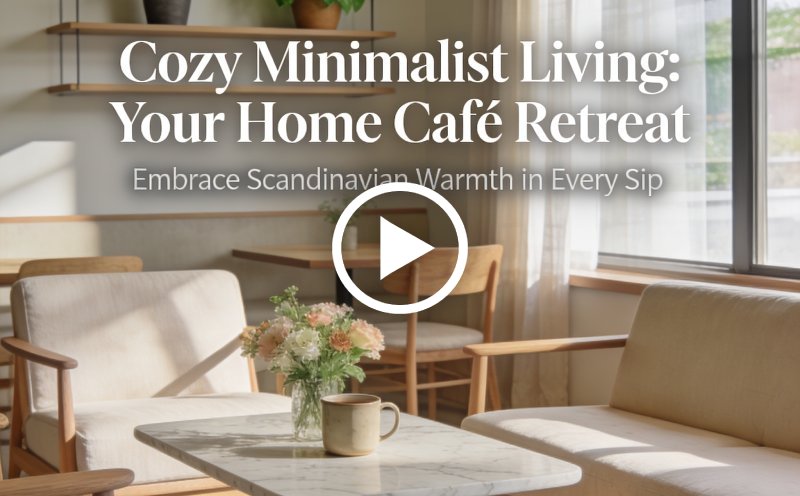
Use Google Nano Banana, HiDream, Seedream, Text-to-Image workflows, and Poster Designer to generate social media graphics, YouTube thumbnails, promotional banners, and branded campaign visuals for every platform.
Design Social Media Graphics
Or drop image here, paste image or URL
Try with one of these

Social Media Designs for Creators

photo_library

Social Media Managers

Managing multiple social accounts requires a steady flow of engaging content. AI design tools help create branded graphics quickly while maintaining a consistent visual presence.
temp_preferences_custom

Influencers and Creators

Growing an audience often depends on eye-catching visuals. Custom social media graphics help strengthen personal branding and encourage higher engagement across platforms.
movie

Content Marketers

Creating graphics for blogs, campaigns, and social posts can be time-consuming. AI-powered design tools simplify content production while supporting marketing goals.
sync

Marketing Teams

From promotions to product launches, strong visuals are essential for successful campaigns. Faster graphic creation helps teams maintain quality and consistency at scale.

Design Graphics That Fit Every Platform

Create social media graphics for different platforms using simple tools. Adjust your social media post design based on real needs and campaign goals.

shopping_bag

Instagram Content Creation

Generate Instagram-ready visuals using Google Nano Banana or HiDream, then finalize typography, layouts, and story formatting inside Poster Designer.

  • check_circle Create carousel graphics and story visuals.
  • check_circle Generate branded quote posts and lifestyle campaigns.
  • check_circle Design consistent Instagram feed aesthetics.
video_library

Facebook Advertising Visuals

Create Facebook ad creatives using Seedream and Nano Banana, then organize layouts, CTA placement, and campaign formatting inside Poster Designer.

  • check_circle Generate promotional ad graphics quickly.
  • check_circle Create campaign banner layouts for multiple placements.
  • check_circle Build multiple ad variations for testing campaigns.
brush

YouTube Thumbnail Design

Use HiDream and Nano Banana to generate cinematic YouTube visuals, then organize typography, contrast, and composition inside Poster Designer.

  • check_circle Generate attention-grabbing thumbnail visuals.
  • check_circle Add headline-friendly layouts and typography spacing.
  • check_circle Export platform-optimized YouTube thumbnails instantly.

Create AI Social Media Graphics in Three Steps

Follow three simple steps to design social media graphics quickly, professionally, and without any prior design experience.

  • 1

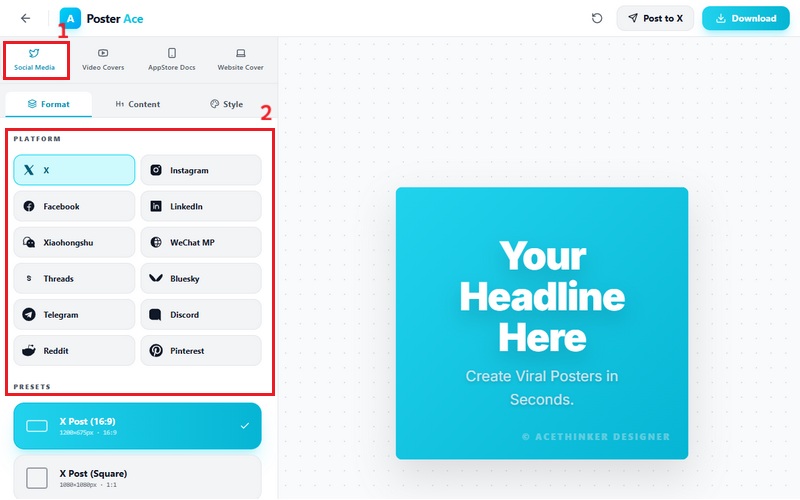
    Choose a Social Media Format

    Select a platform format like Instagram Post, Story, Facebook Banner, LinkedIn Post, or YouTube Thumbnail.

  • 2

    Design Your Graphic

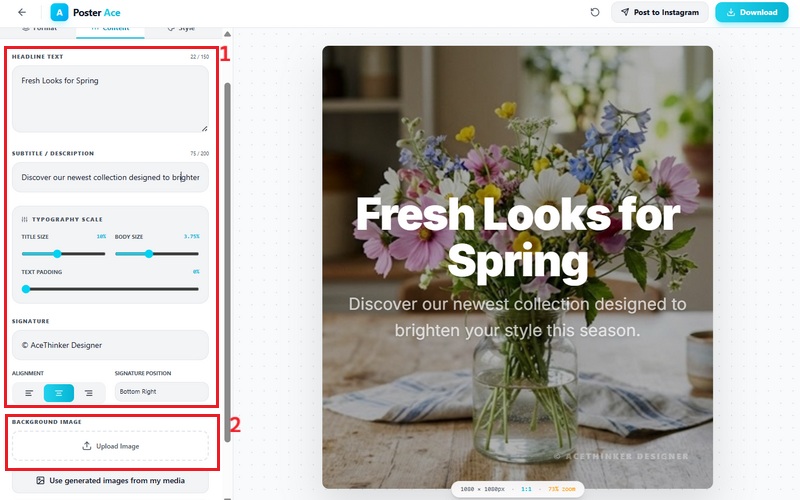
    Add your headline, subtitle, brand colors, and upload a background image to generate a polished social media design.

  • 3

    Download & Share

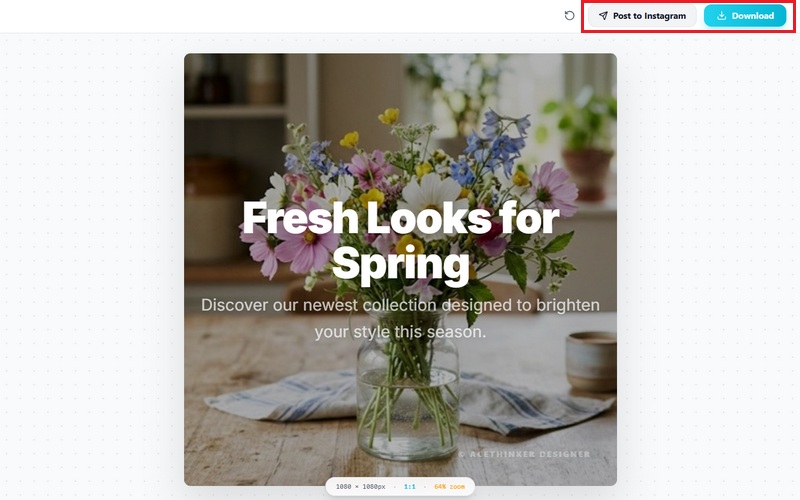
    Save your social media graphic in high quality or publish it directly to your selected platform.
Choose a Social Media Format
Design Your Graphic
Download & Share

Why Choose Our AI Social Media Graphics Tools

bolt
Faster Social Content Creation

Generate multiple social media visuals quickly for campaigns, promotions, scheduled posts, and branded content.

verified_user
Platform-Optimized Layouts

Use Poster Designer to create graphics optimized for Instagram, Facebook, X/Twitter, YouTube, LinkedIn, and additional social platforms.

school
Consistent Brand Identity

Maintain consistent colors, typography, visual hierarchy, and campaign aesthetics across all social media channels.

school
Flexible AI Creativity

Switch between Nano Banana, HiDream, and Seedream depending on your campaign style, audience, and creative direction.

Frequently Asked Questions

How can I create social media visuals tailored for different platforms?expand_more

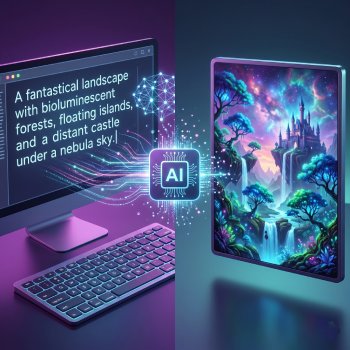
You can create platform-specific graphics using either the text-to-image workflow or the built-in poster designer. In the text-to-image workflow, you enter a prompt describing the style, subject, and platform format you want, then choose aspect ratios such as 1:1 for Instagram posts, 9:16 for Reels and TikTok, or 16:9 for YouTube thumbnails. On the other hand, the poster designer uses a more template-based workflow. You select a platform first, and the tool automatically adjusts the canvas size. You can then upload images, edit headlines and subtitles, reposition elements, and export the finished design without manually resizing the layout.

Can I generate consistent brand-style graphics using AI?expand_more

Yes. You can use the text-to-image workflow to generate visuals for a specific product while maintaining a consistent style, color palette, lighting, and composition across multiple images. After generating the image, you can use the poster designer to create a more consistent layout, using the generated image as the base for your poster. The poster designer lets you reuse the same layout while editing headlines, subtitles, and other text elements across different campaigns or social posts. This workflow helps maintain a more uniform visual style across multiple graphics without manually rebuilding each design.

What formats and aspect ratios are supported for social media posts?expand_more

The text-to-image workflow supports aspect ratios such as 1:1 for Instagram posts, 9:16 for Instagram Reels, TikTok, Stories, and Shorts, and 16:9 for YouTube thumbnails and widescreen content. Generated visuals can typically be exported as PNG or JPG files. The poster designer also supports platform-based layouts for social media graphics. When selecting a platform format, the canvas automatically adjusts to the appropriate dimensions, reducing the need for manual resizing or cropping before publishing. These layouts are commonly used across platforms such as Instagram, Facebook, TikTok, YouTube, LinkedIn, Pinterest, and X/Twitter.

Can I customize text, colors, and layout in AI-generated designs?expand_more

Yes. In the text-to-image workflow, customization is handled directly through the prompt. You can define color palettes, typography styles, layout composition, lighting, spacing, branding elements, and visual hierarchy before generating the image. For example, you can request a minimal black-and-white Instagram poster, a bold neon typography layout with centered product focus, or a luxury gold branding style with cinematic lighting.

How does this tool speed up content creation compared to manual design?expand_more

The tool speeds up content creation by combining text-to-image generation, photo filters, and a poster designer into a single workflow. Instead of manually creating layouts and resizing designs for each platform, you can generate a visual from a prompt, enhance it with filters, and refine it using structured templates. Additionally, the text-to-image feature quickly generates one image per prompt for rapid concept creation, while photo filters enable instant visual adjustments without external editing tools. The poster designer then helps turn these visuals into platform-ready layouts by automatically adjusting sizes and organizing text and image placement.
Valentine Watercolor Objects

Valentine Watercolor Objects
Whimsical Holiday Stickers

Whimsical Holiday Stickers
Golden City Posters

Golden City Posters
Icon Village Sticker Set

Icon Village Sticker Set

Design Graphics for Social Media Instantly

Create platform-ready social graphics, YouTube thumbnails, branded campaign visuals, promotional banners, and social-media posts using AI generation tools and Poster Designer workflows.

No installation • Instant access
Back to Top
Contact Us
Learning Center