menu

AI Mind Map Generator to Visualize and Structure Ideas
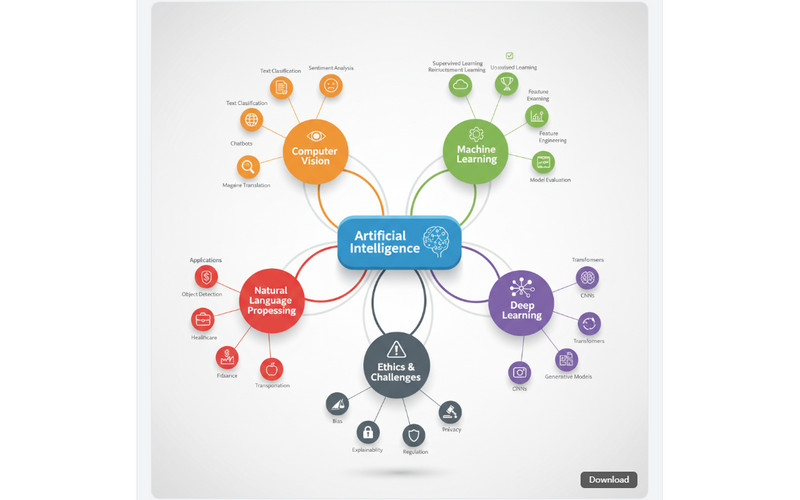
Generate mind maps with AI to turn complex ideas, notes, or documents into clear visuals, helping you plan, connect thoughts, and stay organized faster for work, study, or creative projects.
AI Mind Map Generator
Or drop image here, paste image or URL
Try with one of these

Users Who Benefit from Mind Mapping

photo_library

Students & Learners

Individuals who organize study materials can use mind maps to organize study materials, simplify complex topics, and improve understanding and memory retention.
temp_preferences_custom

Project Managers

Project managers can use mind maps to organize tasks, structure workflows, and improve planning and team coordination throughout projects.
movie

Writers & Creators

Content creators can use mind maps to brainstorm ideas, organize content structures, and plan articles, scripts, or creative projects.
sync

Business Analysts

Professionals who break down strategies, processes, or reports can use mind maps to visualize connections and improve decision-making.

Core Value of an AI Mind Map Generator

Use an AI concept map generator to organize ideas quickly, simplify complex topics, and create clear, structured visuals for effective planning and creativity.

shopping_bag

Simplify Complex Topics

Break down large or complicated ideas into smaller, easy-to-understand branches, which helps with learning, presentations, or explaining concepts clearly.

video_library

Improve Clarity and Focus

By organizing information visually, you can quickly spot gaps, overlaps, or priorities, making your thinking clearer and more focused.

brush

Convert Text into Visual Thinking

Paste notes, articles, or outlines and instantly turn them into visual maps, making information easier to digest and remember.

Create Mind Map in 3 Easy Steps

Follow the guide below for easy mind-mapping of your files or text.

  • 1

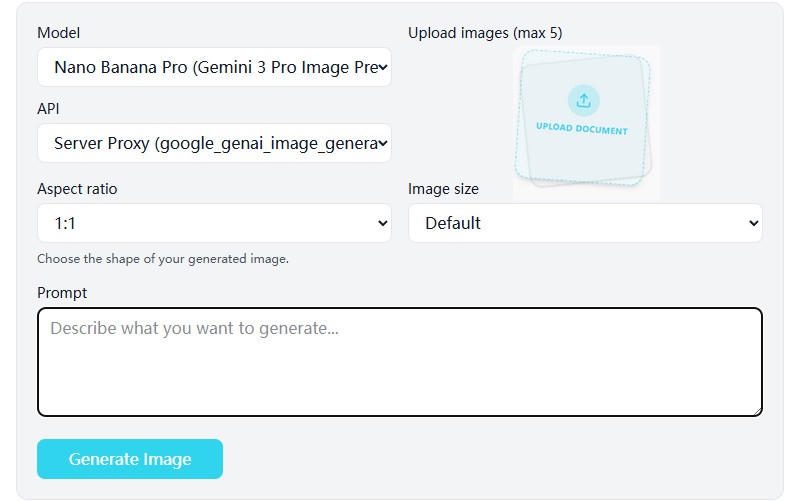
    Enter Text or Upload File

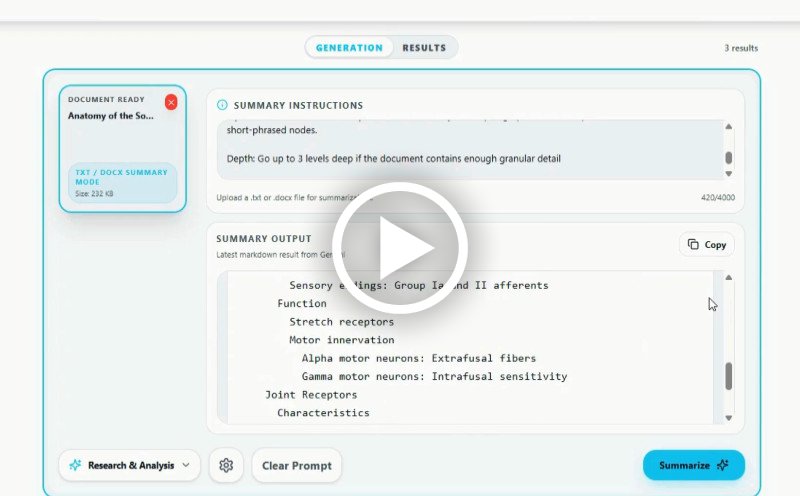
    Open the AI mind map generator online using your browser. Then click + if you are uploading a file, or enter the topic you want to make a mind map for.

  • 2

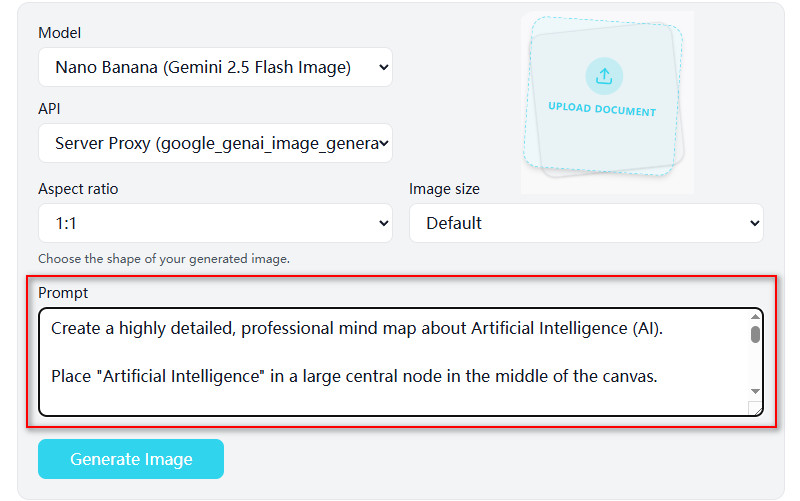
    Add Your Prompt

    Next, tell the AI what you want your mind map to focus on. You can give instructions like “show main points,” “focus on key ideas,” or “make it simple to understand.”

  • 3

    Preview and Save

    Finally, check the mind map the AI created. Make any adjustments if needed, then download your map, and it's ready to use for study, work, or sharing.
Enter Text or Upload File
Add Your Prompt
Preview and Save

Why Choose Us

bolt
Clear visual maps instantly

Quickly turn your ideas into clear, visual maps that make understanding and sharing information easier than ever.

verified_user
Organized ideas in one view

Keep your thoughts neatly organized in a single view so you can easily spot connections and relationships.

psychology
Faster brainstorming sessions

AI helps you come up with ideas quickly, so you can explore more options and find creative solutions faster.

event_note
Quick note summarization

Turn long notes or documents into concise, clear points, so you can review and understand information faster.

Frequently Asked Questions

How can I generate a mind map from text, documents, or ideas?expand_more

You can generate a mind map using the tool’s Quick Edit feature by selecting the “Research & Analysis” workflow. Users can enter a detailed prompt or upload supporting content, then instruct the AI to organize the information into a visual mind map structure. The generated output is presented in a structured text format with main topics, subtopics, and supporting points arranged hierarchically. This workflow can help organize research topics, study materials, brainstorming ideas, or project outlines more efficiently.

Does the tool automatically organize content into hierarchical structures?expand_more

Yes, the generated output is automatically arranged into hierarchical structures based on the provided topic or uploaded content. Main ideas are separated into categories, followed by related subtopics and supporting details underneath each section. This structure makes it easier to review relationships between concepts, organize information logically, and convert the output into a visual mind map using document editors or diagram tools.

Can I edit or rearrange nodes after the mind map is generated?expand_more

Yes, users can edit or rearrange the generated mind map structure after copying the output. The generated text can be pasted into document editors, note-taking apps, or mind mapping software where users can manually reorganize sections, rename nodes, or expand specific topics. This allows additional customization depending on the study material, brainstorming session, or project workflow.

What types of input (e.g., PDF, notes, prompts) are supported?expand_more

The tool supports multiple input formats, including TXT, DOCX, PDF, and XLSX files. Users can upload notes, research documents, spreadsheets, summaries, or written prompts to generate structured mind map content from the provided information. Prompt-based instructions can also help guide the organization of the hierarchy, such as grouping topics by category, timeline, or importance.

Can I export the mind map in different formats (images, PDFs, editable files)?expand_more

Yes, users can export the generated mind map by copying the structured output and saving it in the desired format using the software of their choice. The content can be converted into PDF documents, editable DOCX files, presentation slides, or image-based mind maps using external editors or diagram tools. This workflow provides flexibility for study notes, presentations, brainstorming sessions, or project documentation.

How can I use this tool for study, brainstorming, or project planning?expand_more

The mind map workflow can help organize complex information into structured topic groups for easier review and planning. Students can use it to break down lecture notes, textbook chapters, or research topics into summarized sections and subtopics. For brainstorming and project planning, users can organize ideas, workflows, timelines, task categories, or discussion points into a clearer hierarchical structure before creating presentations, reports, or action plans.

Create Visual Maps Quickly

Transform your thoughts into organized diagrams instantly using our automatic mind map generator.

No downloads • Ready in seconds
Back to Top
Contact Us
Learning Center