menu

Generate Structured AI Summaries from Documents Instantly
Analyze PDFs, reports, research papers, and articles with AI-generated summaries, key insights, and structured outputs.
AI Document Summarizer
Or drop image here, paste image or URL
Try with one of these

Target Users for the Document Summary Tool

photo_library

Students & Researchers

Students and researchers can summarize lengthy academic papers and articles to quickly understand key ideas and save valuable research time.
temp_preferences_custom

Office Professionals

Employees who handle reports, emails, and documents can use the summarization tool to save time and improve productivity at work.
movie

Legal & Compliance Workers

Professionals can summarize contracts, policies, and regulatory documents to identify important information more efficiently.
sync

Business Executives

Business executives can use document summaries to gain quick insights from reports and stay informed without reading lengthy materials.

Fast, Accurate, and Structured Document Summarization

Process complex documents with AI-powered analysis and structured summary generation.

arrow_split

Instant Document Processing

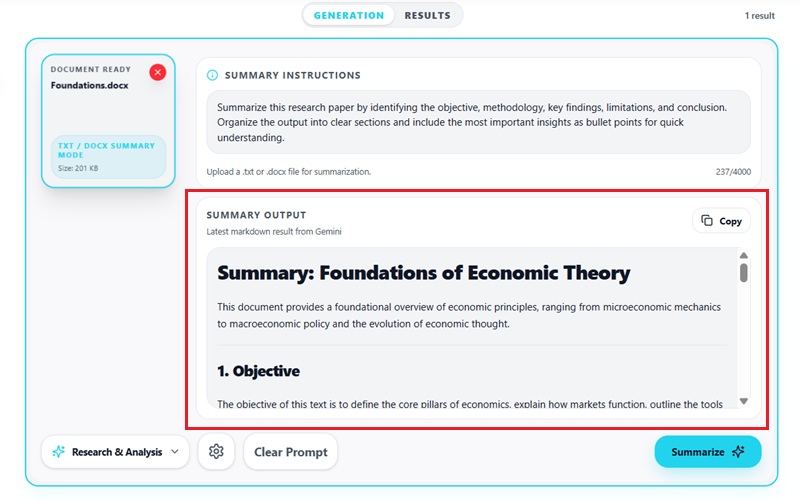
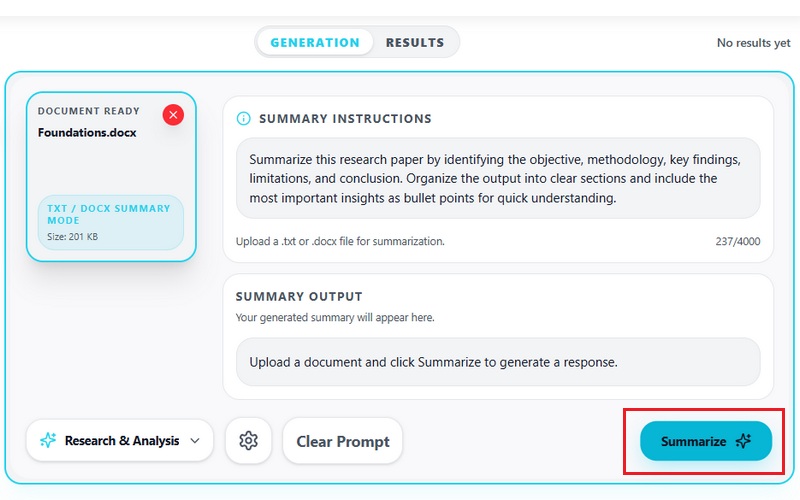
Upload documents and generate structured AI summaries within seconds. The AI scans sections, identifies important topics, and organizes key information for faster review.

assignment

Context-Aware Research Analysis

AI Research Assistant analyzes document structure, headings, and contextual relationships before generating summaries, helping preserve meaning and important insights.

convert_to_text

Structured Summary Output

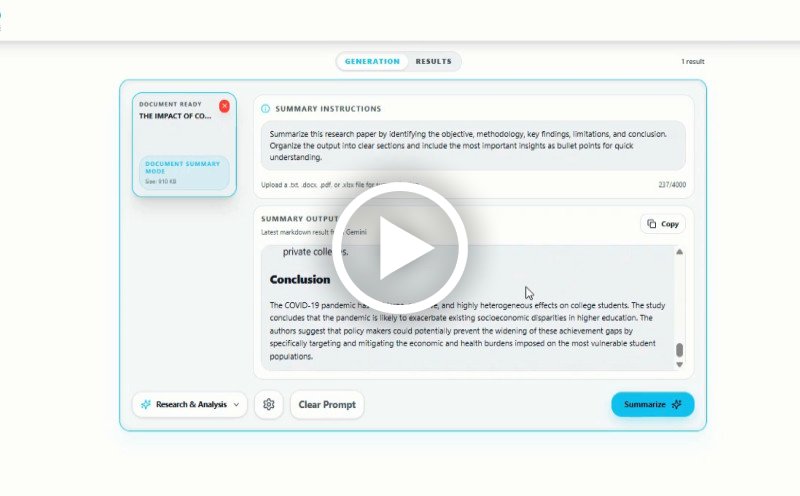
Generate summaries with headings, bullet points, key takeaways, and organized insights that are easier to review, study, and reuse.

How to Summarize PDF Documents with AI

Summarize reports, PDFs, research papers, and documents using AI Research Assistant in three simple steps.

  • 1

    Upload Your Document

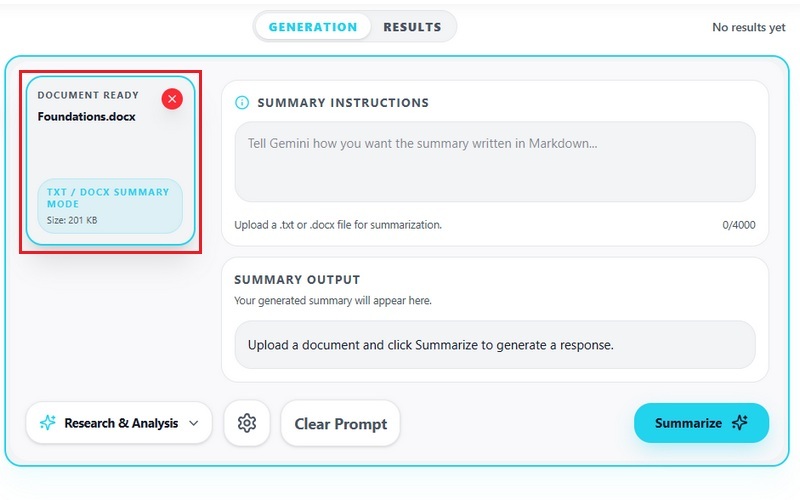
    Upload PDFs, DOCX files, lecture notes, reports, articles, or research papers into the AI Research Assistant for analysis.

  • 2

    AI Research Assistant Analyzes the Content

    The AI identifies document structure, key sections, contextual relationships, findings, and important information before generating a structured summary.

  • 3

    Review, Refine, and Export

    Review generated summaries, refine outputs, extract insights, and export the results for research, business analysis, study preparation, or reporting workflows.
Upload Your Document
Analyzes the Content
Export Generate Summaries

Why Use an AI Document Summarizer

bolt
Reduce Research Time

Quickly understand lengthy research papers, reports, and articles without manually reviewing every page. AI-powered analysis helps users focus on the most important information faster.

verified_user
Generate Structured Insights

AI organizes information into headings, bullet points, summaries, findings, and key takeaways for easier understanding and review.

psychology
Improve Study Efficiency

Turn lecture notes, transcripts, PDFs, and educational materials into simplified study resources with organized formatting and concise explanations.

event_note
Analyze Large Documents Faster

Process complex reports, research documents, and long-form materials with AI-assisted summarization and contextual analysis.

Frequently Asked Questions

What types of documents can this summarizer process effectively?expand_more

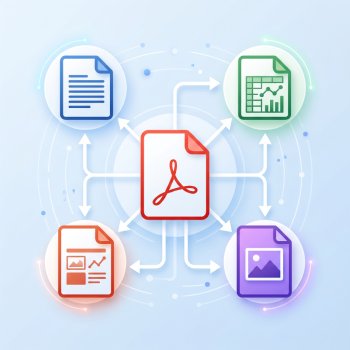
The AI Document Summarizer supports multiple document formats, including DOCX, PDF, TXT, and XLSX files. The tool can process reports, meeting notes, research documents, spreadsheets, and exported business files. PDF uploads preserve section order and headings, while XLSX files are summarized based on worksheet data and table content. Processing quality depends on the readability and structure of the uploaded file.

Can the AI generate structured summaries instead of plain text?expand_more

Yes. After processing a document, the tool generates structured summaries instead of returning a single block of plain text. Depending on the document content, outputs may include headings, bullet-point sections, action items, key takeaways, or categorized summaries. The summarizer also includes a custom prompt field, allowing users to define the output structure more precisely. For example, users can request executive summaries, section-by-section breakdowns, meeting highlights, or condensed reports focused on specific topics.

How accurate are the summaries for complex or technical documents?expand_more

The summarizer uses Google Gemini 3.1 Pro to analyze uploaded documents and generate summaries or reports. Clearly formatted business documents and organized technical content generally produce more reliable summaries than scanned or poorly formatted files. Accuracy depends on the quality, organization, and clarity of the uploaded document. Large tables, dense technical terminology, or inconsistent formatting may affect how specific details are interpreted in the final summary.

Can I control the length or depth of the summary?expand_more

Yes. The tool includes a customizable prompt field that lets users determine the level of detail in the output. Prompts can be used to generate short overviews, detailed section summaries, meeting-style notes, or topic-focused reports. Users can request concise summaries, expanded explanations, or outputs that prioritize specific sections of the document.

Does the tool preserve key sections and context from the original document?expand_more

Yes. The summarizer preserves the main sections, topics, and the original document's contextual flow while reorganizing the information into a more readable format. Documents with headings and multi-section layouts retain their structure, helping related information stay grouped together in the summary. However, files with inconsistent formatting, scanned text, or missing section labels may yield less-organized results.

Analyze Documents Faster with AI Research Assistant

Generate structured summaries and key insights from PDFs, reports, and research papers in seconds.

Ready to use
Back to Top
Contact Us
Learning Center