menu

Create Product Demo Videos Online Easily
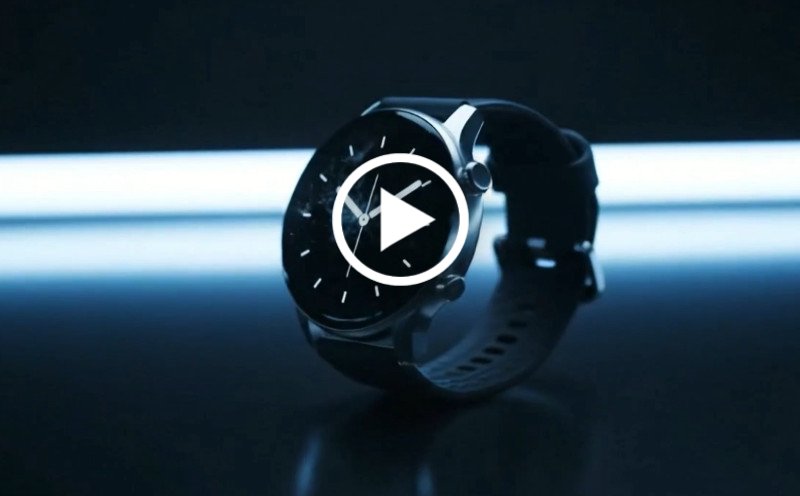
Create clear and engaging product demo videos with AI to showcase features, product use, and key benefits. No editing skills required, generate instantly online.
Create Product Demo
Or drop image here, paste image or URL
Try with one of these

Create Product Demo Videos by Scenario

Show product value more clearly with tailored demos for every type of product and audience.

shopping_bag

Feature Walkthroughs

Buyers may miss key benefits when product features are difficult to explain quickly.

  • check_circle Create product demo video scenes that highlight the most important product features.
  • check_circle Showcase how each feature works with clear visuals and simple explanations.
  • check_circle Focus attention on the benefits that matter most to buyers.
  • check_circle Keep every demonstration short, clear, and easy to follow.
video_library

Product Tutorials

Customers often struggle to understand setup, usage, or product value without guidance.

  • check_circle Create product demo videos for marketing that explain how the product works.
  • check_circle Show each step clearly from setup to everyday use.
  • check_circle Use product demonstration videos to answer common customer questions.
  • check_circle Generate clearer videos that reduce confusion and increase confidence.
brush

App Demonstrations

App features are harder to understand when users cannot see the experience in action.

  • check_circle Use an AI demo video maker to showcase app screens and user flows.
  • check_circle Create short product demo video creation sequences for onboarding and promotion.
  • check_circle Highlight the value of each screen with captions and clear transitions.
  • check_circle Generate videos for app stores, websites, and social campaigns.

Create Product Demo Videos Instantly

Create product demo videos in minutes with a simple three-step process.

  • 1

    Describe Product

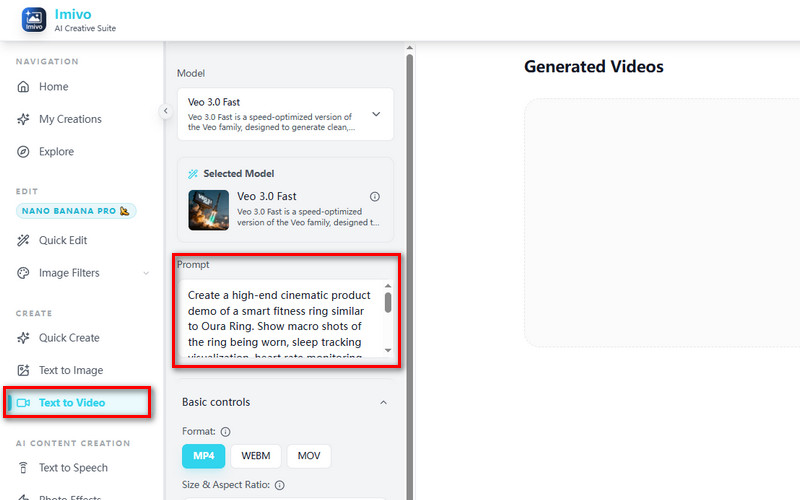
    Enter your product, audience, and the features you want to showcase in the demo.

  • 2

    Generate Demo

    Create product demo video scenes that clearly explain how the product works and why it matters.

  • 3

    Download Demo Video

    Download and use finished videos across websites, sales pages, social media, and campaigns.
Describe Product
Generate Demo
Download Demo Video

Why Choose Us

bolt
Clear Product Demonstration

Create product demo videos with sharper visuals that explain features and product value clearly.

verified_user
Faster Video Creation

Generate AI product demo videos quickly for launches, campAIgns, and customer education.

school
Secure and Private

Create demos confidently with secure processing and protected product information.

school
Ready for Every Platform

Use product demonstration videos across websites, social media, sales pages, and presentations.

Frequently Asked Questions

How can I create product demo videos without filming real footage?expand_more

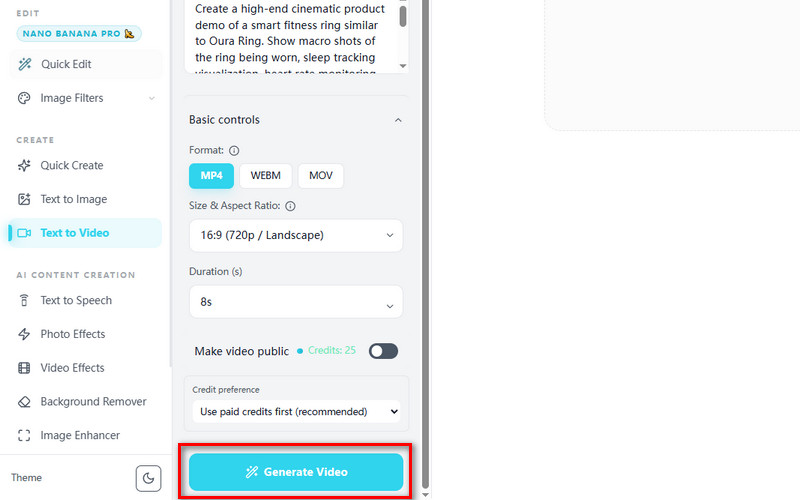
You can create short product demo videos using the tool’s Text to Video feature without recording real footage. Users can enter a product-focused prompt that describes the scene, product movement, camera angle, or presentation style, then generate videos in aspect ratios including 16:9, 9:16, and 1:1, with resolutions up to 1080p. The workflow currently supports generating clips between 4 and 8 seconds long, so longer product demonstrations can be created by generating multiple scenes separately and combining them later in a video editor for ecommerce ads, product showcases, or social media campaigns.

Can I showcase product features step by step using AI-generated scenes?expand_more

Yes, users can generate multiple scenes that step-by-step highlight product features by describing each action or feature in the prompt. Since the Text to Video workflow supports short 4–10-second clips, users can create separate scenes for product close-ups, feature demonstrations, usage examples, or packaging reveals. These generated scenes can then be combined into a longer product walkthrough for TikTok videos, Instagram Reels, ecommerce ads, or online product presentations.

Does the tool support adding text overlays, captions, or callouts?expand_more

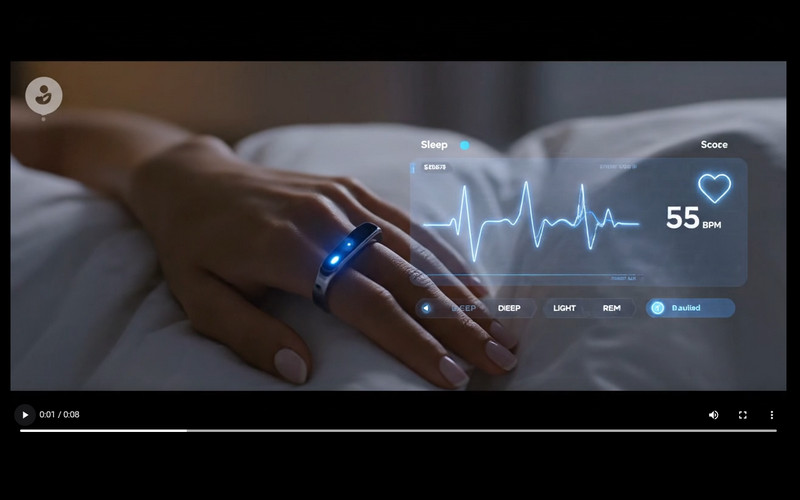
Users can describe text overlays, captions, labels, or callouts directly inside the prompt to include them in the generated video scene. Prompt instructions can also influence the appearance, placement, and style of visual text elements shown during generation. However, for more precise positioning, timeline editing, or detailed caption control, exporting the generated clip to a dedicated video editor may offer greater editing flexibility.

Can I customize the style to fit my brand or product category?expand_more

Yes, users can customize the style of generated product demo videos by describing branding details, colors, lighting, camera movement, product presentation, and overall aesthetic directly in the prompt. The tool also supports multiple AI models that produce different visual styles and motion behavior. Veo 3.0 is suitable for cinematic-style product presentations and synchronized contextual audio, while KlingAI V1 Pro focuses on realistic textures and motion quality for product-focused visuals.

How can I generate multiple demo variations for testing and marketing?expand_more

Users can create multiple demo variations by reusing the same product prompt while adjusting product angles, lighting descriptions, camera movement, backgrounds, or AI models. The tool supports multiple generation models, including Vidu 1.5 for stylized and expressive scenes, KlingAI V1 Pro for sharper and more realistic product visuals, and Veo 3.0 Fast for quicker draft generation and rapid concept testing. This workflow can help create multiple product ad variations for A/B testing, social media campaigns, or ecommerce promotions.

What formats are best for sharing product demo videos online?expand_more

MP4 is one of the most suitable formats for sharing product demo videos online because it is widely supported across websites, ecommerce platforms, and social media apps. The tool supports exporting generated videos in MP4 format, making the clips suitable for TikTok, Instagram Reels, YouTube Shorts, Shopify product pages, Facebook ads, and ecommerce product showcases. The available 16:9, 1:1, and 9:16 aspect ratios also help optimize videos for different online platforms and viewing formats.

Start Your Product Demo Video

Create product demo videos online in seconds with clear, professional results. No installation required and instant access included.

No credit card required
Back to Top
Contact Us
Learning Center