menu

Edit Photos for Ecommerce Like a Pro
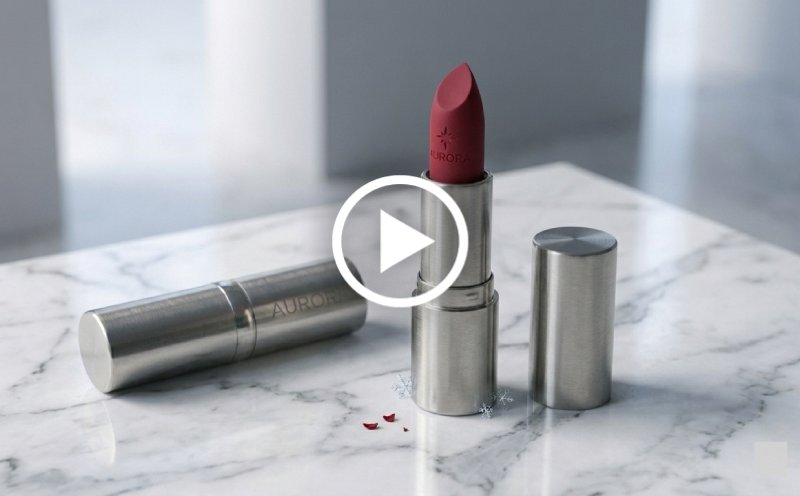
Create product images for Amazon, Shopify, Etsy, and social commerce using AI background removal, lifestyle scene generation, and ecommerce editing tools for listings, storefronts, and promotions.
Edit Photos for Ecommerce
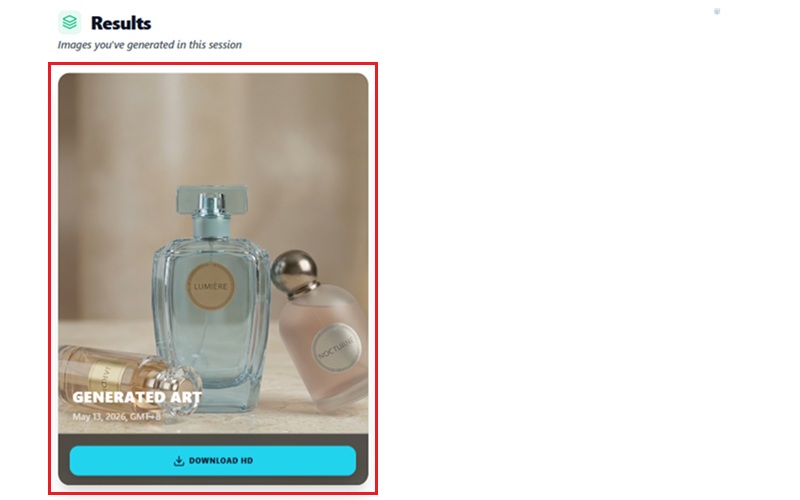
Or drop image here, paste image or URL
Try with one of these

Professional Ecommerce Images Made Easy

photo_library

Online Sellers

Running an online store requires product images that capture attention quickly. Professional photo editing helps showcase items clearly, build trust, and improve conversion potential.
temp_preferences_custom

Dropshipping Store Owners

Supplier-provided images often vary in quality and style. Editing tools create consistent product visuals that strengthen branding and make storefronts look more professional.
movie

Marketplace Vendors

Success on marketplaces depends heavily on product presentation. Optimized photos help listings stand out, communicate quality, and encourage shoppers to click and buy.
sync

Ecommerce Teams

Managing hundreds of products requires efficient visual workflows. Faster photo editing helps maintain consistent branding, update catalogs quickly, and support promotional campaigns.

Ecommerce Photo Editing Scenarios

Boost your sales and brand appeal by enhancing product photos—making them clear, clean, and ready to sell.

shopping_bag

Seasonal Sales Campaigns

Product visuals often fail to stand out during busy ecommerce promotions and seasonal sales events.

  • check_circle Generate holiday-themed product scenes.
  • check_circle Enhance visual focus on key products and seasonal offer highlights.
  • check_circle Improve promotional presentation for higher engagement.
video_library

Marketplace Product Listings

Inconsistent product images reduce buyer trust and weaken marketplace presentation across ecommerce stores.

  • check_circle Create Amazon-ready white background images.
  • check_circle Standardize product presentation across listings.
  • check_circle Improve product clarity and consistency.
brush

Social Commerce & Product Ads

Low-quality visuals reduce engagement and make products appear less premium on social commerce platforms.

  • check_circle Optimize visuals for mobile-first shopping.
  • check_circle Generate aesthetic ecommerce product scenes.
  • check_circle Create scroll-stopping social commerce content.

How to Create Ecommerce Product Images

Edit your product photos to make them more engaging and look professional.

  • 1

    Upload Your Product

    Start by adding your product image to the Background Remover to isolate the product. This is the base for generating marketplace-ready visuals for listings, storefronts, and ads.

  • 2

    Generate Your Ecommerce Visual

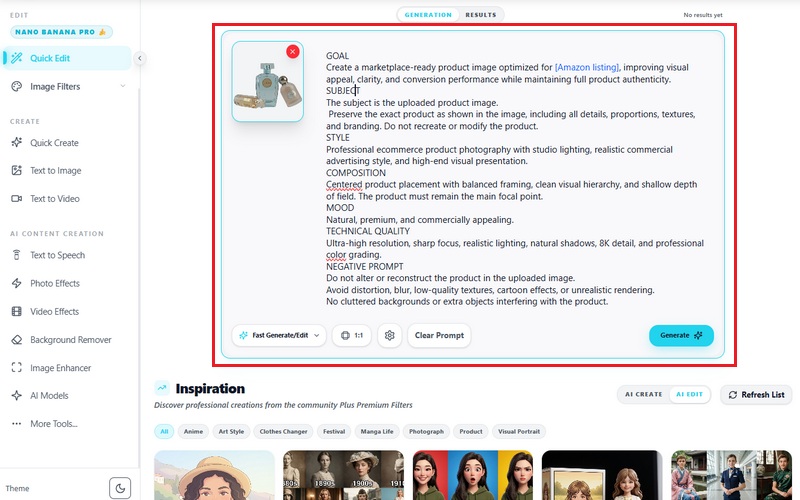
    Apply Background Changer and Quick Edit to create clean listings, lifestyle scenes, or branded promotional visuals optimized for Amazon, Shopify, and social commerce.

  • 3

    Publish Across Marketplaces

    Export your final image in high quality and use it across ecommerce platforms, including Amazon, Shopify, Etsy, TikTok Shop, Instagram Shop, product catalogs, and paid ad campaigns.
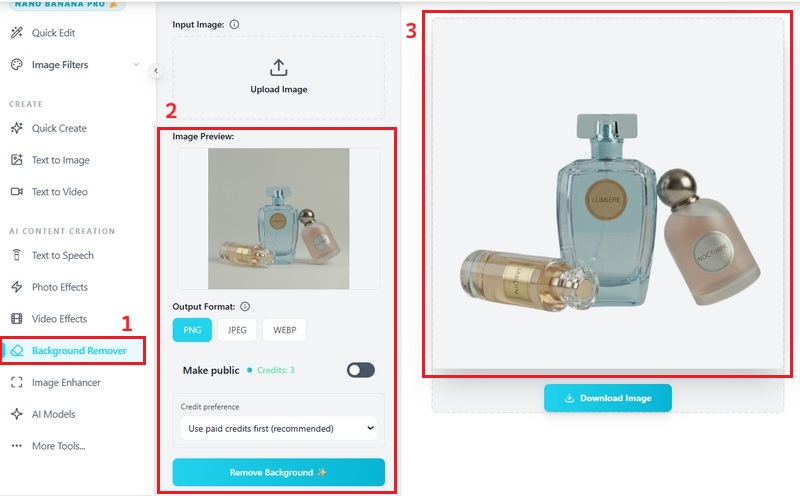
Upload Your Image
Generate Your Ecommerce Visual
Publish Across Marketplaces

Why Choose This Product Image Editor

bolt
AI-Powered Ecommerce Editing

Quickly transform product photos into marketplace-ready visuals using AI tools designed for listings, storefronts, and promotional ecommerce campaigns.

verified_user
Online & Instant Access

Edit product images directly in your browser anytime without installation, making it easy to create ecommerce visuals for Amazon, Shopify, Etsy, and social commerce.

school
High-Quality Ecommerce Output

Generate clean, sharp, and consistent product images optimized for online listings, advertising campaigns, and storefront presentation.

school
Simple Workflow for Fast Publishing

An easy editing process that helps you quickly prepare product images for ecommerce platforms, reducing time from upload to publication.

Frequently Asked Questions

Can the tool create e-commerce-ready product listing images?expand_more

Yes. The tool includes features for creating product listing visuals for ecommerce platforms and online catalogs. You can upload a product image, apply prompt-based edits, generate alternative product angles, and create styled product presentations using features such as virtual try-on. This allows product images to be adapted for different listing formats, promotional layouts, or apparel previews without manually creating separate compositions in external editing software.

Can I remove or replace backgrounds automatically?expand_more

Yes. The Background Remover tool can automatically isolate the product and remove the existing background from the uploaded image. After removal, the Background Changer tool lets you replace the background with preset scenes, solid-color backdrops, or ecommerce-style product environments. This workflow is commonly used for marketplace listings, catalog images, and product-focused promotional graphics that require a cleaner or more consistent presentation.

Does the tool support batch editing for multiple product images?expand_more

No. The tool currently processes images individually rather than through batch editing workflows. Each image must be uploaded and edited separately for background removal, Quick Edit refinements, or background replacement. However, the editing workflow requires only a few steps, and preset background options can be applied quickly after upload to maintain a consistent style across multiple ecommerce images.

How can I ensure consistent product presentation across listings?expand_more

You can maintain consistent product presentation by using the same background style, image framing, and editing settings across all product images. The Background Changer tool lets you apply similar ecommerce-style backgrounds to multiple listings, while the Quick Edit feature lets you standardize lighting, sharpness, and image composition. Consistency is especially useful for storefronts, Amazon listings, Shopify product galleries, and catalog-based ecommerce layouts where products are displayed side by side.

What export settings are best for marketplaces like Amazon or Shopify?expand_more

For Amazon listings, product images are commonly exported as PNG or JPG files with a 1:1 square aspect ratio. Amazon recommends images at 2000 × 2000 pixels with a pure white background for the primary product image, with the product occupying most of the frame to support zoom functionality. Shopify also supports square product images, with 2048 × 2048 pixels commonly used for high-resolution storefront displays. The Quick Edit feature supports exporting images in JPG and PNG formats and includes preset 1:1 aspect ratio options suitable for ecommerce product listings. This allows product images to be resized and prepared directly in the editor before export, reducing the need for additional cropping or formatting adjustments for marketplace uploads.
Natural Window Light Scene

Natural Window Light Scene
Gift Presentation Scene

Gift Presentation Scene
Office Desk Lifestyle Scene

Office Desk Lifestyle Scene
Minimal Lifestyle Interior

Minimal Lifestyle Interior

Edit Your Product Photos Instantly

Enhance product photos for ecommerce listings, storefront banners, catalogs, seasonal campaigns, and social commerce visuals using an AI-powered ecommerce editing workflow designed for modern online sellers.

Start Your Free Trial • Fast Online Workflow
Back to Top
Contact Us
Learning Center